ToolMage
Sign in

Best 1 Programming AI tools for Development

Popular Programming AI tools in Development include Toolin, helping you work more efficiently.

Toolin
Freemium

Toolin

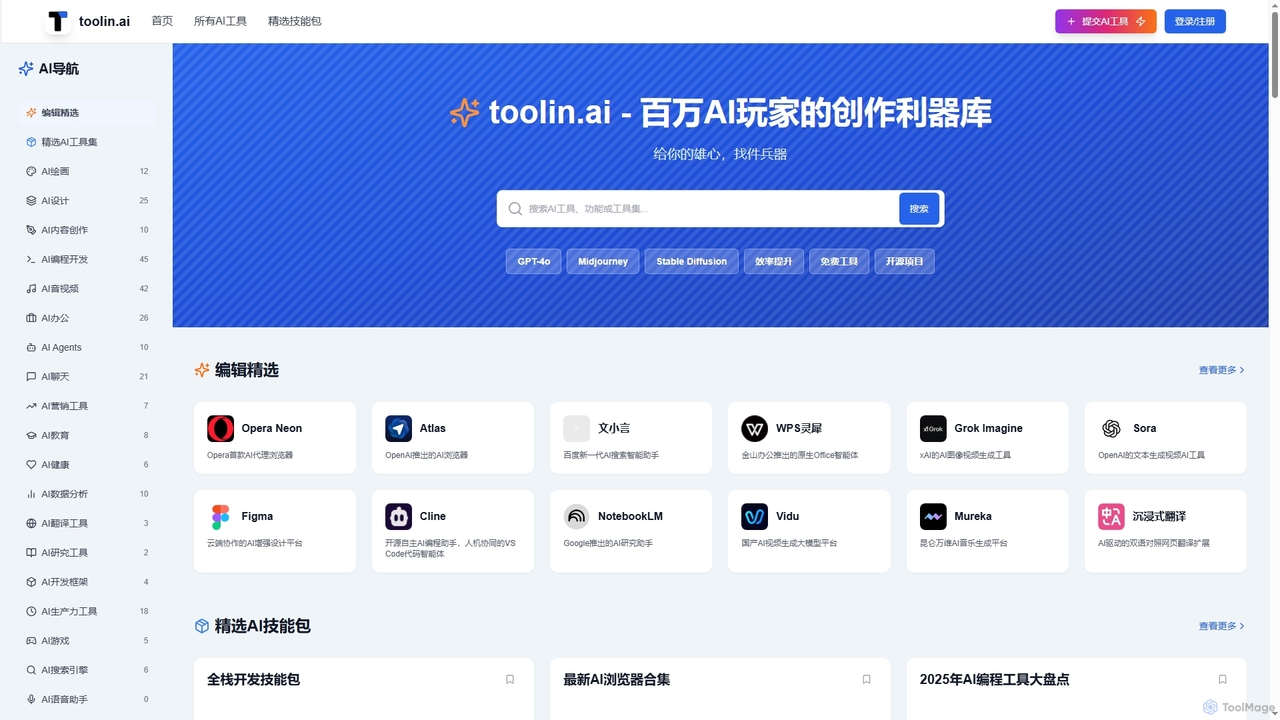
Toolin is a curated AI tool navigation and discovery platform designed for millions of AI enthusiasts and creators. It helps users find, organize, and share powerful AI tools for various applications, from productivity and content creation to programming and design. The platform also features 'AI Skill Packs,' which are expert-curated collections of tools for specific workflows, fostering a community of knowledge sharing.

Knowledge Sharing
Visits 72KFavorites 166Likes 131

About Programming

AI Programming tools are a class of software that leverages artificial intelligence to assist developers in writing, debugging, and optimizing code. These tools are typically powered by large language models (LLMs) trained on vast codebases, enabling them to understand context, syntax, and programming patterns. They significantly accelerate the development lifecycle by automating repetitive tasks, generating code from natural language prompts, and identifying potential errors before compilation. This allows developers to focus on complex problem-solving and architectural design, improving both productivity and code quality.

Core Features

  • AI Code Completion: Suggests entire lines or blocks of code in real-time based on the current context, going beyond simple keyword autocompletion.
  • Natural Language to Code Generation: Translates plain English descriptions or prompts into functional code snippets in various programming languages.
  • Automated Debugging and Error Analysis: Identifies bugs, vulnerabilities, and logical errors in code, often providing explanations and suggested fixes.
  • Code Refactoring and Optimization: Analyzes existing code and recommends improvements for better performance, readability, and adherence to best practices.
  • Automated Test Generation: Creates unit tests, integration tests, or documentation based on the functions and logic within the codebase.

Use Cases

AI Programming tools are widely used by software developers, data scientists, and students across various domains. In web and mobile development, they speed up the creation of boilerplate code and UI components. For data analysis and machine learning, they assist in writing complex algorithms and data processing scripts. They also serve as valuable learning aids for new programmers, providing instant feedback and examples.

How to Choose

When selecting an AI Programming tool, consider its language support and compatibility with your preferred IDE (e.g., VS Code, JetBrains). Evaluate the accuracy and relevance of its code suggestions. Review its security and privacy policies, especially regarding how your code is handled. Finally, compare pricing models—whether it's a subscription per user or based on usage—to find one that aligns with your budget and project scale.

Programming use cases

1

Accelerating API Endpoint Development

A backend developer is tasked with creating a new set of REST API endpoints for a user management module. Instead of writing all the boilerplate code manually, they use an AI programming assistant integrated into their IDE. They provide a natural language prompt like 'Create a POST endpoint at /users to add a new user with name, email, and password fields'. The AI tool generates the complete function, including request validation, database interaction logic, and response handling. This reduces development time for routine tasks by over 50%, allowing the developer to focus on more complex business logic and security implementations.

2

Refactoring Legacy Code for Maintainability

A software maintenance team is working on a decade-old monolithic application with complex and poorly documented functions. To improve maintainability, they use an AI programming tool's refactoring capabilities. They select a large, convoluted function and ask the AI to 'Refactor this function into smaller, single-responsibility functions and add docstrings'. The tool analyzes the code, breaks it down into logical, modular pieces, and generates clear documentation for each new function. This process makes the code easier to understand, test, and modify, reducing the risk of introducing new bugs during future updates.

3

Automating Unit Test Generation

A quality assurance engineer needs to increase the test coverage for a critical financial calculation service. Writing tests for every edge case is time-consuming. Using an AI programming assistant, the engineer highlights a function and prompts the tool to 'Generate unit tests for this function, covering null inputs, boundary values, and typical cases'. The AI analyzes the function's logic and parameters, then produces a comprehensive test suite in the project's testing framework (e.g., Jest, PyTest). This automates a significant portion of the testing process, ensuring higher code quality and reliability with less manual effort.

4

Learning a New Programming Language

A developer proficient in Python needs to quickly pick up Go for a new project. They use an AI programming tool as a learning companion. When they encounter a concept they know in Python, like list comprehensions, they ask the AI, 'What is the idiomatic way to do a list comprehension in Go?'. The tool not only provides the equivalent Go code using a `for` loop but also explains the syntactic differences and Go's design philosophy. This interactive, context-aware learning method is more efficient than searching through generic tutorials, accelerating the onboarding process for new languages and frameworks.

5

Generating SQL Queries from Natural Language

A business analyst needs to extract specific data from a large database but is not an expert in SQL. Instead of asking a developer for help, they use an AI tool that translates natural language to SQL. They type a query like 'Show me the total revenue from customers in California who signed up in the last 6 months, grouped by city'. The AI generates the corresponding complex SQL query with the correct joins, filters, and aggregations. This empowers non-technical team members to perform their own data analysis, freeing up developer time and accelerating data-driven decision-making.

6

Debugging and Explaining Complex Code

A junior developer is struggling to understand a piece of complex, uncommented code involving asynchronous operations. They are encountering a subtle bug they can't pinpoint. They paste the code into an AI programming tool and ask, 'Explain what this code does and why it might be failing'. The AI provides a step-by-step explanation of the code's logic, identifies a potential race condition as the source of the bug, and suggests a corrected version using proper async/await patterns. This not only solves the immediate problem but also serves as a powerful, personalized tutoring session, enhancing the developer's skills.

Programming FAQ

What are AI Programming tools?

AI Programming tools are software applications that use artificial intelligence, particularly large language models, to assist developers throughout the coding lifecycle. They function as intelligent assistants, often integrated directly into code editors (IDEs). Their primary purpose is to enhance developer productivity and improve code quality by automating tasks like code completion, generating code from natural language, identifying bugs, and suggesting optimizations. They act as a 'copilot' rather than a replacement for developers, handling repetitive work so humans can focus on creative problem-solving and system design.

How to choose the right AI Programming tool?

Choosing the right AI Programming tool depends on several factors. Consider the following points:

  • Language and Framework Support: Ensure the tool excels in the programming languages and frameworks you use most frequently.
  • IDE Integration: A seamless integration with your preferred code editor (like VS Code, JetBrains, or Neovim) is crucial for a smooth workflow.
  • Feature Set: Determine if you need basic code completion, advanced code generation from prompts, debugging capabilities, or all of the above.
  • Security and Privacy: Check how the tool handles your code. Does it send code to the cloud for processing? If so, understand their data privacy and security policies.
  • Performance and Accuracy: Evaluate the speed and relevance of the suggestions. A slow or inaccurate tool can hinder productivity more than it helps.
What is the difference between AI Programming tools and Low-code/No-code platforms?

The key difference lies in their target audience and approach. AI Programming tools are designed for developers who write code. They act as assistants within a traditional coding environment to make the process faster and more efficient. They augment the developer's skills, not replace them. In contrast, Low-code/No-code platforms are designed for users with little to no programming knowledge. They replace traditional coding with visual interfaces, drag-and-drop components, and pre-built templates, allowing non-developers to build applications and automate workflows. Essentially, AI Programming tools help you write better code, while Low-code/No-code platforms help you build things without writing code.

Can AI Programming tools replace human developers?

Currently, AI programming tools are not capable of replacing human developers. They excel at automating repetitive tasks, generating boilerplate code, and finding patterns, but they lack the critical thinking, creativity, and deep contextual understanding required for complex software development. Human developers are still essential for tasks like system architecture design, understanding nuanced business requirements, long-term strategic planning, and creative problem-solving. These tools are best viewed as powerful productivity enhancers—copilots that augment a developer's abilities, allowing them to work faster and focus on higher-level challenges.

Are AI Programming tools secure to use with proprietary code?

Security is a major consideration when using AI programming tools. The level of security depends on the specific tool and its policies. Some tools, particularly those integrated into enterprise plans, offer features like local processing (on-premise models) or strict data handling agreements that prevent your code from being used to train their public models. However, many free or consumer-grade tools may send code snippets to the cloud for analysis. It is crucial to thoroughly read the terms of service and privacy policy of any tool before using it with sensitive or proprietary code. Always prioritize tools that offer clear data privacy controls and enterprise-grade security features.