ToolMage
Sign in

Best 1 Reporting AI tools for Development

Popular Reporting AI tools in Development include Gitmore, helping you work more efficiently.

Gitmore
Freemium

Gitmore

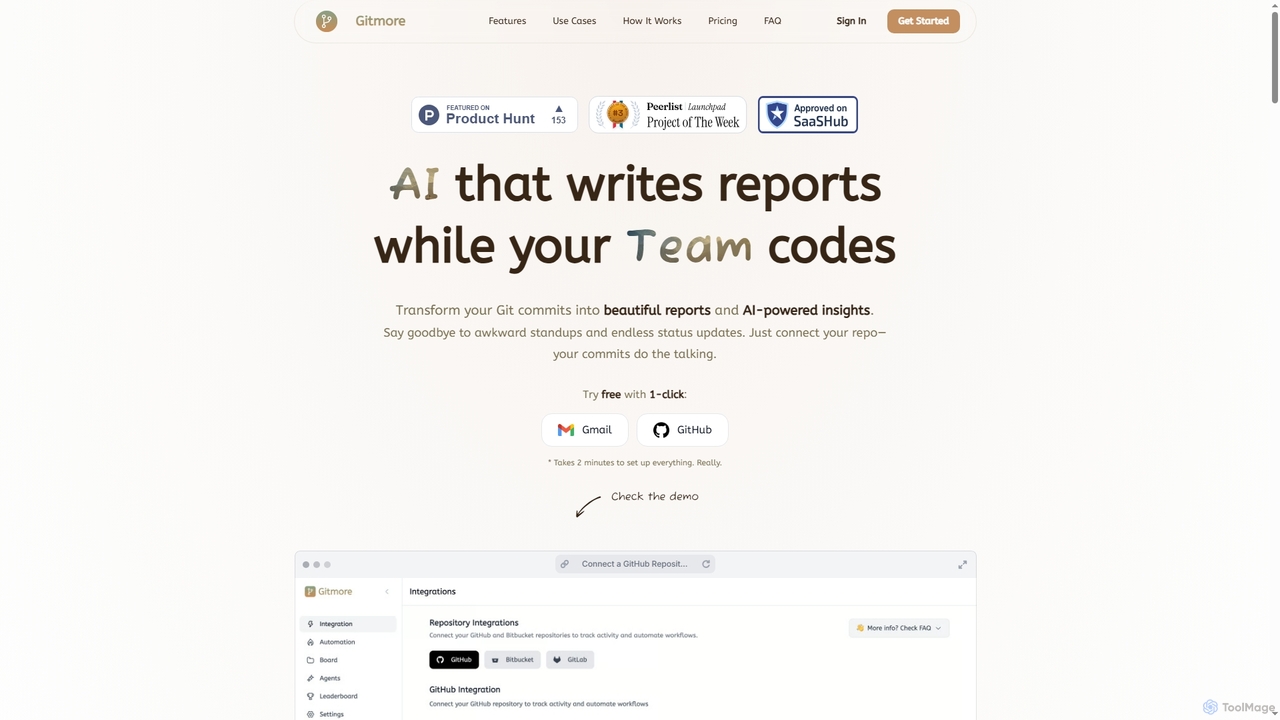
Gitmore is an AI-powered tool that automates technical team reporting and engineering updates. It transforms Git commits into intelligent reports and insights, eliminating manual status updates and standup meetings for development teams using GitHub, GitLab, or Bitbucket.

Productivity
Visits 11.1KFavorites 96Likes 91

About Reporting

AI-powered Reporting tools are a specialized subset within Development tools that automate the collection, analysis, and visualization of data to generate actionable insights. These tools leverage artificial intelligence and machine learning algorithms to identify patterns, predict trends, and present complex information in an easily digestible format. They empower developers, project managers, and stakeholders to monitor key performance indicators, track project progress, and make data-driven decisions more efficiently.

Core Features

  • Automated Data Aggregation: Automatically collects data from various sources like databases, APIs, and logs, reducing manual effort.
  • Intelligent Anomaly Detection: Uses AI to flag unusual patterns or deviations in data, such as performance bottlenecks or security vulnerabilities.
  • Predictive Analytics: Forecasts future trends and outcomes based on historical data, aiding in proactive planning and resource allocation.
  • Customizable Dashboards: Provides interactive and configurable dashboards for visualizing metrics relevant to specific development projects or operational areas.
  • Natural Language Generation (NLG): Converts complex data insights into human-readable narratives, simplifying report interpretation for non-technical users.

Use Cases

These tools are crucial for development teams, product managers, and operations engineers. They are used to generate comprehensive reports on software performance, track user engagement within applications, monitor infrastructure health, and analyze code quality metrics. This enables teams to quickly identify areas for improvement, optimize resource allocation, and ensure projects stay on track.

How to Choose

When selecting an AI Reporting tool, consider its data source integration capabilities, ensuring it connects with your existing development and operational platforms. Evaluate the depth of its AI analytics features, such as predictive modeling and anomaly detection. Assess the flexibility of its visualization options and report customization. Finally, consider the ease of use and the level of technical expertise required for setup and ongoing maintenance.

Featured tool rankings

Reporting use cases

1

Automated Software Performance Monitoring

A DevOps engineer uses an AI reporting tool to continuously monitor application performance metrics like response times, error rates, and resource utilization. The tool automatically generates daily performance summaries, highlights anomalies, and predicts potential bottlenecks before they impact users, allowing the engineer to proactively optimize system health and prevent outages.

2

Automated Project Progress Reporting

Project managers in software development utilize AI reporting tools to automatically aggregate data from various sources like Jira, GitHub, and CI/CD pipelines. These tools generate daily or weekly progress reports, highlighting task completion rates, resource allocation, and potential bottlenecks, significantly reducing the manual effort involved in status updates and improving project oversight.

3

Real-time Application Performance Monitoring

DevOps engineers deploy AI reporting solutions to continuously monitor the performance and health of live applications. The tools collect metrics from servers, databases, and user interactions, automatically detecting anomalies and generating real-time dashboards and alerts. This enables proactive identification and resolution of performance issues before they impact end-users.

4

Project Progress and Resource Allocation Reporting

A project manager leverages AI reporting to track the progress of multiple development sprints. The tool integrates with project management software, analyzes task completion rates, identifies dependencies, and provides predictive insights into potential delays or resource overloads. This enables the manager to reallocate resources effectively and communicate accurate timelines to stakeholders.

5

Code Quality and Security Compliance Reporting

Development leads leverage AI reporting to analyze codebases for quality metrics, adherence to coding standards, and potential security vulnerabilities. These tools generate comprehensive reports that detail code complexity, test coverage, and security scan results, facilitating code reviews, ensuring compliance, and improving overall software robustness.

6

User Behavior Analytics for Feature Development

A product owner utilizes AI reporting to analyze how users interact with new features in a beta application. The tool processes clickstreams, session durations, and conversion funnels, generating reports that highlight user engagement patterns, pain points, and areas for UI/UX improvement. This data directly informs subsequent development iterations and feature prioritization.

7

Code Quality and Technical Debt Reporting

A lead developer employs an AI reporting tool to assess code quality across the codebase. The tool integrates with static analysis tools and version control systems, generating reports on code complexity, test coverage, and identified vulnerabilities. It helps the team prioritize refactoring efforts and maintain a high standard of code health, reducing future technical debt.

8

Business Intelligence for Product Feature Adoption

Product owners use AI reporting to gain insights into how users interact with new features and overall product usage patterns. By analyzing user behavior data, these tools generate reports on feature adoption rates, engagement levels, and user journeys, providing critical information for product iteration and strategic decision-making.

9

Resource Allocation and Budget Tracking

Development team leads and finance departments employ AI reporting to track resource utilization and project expenditures. The tools consolidate financial data with project timelines and team assignments, generating detailed reports that help optimize resource allocation, identify cost overruns, and ensure projects stay within budget.

10

Security Incident and Vulnerability Reporting

A security analyst uses AI reporting to aggregate and analyze security logs from various systems. The tool identifies suspicious activities, correlates events across different sources, and generates real-time alerts and comprehensive incident reports. This allows for rapid response to potential threats and provides insights for strengthening overall system security posture.

11

Infrastructure Cost Optimization Reporting

A cloud architect implements AI reporting to monitor cloud resource consumption and expenditure. The tool analyzes usage patterns, identifies underutilized resources, and suggests cost-saving opportunities by predicting future needs. This helps the architect optimize infrastructure spending and ensure efficient resource provisioning for development and production environments.

12

Stakeholder Communication and Executive Summaries

Senior management and technical leads use AI reporting to create concise, high-level summaries for non-technical stakeholders. These tools can automatically generate executive reports that translate complex development metrics into understandable business outcomes, facilitating clear communication and strategic alignment across the organization.

Reporting FAQ

What are AI reporting tools?

AI reporting tools are software solutions that use artificial intelligence, including machine learning and natural language processing, to automate and enhance the process of generating reports. They go beyond traditional reporting by offering intelligent data analysis, predictive insights, and often natural language generation to create more dynamic and actionable reports from complex datasets.

What are AI Reporting tools in the context of Development?

AI Reporting tools in Development are specialized software solutions that use artificial intelligence to automate the collection, analysis, and visualization of data relevant to software development and operations. Unlike traditional reporting, they leverage AI to uncover hidden patterns, predict future trends, and provide actionable insights from complex datasets, such as code metrics, system logs, and user behavior data. They aim to enhance decision-making and efficiency across the development lifecycle.

How do AI Reporting tools differ from traditional reporting tools?

AI Reporting tools go beyond traditional reporting by incorporating machine learning and predictive analytics. Traditional tools primarily present historical data in static reports or dashboards. AI reporting, however, can automatically detect anomalies, forecast future performance, and even generate natural language summaries of insights, reducing the need for manual data interpretation. This allows for more proactive problem-solving and strategic planning in development.

How do AI reporting tools differ from traditional BI tools?

While both aim to provide insights, AI reporting tools offer advanced automation and intelligence. Traditional BI tools primarily focus on data aggregation and visualization based on predefined queries. AI reporting tools, however, can autonomously discover patterns, detect anomalies, provide predictive analytics, and even generate narrative summaries, significantly reducing manual effort and uncovering deeper, often hidden, insights.

What key metrics can AI Reporting tools track for development teams?

AI Reporting tools can track a wide array of metrics crucial for development teams. These include software performance indicators (e.g., response times, error rates, uptime), code quality metrics (e.g., complexity, test coverage, technical debt), project management metrics (e.g., sprint velocity, task completion, resource utilization), user engagement data (e.g., feature adoption, session duration), and security vulnerabilities. The specific metrics depend on the tool's integration capabilities and the data sources available.

What types of data sources can AI reporting tools integrate with?

AI reporting tools are highly versatile and can integrate with a wide array of data sources. Common integrations include relational databases (SQL, PostgreSQL), NoSQL databases (MongoDB, Cassandra), cloud platforms (AWS, Azure, Google Cloud), project management systems (Jira, Asana), version control systems (GitHub, GitLab), CRM platforms (Salesforce), ERP systems, and various APIs for custom data feeds.

Who benefits most from using AI Reporting tools in development?

A broad range of roles within the development ecosystem benefits significantly. This includes DevOps engineers who monitor system health and performance, project managers who track progress and resource allocation, product owners who analyze user behavior for feature development, and lead developers who oversee code quality and technical debt. Essentially, anyone needing data-driven insights to make informed decisions about software creation, deployment, and maintenance will find these tools valuable.

How can AI reporting tools benefit development teams specifically?

For development teams, AI reporting tools streamline project tracking, automate performance monitoring, and enhance code quality analysis. They provide real-time visibility into development cycles, help identify bottlenecks, predict potential issues, and generate comprehensive reports on metrics like sprint velocity, bug density, and deployment frequency, leading to more efficient and predictable development processes.

What are the key considerations when choosing an AI reporting tool for development?

Key considerations include the tool's ability to integrate with your existing development stack and data sources, its specific AI capabilities (e.g., predictive analytics, anomaly detection, NLG), and the level of customization offered for dashboards and reports. Also, evaluate its scalability, security features, ease of use for different team members, and the vendor's support and community resources.

What are the main challenges when implementing AI Reporting tools?

Implementing AI Reporting tools can present several challenges. Key among these are ensuring seamless integration with diverse existing data sources (databases, APIs, version control, monitoring tools), maintaining data quality and consistency, and addressing potential data privacy and security concerns. Additionally, there can be a learning curve for teams to effectively interpret and act upon AI-generated insights, and the initial setup and configuration might require significant technical expertise.