Development Best in category 1 results Wordpress Tools AI Tool

Popular AI tools in the Wordpress Tools field of Development include PluginLyzer, etc., helping you quickly improve efficiency.

PluginLyzer

PluginLyzer

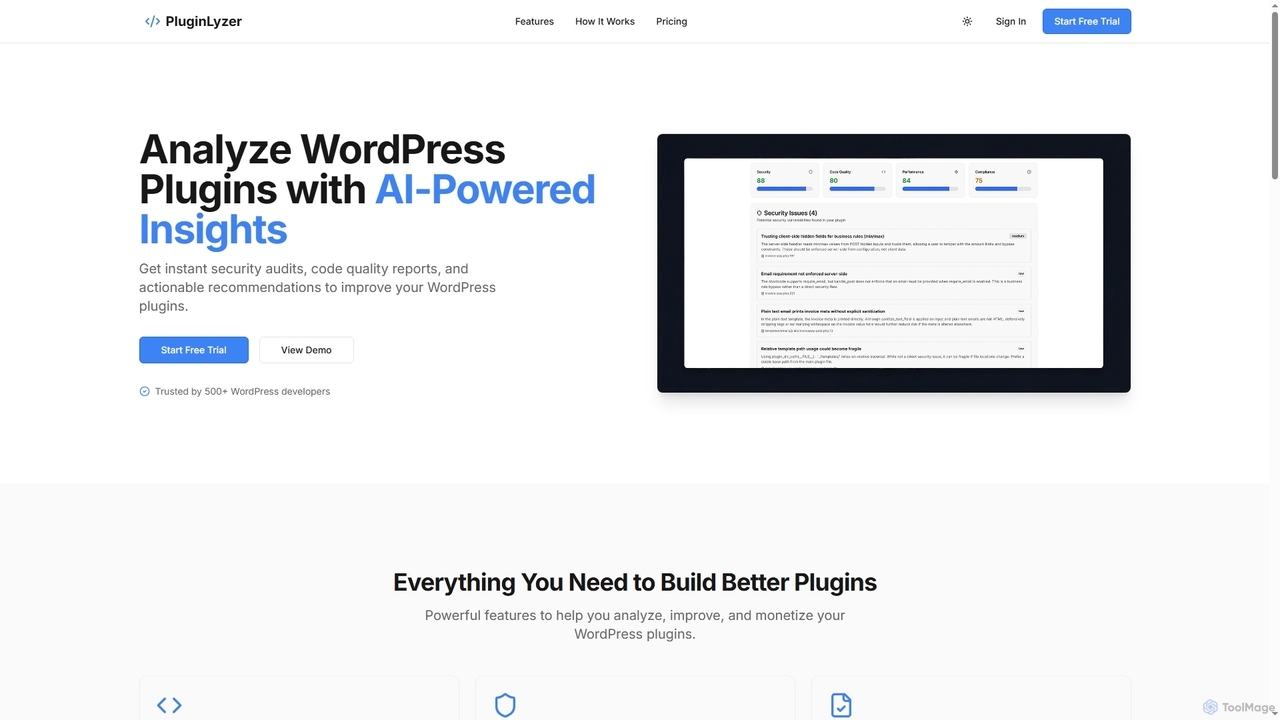
PluginLyzer is an AI-powered platform designed for WordPress developers to analyze, improve, and monetize their plugins. It provides …

2.3K

About Wordpress Tools

WordPress Tools are AI-powered solutions designed to enhance the functionality, efficiency, and content creation capabilities of WordPress websites. These tools leverage artificial intelligence to automate tasks, optimize SEO, generate content, and improve user experience. They help developers, content creators, and site administrators streamline website management and elevate their digital presence. By integrating AI directly into the WordPress environment, they offer seamless enhancements for various aspects of site operation.

Core Features

  • AI Content Generation: Automatically create blog posts, product descriptions, and marketing copy directly within WordPress.
  • SEO Optimization: Analyze content, suggest keywords, and optimize meta descriptions for better search engine rankings.
  • Image & Media Management: Generate or optimize images, add alt text, and manage media libraries with AI assistance.
  • Website Performance Enhancement: Identify and suggest improvements for site speed, security, and overall user experience.
  • Automated Moderation & Support: Filter spam comments, provide AI-driven customer support, and manage user interactions.

Use Cases

These tools are widely used by bloggers for drafting articles, e-commerce sites for automating product descriptions, and web developers for streamlining site building and maintenance. They are essential for anyone looking to leverage AI within the WordPress ecosystem to save time and improve site quality.

How to Choose

When selecting WordPress Tools, consider their integration compatibility with your specific WordPress version and existing plugins. Evaluate if the AI capabilities align with your primary needs, such as content, SEO, or performance. Look for intuitive interfaces and clear documentation to minimize the learning curve, and consider the tool's scalability and customer support quality.

Wordpress ToolsUse Cases

1

Automating Blog Post Creation

Content creators use AI WordPress tools to generate drafts for blog posts, articles, or news updates based on keywords and topics. This significantly reduces the time spent on initial content writing, allowing them to focus on editing, fact-checking, and adding unique insights, leading to a faster content publishing cycle.

2

Automating Blog Post Generation and SEO Optimization

Content creators and bloggers can utilize AI WordPress tools to generate initial drafts of articles, blog posts, or news updates. These tools can then optimize the content for target keywords, suggest internal linking opportunities, and create compelling meta descriptions, significantly reducing the time spent on content creation and SEO tasks. This results in a higher volume of optimized content published more frequently.

3

Generate SEO-Optimized Blog Posts Automatically

Content creators and bloggers can use AI WordPress tools to quickly draft articles, outlines, and even full blog posts. By providing a topic or keywords, the tool generates unique, engaging content, saving hours of writing time and ensuring a consistent publishing schedule. This allows for rapid content scaling without compromising quality.

4

Automated Blog Post Generation

Content creators and bloggers use AI WordPress tools to generate drafts for blog posts, articles, or news updates based on keywords and topics. By inputting a few prompts, the AI can produce structured content, significantly reducing the time spent on initial writing and brainstorming, allowing creators to focus on refining and personalizing the output.

5

Enhancing On-Page SEO for Articles

SEO specialists and bloggers utilize these tools to analyze existing or newly drafted content within WordPress for SEO best practices. The AI suggests keyword optimizations, readability improvements, internal linking opportunities, and meta descriptions, directly boosting the content's search engine visibility and organic traffic.

6

Enhancing E-commerce Product Descriptions and SEO

E-commerce store owners can leverage AI WordPress tools to automatically generate unique and compelling product descriptions for hundreds or thousands of items. These tools can also optimize product titles and meta tags for search engines, ensuring better visibility and higher conversion rates. This eliminates the tedious manual process of writing individual descriptions, allowing businesses to scale their product offerings more efficiently.

7

AI-Powered Product Description Generation

E-commerce store owners can leverage these tools to create compelling and unique product descriptions for hundreds or thousands of items. AI analyzes product features and target audience, generating persuasive copy that improves conversion rates and reduces the manual effort of writing for each product.

8

SEO Content Optimization

Website owners and SEO specialists leverage AI WordPress tools to analyze existing content, suggest relevant keywords, optimize meta descriptions, and improve readability for higher search engine rankings. These tools can identify content gaps, recommend internal linking strategies, and ensure the site adheres to the latest SEO best practices, leading to increased organic traffic.

9

Generating Product Descriptions for E-commerce

E-commerce store owners on WooCommerce (a WordPress plugin) employ AI tools to automatically generate compelling and unique product descriptions. By inputting product features, the AI creates engaging copy that highlights benefits and encourages sales, saving hours compared to manual writing for hundreds of products.

10

Optimizing Website Performance and User Experience

Webmasters and developers can use AI WordPress tools to analyze website performance metrics, identify bottlenecks, and suggest optimizations for faster loading times. These tools can automatically compress images, manage caching, and detect broken links or slow-loading scripts. By improving site speed and responsiveness, they contribute to a better user experience, which is crucial for visitor retention and search engine rankings.

11

Boost WordPress SEO with AI Suggestions

Website administrators and SEO specialists can utilize AI WordPress tools to analyze their site's content, identify keyword gaps, and suggest improvements for on-page SEO. The tools can automatically optimize meta titles, descriptions, and internal linking, leading to higher search engine rankings and increased organic traffic.

12

E-commerce Product Description Creation

Online store managers utilize AI WordPress plugins to automatically generate unique and engaging product descriptions, titles, and tags for hundreds of items. This automation significantly reduces manual effort, ensures consistency across product listings, and enhances SEO for individual products, leading to improved visibility and conversion rates for e-commerce businesses.

13

Optimizing Website Images and Alt Text

Webmasters and designers use WordPress AI tools to automatically compress images without losing quality and generate descriptive alt text. This improves website loading speed, enhances accessibility for visually impaired users, and contributes positively to SEO by providing search engines with better context for images.

14

Advanced Security and Spam Protection

Website administrators can deploy AI WordPress tools to bolster their site's security posture. These tools use machine learning to detect unusual login patterns, identify and block malicious bots, and filter out spam comments more effectively than traditional methods. They can also monitor for vulnerabilities in real-time and provide alerts, offering a proactive defense against cyber threats and maintaining the integrity of the WordPress site.

15

AI-Driven WordPress Security and Spam Filtering

Site owners concerned about security can deploy AI WordPress tools to proactively detect and mitigate threats. These tools use machine learning to identify malicious login attempts, filter spam comments, and scan for vulnerabilities, providing a robust defense layer that traditional security measures might miss, ensuring site integrity.

16

Website Performance & Security Audits

Developers and administrators employ AI WordPress tools to scan sites for performance bottlenecks, security vulnerabilities, and broken links. These tools provide actionable recommendations for improvement, such as optimizing image sizes, caching strategies, or identifying malicious code. This proactive approach ensures a fast, secure, and reliable website, enhancing user trust and search engine favorability.

17

Proactive Security Monitoring and Spam Filtering

Site administrators deploy AI-powered security tools to continuously monitor their WordPress sites for malicious activity, vulnerabilities, and spam comments. The AI can identify unusual patterns, block threats in real-time, and filter out unwanted content, ensuring a secure and clean user experience.

18

Personalizing User Experience and Content Delivery

Marketers and website owners can utilize AI WordPress tools to personalize the user experience by dynamically adjusting content, product recommendations, and calls-to-action based on individual visitor behavior, demographics, and past interactions. This level of personalization can significantly increase engagement, reduce bounce rates, and improve conversion metrics, making the website more relevant and appealing to each unique visitor.

19

Implement AI Chatbots for Customer Support

Businesses can integrate AI chatbots into their WordPress sites to offer instant customer support and personalized interactions. These chatbots answer common questions, guide users through the site, and collect leads, enhancing user engagement and reducing the workload on human support teams, available 24/7.

20

AI-Powered Customer Support Chatbots

Businesses integrate AI chatbots into their WordPress sites to provide instant customer support, answer frequently asked questions, and guide visitors through services or products. These chatbots can handle a high volume of inquiries 24/7, improving user experience by offering immediate assistance and reducing the workload on human support teams, leading to higher customer satisfaction.

21

Personalizing User Experience with AI Chatbots

Businesses integrate AI chatbots directly into their WordPress sites to provide instant customer support, guide users through content, or recommend products. These chatbots learn from user interactions, offering personalized responses and improving engagement, thereby reducing customer service workload and enhancing user satisfaction.

22

Streamlining Website Maintenance and Development Tasks

Web developers and agencies can utilize AI WordPress tools to automate routine maintenance tasks such as plugin updates, database optimization, and backup scheduling. These tools can also assist in code generation, debugging, and identifying compatibility issues between plugins or themes. By offloading these repetitive tasks to AI, developers can focus on more complex development challenges and deliver projects faster and with higher quality.

23

Automate WordPress Design and Layout Generation

Web designers and developers can use AI WordPress tools to accelerate the design process. These tools can suggest layout variations, generate custom CSS, or even create entire page sections based on content and design preferences. This significantly reduces development time and allows for rapid prototyping and A/B testing of different designs.

24

Image & Media Optimization

Bloggers, marketers, and webmasters use AI to automatically compress images, generate descriptive alt text, and categorize media files within WordPress. This not only improves site speed and accessibility but also enhances SEO by providing rich, relevant metadata for search engines. AI can also help in detecting duplicate images and suggesting optimal formats for different devices.

Wordpress ToolsFrequently Asked Questions