ToolMage
Sign in

Best 1 Wordpress AI tools for Development

Popular Wordpress AI tools in Development include ZipWP, helping you work more efficiently.

ZipWP
Freemium

ZipWP

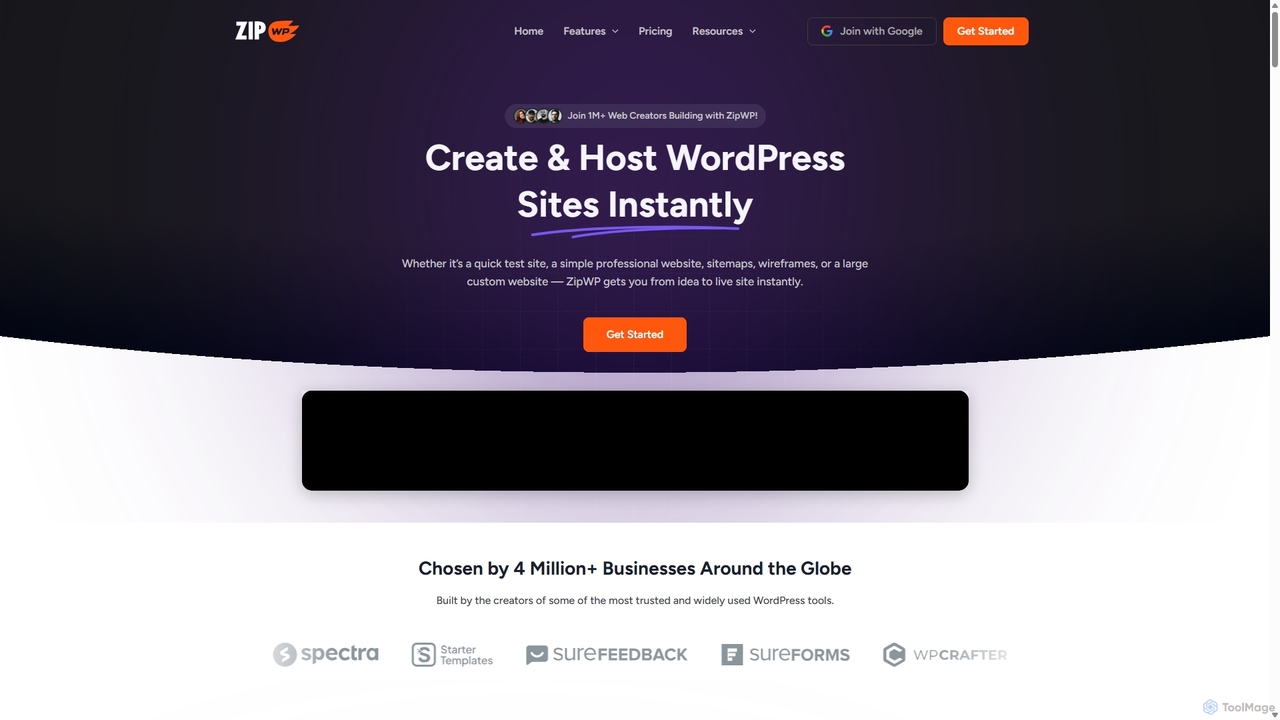
ZipWP is an AI-powered platform that enables users to create and host professional WordPress websites in minutes. It streamlines the entire web creation workflow, from generating sitemaps and wireframes to building fully functional sites with content and design, all without needing any coding skills. It's an all-in-one solution for rapid website development and deployment.

Wordpress
Visits 236.5KFavorites 197Likes 185

About Wordpress

AI WordPress tools are plugins and services designed to integrate artificial intelligence directly into the WordPress platform. These tools leverage machine learning models to automate and enhance tasks such as content creation, SEO optimization, and website security. They empower users to build more intelligent, efficient, and engaging websites with less manual effort. By integrating AI capabilities, these tools transform the standard WordPress experience into a dynamic content and management system.

Core Features

  • AI Content Generation: Automatically create blog posts, product descriptions, and marketing copy based on keywords and prompts.
  • Intelligent SEO Analysis: Provide real-time suggestions for meta tags, keyword density, and readability to improve search rankings.
  • Automated Image Optimization: Generate alt text, compress images, and create captions using AI vision analysis.
  • AI-Powered Security: Proactively detect and block threats by analyzing traffic patterns and identifying anomalous behavior.
  • Personalized Recommendations: Analyze user behavior to display relevant content or products, increasing engagement.

Use Cases

These tools are widely used by content creators, digital marketers, e-commerce store owners, and web agencies. For instance, a blogger can use an AI writer to overcome writer's block and generate article drafts, while an e-commerce manager can automate the creation of hundreds of unique product descriptions for their WooCommerce store.

How to Choose

When selecting an AI WordPress tool, consider its specific function (e.g., content, SEO, or security). Evaluate its compatibility with your existing theme and plugins. Assess the user interface for ease of use and review the pricing model, whether it's a one-time purchase or a subscription based on usage credits. Finally, check for reliable customer support and regular updates.

Wordpress use cases

1

Automated Blog Post Generation

A content marketer managing multiple client blogs needs to maintain a consistent publishing schedule. Using an AI WordPress plugin, they input a target keyword and a brief outline for a new article. The AI generates a well-structured draft, including headings, introductory paragraphs, and relevant content sections. The marketer then edits and refines the draft, adding their unique voice and insights. This process reduces the time spent on initial research and writing from several hours to under an hour, allowing them to scale content production significantly.

2

Intelligent On-Page SEO Optimization

An SEO specialist is tasked with improving the search rankings for a large website with hundreds of pages. Instead of manually checking each page, they use an AI SEO plugin for WordPress. As they edit a page or post, the tool provides real-time analysis and suggestions. It recommends optimal meta titles, generates compelling meta descriptions, checks for keyword density, and suggests internal linking opportunities. This transforms a tedious, manual process into an efficient, guided workflow, ensuring every piece of content is optimized for search engines before publishing.

3

Automated Alt Text for Image Accessibility

A website administrator for a large non-profit organization needs to ensure their site is fully accessible, which includes providing descriptive alt text for thousands of images in their media library. Manually writing this would be a monumental task. They install an AI WordPress plugin that uses computer vision to analyze each image and automatically generate accurate alt text. The administrator can then quickly review and approve the suggestions. This not only saves hundreds of hours of manual work but also significantly improves the site's accessibility for visually impaired users and enhances image SEO.

4

AI-Powered Security Threat Detection

A small business owner is concerned about the security of their WordPress e-commerce site. They install an AI-powered security plugin. The plugin learns the site's normal traffic patterns and user behaviors. When it detects an anomaly, such as a brute-force login attempt from an unusual location or suspicious code being injected, it automatically blocks the IP address and alerts the owner. This proactive approach to security provides peace of mind and protects the business from potential data breaches and financial loss, operating 24/7 without constant manual monitoring.

5

Writing Unique WooCommerce Product Descriptions

An e-commerce manager for a fashion brand has to add 50 new products to their WooCommerce store. Writing unique, engaging, and SEO-friendly descriptions for each is time-consuming. They use an AI writer plugin integrated with WooCommerce. For each product, they input key features like material, color, and style. The AI then generates several description variants. The manager selects the best one, makes minor tweaks, and publishes. This allows them to launch new products faster, ensures all descriptions are unique to avoid duplicate content issues, and improves product page SEO.

6

Personalized Content Recommendations for Readers

The editor of a popular online magazine built on WordPress wants to increase reader engagement and time on site. They implement an AI recommendation plugin. This tool analyzes a visitor's reading history, clicks, and time spent on articles. Based on this data, it dynamically displays a personalized 'Recommended for You' section at the end of each post. This leads to a noticeable increase in page views per session and a lower bounce rate, as readers are consistently shown content that matches their interests, encouraging them to continue exploring the site.

Wordpress FAQ

What are AI WordPress tools?

AI WordPress tools are specialized plugins or services that integrate artificial intelligence capabilities directly into your WordPress dashboard. They are designed to automate or enhance specific tasks within the WordPress environment. Key functions often include AI-powered content generation, on-page SEO analysis, image optimization (like auto-generating alt text), security threat detection, and creating personalized user experiences. Unlike standalone AI platforms, these tools are built for seamless integration with WordPress posts, pages, and other components like WooCommerce.

How do I choose the right AI tool for my WordPress site?

To choose the right AI tool, first identify your primary need. Are you focused on content creation, SEO, security, or e-commerce? Then, consider these factors:

  • Compatibility: Ensure the tool is compatible with your WordPress version, theme, and essential plugins (like page builders or WooCommerce).
  • Features: Compare the specific features offered. For an AI writer, check language support and tone options. For an SEO tool, look for real-time analysis and keyword suggestions.
  • Ease of Use: Look for a tool with an intuitive interface that integrates well into your existing workflow without a steep learning curve.
  • Pricing Model: Evaluate the cost structure. Some tools have a one-time fee, while many use a subscription or credit-based system. Choose one that aligns with your budget and expected usage.
AI WordPress plugin vs. a standalone AI platform: what's the difference?

The main difference is integration. An AI WordPress plugin is designed to work directly within your WordPress admin area, allowing you to generate content, optimize SEO, or manage security without leaving your site. This creates a more streamlined workflow. A standalone AI platform (like a separate web-based content writer) is more versatile and can be used for various tasks beyond WordPress, but it requires you to copy and paste content, losing the context and convenience of direct integration. For tasks specifically related to managing and creating content for your WordPress site, a dedicated plugin is often more efficient.

Can AI tools replace human content creators for WordPress?

AI tools are best viewed as powerful assistants rather than replacements for human creators. They excel at automating repetitive tasks, generating initial drafts, brainstorming ideas, and optimizing content based on data. However, they currently lack the genuine creativity, emotional intelligence, nuanced understanding, and unique voice that a human writer or designer brings. The most effective approach is a collaborative one, where creators use AI to handle the groundwork and scale production, freeing them up to focus on high-level strategy, editing, and adding the final human touch that resonates with an audience.

What are the main benefits of using AI in WordPress?

Integrating AI into WordPress offers several key benefits:

  • Increased Efficiency: Automate time-consuming tasks like writing drafts, generating meta descriptions, and finding related posts, allowing you to produce more content in less time.
  • Enhanced SEO: Get real-time, data-driven suggestions to optimize your content for search engines, improving your chances of ranking higher.
  • Improved Content Quality: Use AI to check for grammar and spelling errors, improve readability, and brainstorm new topic ideas to overcome writer's block.
  • Better User Engagement: Implement AI-powered features like personalized content recommendations or chatbots to keep visitors on your site longer.
  • Proactive Security: Employ AI to monitor your site for suspicious activity and block threats before they can cause damage.