
ToolMage
Sign in

Best 1 Childrens Learning AI tools for Education

Popular Childrens Learning AI tools in Education include TalesMio, helping you work more efficiently.

TalesMio
Paid

TalesMio

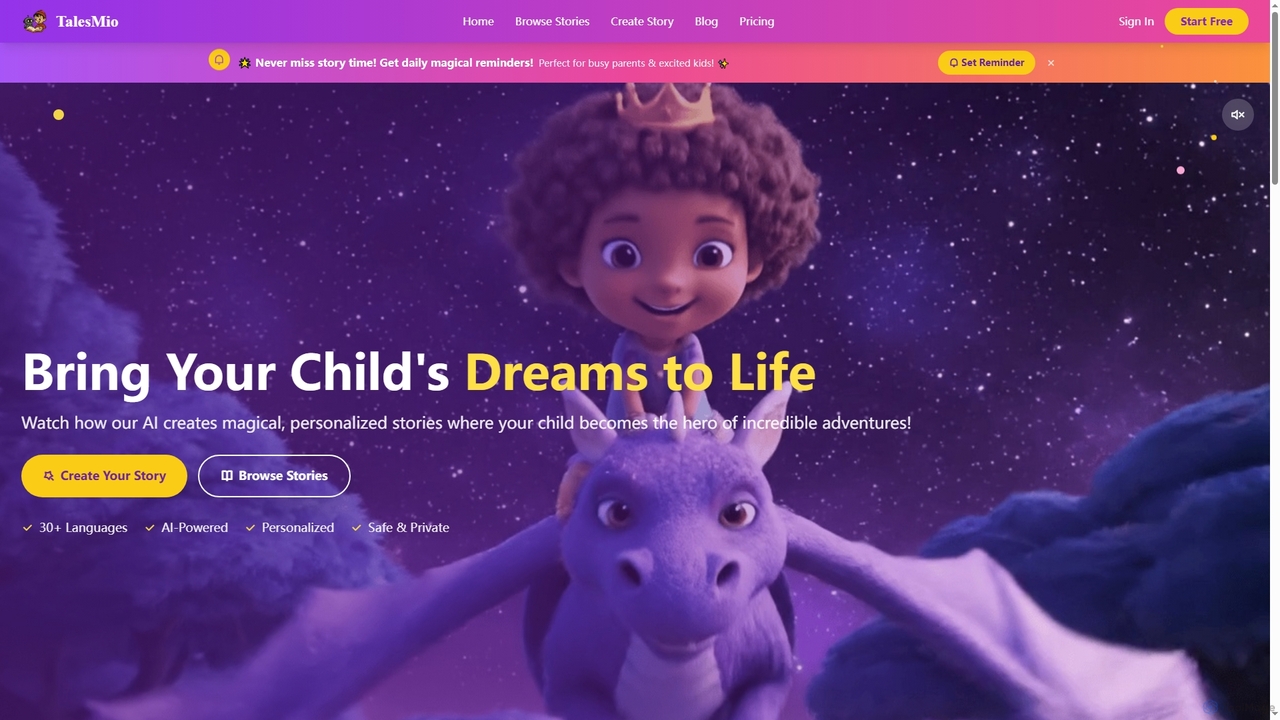
TalesMio is an AI-powered platform that transforms children's dreams into personalized, interactive stories. Parents can create unique adventures where their child becomes the hero, complete with professional narration, vivid illustrations, and magical sound effects, fostering imagination and a love for reading in a safe, ad-free environment.

Story Generation
Visits 5.2KFavorites 133Likes 115

About Childrens Learning

AI Childrens Learning tools are a specialized category of educational software that uses artificial intelligence to create personalized and interactive learning experiences for kids. These platforms leverage machine learning algorithms to adapt content difficulty, pace, and style to each child's individual learning needs and progress. The primary goal is to make education more engaging, effective, and accessible by transforming traditional subjects into fun games, interactive stories, and adaptive challenges. This approach helps foster curiosity and a genuine love for learning from an early age.

Core Features

  • Adaptive Learning Paths: The AI automatically adjusts the difficulty of questions and topics based on the child's performance.
  • Gamification Elements: Incorporates points, badges, and leaderboards to motivate children and make learning enjoyable.
  • Interactive Content: Provides engaging formats like animated stories, conversational AI tutors, and hands-on simulations.
  • Progress Tracking for Parents: Offers detailed dashboards for parents to monitor their child's progress, strengths, and areas needing improvement.
  • Safe & Curated Environment: Ensures all content is age-appropriate and free from external distractions or inappropriate material.

Use Cases

These tools are widely used by parents seeking to supplement their children's school education, especially in subjects like math, reading, and coding. Teachers also utilize them in classrooms to provide differentiated instruction, allowing each student to learn at their own pace. They are particularly effective for homeschooling environments and for helping children with learning disabilities by offering tailored support.

How to Choose

When selecting an AI Childrens Learning tool, consider the child's age and the specific subjects you want to focus on. Evaluate the platform's safety features, including data privacy policies and content filtering. Look for a tool with a proven pedagogical approach and positive reviews from other parents and educators. Finally, assess the level of parental control and the quality of progress reports to ensure it aligns with your educational goals for your child.

Childrens Learning use cases

1

Personalized Math Tutoring for Elementary Students

A parent notices their third-grade child is struggling with multiplication concepts. They use an AI learning tool that first assesses the child's current knowledge level through a short, game-like quiz. Based on the results, the AI creates a personalized learning path, starting with visual explanations of multiplication using animated blocks. The tool then offers interactive exercises that increase in difficulty as the child masters each level, providing instant feedback and positive reinforcement. This one-on-one, adaptive approach helps the child build confidence and master the topic faster than with traditional worksheets.

2

Interactive Language Learning Through Conversation

A family is preparing for a trip to Spain, and they want their 8-year-old to learn some basic Spanish. They use an AI language app for children. The app features an AI-powered character that engages the child in simple, spoken conversations. The child can practice pronunciation, and the AI provides gentle corrections and encouragement. The learning is structured around fun scenarios like ordering food at a restaurant or asking for directions, making the vocabulary practical and memorable. Gamified lessons and cultural stories keep the child engaged daily, turning language acquisition into an exciting adventure rather than a chore.

3

AI-Powered Story Creation for Literacy Skills

A teacher wants to improve the creative writing and reading comprehension skills of her first-grade class. She uses an AI tool that allows children to co-create stories. A child chooses a character and a setting, and the AI generates the beginning of a story. The child then adds their own sentence or idea, and the AI continues the narrative, incorporating the child's input. The tool can also read the story aloud with expressive voices. This process not only sparks creativity but also helps children understand story structure, sentence formation, and vocabulary in a highly engaging and personalized way.

4

Gamified Introduction to Coding Concepts

A 10-year-old shows an interest in video games and how they are made. Her parents introduce her to an AI-powered coding platform for kids. Instead of writing complex code, she learns programming logic by dragging and dropping command blocks to guide a character through a series of puzzles and challenges. The AI adapts the difficulty of the puzzles based on her performance, introducing new concepts like loops and conditionals gradually. This gamified environment makes learning to code feel like playing a game, building a strong foundation in computational thinking without the initial intimidation of syntax.

5

Homework Assistance with Concept Explanations

A middle school student is stuck on a science homework question about photosynthesis. Instead of just searching for the answer online, they use an AI homework helper. The student types in their question, and the AI provides a step-by-step explanation of the process in simple, easy-to-understand language, using analogies a child can relate to. It can also generate simple diagrams or short quizzes to check for understanding. This transforms homework from a task of finding answers to an opportunity for deeper learning, ensuring the student actually grasps the underlying concept.

6

Developing Reading Comprehension with an AI Story Reader

A six-year-old is learning to read but struggles with understanding the meaning behind the words. A parent uses an AI story reader app. The app reads digital books aloud with engaging narration and highlights words as they are spoken. After each page or chapter, the AI asks simple, interactive questions about the plot and characters (e.g., 'Why was the bear sad?'). The child can answer by speaking or tapping an option. This immediate reinforcement helps solidify their comprehension skills, making reading an active and rewarding experience rather than a passive one.

Childrens Learning FAQ

What are AI Childrens Learning tools?

AI Childrens Learning tools are educational applications and platforms that use artificial intelligence to provide personalized learning experiences for children. Unlike static educational apps, they dynamically adapt to a child's skill level, offering customized challenges, feedback, and content. Key features often include adaptive learning paths, gamification to increase engagement, and interactive AI tutors that can explain concepts in a conversational way.

How to choose the right AI learning tool for my child?

Choosing the right tool depends on several factors. Consider the following:

  • Age and Subject: Ensure the content is age-appropriate and covers the subjects your child needs help with or is interested in.
  • Safety and Privacy: Look for tools with strong privacy policies, no third-party ads, and a secure, child-friendly interface.
  • Pedagogical Approach: Does the tool use a play-based, inquiry-based, or direct instruction method? Choose one that matches your child's learning style.
  • Parental Controls: Check for features that allow you to set screen time limits, monitor progress, and customize the learning experience.
Are AI learning tools safe for children?

Reputable AI learning tools prioritize child safety. They typically operate in a closed environment, meaning children cannot navigate to external websites or interact with unvetted users. Most platforms also have strict content filters to ensure everything is age-appropriate. However, it is crucial for parents to review the privacy policy of any tool to understand how their child's data is collected and used. Choosing tools from well-known educational companies can add an extra layer of assurance.

How do AI Childrens Learning tools differ from standard educational apps?

The key difference is personalization and adaptivity. Standard educational apps often present a one-size-fits-all curriculum with a fixed set of lessons and quizzes. AI Childrens Learning tools, on the other hand, use algorithms to analyze a child's performance in real-time. Based on this analysis, the AI adjusts the difficulty, suggests relevant topics, and provides tailored feedback, creating a unique learning path for each child that targets their specific strengths and weaknesses.

What age group are these AI tools suitable for?

AI Childrens Learning tools cater to a wide range of ages, typically from preschool (ages 3-5) through middle school (ages 11-14). Tools for preschoolers often focus on foundational skills like letter recognition, counting, and basic shapes through games and stories. For elementary and middle school students, the tools become more sophisticated, covering subjects like advanced math, science, coding, and foreign languages with adaptive curricula and problem-solving challenges. It's important to check the specific age recommendation for each tool to ensure it matches the child's developmental stage.