ToolMage
Sign in

Best 3 Information Consumption AI tools for Education

Popular Information Consumption AI tools in Education include KisanAI, Pawmenow, and Songbird, helping you work more efficiently.

KisanAI
Free

KisanAI

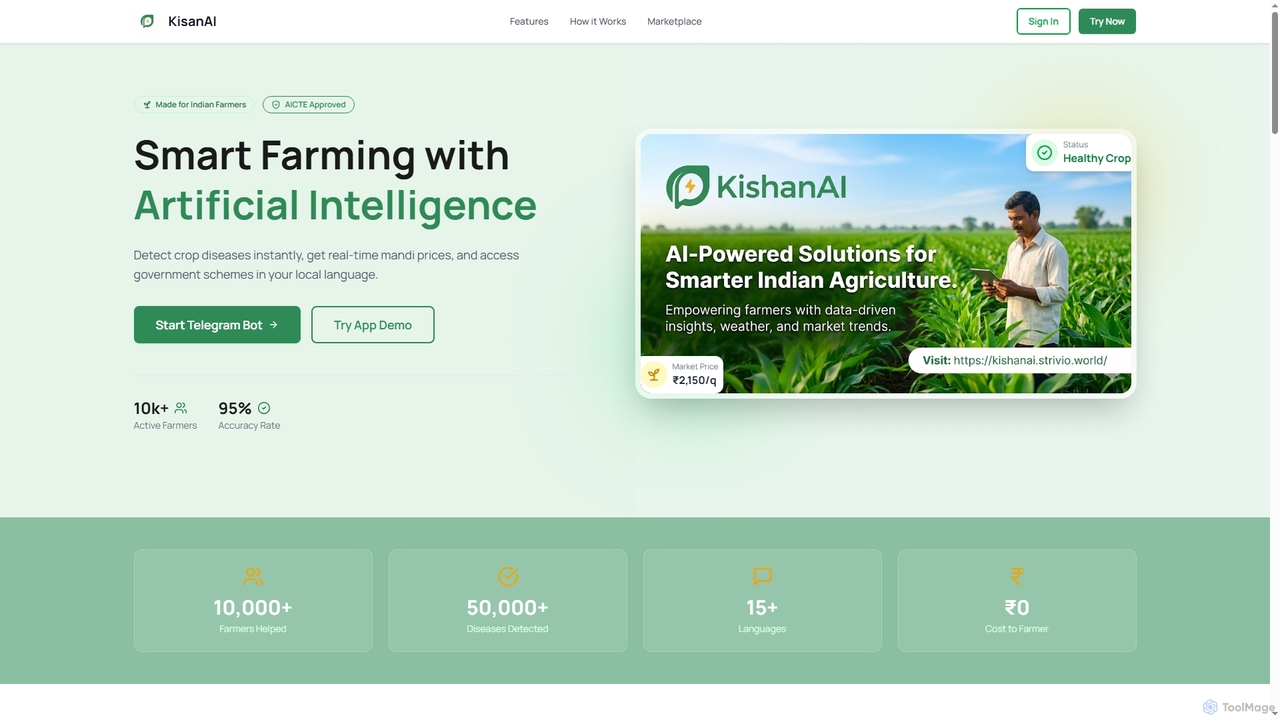
KisanAI is India's first AI-powered agricultural assistant designed for Indian farmers. It provides instant crop disease detection, real-time market (mandi) prices, weather forecasts, and information on government schemes, all accessible in over 15 local Indian languages via a Telegram bot and app.

Farming
Visits 5.3KFavorites 93Likes 89
Pawmenow
Freemium

Pawmenow

Pawmenow is an AI-powered pet care assistant offering instant guidance on your pet's health, behavior, and nutrition. Get reliable advice by describing symptoms or asking questions, helping you make informed decisions for your furry friend's well-being, 24/7.

Information Consumption
Visits 5.2KFavorites 164Likes 167
Songbird
Freemium

Songbird

Songbird is an AI-powered news platform that transforms written articles into high-quality, natural-sounding audio. It aggregates news from various sources, provides concise AI-generated summaries, and allows users to create personalized audio playlists. Stay informed on the go, whether you're commuting, exercising, or multitasking.

Information Consumption
Visits 5.1KFavorites 112Likes 108

About Information Consumption

Information Consumption tools are AI-powered applications designed to help users efficiently process, understand, and retain vast amounts of information. Leveraging technologies like Natural Language Processing (NLP), these tools can summarize long texts, answer questions directly from documents, and extract key insights. They are particularly valuable for students, researchers, and professionals in educational settings who need to quickly grasp complex topics or stay updated in their fields. Unlike simple reading aids, these tools transform passive content consumption into an active, interactive learning experience.

Core Features

  • AI-Powered Summarization: Condenses lengthy articles, reports, or textbook chapters into concise, digestible summaries.
  • Document Q&A: Allows users to ask questions in natural language and receive precise answers sourced directly from the provided text.
  • Key Concept Extraction: Automatically identifies and highlights main ideas, terminology, and important entities within a document.
  • Content Analysis: Provides deeper insights by analyzing sentiment, identifying themes, and mapping relationships between concepts.

Use Cases

These tools are widely used in academic and professional learning environments. For instance, students use them to summarize dense academic papers for literature reviews, while researchers quickly vet large volumes of studies to find relevant information. Professionals also leverage them for continuous education, digesting industry reports and online courses to keep their skills current.

How to Choose

When selecting an Information Consumption tool, consider the types of content it supports (PDF, URL, audio). Evaluate the accuracy and quality of its summaries and answers. Check for integration capabilities with note-taking apps like Notion or Zotero. Finally, assess the user interface for ease of use and whether its features align with your specific learning or research workflow.

Information Consumption use cases

1

Accelerate Academic Literature Reviews

A graduate student working on their thesis needs to review over 50 academic papers. Instead of spending weeks reading each one, they upload the PDFs to an Information Consumption tool. The tool generates concise summaries for each paper, extracts key findings and methodologies, and allows the student to ask specific questions like 'What statistical methods were used?'. This process reduces the initial review time by over 80%, enabling the student to quickly identify the most relevant papers and focus on in-depth analysis.

2

Efficient Preparation for Exams

A college student is preparing for a final exam covering multiple textbook chapters and lecture notes. They use an Information Consumption tool to upload all their study materials. The AI identifies key concepts, definitions, and important themes across all documents. The student then uses the Q&A feature to quiz themselves on specific topics and generates a master summary sheet, consolidating all critical information into one place. This streamlines their study process, helping them focus on understanding concepts rather than just rereading material.

3

Market Intelligence for Business Analysts

A business analyst needs to stay informed about market trends, competitor activities, and industry news. They set up an Information Consumption tool to monitor a list of industry blogs, news sites, and financial reports. Each morning, the tool delivers a personalized digest summarizing the key developments from the past 24 hours. This allows the analyst to quickly absorb critical information and identify emerging opportunities or threats without manually sifting through dozens of sources, saving hours of work each day.

4

Lifelong Learning for Professionals

A software developer wants to learn a new programming framework. They gather various resources, including official documentation, tutorials, and technical blog posts. Using an Information Consumption tool, they create a single knowledge base. The tool helps them understand complex concepts by allowing them to ask questions like 'Explain the difference between framework A and B' and get synthesized answers from all the provided sources. This interactive approach makes self-directed learning more engaging and effective than traditional reading.

5

Rapid Legal Document Review

A paralegal is tasked with reviewing hundreds of pages of case files to find precedents and specific clauses. This traditionally takes days of meticulous reading. By using an AI Information Consumption tool, they can upload all documents and use the search and Q&A functions to instantly locate relevant information. They can ask 'Show all clauses related to intellectual property' and get a list in seconds. This not only dramatically speeds up the research process but also reduces the risk of human error in overlooking critical details.

6

Synthesizing Information for Content Creation

A content creator writing a blog post on a complex scientific topic gathers numerous research papers, articles, and expert interviews. They feed all this information into an AI tool. The tool helps them identify recurring themes, contradictory points of view, and key statistics across all sources. This allows the creator to build a well-structured, comprehensive, and accurate article by synthesizing diverse information efficiently, ensuring their content is both informative and trustworthy for their audience.

Information Consumption FAQ

What are AI Information Consumption tools?

AI Information Consumption tools are applications that use artificial intelligence, particularly Natural Language Processing (NLP), to help users process and understand large volumes of text-based information. Their primary function is to transform passive reading into an active learning process by enabling features like automated summarization, direct Q&A with documents, and extraction of key concepts. They are designed for anyone facing information overload, such as students, researchers, and analysts.

How do Information Consumption tools differ from search engines?

Search engines like Google are designed for information discovery; they help you find relevant documents across the vast internet. In contrast, Information Consumption tools are designed for information comprehension. You bring the documents to them (e.g., PDFs, web articles), and they help you understand the content deeply by summarizing, answering questions, and highlighting key points. Essentially, search engines find the 'what,' while these tools help you understand the 'so what'.

Who can benefit most from using Information Consumption tools?

These tools are highly beneficial for anyone who regularly deals with large amounts of text. Key user groups include:

  • Students and Academics: For reviewing literature, studying textbooks, and preparing for exams.
  • Researchers: To quickly analyze numerous papers and reports to identify trends and evidence.
  • Legal and Medical Professionals: For reviewing case files, patient records, and medical journals efficiently.
  • Business Analysts and Consultants: To digest market reports, competitor analyses, and industry news.
  • Lifelong Learners: For anyone pursuing self-education through online courses, articles, and books.
What are the key features to look for in an Information Consumption tool?

When choosing a tool, prioritize these features based on your needs:

  • Accuracy: How well does the tool summarize content and answer questions without losing critical context or introducing errors?
  • Source Compatibility: Does it support the formats you use most, such as PDFs, web pages, Word documents, or even audio/video transcripts?
  • Integration: Can it connect with your existing workflow, such as exporting notes to Notion, Zotero, or other research management software?
  • Interactivity: Look for strong Q&A capabilities, the ability to highlight text, and options to adjust summary length and style.
Are AI Information Consumption tools reliable for academic or professional work?

These tools are powerful assistants, but they should not be used as a substitute for critical thinking. While they are generally reliable for summarizing and finding information within a text, AI can sometimes misinterpret nuance or generate errors (hallucinations). It is best practice to use them as a first-pass tool to quickly get an overview and locate key sections. Always verify critical information by referring back to the original source document, especially when citing for academic papers or making important business decisions.