
ToolMage
Sign in

Best 1 Robotics AI tools for Education

Popular Robotics AI tools in Education include Duckietown, helping you work more efficiently.

Duckietown
Freemium

Duckietown

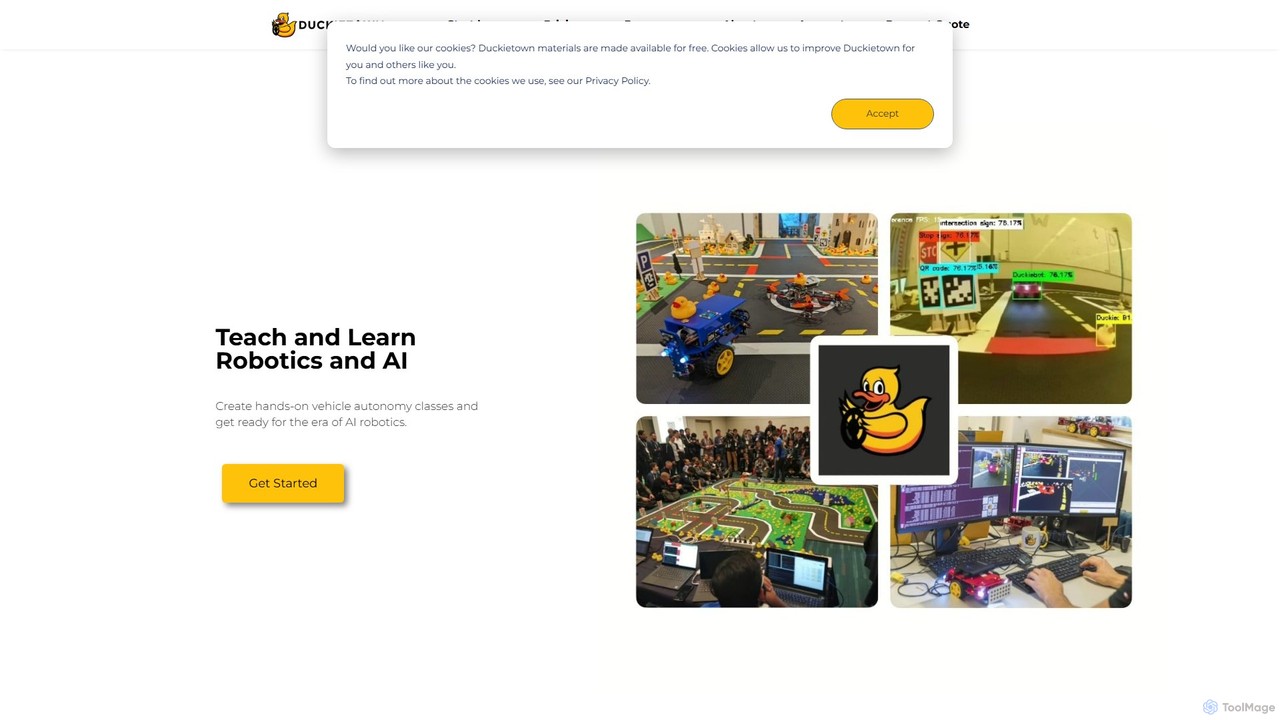
Duckietown is a hands-on educational platform for learning and teaching robotics and AI, originating from MIT. It provides a complete ecosystem with physical robots (Duckiebots), simulators, online courses, and a global community, making advanced concepts like autonomous driving accessible to students, instructors, and researchers.

Simulation
Visits 30KFavorites 152Likes 149

About Robotics

Robotics tools are AI-powered educational platforms for designing, simulating, and programming robots. These tools integrate machine learning and computer vision concepts with virtual or physical hardware, providing an interactive environment for learning complex engineering principles. They are primarily used in STEM education to teach coding, logical thinking, and the fundamentals of artificial intelligence through hands-on projects. This approach makes abstract concepts tangible and accessible to learners of all levels.

Core Features

  • Visual Programming Interface: Drag-and-drop coding blocks that simplify programming logic for beginners.
  • 3D Simulation Environment: A virtual space to test robot designs and algorithms without physical hardware.
  • AI Algorithm Integration: Built-in modules for tasks like object detection, pathfinding, and reinforcement learning.
  • Hardware Compatibility: Support for popular educational robot kits such as LEGO Mindstorms, Arduino, or Raspberry Pi.
  • Structured Curriculum: Pre-designed lessons, tutorials, and project guides for classroom and self-paced learning.

Use Cases

These tools are widely used in educational settings, from K-12 classrooms to university laboratories. They support robotics clubs preparing for competitions, educators teaching programming and AI, and hobbyists building custom robotics projects. In higher education, they serve as platforms for research in autonomous systems and human-robot interaction.

How to Choose

When selecting a robotics tool, consider the target age group and skill level, as interfaces range from simple block coding to advanced Python or C++. Evaluate whether you need a purely virtual simulation or compatibility with specific physical hardware. Also, check the availability of curriculum resources and the depth of the integrated AI functionalities to ensure they match your learning objectives.

Robotics use cases

1

Classroom STEM Project Implementation

A middle school science teacher uses a robotics platform with a visual, block-based coding interface to introduce students to programming concepts. The goal is to build and program a small robot to navigate a simple maze. Students work in teams, first designing their robot in a 3D simulator to test logic, then applying the code to a physical kit. This hands-on project helps them understand variables, loops, and conditional statements in a tangible way, significantly improving engagement and knowledge retention in STEM subjects.

2

Preparing for a Robotics Competition

A high school robotics club uses a simulation tool to prepare for a VEX or FIRST competition. The platform provides a virtual replica of the competition arena, allowing the team to design, build, and test their robot's code against various scenarios without needing constant access to the physical field. They can rapidly iterate on autonomous routines and control strategies, debug pathfinding algorithms, and practice driving in a risk-free environment. This significantly accelerates their development cycle and improves their competitive readiness.

3

University-Level AI and Robotics Research

A university student in a computer science program uses an advanced robotics platform for their thesis project on autonomous navigation. The tool supports Python scripting and integrates with ROS (Robot Operating System). The student implements a SLAM (Simultaneous Localization and Mapping) algorithm on a simulated drone, allowing it to map an unknown environment and navigate through it. The high-fidelity physics engine and sensor models (like LiDAR and IMU) provide a realistic testing ground before deploying the algorithm on a physical drone, saving time and reducing the risk of hardware damage.

4

Self-Paced Learning for Hobbyists

An electronics hobbyist wants to learn how to integrate AI into their Arduino projects. They use an online robotics learning platform that offers a structured curriculum, starting from basic electronics and progressing to Python programming for AI. The platform includes interactive simulations where they can test code on a virtual Arduino board connected to motors and sensors. This allows them to learn and experiment with concepts like computer vision for object tracking without needing to purchase all the physical components upfront, making the hobby more accessible and affordable.

5

Teaching Advanced Machine Learning Concepts

An instructor uses a robotics simulator to visually demonstrate reinforcement learning. They set up a scenario where a virtual robotic arm must learn to pick up and place objects in a specific location. Instead of programming explicit instructions, the instructor defines a reward system. Students can observe in real-time as the AI agent, through trial and error, gradually develops an effective strategy. This visual and interactive demonstration makes a complex topic like reinforcement learning much more intuitive and understandable than theoretical explanations alone.

6

Developing Computer Vision Skills

A learner uses a robotics platform that features an integrated camera sensor in its simulator. They are tasked with writing a Python script to make a robot follow a colored line on the floor. The platform provides libraries for basic image processing, allowing the user to access the camera feed, isolate specific colors, and calculate the line's position relative to the robot. This project provides practical, hands-on experience with the fundamentals of computer vision, a critical skill in modern robotics and AI, within a controlled and guided learning environment.

Robotics FAQ

What are AI Robotics educational tools?

AI Robotics educational tools are software platforms, often paired with hardware kits, designed to teach the principles of robotics and artificial intelligence. They typically provide a simplified programming interface (like block-based coding), a simulation environment to test code virtually, and modules for implementing AI concepts like computer vision or machine learning. Their primary goal is to make complex STEM topics accessible and engaging for students, educators, and hobbyists.

How do I choose the right robotics learning tool?

To choose the right tool, consider these factors:

  • Skill Level: Select a tool that matches the user's experience, from block-based interfaces for beginners to text-based languages like Python or C++ for advanced learners.
  • Learning Goals: Identify your objective. Is it to learn basic coding logic, prepare for a competition, or research advanced AI algorithms?
  • Hardware vs. Simulation: Decide if you need a purely software-based simulator, which is cost-effective for testing, or a tool compatible with physical robot kits for hands-on experience.
  • Curriculum and Support: Look for platforms that offer structured lessons, project guides, and community support to facilitate the learning process.
What's the difference between robotics simulators and physical robot kits?

Robotics simulators are virtual environments that allow you to design, program, and test robots entirely on a computer. They are excellent for learning programming logic, testing complex algorithms safely, and iterating on designs without cost. Physical robot kits, on the other hand, provide hands-on experience with hardware, electronics, and mechanics, teaching how software interacts with the real world. Many modern educational approaches use both: perfecting the code in a simulator before deploying it to a physical robot.

What programming languages can I learn with these tools?

These tools cater to a wide range of skill levels. For absolute beginners, many platforms offer visual, block-based programming languages similar to Scratch, which teach logic without complex syntax. As users advance, they can transition to text-based languages. Python is the most common due to its readability and extensive use in AI and data science. For performance-critical applications and lower-level control, some advanced platforms also support C++.

Who are these AI robotics tools for?

These tools are designed for a diverse audience within the educational ecosystem. This includes:

  • K-12 Students: Learning foundational STEM, coding, and problem-solving skills.
  • University Students: Studying advanced topics like control systems, computer vision, and autonomous navigation.
  • Educators and Teachers: Seeking engaging resources to teach complex technical subjects.
  • Hobbyists and Makers: Experimenting with electronics, programming, and building custom robot projects.
  • Aspiring Professionals: Gaining practical skills for future careers in AI, engineering, and software development.