ToolMage
Sign in

Best 1 Technical Skills AI tools for Education

Popular Technical Skills AI tools in Education include TechieLearns, helping you work more efficiently.

TechieLearns
Free

TechieLearns

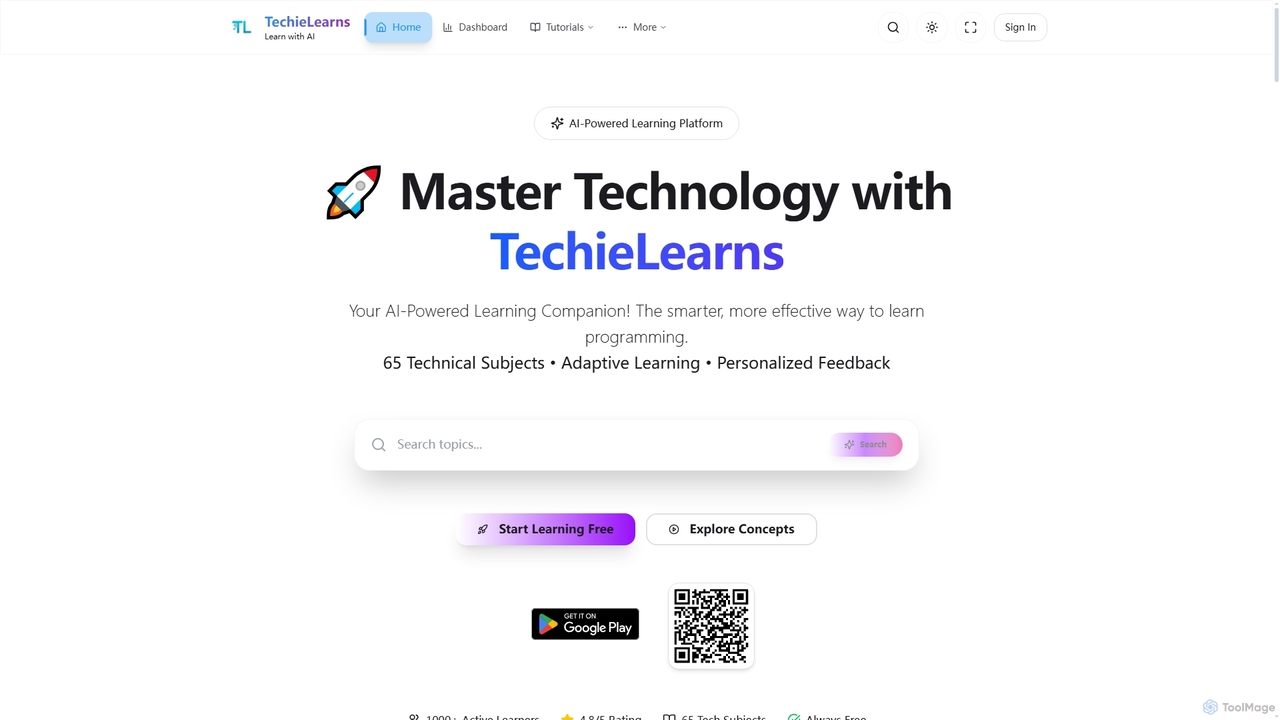
TechieLearns is an AI-powered learning platform designed to help individuals master programming and various technical subjects through adaptive lessons, interactive coding practice, and personalized feedback. It offers a comprehensive, engaging, and always-free learning experience for all skill levels.

Personalized Learning
Visits 5.4KFavorites 124Likes 137

About Technical Skills

Technical Skills AI tools are specialized platforms leveraging artificial intelligence to significantly enhance and accelerate the acquisition of specific technical proficiencies across diverse domains. These innovative tools utilize AI to provide highly personalized learning paths, immersive interactive practice environments, and sophisticated intelligent feedback mechanisms. They empower individuals to master complex subjects such as coding, data analysis, cybersecurity, web development, or design software more efficiently and effectively, adapting dynamically to individual learning styles, progress, and career goals within the broader context of education and professional development.

Core Features

  • Personalized Learning Paths: AI algorithms analyze user performance and learning styles to adapt content, exercises, and difficulty levels, ensuring an optimized and engaging educational journey tailored to individual needs.
  • Interactive Practice Environments: Offers real-time coding sandboxes, virtual labs, simulations, and project-based challenges that allow users to apply theoretical knowledge in practical, hands-on scenarios.
  • Intelligent Feedback & Error Correction: Provides immediate, context-aware feedback on code, solutions, or designs, identifying mistakes, explaining underlying concepts, and suggesting precise improvements or alternative approaches.
  • Skill Assessment & Progress Tracking: Continuously evaluates user proficiency through quizzes, coding challenges, and projects, offering detailed insights into strengths and weaknesses, and tracking progress towards mastery.
  • Automated Content Generation: AI can dynamically generate customized practice problems, code snippets, explanations, or even entire project ideas tailored to the user's current learning objective and skill level.

Applicable Scenarios

These tools are invaluable for aspiring developers learning new programming languages like Python or JavaScript, data scientists honing their machine learning skills, cybersecurity professionals practicing threat detection, or UX/UI designers mastering new design software. They are also crucial for upskilling existing workforces in emerging technologies, for students preparing for rigorous technical certifications, and for anyone seeking to quickly acquire practical, job-ready technical expertise.

How to Choose

When selecting a Technical Skills AI tool, prioritize its specific skill focus and the depth of its curriculum to ensure alignment with your learning objectives and career aspirations. Evaluate the quality of its interactive practice environments and the realism of its simulations, as hands-on experience is key. Crucially, assess the intelligence and clarity of the AI-driven feedback and personalization features. Finally, consider its integration capabilities with existing development tools or learning management systems, the availability of supplementary resources, and its overall user experience.

Technical Skills use cases

1

Personalized Coding Practice

A beginner programmer uses an AI coding tutor to learn Python. The AI provides tailored exercises, real-time syntax correction, and conceptual explanations, accelerating their understanding of data structures and algorithms, allowing them to progress faster than with traditional methods.

2

Data Science Project Simulation

An aspiring data scientist utilizes an AI platform to simulate real-world data analysis projects. The AI guides them through data cleaning, model building, and interpretation, offering feedback on their approach and suggesting optimizations to improve model accuracy and efficiency.

3

Cybersecurity Incident Response Training

A cybersecurity analyst practices responding to simulated cyberattacks in an AI-powered virtual lab. The AI generates dynamic attack scenarios, evaluates their defensive actions, and provides post-incident analysis and best practice recommendations to enhance their incident response capabilities.

4

Web Development Debugging Assistant

A web developer integrates an AI tool into their IDE. The AI analyzes their code, identifies potential bugs or inefficiencies, suggests fixes, and explains the underlying issues, significantly speeding up the debugging process and improving code quality.

5

Graphic Design Software Mastery

A graphic designer uses an AI-driven tutorial system to master advanced features of design software like Adobe Photoshop or Figma. The AI provides interactive challenges, analyzes their design choices, and offers creative suggestions for improvement, enhancing their proficiency and creative output.

6

Cloud Infrastructure Configuration Practice

An IT professional prepares for a cloud certification by using an AI simulator for AWS or Azure. The AI presents complex configuration tasks, validates their setup, and explains best practices for scalable and secure cloud deployments, ensuring they are job-ready for cloud roles.

Technical Skills FAQ

What are Technical Skills AI tools?

Technical Skills AI tools are platforms that leverage artificial intelligence to help individuals acquire, practice, and master specific technical proficiencies. They typically feature personalized learning paths, interactive practice environments, and intelligent feedback mechanisms, enabling accelerated and effective skill development in areas like coding, data science, and cybersecurity.

How do Technical Skills AI tools differ from traditional online courses?

Unlike traditional online courses that often provide static content and limited feedback, Technical Skills AI tools offer dynamic, adaptive learning experiences. They provide real-time, personalized feedback on user performance, adjust content difficulty based on progress, and often include interactive coding environments or simulations, making learning more engaging and effective for practical skill acquisition.

What types of technical skills can these AI tools help develop?

Technical Skills AI tools can assist in developing a wide array of proficiencies. This includes programming languages (e.g., Python, Java, JavaScript), data science and machine learning, cybersecurity fundamentals and advanced threat detection, cloud computing (AWS, Azure, GCP), web development (front-end, back-end), software engineering principles, and even mastery of specific design software like Adobe Creative Suite or Figma.

Who benefits most from using Technical Skills AI tools?

These tools are highly beneficial for a diverse audience. Beginners can accelerate their learning curve, professionals seeking to upskill or reskill can quickly adapt to new technologies, and students preparing for certifications can gain practical experience. Teams needing standardized training and individuals with specific learning challenges also find these AI-driven platforms invaluable for targeted and efficient skill acquisition.

What should I look for in a Technical Skills AI tool for effective learning?

For effective learning, prioritize tools with a strong focus on your target skill and a comprehensive curriculum. Look for high-quality interactive practice environments, such as real-time coding sandboxes or realistic simulations. Crucially, evaluate the sophistication of the AI's personalized feedback and adaptive learning paths. Additionally, consider features like progress tracking, integration with other tools, and the availability of supplementary learning resources to support your journey.