ToolMage
Sign in

Best 1 Tutorial Creation AI tools for Education

Popular Tutorial Creation AI tools in Education include Screenity, helping you work more efficiently.

Screenity
Free

Screenity

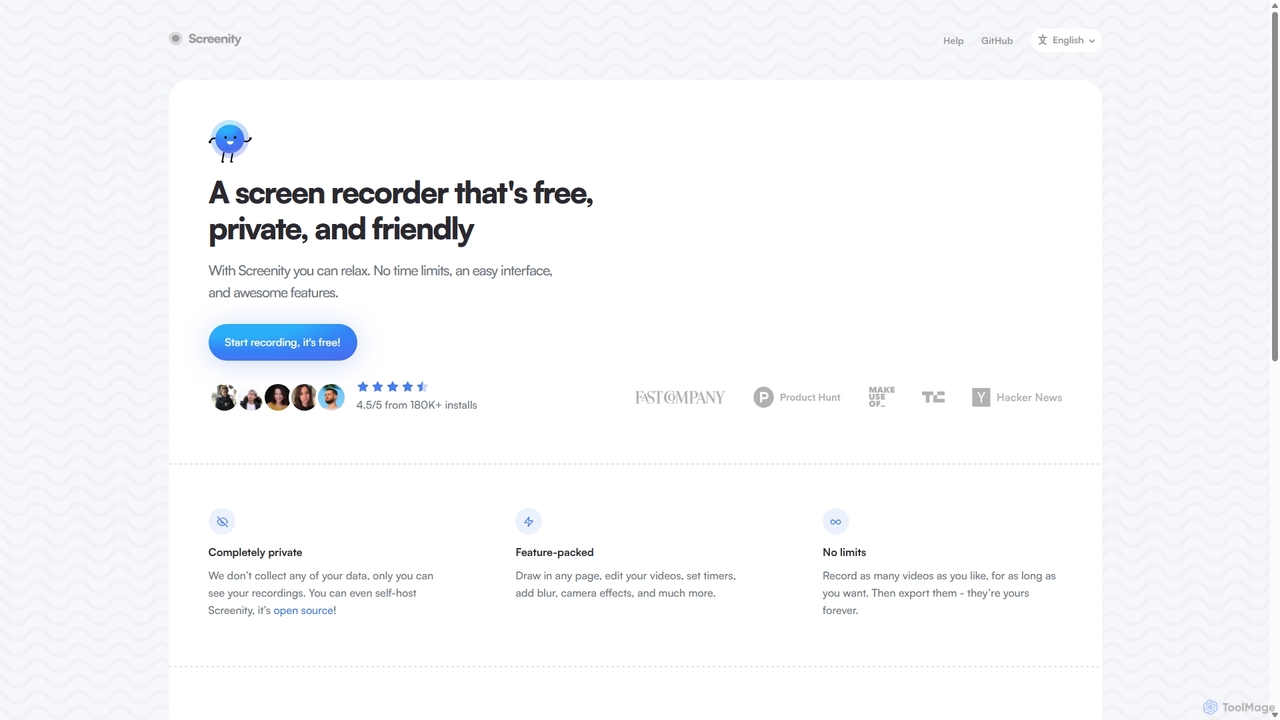
Screenity is a powerful, free, and privacy-focused screen and camera recorder for Chrome. It offers unlimited recording, annotation tools, and basic video editing without collecting any user data. Ideal for creating tutorials, demos, and presentations.

Bug Reporting
Visits 47.4KFavorites 111Likes 110

About Tutorial Creation

Tutorial Creation tools are AI-powered platforms designed to automate and streamline the process of generating instructional content. These tools leverage artificial intelligence to transform raw information, such as text, screen recordings, or video footage, into structured, clear, and engaging tutorials, guides, and documentation. They significantly reduce the time and effort required to produce high-quality learning materials, making complex information accessible and easy to understand for various audiences.

Core Features

  • Automated Step-by-Step Generation: Automatically converts screen recordings or text into detailed, illustrated step-by-step guides.
  • Content Summarization & Structuring: AI analyzes long-form content to extract key information and structure it into logical tutorial outlines or summaries.
  • Multi-format Output: Generates tutorials in various formats, including text, video scripts, interactive demos, and knowledge base articles.
  • Visual Enhancement: Automatically adds annotations, highlights, and callouts to screenshots or video frames for clarity.
  • Localization & Translation: AI-driven translation capabilities to adapt tutorials for global audiences.

Use Cases

These tools are invaluable for professionals across various sectors who need to create clear and effective instructional content. They are widely adopted in software development for user documentation, in customer support for creating self-service guides, and in corporate training for developing employee onboarding materials. Educational institutions also utilize them to produce engaging e-learning modules and student resources.

How to Choose

When selecting a tutorial creation tool, consider its input compatibility (e.g., screen recording, text, video), the range of output formats it supports, and its AI capabilities for content structuring and visual enhancement. Evaluate its ease of use, integration with existing workflows, and scalability for your content volume. Pricing models and the availability of collaboration features are also crucial factors for teams.

Featured tool rankings

Tutorial Creation use cases

1

Automating Software User Manuals

Software companies use AI to convert product feature descriptions and screen recordings into comprehensive, up-to-date user manuals and help documentation, reducing the burden on technical writers. This allows for rapid updates and consistent quality across all product versions, ensuring users always have access to accurate information.

2

Creating Employee Onboarding Guides

HR and training departments leverage these tools to quickly generate interactive guides and video tutorials for new employee onboarding, covering company policies, software usage, and workflow procedures. This ensures a standardized and efficient onboarding experience, helping new hires become productive faster.

3

Developing Customer Self-Service FAQs

Customer support teams utilize AI to transform common support tickets and internal knowledge bases into clear, searchable FAQ articles and troubleshooting guides, empowering users to find solutions independently. This reduces support volume and improves customer satisfaction by providing instant access to relevant information.

4

Generating E-learning Course Modules

Educators and e-learning developers employ AI tutorial creation tools to convert lecture notes, research papers, and video lessons into structured, engaging course modules with quizzes and interactive elements. This accelerates course development and provides students with diverse, accessible learning formats.

5

Producing Marketing Product Demos

Marketing teams use AI to create concise, visually appealing product demonstration videos and interactive walkthroughs from raw footage, highlighting key features for potential customers. This enables rapid iteration of marketing content and ensures consistent messaging across various channels, boosting engagement and conversion rates.

6

Streamlining Technical Documentation

Developers and engineers use these tools to automatically generate API documentation, code walkthroughs, and system configuration guides from code comments and system logs, ensuring accuracy and consistency. This significantly reduces the manual effort in maintaining up-to-date technical documents, improving developer productivity and collaboration.

Tutorial Creation FAQ

What are AI Tutorial Creation tools?

AI Tutorial Creation tools are software applications that use artificial intelligence to assist in or fully automate the generation of instructional content. They analyze various inputs like text, screen recordings, or videos to produce structured, step-by-step guides, video scripts, and interactive learning materials, significantly speeding up content production.

How do AI Tutorial Creation tools work?

These tools typically work by processing raw input data. For screen recordings, AI identifies actions, generates descriptions, and captures screenshots. For text, AI can summarize, structure, and expand on topics. Natural Language Processing (NLP) and computer vision are often employed to understand content, extract key information, and automate visual annotations, transforming raw data into polished tutorials.

Who benefits most from using Tutorial Creation AI?

Professionals who regularly produce instructional content, such as technical writers, customer support specialists, HR trainers, educators, and marketing teams, benefit significantly. Anyone needing to quickly and efficiently create clear, engaging guides for software, processes, or educational topics will find these tools invaluable for saving time and ensuring consistency.

What are the key advantages of using AI for tutorial creation?

The main advantages include significant time and cost savings in content production, improved consistency and accuracy across tutorials, and the ability to scale content creation rapidly. AI tools can also enhance content quality by automatically adding visual cues, structuring information logically, and facilitating multi-language localization, making learning more accessible.

How do AI Tutorial Creation tools differ from traditional screen recording software?

Traditional screen recording software captures video, requiring manual editing, annotation, and transcription to create a tutorial. AI Tutorial Creation tools go beyond simple recording; they automatically analyze the recording, identify steps, generate text descriptions, add visual highlights, and can even output the content in various formats like interactive guides or knowledge base articles, automating much of the post-production work.