ToolMage
Sign in

Best 5 Accounting Automation AI tools for Finance

Popular Accounting Automation AI tools in Finance include Wrk, InvoicesReader, Wisfr, Cranston, and Pontus, helping you work more efficiently.

InvoicesReader
Paid

InvoicesReader

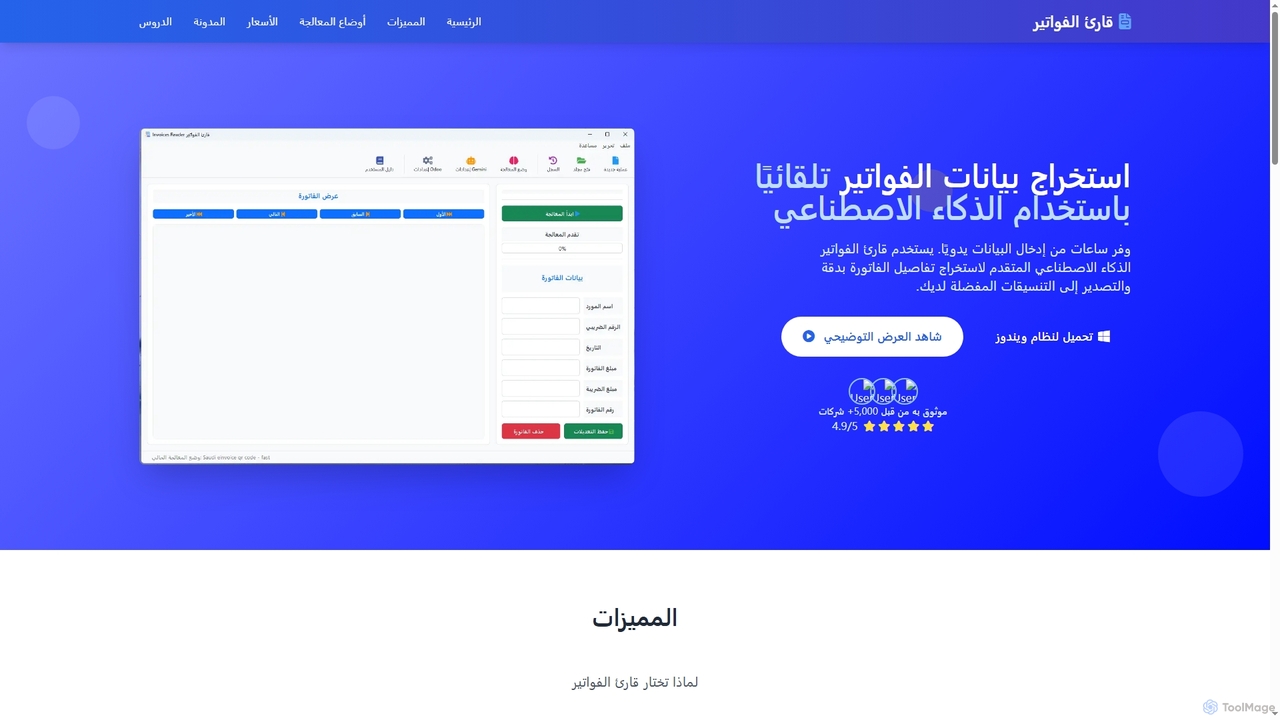
InvoicesReader is an AI-powered desktop application for Windows that automates invoice and receipt data extraction. It accurately extracts details from various document formats, offering multiple processing modes including local AI for privacy, cloud AI for complex layouts, and QR code scanning for instant, 100% accurate results. Streamline your financial workflows by exporting data to Excel, CSV, or directly integrating with accounting software.

Document Processing
Visits 6.7KFavorites 131Likes 134
Cranston
Paid

Cranston

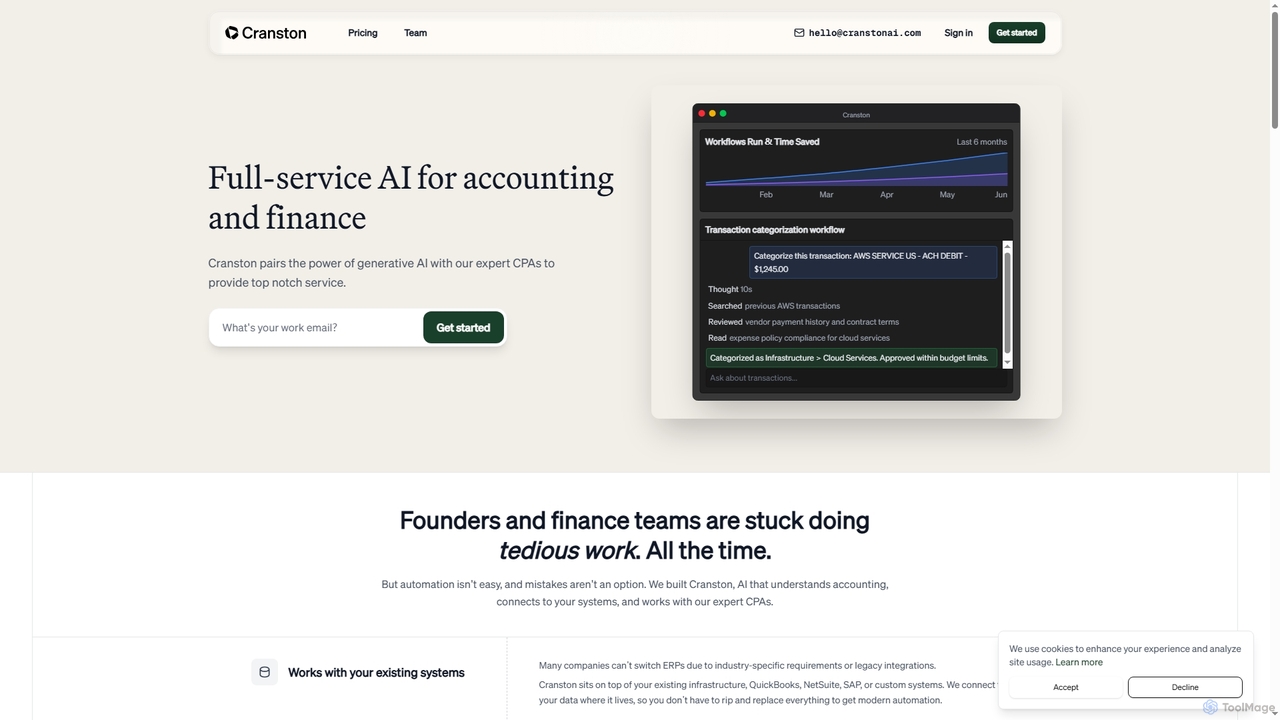
Cranston is an AI-powered accounting platform that combines generative AI with expert CPAs to automate bookkeeping, payroll, tax preparation, and financial reporting for businesses. It integrates with existing systems to streamline financial operations and provide real-time insights.

Financial Reporting
Visits 5.6KFavorites 137Likes 131
Wisfr
Paid

Wisfr

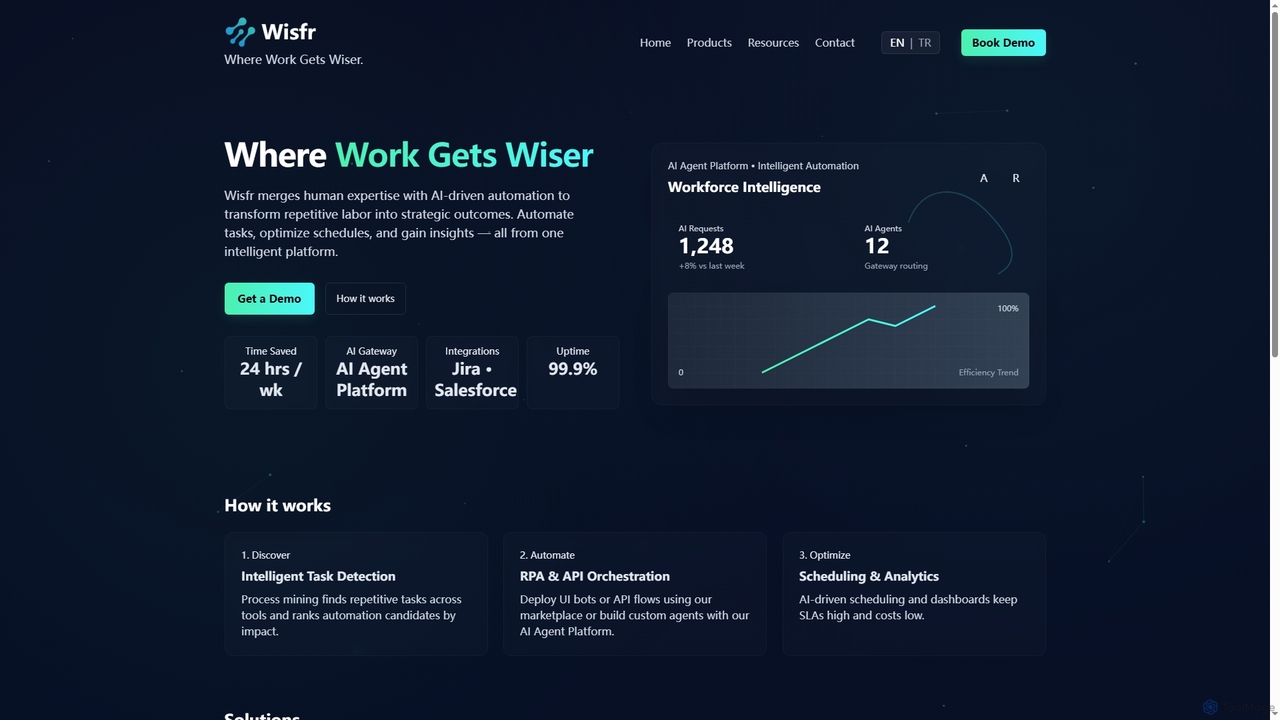
Wisfr is an AI Agent Platform that merges human expertise with AI-driven automation to transform repetitive tasks into strategic outcomes. It helps businesses automate workflows, optimize schedules, and gain actionable insights from a single intelligent platform.

Business Intelligence
Visits 5.7KFavorites 119Likes 119
Wrk
Paid

Wrk

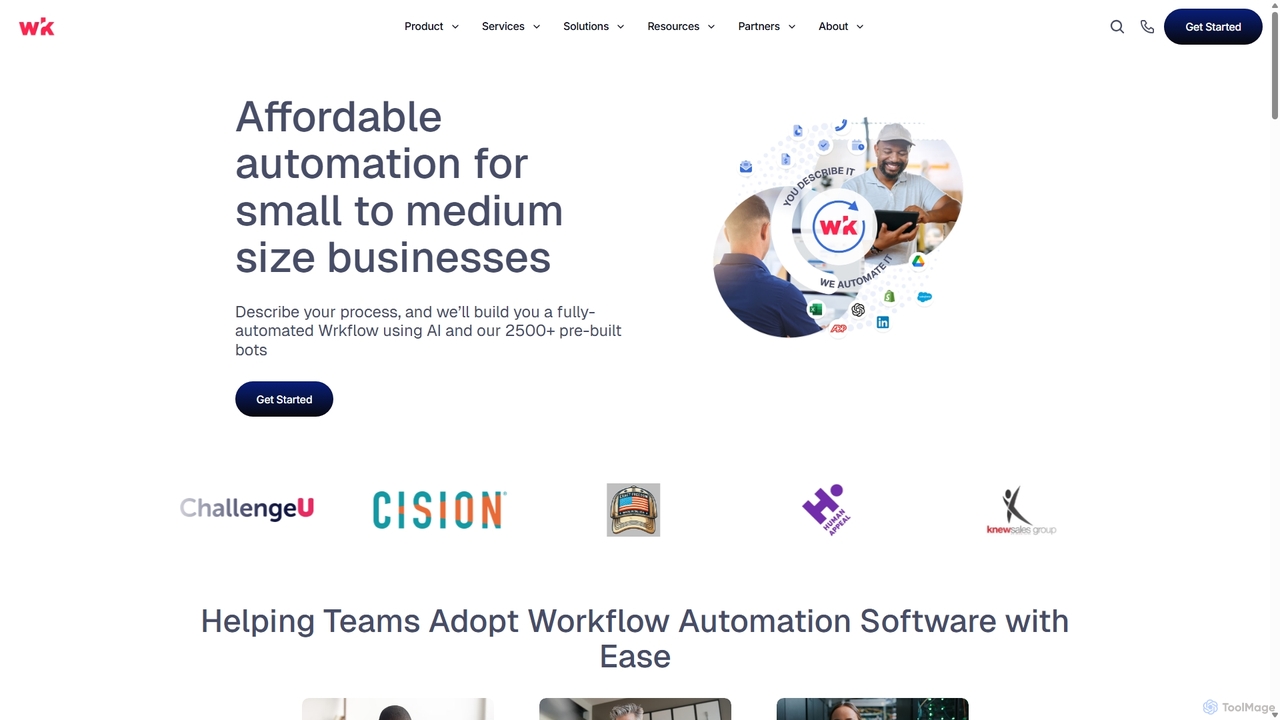
Wrk is an AI-powered workflow automation platform designed for small to medium-sized businesses. It combines RPA, APIs, OCR, and AI bots with a unique human-in-the-loop feature to handle complex business processes. Offered as a managed service, Wrk's experts build, deploy, and monitor custom workflows, making powerful automation accessible without a steep learning curve or long-term contracts.

Operations Management
Visits 17.8KFavorites 158Likes 164
Pontus
Paid

Pontus

Pontus is an AI-powered enterprise automation platform designed to transform manual business operations into efficient, end-to-end automated workflows. It enables businesses to build and deploy custom automations for finance, legal, and data intelligence without costly system overhauls, driving tangible business outcomes and improving data reliability.

Workflow Automation
Visits 5.6KFavorites 117Likes 118

About Accounting Automation

Accounting Automation tools are a specialized category of financial AI that use technologies like Optical Character Recognition (OCR) and machine learning to automate routine bookkeeping and accounting tasks. These platforms intelligently capture data from invoices and receipts, categorize transactions, and perform reconciliations with minimal human intervention. By handling high-volume, repetitive work, they significantly reduce manual errors, accelerate financial closing processes, and provide real-time visibility into a company's financial health. This allows accounting professionals to shift their focus from data entry to strategic analysis and advisory roles.

Core Features

  • Intelligent Data Capture: Automatically extracts and digitizes information from invoices, receipts, and bank statements using OCR.
  • Automated Transaction Coding: Uses machine learning to categorize expenses and revenues into the correct general ledger accounts.
  • Automated Reconciliation: Matches transactions between bank accounts, credit cards, and accounting software automatically.
  • Invoice & Payment Processing: Manages the entire accounts payable and receivable lifecycle, from invoice creation to payment reminders.
  • Expense Management Automation: Simplifies the submission, approval, and reimbursement of employee expenses.

Use Cases

These tools are widely used by small to medium-sized businesses (SMBs) to manage daily financial operations without a large accounting team. Accounting firms leverage them to efficiently process transactions for multiple clients, while large enterprises use them to streamline complex expense reporting and accounts payable workflows. Freelancers and consultants also benefit by automating their income and expense tracking for tax preparation.

How to Choose

When selecting an Accounting Automation tool, evaluate its integration capabilities with your existing accounting system (e.g., QuickBooks, Xero, SAP). Consider the accuracy of its data extraction technology and the level of customization available for approval workflows. Also, assess its scalability to handle your transaction volume and ensure it complies with relevant data security and financial regulations.

Accounting Automation use cases

1

Automating Accounts Payable for SMBs

A small business owner receives dozens of supplier invoices weekly via email. Instead of manually entering each one into their accounting software, they use an accounting automation tool. The tool automatically fetches invoices from their email, uses OCR to extract key data like vendor name, amount, and due date, and creates a draft bill in their accounting system. The owner simply reviews and approves the bills, saving over 80% of the time previously spent on data entry and reducing the risk of payment errors.

2

Streamlining Employee Expense Reporting

A corporate sales team frequently travels for client meetings, generating numerous receipts for flights, hotels, and meals. Using an expense management automation tool, each salesperson simply takes a photo of their receipt with a mobile app. The AI extracts the vendor, date, and amount, automatically categorizes the expense according to company policy, and compiles it into a report. This eliminates the need for manual expense spreadsheets, accelerates the approval and reimbursement process, and ensures compliance with spending policies.

3

High-Volume Bank Reconciliation for E-commerce

An online store processes thousands of transactions daily through platforms like Stripe and PayPal. Manually reconciling these sales with bank deposits is a monumental task. By connecting their payment gateways and bank accounts to an automation tool, the system automatically matches each sale to the corresponding deposit. It flags any discrepancies, such as fees or chargebacks, for review. This provides a real-time, accurate view of cash flow and reduces the monthly reconciliation process from days to hours.

4

Efficient Client Bookkeeping for Accounting Firms

An accounting firm manages the books for 50 different small business clients. Using an automation platform, the firm can create a centralized dashboard to oversee all client accounts. The AI learns the specific transaction coding rules for each client (e.g., how to categorize their unique expenses). This allows junior accountants to process a high volume of transactions accurately and consistently across the client base, freeing up senior partners to focus on high-value advisory services like financial planning and tax strategy.

5

Automating Invoicing for Freelancers

A freelance designer manages multiple projects with different billing structures. Using an accounting automation tool, they can set up recurring invoices for retainer clients and automatically generate project-based invoices from timesheet data. The system sends the invoices to clients and tracks their status, sending automated reminders for overdue payments. This ensures timely billing, improves cash flow, and allows the freelancer to spend more time on creative work rather than administrative tasks.

6

Enhancing Audit Preparedness and Fraud Detection

A mid-sized company uses an accounting automation platform to maintain clean and up-to-date financial records throughout the year. The tool provides a clear, digital audit trail for every transaction. Its AI capabilities can also be used to flag anomalies, such as duplicate invoices, unusual payment amounts, or payments to unapproved vendors. When it's time for the annual audit, the auditors are given read-only access to the system, allowing them to efficiently review records and verify transactions, significantly reducing the time and cost of the audit process.

Accounting Automation FAQ

What is Accounting Automation?

Accounting Automation refers to the use of AI-powered software to handle routine accounting tasks that traditionally require manual effort. These tools go beyond simple spreadsheets by using technologies like machine learning and OCR to perform functions such as data entry from invoices, transaction categorization, bank reconciliation, and expense report processing. The primary goal is to increase efficiency, reduce human error, and free up accounting professionals for more strategic work.

How to choose the right Accounting Automation tool?

When selecting a tool, consider these key factors:

  • Integration: Ensure it seamlessly connects with your existing accounting software (like QuickBooks, Xero, or SAP), bank accounts, and credit cards.
  • Feature Set: Does it cover your specific needs? Some tools specialize in accounts payable, while others offer comprehensive expense management or reconciliation features.
  • Accuracy: Evaluate the reliability of its OCR technology for data extraction. Many offer free trials to test accuracy with your own documents.
  • Scalability & Pricing: Choose a tool that can grow with your business and has a pricing model (e.g., per user, per document) that aligns with your budget and transaction volume.
What's the difference between Accounting Automation and traditional accounting software?

Traditional accounting software (like QuickBooks or Xero) acts as a system of record—a central database for all your financial data. Accounting Automation tools are often a layer that works *with* this software. They specialize in automating the *input* of data into the system of record. For example, an automation tool scans an invoice and pushes the data into QuickBooks. However, the line is blurring as many modern accounting software platforms now include built-in automation features.

Who can benefit from Accounting Automation tools?

A wide range of users can benefit:

  • Small Business Owners: To manage finances efficiently without hiring a full-time bookkeeper.
  • Accounting Firms: To increase capacity, reduce manual work for client services, and offer more advisory roles.
  • Large Corporations: To streamline complex accounts payable and expense management workflows across many departments.
  • Freelancers & Solopreneurs: To easily track income and expenses for tax purposes and simplify invoicing.
Is Accounting Automation secure for sensitive financial data?

Yes, reputable accounting automation providers prioritize security. They typically use bank-level security measures to protect your data. Key features to look for include end-to-end data encryption, secure cloud hosting (like AWS or Google Cloud), multi-factor authentication (MFA), and compliance with standards like SOC 2 and GDPR. Always verify a provider's security protocols before connecting your financial accounts.