
ToolMage
Sign in

Best 1 Employee Support AI tools for Human Resources

Popular Employee Support AI tools in Human Resources include Unthread, helping you work more efficiently.

Unthread
Freemium

Unthread

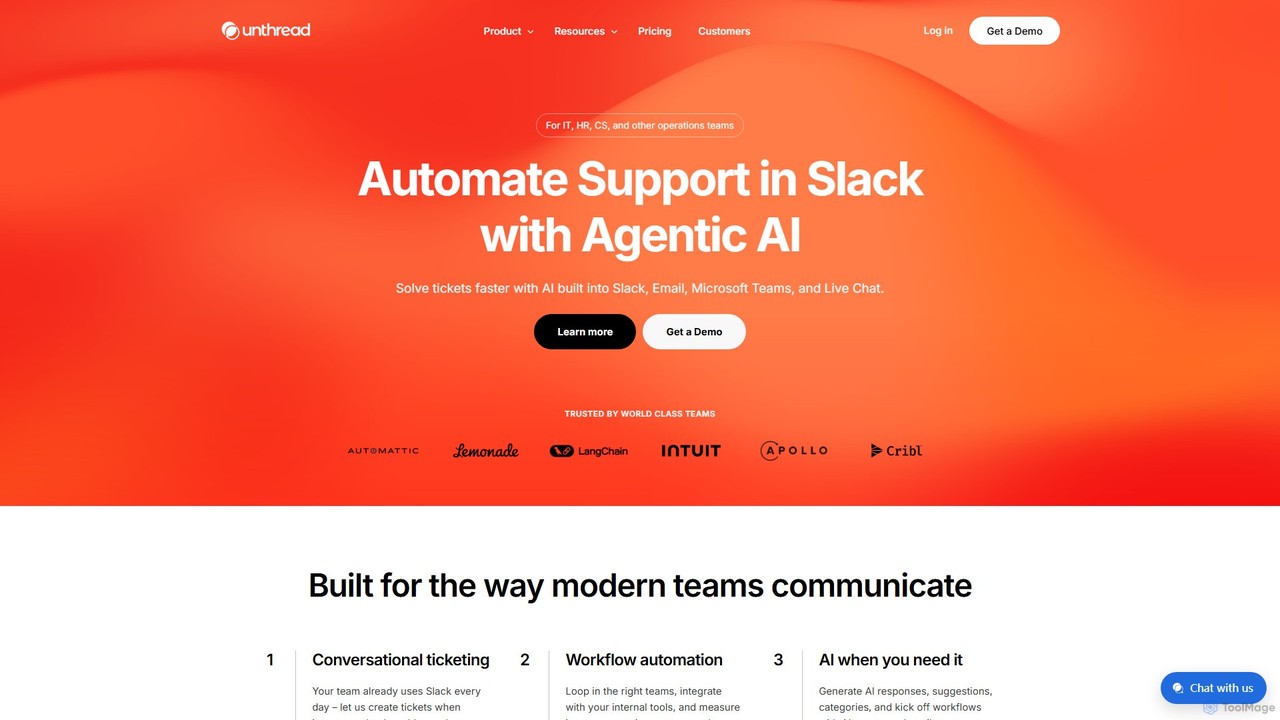
Unthread is an AI-powered support platform designed for modern teams using Slack, Microsoft Teams, and Email. It automates conversational ticketing, deflects common queries with AI agents, and provides a unified inbox to streamline workflows for IT, HR, and customer support teams, significantly improving response and resolution times.

Help Desk
Visits 27.3KFavorites 112Likes 114

About Employee Support

AI Employee Support tools are a specialized category of software designed to automate and streamline responses to employee inquiries. These tools leverage natural language processing (NLP) and knowledge base integration to provide instant, 24/7 assistance on topics like HR policies, IT issues, and benefits. By offering self-service portals and intelligent chatbots, they significantly reduce the workload on HR and IT teams while improving the overall employee experience. Their primary function is to act as a centralized, on-demand information hub for the entire workforce.

Core Features

  • AI-Powered Chatbots: Instantly answer common questions via platforms like Slack, Microsoft Teams, or an internal portal.
  • Centralized Knowledge Base: Create a single, searchable source of truth for company policies, procedures, and guides.
  • Automated Ticket Routing: Intelligently direct complex queries to the correct department (HR, IT, Finance) when self-service is not enough.
  • Onboarding Assistance: Guide new hires through their initial setup, answer their first-week questions, and automate administrative tasks.
  • Analytics and Insights: Track common questions and identify knowledge gaps or recurring issues within the organization.

Use Cases

These tools are crucial for medium to large enterprises, especially those with remote or hybrid workforces. They are used by HR departments to automate responses to benefits and leave policy questions, by IT teams to resolve common technical issues like password resets, and by operations teams to manage internal service requests efficiently.

How to Choose

When selecting a tool, consider its integration capabilities with your existing systems (like Slack, Microsoft Teams, and HRIS). Evaluate the sophistication of its NLP for understanding diverse employee queries. Also, assess the ease of building and maintaining the knowledge base and the quality of analytics provided to track common issues and resolution times.

Employee Support use cases

1

Automating HR Policy Inquiries

An employee needs to understand the company's parental leave policy. Instead of emailing HR and waiting for a response, they ask an AI-powered chatbot in Slack, 'What is our parental leave policy?'. The bot instantly provides a summary of the policy, eligibility requirements, and a direct link to the full document in the company's knowledge base. This provides an immediate, accurate answer, freeing up the HR team to focus on more strategic tasks rather than repetitive queries.

2

Streamlining New Hire Onboarding

A new hire is overwhelmed on their first day. An AI employee support tool provides a guided onboarding checklist. It proactively sends them tasks, such as 'Set up your email signature' or 'Enroll in benefits', with links to instructions. When the new hire has a question like 'Where do I find the brand guidelines?', the integrated chatbot instantly directs them to the correct resource. This structured, on-demand support system helps new employees become productive faster and feel more welcomed.

3

Resolving Common IT Support Tickets

An employee working remotely can't connect to the company VPN. Instead of creating a manual ticket and waiting, they access the employee support portal. They type 'VPN not connecting' and the AI presents a step-by-step troubleshooting guide. If the issue persists after following the steps, the tool automatically collects diagnostic information and creates a pre-filled, high-priority ticket for the IT team. This self-service approach resolves over 50% of common IT issues without human intervention.

4

Facilitating Benefits Enrollment and Inquiries

During the annual open enrollment period, the HR team is usually flooded with questions. An AI support tool can manage this peak volume. It can answer specific questions like, 'What is the deductible for the PPO plan?' or 'Does the dental plan cover orthodontics?'. The tool can also guide employees through the enrollment process within the HRIS, highlighting changes from the previous year. This ensures employees make informed decisions and reduces the administrative burden on HR.

5

Providing 24/7 Support for Global Teams

A company has employees spread across multiple time zones. An engineer in Asia needs to submit an expense report but the finance team in North America is offline. They use the AI support chatbot to ask for the procedure. The bot provides instant, step-by-step instructions and a link to the expense submission portal. This on-demand availability ensures that all employees, regardless of their location or working hours, have equal access to critical company information and support.

6

Gathering Actionable Employee Feedback

A company wants to understand employee sentiment about a new return-to-office policy. Instead of a formal survey, they use an AI support tool to initiate confidential, conversational check-ins. The chatbot asks open-ended questions and uses sentiment analysis to categorize feedback. This approach encourages more honest and detailed responses. The aggregated, anonymized data provides HR and leadership with actionable insights to adjust the policy and address employee concerns proactively.

Employee Support FAQ

What are AI Employee Support tools?

AI Employee Support tools are software platforms that use artificial intelligence to provide instant, automated assistance to employees. They act as a digital front door for internal services like HR and IT. Core features typically include AI-powered chatbots that can answer questions 24/7, a centralized knowledge base for company information, and automated workflows for routing complex requests. Their main goal is to improve the employee experience by providing quick, self-service solutions to common problems.

How do I choose the right Employee Support tool?

To choose the right tool, consider these factors:

  • Integration: Ensure it integrates seamlessly with your existing communication tools (e.g., Slack, Microsoft Teams) and HR systems (HRIS).
  • NLP Capability: Evaluate how well the AI understands natural language, including slang, typos, and different ways of asking the same question.
  • Ease of Use: The tool should be easy for administrators to set up and maintain the knowledge base, and intuitive for employees to use.
  • Analytics: Look for robust analytics that provide insights into common employee questions, resolution rates, and areas for improvement.
What's the difference between an Employee Support tool and a general HRIS platform?

An HRIS (Human Resource Information System) is primarily a system of record. It stores core employee data like payroll, job titles, and performance reviews. An AI Employee Support tool, on the other hand, is a system of engagement. It focuses on the real-time interaction between employees and the company, using AI to resolve queries and automate tasks. While an HRIS holds the data, an Employee Support tool makes that data accessible and actionable for employees through a conversational interface.

Who benefits most from using Employee Support tools?

Virtually everyone in a company benefits. Employees get instant answers to their questions, improving their satisfaction and productivity. HR and IT teams see a significant reduction in repetitive tickets, allowing them to focus on more strategic, high-impact work. Company leadership gains valuable insights from analytics about common issues and employee sentiment, enabling data-driven decisions. These tools are particularly valuable for fast-growing companies and organizations with distributed or remote workforces.

Can these tools handle sensitive employee information securely?

Yes, security is a top priority for reputable employee support platforms. They are designed with enterprise-grade security features to protect sensitive data. Look for tools that offer data encryption both in transit and at rest, role-based access controls to limit who can see what information, and compliance with major data privacy regulations like GDPR and SOC 2. When evaluating a tool, always review its security and compliance documentation thoroughly.