ToolMage
Sign in

Best 1 Management AI tools for Human Resources

Popular Management AI tools in Human Resources include Rockeye, helping you work more efficiently.

Rockeye
Paid

Rockeye

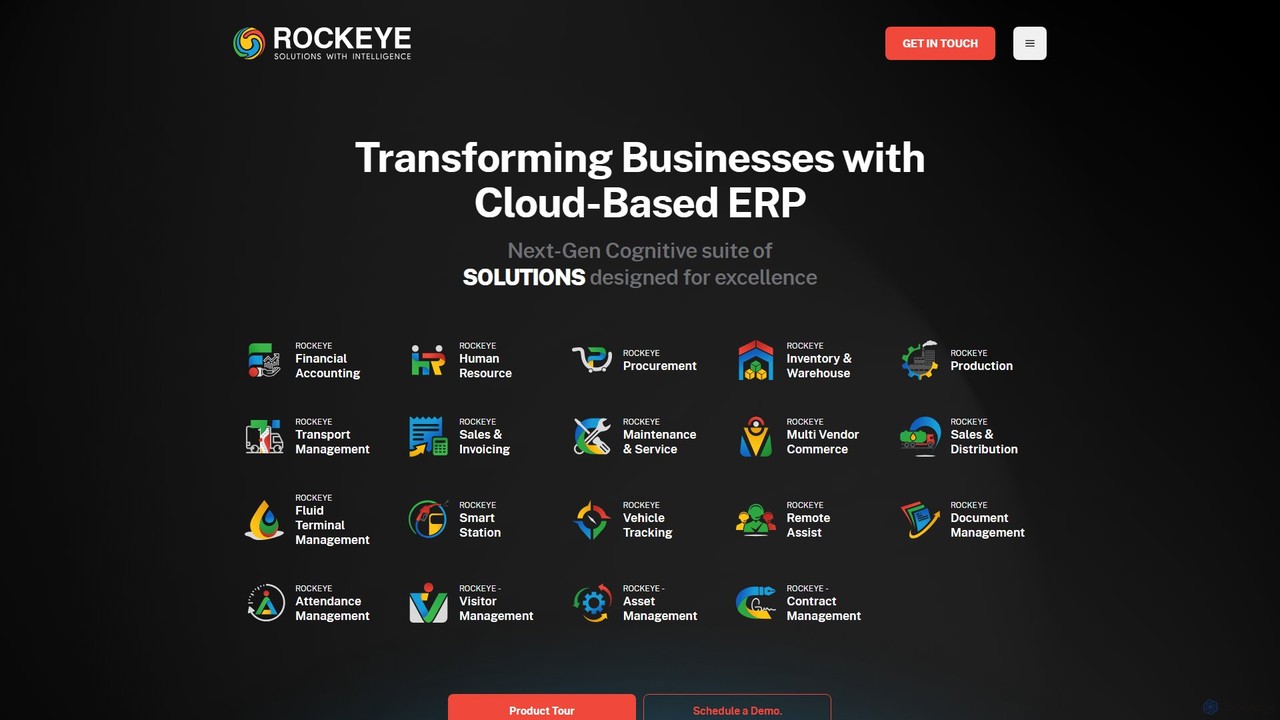
Rockeye is a powerful, cloud-based ERP suite that leverages AI and automation to transform business operations. It offers a comprehensive set of modules for finance, HR, supply chain, and manufacturing, designed to increase efficiency, provide real-time data insights, and drive growth for enterprises across various industries.

Erp
Visits 10KFavorites 105Likes 122

About Management

AI Management tools are a specialized category of Human Resources software that empowers leaders to optimize team performance and employee development. These tools leverage data analytics and natural language processing to analyze performance metrics, communication patterns, and engagement levels. They provide managers with actionable insights to make informed decisions, facilitate constructive feedback, and automate administrative tasks. This data-driven approach helps in building more effective, engaged, and productive teams.

Core Features

  • Performance Analytics: Automatically tracks and analyzes individual and team performance data to identify trends, strengths, and areas for improvement.
  • AI-driven Coaching & Feedback: Provides managers with real-time suggestions and templates for delivering effective feedback and conducting coaching sessions.
  • Task & Workflow Optimization: Intelligently suggests task assignments based on team members' skills, workload, and availability to improve efficiency.
  • Employee Engagement Monitoring: Analyzes anonymized communication and survey data to gauge team morale and proactively identify potential burnout or disengagement risks.
  • Personalized Development Planning: Recommends tailored training and development paths for employees based on their career goals and performance gaps.

Applicable Scenarios

These tools are ideal for team leaders, department heads, and project managers across various industries, particularly in tech, sales, and creative agencies. They are used for preparing data-rich performance reviews, conducting effective one-on-one meetings, and proactively managing team workload and well-being. For instance, a sales manager can use it to identify coaching opportunities for underperforming reps, while an engineering lead can use it to balance workloads across their team.

Selection Criteria

When choosing an AI Management tool, consider its integration capabilities with your existing HRIS, CRM, or project management software. Evaluate the depth and clarity of the analytics provided—the insights should be actionable, not just descriptive. Assess the user interface for both managers and employees to ensure ease of use. Finally, scrutinize the platform's data privacy and security policies, especially regarding how employee data is collected and analyzed.

Management use cases

1

Automating Performance Review Preparation

A department manager preparing for annual reviews uses an AI management tool to streamline the process. Instead of manually sifting through project records, emails, and performance data, the tool automatically aggregates this information for each team member. It summarizes key achievements, identifies areas of growth based on completed tasks versus goals, and even drafts initial review comments. This reduces the manager's administrative workload by hours, allowing them to focus on delivering personalized, data-backed feedback during the actual review meeting.

2

Proactively Identifying Team Burnout Risks

A project manager notices a slight dip in team productivity. Using an AI management tool, they analyze anonymized metadata from communication platforms and project management systems. The AI flags a pattern of increased late-night activity and a higher-than-average sentiment of stress in public channel communications for two specific team members. This early warning allows the manager to proactively check in with these individuals, discuss workload adjustments, and offer support before the issue escalates into full-blown burnout, thus preserving team health and project timelines.

3

Providing Real-time Leadership Coaching

A newly promoted team lead is preparing for a difficult conversation with an employee about missed deadlines. They use an AI management tool that offers a 'coaching' module. By inputting the context of the conversation, the AI provides a structured framework for the discussion, suggests open-ended questions to ask, and offers phrases that promote a constructive rather than confrontational tone. This real-time guidance helps the new manager build confidence and develop crucial communication skills, leading to a more productive conversation and a better outcome for the employee.

4

Optimizing Task Delegation for a New Project

A manager is kicking off a new project and needs to assign tasks efficiently. They use an AI management tool that has visibility into each team member's current workload, documented skills, and past performance on similar tasks. The manager inputs the project's tasks, and the AI recommends an optimal distribution of work. It might suggest assigning a complex coding task to a senior developer with available bandwidth and a research task to a junior member who has expressed interest in that area. This data-driven delegation ensures a balanced workload and leverages individual strengths, increasing the project's likelihood of success.

5

Facilitating Continuous Feedback Loops

A manager wants to move away from annual-only reviews to a culture of continuous feedback. Their team uses an AI management platform that facilitates regular, lightweight check-ins and peer feedback. The AI can prompt team members for feedback on recent collaborations and uses sentiment analysis to summarize key themes from open-ended comments. This provides the manager with a continuous, aggregated view of team dynamics and individual contributions, allowing them to address issues and recognize achievements in a timely manner, rather than waiting for a formal review cycle.

6

Personalizing Employee Development Plans

An HR manager partners with team leads to enhance employee growth. They use an AI management tool that analyzes an employee's performance data, skills inventory, and stated career aspirations. Based on this profile, the AI suggests relevant online courses, internal mentorship opportunities, and challenging 'stretch' projects that align with their development goals. For example, for a software developer who excels at coding but has low peer feedback scores on collaboration, the tool might recommend a communication workshop and pair-programming tasks. This personalized approach makes development planning more effective and meaningful for the employee.

Management FAQ

What are AI Management tools in the context of Human Resources?

AI Management tools are a specialized subset of HR technology designed specifically for team leaders and managers, rather than the entire HR department. They use AI to analyze team data and provide insights that help managers with day-to-day leadership tasks. Key functions include performance tracking, facilitating feedback, monitoring team engagement, and optimizing task delegation. Unlike general HR platforms that handle payroll or recruitment, these tools focus on enhancing the manager-employee relationship and improving team effectiveness.

How do AI Management tools differ from project management software?

The primary difference lies in their focus. Project management software (like Asana or Jira) centers on tasks, timelines, and deliverables—the 'what' and 'when' of work. AI Management tools, on the other hand, focus on the people performing the work—the 'who' and 'how'. They analyze human factors like performance, well-being, skills, and collaboration dynamics. While a project management tool tracks if a task is complete, an AI management tool might analyze how the workload is distributed or identify a team member who needs coaching to complete their tasks more effectively.

How do I choose the right AI Management tool for my team?

Choosing the right tool depends on your specific needs. Consider the following factors:

  • Primary Goal: Are you trying to improve performance reviews, boost daily engagement, or optimize workload? Select a tool that excels in your priority area.
  • Team Size and Structure: Some tools are better for small, agile teams, while others are built for large, complex departments.
  • Integrations: Ensure the tool integrates smoothly with your existing software stack (e.g., Slack, Microsoft Teams, Jira, HRIS) to avoid creating data silos.
  • User Experience: The tool should be intuitive for managers to use and non-intrusive for employees. A complex interface will hinder adoption.
  • Data Privacy: Verify how the tool handles sensitive employee data and ensure it complies with your company's privacy and security standards.
Can AI tools replace the role of a human manager?

No, AI management tools are designed to augment, not replace, human managers. They excel at processing large amounts of data, identifying patterns, and automating administrative tasks, which frees up a manager's time. However, they cannot replicate the essential human elements of leadership, such as empathy, mentorship, strategic judgment, and building personal relationships. The goal is to create a partnership where AI provides data-driven insights, and the manager uses those insights along with their experience and emotional intelligence to lead their team more effectively.

Is the data collected by AI Management tools secure and private?

Reputable AI Management tools prioritize data security and privacy. They typically use methods like data anonymization and aggregation to protect individual identities while still providing valuable insights to managers. When evaluating a tool, it's crucial to review its security protocols, data encryption standards, and compliance with regulations like GDPR or CCPA. Always choose a provider that is transparent about what data is collected, how it is used, and who has access to it. Clear communication with employees about the tool's purpose and privacy safeguards is also essential for building trust and successful adoption.