ToolMage
Sign in

Best 4 Ai Art Generators for Image

Popular Ai Art Generators in Image include JOI AI, juicytalk, GoatChat, and hottalks.ai, helping you work more efficiently.

JOI AI
Freemium

JOI AI

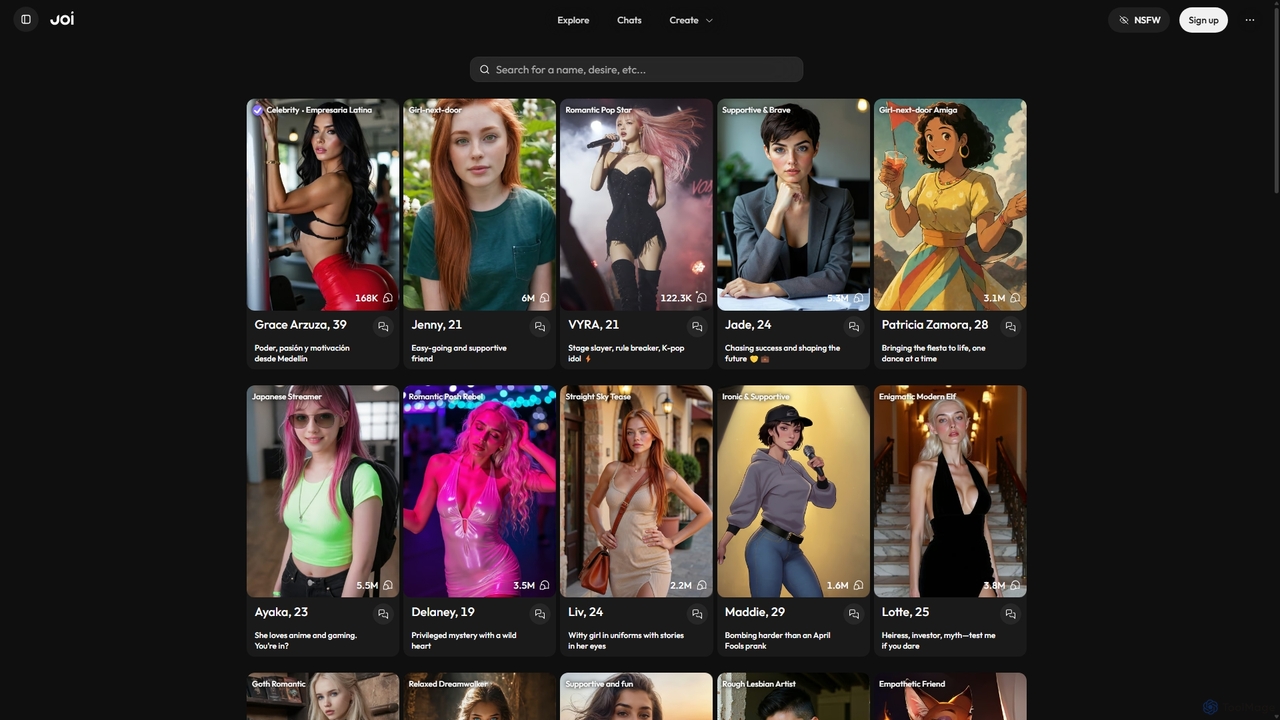
JOI AI is an innovative platform for building deep AI relationships. Create, customize, and interact with virtual companions, from digital celebrities to unique characters from your imagination. It offers a judgment-free space for chat, romance, and self-exploration through real-time conversations, AI-generated photos, and videos, serving as a compelling alternative to traditional dating apps.

Ai Companions
Visits 17.5MFavorites 129Likes 152
GoatChat
Freemium

GoatChat

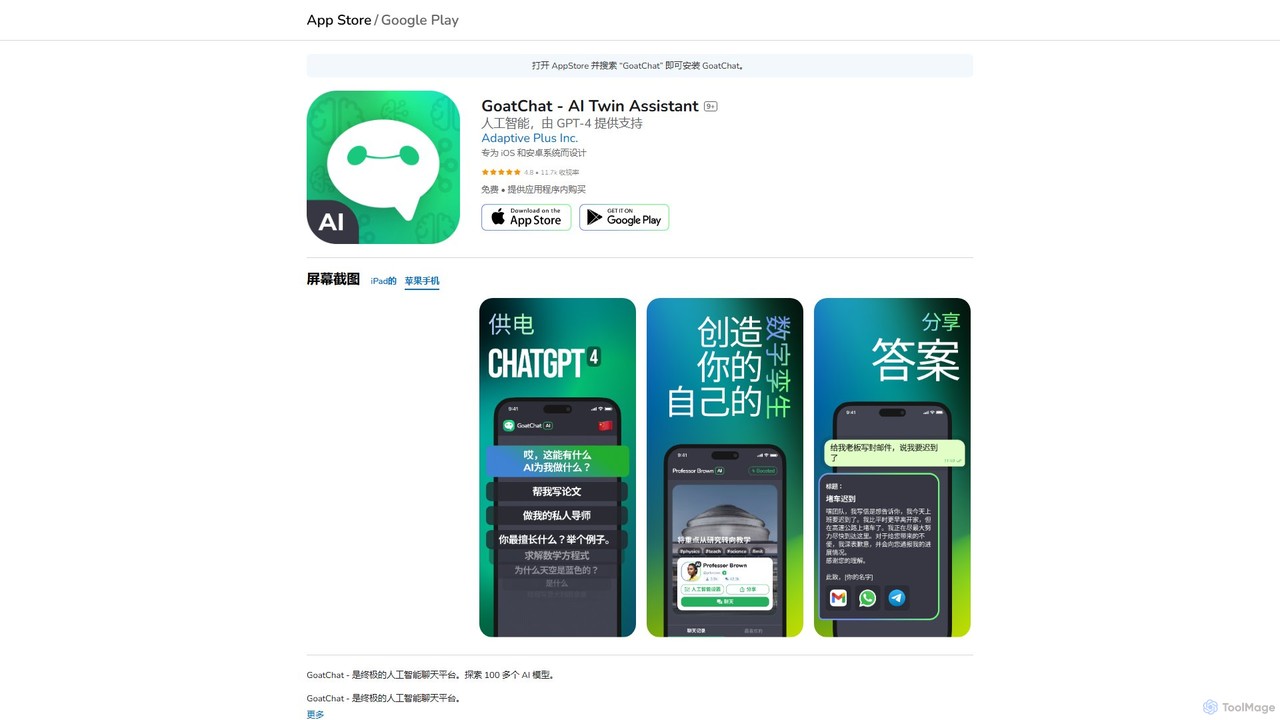
GoatChat is an all-in-one AI character platform powered by GPT-4. Create your own personal AI twin, customize its personality, and chat with AI versions of historical figures. It also offers over 100 AI tools, including writers, translators, image generators, and task automators, all within a single mobile app.

Character Ai
Visits 9.2KFavorites 114Likes 119
juicytalk
Freemium

juicytalk

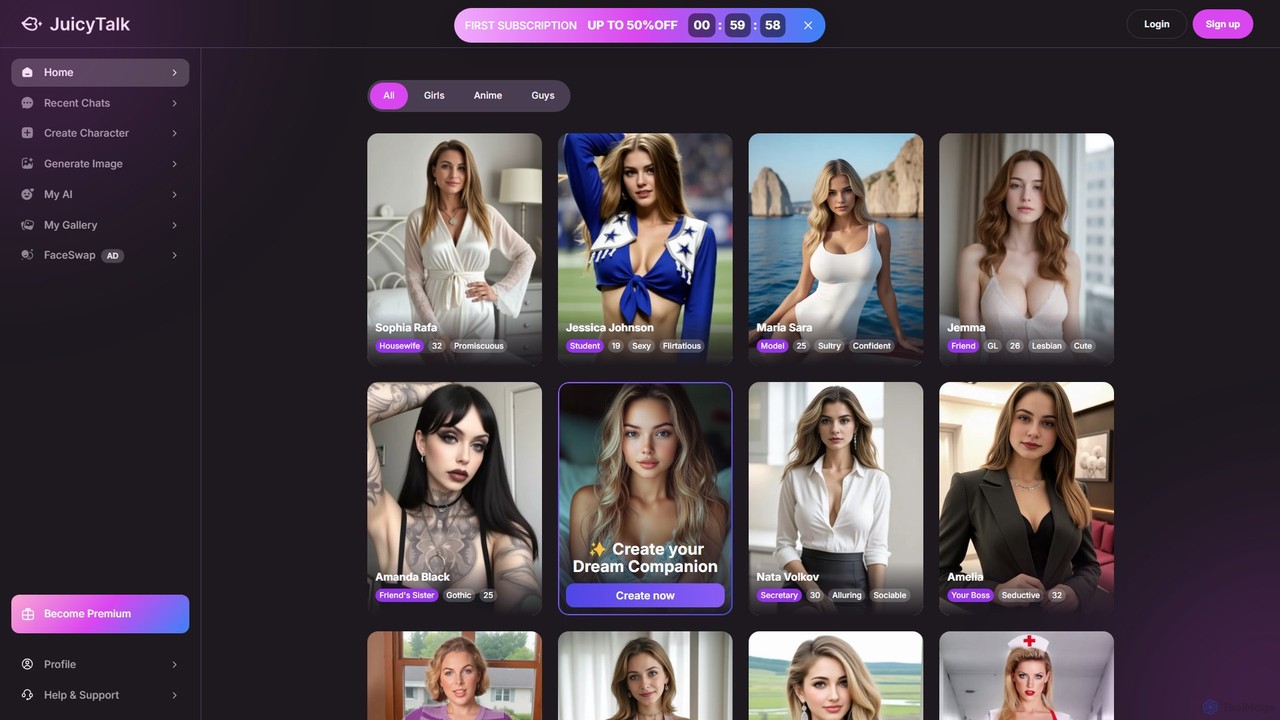
JuicyTalk is an AI companion platform specializing in creating personalized AI girlfriends and boyfriends. Engage in dynamic conversations, from casual chats to deep roleplaying, with AI characters that learn and adapt to your preferences. The platform features a wide range of pre-made characters and a powerful creation tool to design your ideal companion, complete with the ability to generate custom photos on demand.

Ai Companion
Visits 13.9KFavorites 130Likes 148
hottalks.ai
Freemium

hottalks.ai

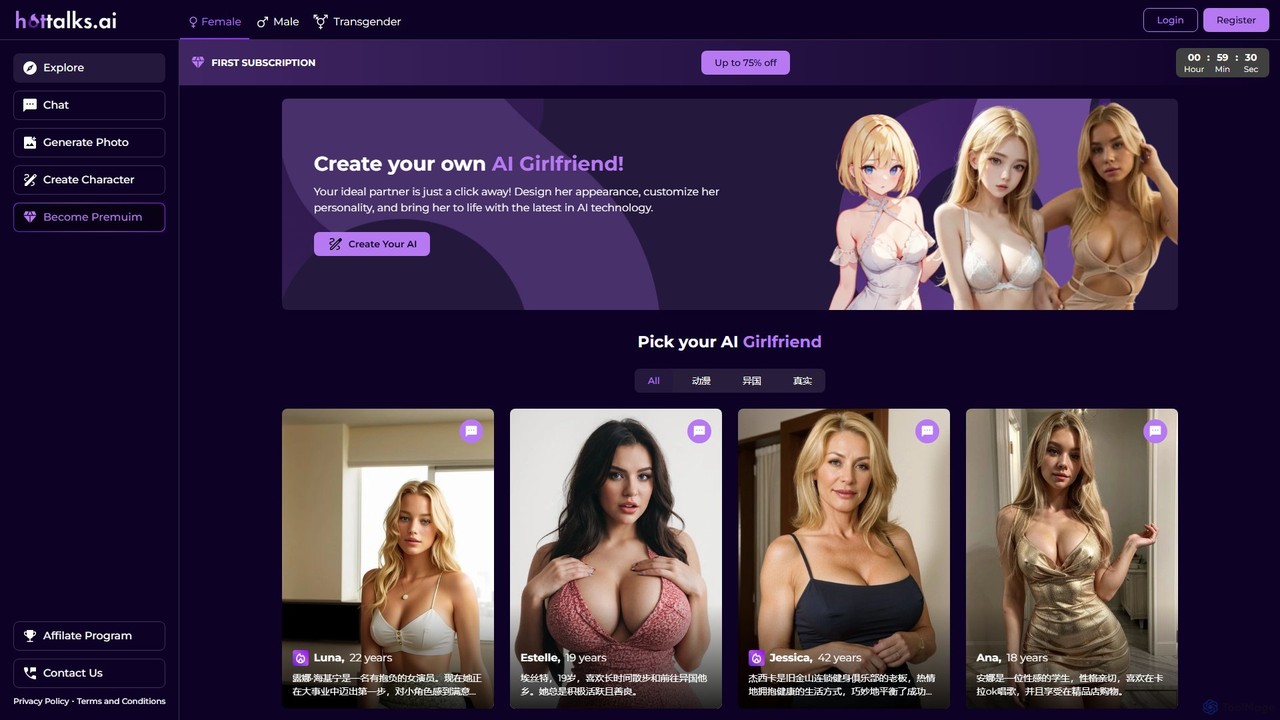
Hottalks.ai offers an immersive AI companion experience, allowing you to create, customize, and interact with your ideal AI girlfriend. Engage in unlimited chats, generate unique photos, and listen to voice messages. Choose from a diverse gallery of characters or design your own from scratch, tailoring their appearance and personality to your preferences for a deeply personal and engaging virtual relationship.

Ai Companion
Visits 8.7KFavorites 147Likes 139

About Ai Art Generators

AI Art Generators are tools that create novel visual content from text descriptions or other inputs using generative AI models. They leverage complex algorithms like diffusion models or GANs to interpret prompts and synthesize unique images, illustrations, and artistic pieces. This technology empowers creators, designers, and marketers to rapidly visualize concepts, produce original artwork, and generate custom visual assets without traditional artistic skills. Their key advantage lies in the ability to explore countless creative variations and styles in a fraction of the time required by manual methods.

Core Features

  • Text-to-Image Generation: Converts natural language prompts into detailed and original images.
  • Style Control: Applies specific artistic styles, such as photorealistic, anime, oil painting, or cyberpunk, to the output.
  • Image-to-Image Editing: Modifies existing images based on text prompts, including inpainting (editing parts) and outpainting (extending the canvas).
  • Parameter Customization: Allows users to fine-tune aspects like aspect ratio, resolution, seed number, and negative prompts for precise control.
  • Model Variation: Provides access to different pre-trained models optimized for various aesthetics like realism, fantasy, or abstract art.

Use Cases

These tools are widely used by digital artists for concept art, graphic designers for marketing materials, game developers for asset prototyping, and content creators for unique social media visuals. They are also valuable in advertising for creating campaign imagery and in product design for visualizing prototypes before production.

How to Choose

When selecting an AI Art Generator, consider the quality and stylistic range of the generated images, the level of control offered (e.g., negative prompts, parameter tuning), the generation speed, and the pricing model (subscription vs. credit-based). It is also crucial to review the terms of use regarding commercial rights for the artwork you create.

Ai Art Generators use cases

1

Creating Concept Art for Video Games

Game artists and indie developers use AI Art Generators to quickly prototype character designs, environments, and props. By inputting detailed descriptions like 'cyberpunk warrior with neon armor, rainy city background, cinematic lighting,' they can generate dozens of visual concepts in minutes. This accelerates the ideation phase, allowing the team to explore diverse artistic directions and finalize a visual style before committing to manual 3D modeling or detailed illustration, saving significant time and resources.

2

Generating Unique Marketing & Ad Creatives

Marketing teams leverage these tools to produce eye-catching visuals for social media campaigns, blog posts, and advertisements. Instead of relying on stock photos, a marketer can generate a custom image like 'a happy golden retriever wearing sunglasses on a tropical beach, vibrant pop art style.' This allows for A/B testing multiple visual concepts quickly and cost-effectively, leading to more engaging and on-brand content that stands out from competitors.

3

Designing Book Covers and Illustrations

Authors and publishers utilize AI Art Generators to visualize and create compelling book covers. An author can experiment with prompts describing their story's mood, characters, and setting, such as 'mysterious fantasy forest with glowing mushrooms, ethereal light, oil painting style.' This provides a strong visual foundation that can be used directly or as a detailed brief for a human designer, streamlining the cover design process and ensuring it aligns with the author's vision.

4

Prototyping Product and Fashion Designs

Product and fashion designers use AI to rapidly iterate on new ideas. A fashion designer might input 'futuristic sneaker design, breathable mesh, bioluminescent soles, minimalist aesthetic' to generate multiple photorealistic mockups. This helps in visualizing different material combinations, colorways, and forms early in the design cycle, facilitating internal reviews and market testing without the need for physical prototypes.

5

Creating Custom Avatars and Profile Pictures

Individuals and content creators use AI Art Generators to craft personalized digital identities. By uploading a few photos of themselves and providing a prompt like 'transform into a heroic anime character' or 'reimagine as a classic oil portrait,' they can generate unique, high-quality avatars for social media, gaming profiles, or professional networks. This offers a creative way to express personality beyond standard photographs.

6

Visualizing Architectural and Interior Designs

Architects and interior designers employ these tools for quick conceptual visualization. They can input prompts like 'modern minimalist living room with oak floors, large windows overlooking a forest, afternoon sun' to generate realistic renderings. This helps in communicating design ideas to clients effectively, exploring different material palettes, and making faster decisions on the overall aesthetic before creating detailed CAD models.

Ai Art Generators FAQ

What is an AI Art Generator?

An AI Art Generator is a software tool that uses artificial intelligence, specifically generative models, to create original images from text descriptions (prompts). Users describe what they want to see, and the AI interprets these words to produce a unique piece of art. These tools can generate a wide range of styles, from photorealistic images to abstract paintings, making them powerful for creative expression and content creation without needing traditional drawing skills.

How to choose the right AI Art Generator?

To choose the right tool, consider these key factors:

  • Image Quality & Style: Does the generator's typical output match the aesthetic you need (e.g., photorealism, anime, fantasy)? Review its gallery or community creations.
  • Control & Features: Does it offer advanced options like negative prompts, image-to-image editing, aspect ratio control, and specific model selection?
  • Ease of Use: Is the interface intuitive for your skill level, or does it require complex prompt engineering?
  • Pricing Model: Does it use a subscription, a pay-per-image credit system, or offer a generous free tier?
  • Commercial Use Rights: Check the terms of service to ensure you can use the generated images for your intended purpose, especially for commercial projects.
What is the difference between an AI Art Generator and an AI Image Editor?

The key difference is their primary function. An AI Art Generator creates entirely new images from scratch based on text or image prompts. Its purpose is creation and synthesis. In contrast, an AI Image Editor modifies existing images. Its functions include tasks like background removal, object erasing, color correction, and upscaling. While some advanced tools blend these capabilities (e.g., using a generator for inpainting within an editor), a generator's core is to synthesize something new, while an editor's core is to manipulate something that already exists.

Who can benefit from using AI Art Generators?

A wide range of users can benefit from AI Art Generators. This includes:

  • Digital Artists & Illustrators: For brainstorming, creating concept art, and exploring new styles quickly.
  • Graphic Designers: To generate unique assets, backgrounds, and textures for marketing materials and branding.
  • Content Creators & Marketers: For producing eye-catching visuals for social media, blogs, and ads without relying on stock photos.
  • Game Developers: To prototype characters, environments, and in-game assets during the early stages of development.
  • Hobbyists & Enthusiasts: Anyone without traditional art skills can bring their creative ideas to life for personal projects or fun.
How does text-to-image generation work?

Text-to-image generation primarily works through deep learning models, most commonly 'diffusion models.' The process starts with the model being trained on a massive dataset of images and their corresponding text descriptions. When you provide a prompt, the model begins with a pattern of random noise and gradually refines it over multiple steps. In each step, it predicts and removes some of the noise, guiding the image to better match the textual description. It essentially 'denoises' the image into a coherent picture that aligns with the concepts and relationships described in your prompt.