ToolMage
Sign in

Best 1 Ai Avatar Generator for Image

Popular Ai Avatar Generator in Image include Nero Lens, helping you work more efficiently.

Nero Lens
Freemium

Nero Lens

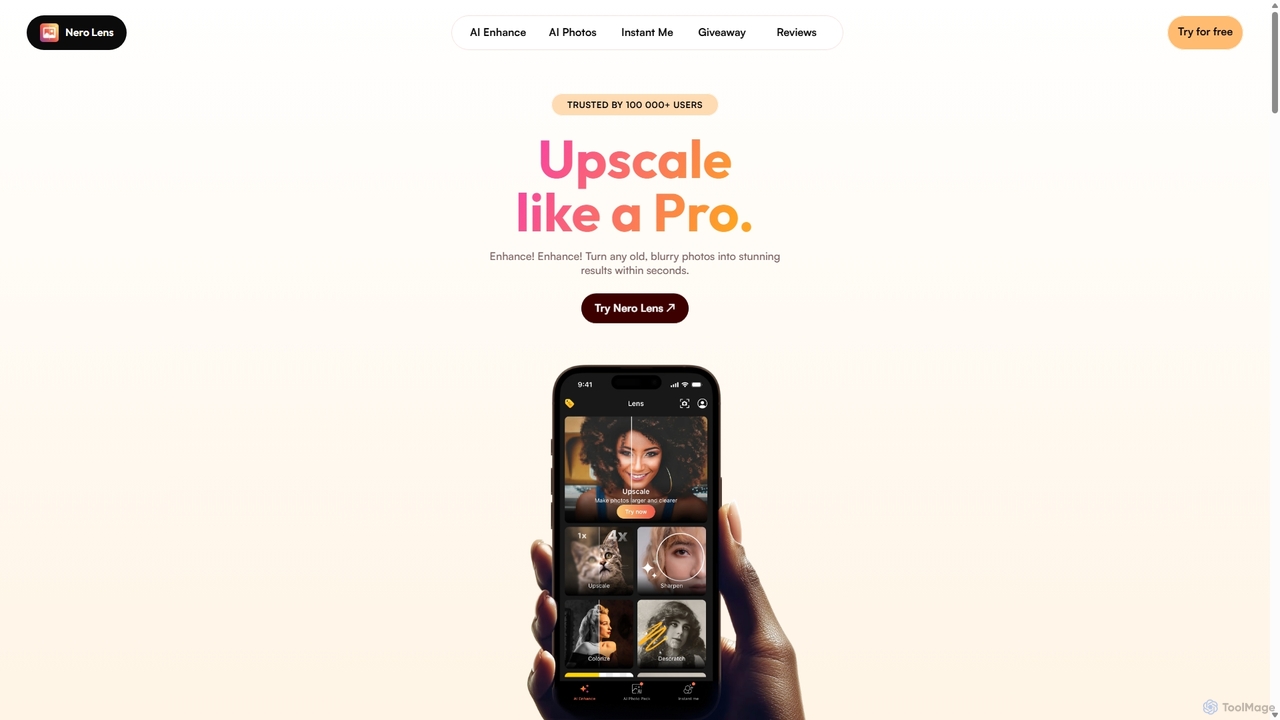
Nero Lens is an all-in-one AI-powered photo enhancer app that instantly upscales, restores, colorizes, and denoises images. It also features an AI avatar and headshot generator, turning your selfies into stunning, stylized photos for social media, dating profiles, or professional use.

Ai Avatar Generator
Visits 7.7KFavorites 145Likes 135

About Ai Avatar Generator

AI Avatar Generators are specialized tools that use artificial intelligence to create unique, personalized digital avatars. These tools typically leverage generative models, such as Diffusion or GANs, to transform user-uploaded photos or text descriptions into a variety of artistic styles. Their primary value lies in producing consistent and stylized representations for social media, gaming, or professional branding. Unlike general image generators, they are fine-tuned for creating portraits and character-centric visuals.

Core Features

  • Photo-to-Avatar Conversion: Generates avatars that capture the user's likeness by training on a set of uploaded photos.
  • Style Variety: Offers a wide range of artistic styles, such as anime, cartoon, fantasy, cyberpunk, or professional headshots.
  • Text-Based Creation: Creates avatars from detailed text prompts describing appearance, clothing, and background.
  • Consistency Control: Maintains a consistent character appearance across multiple generated images and poses.
  • Batch Generation: Produces dozens or hundreds of avatar variations from a single input, providing ample choice.

Use Cases

These tools are widely used by individuals for creating distinctive social media profile pictures and gaming personas. Professionals and freelancers use them to generate polished, consistent headshots for branding on websites and platforms like LinkedIn. Content creators also leverage them to design unique characters for stories, videos, or marketing materials without needing illustration skills.

How to Choose

When selecting an AI Avatar Generator, consider the input method (photo upload vs. text prompt) that best suits your needs. Evaluate the variety and quality of the available art styles. Critically review the platform's privacy policy, especially regarding the handling and storage of your personal photos. Finally, compare pricing models, such as one-time packs versus subscriptions, and check the resolution and usage rights of the final images.

Ai Avatar Generator use cases

1

Create Unique Social Media Profile Pictures

An individual user wants to refresh their online presence with a unique, artistic profile picture that stands out. They use an AI Avatar Generator by uploading 10-20 of their selfies. The tool analyzes their facial features and generates over 100 avatars in various styles like 'Anime', 'Fantasy Hero', and 'Professional Headshot'. The user then selects their favorites to use across Instagram, Twitter, and LinkedIn, creating a memorable and consistent digital identity without a professional photoshoot.

2

Design Gaming and Virtual Reality Personas

A gamer or VR enthusiast needs a consistent and cool-looking avatar for their virtual identity across platforms like Steam, Discord, and VRChat. Instead of using generic in-game creators, they use an AI Avatar Generator. They input a text prompt like 'cyberpunk warrior with neon tattoos, silver hair, and glowing eyes'. The AI generates a set of high-quality character portraits. The user can then use these images as their profile picture and even as a texture for a custom 3D model, ensuring their virtual persona is unique and recognizable everywhere.

3

Generate Professional Headshots for Branding

A freelancer or consultant needs a professional headshot for their website, LinkedIn profile, and business cards, but lacks the budget for a photographer. They use an AI Avatar Generator's 'Professional' or 'Corporate' style pack. By uploading a few clear photos of themselves in casual attire, the AI generates a series of high-resolution headshots where they appear in business suits or smart-casual wear, against neutral office backgrounds. This provides a cost-effective way to establish a polished and credible professional image online.

4

Create Fictional Characters for Storytelling

A writer or a Dungeons & Dragons Dungeon Master wants to visualize their characters for a novel or campaign. They use a text-to-avatar generator to bring their creations to life. They input detailed descriptions like 'An old elf wizard with a long white beard, wearing star-patterned blue robes, holding a glowing staff'. The AI produces multiple visual interpretations, helping the creator solidify the character's look and feel. These images can be shared with readers or players to provide a clear visual reference, enhancing the immersive experience of the story.

5

Generate Unified Team Avatars for Companies

A tech startup wants to foster a strong team identity and create a fun, unified look for their internal communication tools like Slack and Teams. The marketing manager uses an AI Avatar Generator to create avatars for the entire team. Each employee uploads a few photos, and the manager selects a single, consistent style pack, such as 'Modern Cartoon' or 'Pixel Art'. The result is a gallery of unique but stylistically cohesive avatars, reinforcing a sense of community and making internal communications more visually engaging.

6

Create Anonymous Avatars for Online Privacy

A user who is active in online forums and communities wants to maintain their privacy while still having a relatable, human-like profile picture. They are hesitant to use their real photo. Using an AI Avatar Generator, they upload their photos to create a base model and then use text prompts to modify it, such as 'change hair color to red, add glasses'. The AI produces a set of realistic avatars that resemble the user but are not identical, acting as a digital doppelgänger. This allows them to engage in online discussions with a personal touch without revealing their actual identity.

Ai Avatar Generator FAQ

What is an AI Avatar Generator?

An AI Avatar Generator is a software tool that uses artificial intelligence, particularly generative models like Stable Diffusion or GANs, to create digital avatars. Unlike simple cartoon makers, these tools can generate highly detailed and stylized images from user inputs, which can be a set of personal photographs or a detailed text description. The key feature is their ability to produce unique, personalized, and often artistic representations of a person or character.

How to choose the right AI Avatar Generator?

To choose the right tool, consider these factors:

  • Input Method: Do you prefer uploading photos for a personalized likeness or creating characters from text prompts? Some tools specialize in one or the other.
  • Style & Quality: Browse the tool's gallery or examples. Does its artistic style match your aesthetic? Check the resolution and detail of the output.
  • Privacy Policy: If uploading photos, carefully read how your data is used, stored, and deleted. Choose services with clear and trustworthy privacy practices.
  • Cost and Usage Rights: Compare pricing models (e.g., one-time purchase for a pack of avatars vs. a monthly subscription). Check if you get commercial rights to use the images.
What's the difference between an AI Avatar Generator and a general AI Image Generator?

The main difference is specialization. A general AI Image Generator (like Midjourney or DALL-E) is designed to create a vast range of images from any text prompt, including landscapes, objects, and abstract scenes. An AI Avatar Generator is a specialized subset of this technology. It is specifically fine-tuned and optimized for creating portraits and characters. Many avatar generators are also trained on a user's specific photos to capture their likeness, a feature not typically found in general image generators.

Do I need technical skills to use an AI Avatar Generator?

No, the vast majority of AI Avatar Generators are designed for non-technical users. The user interface is typically very straightforward: you upload your photos or type in a text description, select your desired styles, and the tool handles all the complex AI processing in the background. You do not need any knowledge of AI models, coding, or graphic design to create high-quality avatars.

How many photos are needed to create a good AI avatar?

The number of photos required varies by service, but a common recommendation is between 10 and 20 high-quality photos. To get the best results, it's important to provide a variety of images. This should include different angles of your face (front, side profile), various facial expressions (smiling, neutral), and different lighting conditions and backgrounds. Providing a diverse set of photos helps the AI build a more accurate and flexible model of your facial features, leading to better and more varied avatars.