Blockade Labs
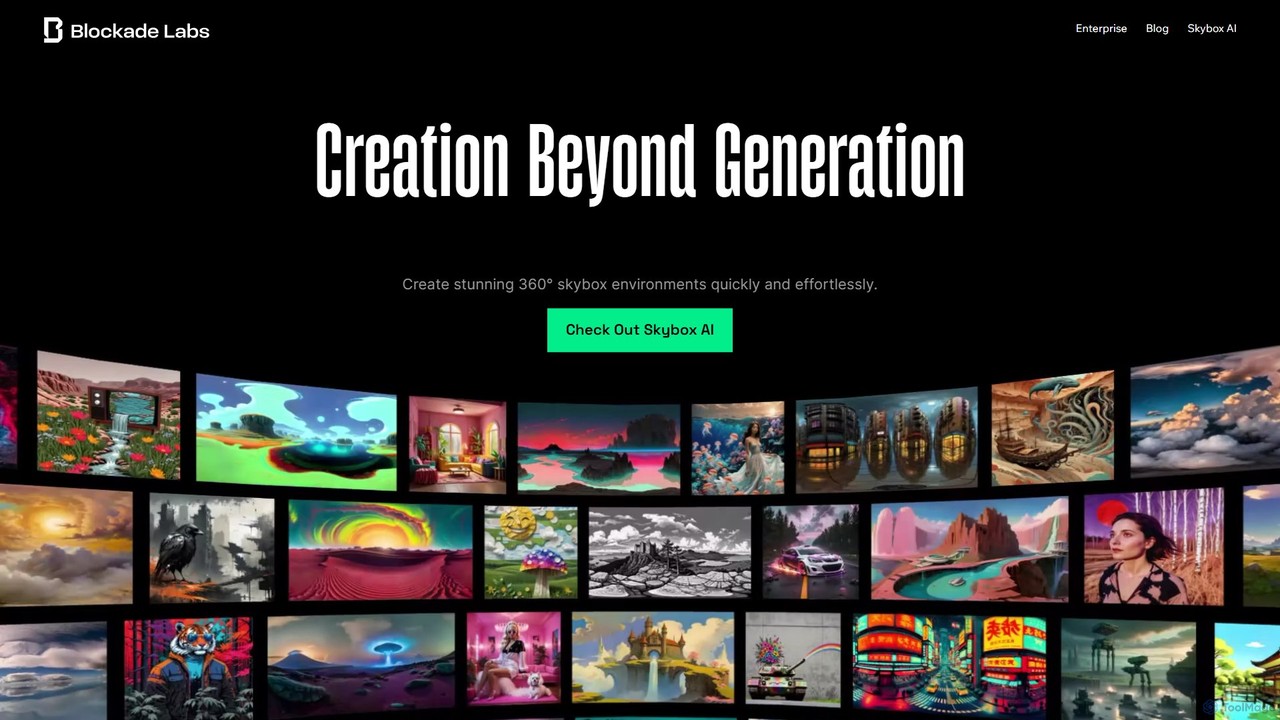
Blockade Labs offers Skybox AI, a powerful tool for creating stunning 360° panoramic environments from text prompts. Ideal …
Blockade Labs offers Skybox AI, a powerful tool for creating stunning 360° panoramic environments from text prompts. Ideal for game developers, 3D artists, and VR creators, it generates high-resolution worlds, 32-bit HDRI for lighting, and 3D meshes in seconds, accelerating creative workflows.
Polyhive
Polyhive is an AI-powered platform for generating high-quality, game-ready 3D models and textures. It enables creators to produce …
Polyhive is an AI-powered platform for generating high-quality, game-ready 3D models and textures. It enables creators to produce 3D assets from text prompts or 2D images and apply AI-driven textures to existing models, drastically accelerating the creative workflow for game developers and 3D artists.
About 3D
AI 3D tools are a class of software that leverages artificial intelligence to generate, modify, or enhance three-dimensional models, textures, and scenes. These tools often utilize advanced models like NeRFs (Neural Radiance Fields) and diffusion models to interpret text prompts, 2D images, or video footage. They significantly accelerate workflows in gaming, film, architecture, and product design by automating complex modeling and texturing tasks. This technology enables creators to rapidly prototype ideas and produce 3D assets with greater efficiency.
Core Features
- Text-to-3D Generation: Creates 3D models directly from descriptive text prompts.
- Image-to-3D Conversion: Transforms a single 2D image or sketch into a three-dimensional object.
- AI-Powered Texturing: Automatically generates realistic PBR materials and textures for existing 3D models based on text or image inputs.
- 3D Scene Reconstruction (NeRF): Builds photorealistic 3D scenes from a series of 2D images or videos.
- Mesh Optimization: Uses AI to automatically simplify or retopologize complex 3D model geometry for better performance.
Use Cases
AI 3D tools are widely used in game development for rapid asset creation, in architectural visualization to generate models from floor plans, and in e-commerce for creating product showcases. They are also valuable in film and VFX for concept design and in AR/VR for building immersive environments.
How to Choose
When selecting an AI 3D tool, consider its primary function (e.g., generation vs. texturing), output quality, and supported file formats (OBJ, FBX, glTF). Evaluate the ease of use, integration with existing software, and the pricing model, which is often based on generation credits or a monthly subscription.

3DUse Cases
Rapid Prototyping for Game Assets
An indie game developer needs to populate a new level with numerous environmental props like barrels, crates, and furniture. Instead of spending days manually modeling each item, they use a text-to-3D tool. By inputting prompts such as 'low-poly stylized medieval barrel' or 'sci-fi crate with glowing panels', the developer can generate dozens of unique asset variations in minutes. These models serve as excellent starting points that can be quickly refined and optimized in traditional 3D software, dramatically cutting down production time.
Creating 3D Models for E-commerce
An e-commerce store owner wants to offer a 360-degree view of their products but lacks the budget for professional 3D scanning. They use an image-to-3D tool by taking several photos of a product, like a sneaker, from various angles with a smartphone. The AI processes these images and generates a 3D model. This model can then be embedded on the product page, allowing customers to interact with the item virtually. This enhances the online shopping experience and can lead to higher engagement and conversion rates.
Architectural Visualization from Sketches
An architect needs to quickly convey a design concept to a client. Instead of building a detailed model from scratch, which is time-consuming, they upload a 2D floor plan or a hand-drawn sketch into an AI 3D tool. The AI interprets the 2D input and generates a basic 3D massing model or a furnished interior scene. This allows the client to visualize the space and scale almost instantly, facilitating faster feedback and decision-making in the early stages of a project.
Generating Textures for 3D Characters
A 3D artist has finished modeling a character but now faces the tedious task of texturing. Using an AI texturing tool, they can apply materials to the model's UV maps with simple text prompts. For example, they can input 'worn leather armor with scratches' or 'realistic human skin with pores' to generate high-quality, seamless PBR (Physically Based Rendering) textures. This process automates a significant part of the creative workflow, allowing the artist to iterate on different material ideas much faster than painting them manually.
Digital Preservation of Real-World Objects
A museum curator wants to create a digital archive of fragile artifacts without using expensive 3D scanners. Using a smartphone, they take a series of photos or a short video of an artifact from all angles. This footage is then processed by a NeRF-based tool. The AI reconstructs a high-fidelity, photorealistic 3D digital twin of the object. This digital version can be used for virtual exhibitions, academic research, or conservation planning, making priceless cultural heritage accessible to a global audience.
Concept Art for Film and Animation
A concept artist is brainstorming ideas for a unique creature in a new sci-fi film. To move beyond 2D sketches, they use an AI 3D generator. By inputting descriptive prompts like 'biomechanical insectoid creature with six glowing eyes and metallic carapace', the artist can quickly generate multiple 3D concepts. This allows the creative team to view the creature from any angle, understand its form and volume better, and provide a more comprehensive reference for the 3D modeling department, streamlining the pre-production pipeline.