ToolMage
Sign in

Best 1 3D Rendering AI tools for Image

Popular 3D Rendering AI tools in Image include Visoid, helping you work more efficiently.

Visoid
Freemium

Visoid

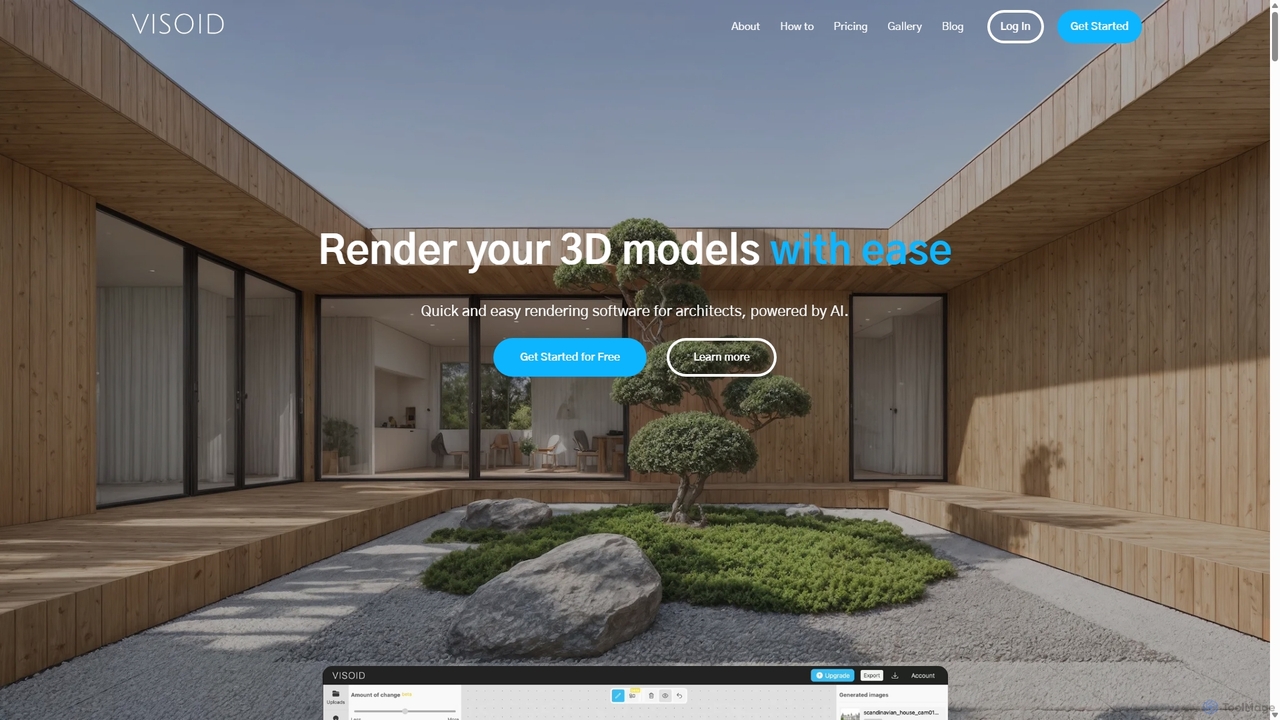
Visoid is an AI-powered rendering platform designed for architects, interior designers, and 3D artists. It transforms sketches and 3D models from software like SketchUp, Revit, and Archicad into stunning, photorealistic visualizations in seconds, dramatically accelerating the design and presentation workflow.

Architecture
Visits 151.9KFavorites 116Likes 111

About 3D Rendering

AI 3D Rendering tools are a specialized category of image software that automatically generate photorealistic or stylized 2D images from 3D models. These tools leverage advanced algorithms like AI-accelerated ray tracing and neural rendering to realistically simulate light, materials, and camera effects. This process transforms complex 3D scenes into high-quality, impactful visuals for architecture, product design, and entertainment. Compared to traditional methods, AI-powered rendering significantly accelerates workflows, reduces hardware dependency, and enables rapid creative iteration.

Core Features

  • AI-Accelerated Denoising: Uses machine learning to rapidly remove noise from partially rendered images, drastically cutting down render times.
  • Material & Texture Synthesis: Generates realistic materials and textures from text prompts or sample images, simplifying the texturing process.
  • Intelligent Lighting & Composition: Automatically suggests optimal lighting setups, camera angles, and environmental settings to achieve a desired mood.
  • Neural Rendering (NeRF): Creates novel views and full 3D scenes from a set of 2D images, enabling new forms of visualization.
  • Cloud-Based Rendering: Offloads computationally intensive tasks to powerful cloud servers, freeing up local machine resources for other work.

Use Cases

AI 3D Rendering is crucial for professionals in architecture, interior design, and real estate for creating compelling property visualizations. It's also widely used by product designers and marketing teams to generate advertising imagery before a physical product exists. In the entertainment industry, game developers and VFX artists use these tools to produce final frames and promotional materials efficiently.

How to Choose

When selecting an AI 3D Rendering tool, first consider its integration with your primary 3D modeling software (e.g., Blender, 3ds Max, SketchUp). Evaluate the balance between rendering speed and final image quality. Assess the scope and quality of its material library and its support for custom assets. Finally, compare pricing models, such as subscriptions versus pay-per-render credits, to find what best suits your project frequency and budget.

3D Rendering use cases

1

Architectural Visualization for Client Presentations

An architect needs to present a new residential building design to a client. Instead of relying on flat 2D drawings, they import their 3D model into an AI rendering tool. Using AI-powered lighting suggestions, they quickly generate multiple photorealistic images showing the property at different times of day—sunny morning, warm afternoon, and elegant dusk. This allows the client to vividly imagine the final result, leading to faster approvals and fewer revisions, saving dozens of hours in communication and rework.

2

Creating E-commerce Product Imagery

An e-commerce manager for a furniture brand needs to create lifestyle images for a new sofa line. A physical photoshoot would be expensive and time-consuming. Instead, they use an AI renderer. They place the 3D sofa model into various virtual scenes (e.g., a modern loft, a cozy living room) and use AI material synthesis to apply different fabric textures. The tool generates hundreds of high-resolution images in a fraction of the time and cost, enabling them to launch the product page with a rich gallery of visuals.

3

Rapid Prototyping for Game Assets

A solo indie game developer is designing a key weapon for their game. They've created a 3D model but need to see how it looks with different materials and in various lighting conditions within the game engine. Using an AI rendering tool integrated with their development environment, they can generate high-quality renders of the weapon with metallic, worn, or glowing textures in seconds. This rapid visual feedback loop allows them to finalize the asset's design much faster than the traditional method of repeatedly exporting and testing in-game.

4

VFX Production for Short Films

A small visual effects (VFX) studio is working on a short film that requires a complex 3D character integrated into live-action footage. Render times for each frame are a major bottleneck. By using an AI renderer with advanced denoising, they reduce the time per frame from 30 minutes to just 5 minutes. This 6x speed increase allows them to render the entire sequence overnight on their existing hardware, meet tight deadlines, and allocate more time to artistic refinement instead of waiting for renders to complete.

5

Interior Design Mood Board Creation

An interior designer is developing a concept for a client's living room. They use a 3D modeling tool to arrange furniture and decor, then use an AI renderer to quickly generate stylized, non-photorealistic images. They can apply watercolor, sketch, or blueprint styles with a single click. This allows them to create a visually rich mood board that communicates the overall aesthetic and feel of the space, rather than getting bogged down in the specific details of a photorealistic render early in the design process.

6

Automotive Advertising Visuals

An advertising agency is tasked with creating a campaign for a new luxury car. Using a high-fidelity 3D model of the car, they employ an AI rendering tool with advanced ray tracing. This allows them to generate stunningly realistic images of the car in exotic, virtual locations without the logistical nightmare of a physical shoot. They can perfect every reflection on the car's polished surface and simulate dynamic lighting, resulting in magazine-quality advertisements produced entirely digitally, saving hundreds of thousands of dollars.

3D Rendering FAQ

What is AI 3D Rendering?

AI 3D Rendering is the process of using artificial intelligence to create a 2D image or animation from a 3D model. Unlike traditional rendering that relies solely on raw computational power, AI techniques accelerate the process by intelligently predicting light behavior, reducing image noise (denoising), and automating complex settings. This results in significantly faster render times, often with improved visual quality, making high-end visualization more accessible to creators.

How to choose the right AI 3D Rendering tool?

To choose the right tool, consider these factors:

  • Integration: Ensure it works seamlessly with your 3D modeling software (e.g., Blender, Cinema 4D, 3ds Max). A good plugin or direct integration saves a lot of time.
  • Render Engine Type: Decide if you need real-time rendering for speed (like in game development) or offline/path-traced rendering for the highest photorealism (like in architecture).
  • Hardware Requirements: Check if the tool relies on specific GPUs (like NVIDIA RTX) or if it offers cloud rendering to bypass local hardware limitations.
  • Ease of Use: Evaluate the user interface and learning curve. Some tools are designed for beginners with one-click solutions, while others offer deep customization for experts.
What's the difference between AI 3D Rendering and traditional 3D rendering?

The core difference lies in the use of machine learning. Traditional rendering calculates every light path and interaction based purely on physics algorithms, which is accurate but extremely time-consuming. AI 3D rendering uses trained models to take shortcuts. For example, an AI denoiser can clean up a noisy image that has only been rendered for a short time, predicting what the final, clean image should look like. This makes the process dramatically faster without a significant loss in quality, and in some cases, can even produce more artistically pleasing results.

Do I need a powerful computer for AI 3D Rendering?

It depends on the tool. Many AI rendering features, especially real-time denoising and ray tracing, benefit greatly from modern GPUs with dedicated AI hardware (like NVIDIA's Tensor Cores). However, the rise of cloud-based AI rendering services means you don't necessarily need a powerful local machine. These services allow you to upload your 3D scene and use their powerful servers to perform the rendering, sending you back the final image. This makes high-quality rendering accessible even with a moderately powerful computer.

Can AI 3D Rendering tools create 3D models from scratch?

Generally, no. AI 3D Rendering tools are designed to work with existing 3D models created in software like Blender, Maya, or SketchUp. Their primary function is to turn that 3D data into a 2D image. However, an emerging related category is AI 3D model generation, where tools use text prompts or images to create a 3D model from scratch. While some platforms may combine these features, a dedicated AI 3D Renderer focuses specifically on the final visualization step, assuming you already have a model to work with.