ToolMage
Sign in

Best 1 Face AI tools for Image Editing

Popular Face AI tools in Image Editing include BestLOOK.ai, helping you work more efficiently.

BestLOOK.ai
Paid

BestLOOK.ai

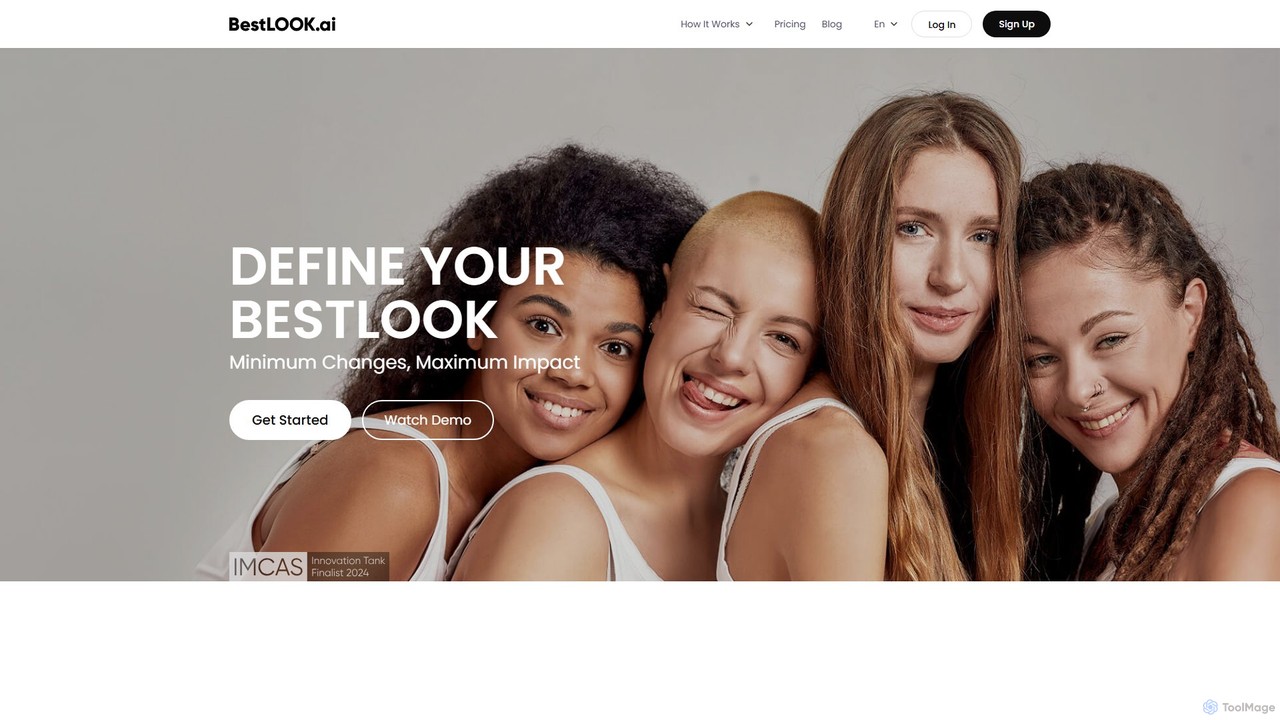
BestLOOK.ai is an AI-powered cosmetic surgery simulator that allows users to preview subtle facial enhancements before undergoing procedures. By uploading a photo, you can visualize potential changes to your face shape, nose, and lips. The platform uses predictive AI, based on over 3 million data points, to suggest natural-looking, harmonious results, helping you make confident and informed decisions about your aesthetic journey.

Cosmetic Surgery
Visits 14.6KFavorites 130Likes 126

About Face

AI Face tools are a specialized class of image editing software that use deep learning to automatically detect, analyze, and manipulate human faces. These tools go beyond simple filters by understanding facial structures, allowing for precise adjustments to features like skin texture, facial shape, and expressions. They empower users to perform complex retouches, alter attributes like age or gender, or even swap faces in images and videos with high realism. This technology is widely used for creative content, professional photography, and virtual applications.

Core Features

  • Facial Retouching: Automatically smooths skin, removes blemishes, and evens out skin tone for a polished look.
  • Attribute Manipulation: Alters key facial characteristics such as age, gender, hair style, and expression.
  • Face Swapping: Intelligently replaces a face in a photo or video with another while preserving lighting and angles.
  • Digital Makeup & Try-On: Applies realistic virtual cosmetics or lets users try on accessories like glasses or hats.
  • 3D Avatar Creation: Generates a 3D model of a face from a 2D image for use in games and virtual reality.

Use Cases

These tools are invaluable for social media influencers enhancing their content, portrait photographers streamlining their retouching workflow, and e-commerce brands offering virtual try-on experiences. Game developers also use them for character design, while marketing teams leverage them for creating engaging ad campaigns.

How to Choose

When selecting an AI Face tool, consider the level of realism and control you require. Evaluate the specific features offered—some excel at subtle beautification, while others focus on dramatic transformations like face swapping. Also, review the tool's data privacy policy to understand how your images are handled, and check for API access if you need to integrate the technology into your own application.

Featured tool rankings

Face use cases

1

Enhance Social Media Portraits

A content creator needs to produce high-quality daily posts for Instagram. Using an AI face tool, they can upload their selfies and in seconds apply consistent enhancements. The tool automatically identifies and smooths skin, brightens eyes, and whitens teeth without manual effort. They can also experiment with subtle changes to facial structure or apply digital makeup that matches their brand's aesthetic, ensuring a professional look across all their content and saving hours of editing time.

2

Streamline Professional Photo Retouching

A wedding photographer processes hundreds of photos after an event. Manually retouching each portrait is time-consuming. By integrating an AI face tool into their workflow, they can batch-process images to correct skin tones, remove minor blemishes, and soften wrinkles. The AI provides a consistent, natural-looking base edit, which the photographer can then fine-tune. This reduces the manual editing workload by up to 70%, allowing for faster delivery to clients.

3

Power Virtual Try-On for E-commerce

An online eyewear store wants to increase conversion rates by letting customers see how glasses fit. They integrate an AI face API into their website. Customers upload a photo or use their webcam, and the technology accurately maps their facial features. The system then realistically overlays different eyeglass models onto their face, adjusting for perspective and size. This interactive experience helps customers make confident purchasing decisions and reduces product returns.

4

Prototype Game and Film Characters

A concept artist for a video game needs to create a wide range of unique character faces. Instead of drawing each one from scratch, they use an AI face tool with a base 3D model. By adjusting sliders for age, gender, ethnicity, and other attributes, they can rapidly generate hundreds of variations. This allows the creative team to quickly visualize and iterate on character designs, significantly accelerating the pre-production phase of development.

5

Create Engaging Marketing Content

A marketing agency is developing a campaign for a new beverage. To create a memorable and fun ad, they use an AI face-swapping tool. They film several actors reacting to tasting the drink and then swap their faces with those of well-known (and properly licensed) public figures or even cartoon characters. The resulting video is humorous and highly shareable on social media, increasing brand visibility and engagement beyond what a standard ad could achieve.

6

Anonymize Faces for Documentary Use

A documentary filmmaker needs to protect the identity of subjects in their film. Traditional blurring or pixelation can be distracting and impersonal. They use an advanced AI face tool to subtly alter the key facial features of the individuals—slightly changing the nose shape, eye distance, and jawline. The result is a new, non-existent face that is unrecognizable but appears completely natural and human, preserving the emotional impact of the scene while ensuring privacy.

Face FAQ

What are AI Face tools?

AI Face tools are specialized applications that use artificial intelligence, particularly deep learning models, to understand and modify human faces in digital media. Unlike general editors, they automatically identify facial features like eyes, nose, and mouth to perform complex edits. Their core functions include realistic retouching, changing facial attributes like age or expression, applying digital makeup, and swapping faces between different people.

How do I choose the right AI Face tool?

To choose the right tool, first identify your primary need. For professional photography, look for tools with subtle, high-fidelity retouching and color correction. For social media or entertainment, you might prioritize tools with dramatic filters, face-swapping, and expression-changing capabilities. Always consider the following:

  • Feature Set: Does it offer the specific manipulations you need?
  • Realism: How natural do the results look?
  • Ease of Use: Is the interface intuitive for your skill level?
  • Privacy Policy: How is your facial data stored and used?

What's the difference between AI Face tools and general Image Editors?

The key difference lies in automation and semantic understanding. General image editors like Adobe Photoshop provide a versatile set of manual tools (e.g., clone stamp, healing brush, liquify) that require user skill and time to edit a face. AI Face tools automate this process. They recognize the face as a whole and its components, offering simple sliders or one-click options to perform complex tasks like 'smooth skin' or 'add a smile,' which would require multiple steps in a traditional editor.

What are the main functions of AI Face tools?

AI Face tools offer a wide range of functions centered on facial manipulation. The most common ones include:

  • Beautification: Automated skin smoothing, blemish removal, teeth whitening, and eye enhancement.
  • Attribute Editing: Changing age, gender, hair color, or adding features like beards and glasses.
  • Expression Modification: Altering a subject's expression, such as turning a neutral look into a smile.
  • Face Swapping: Replacing one person's face with another in an image or video.
  • 3D Modeling: Creating a 3D avatar from a 2D photograph.

Are AI Face tools ethical and safe to use?

The ethics and safety depend on the tool's application and its data policies. For creative or professional work, they are generally safe. However, it's crucial to read the privacy policy to understand if your photos are used for training AI models. The technology behind face swapping, often called deepfake, raises ethical concerns about misinformation and non-consensual use. Reputable tools have safeguards and terms of service against malicious use, but users should always act responsibly and ethically when creating and sharing manipulated content.