ToolMage
Sign in

Best 1 Headshot Generator for Image Editing

Popular Headshot Generator in Image Editing include Suit Me Up, helping you work more efficiently.

Suit Me Up
Paid

Suit Me Up

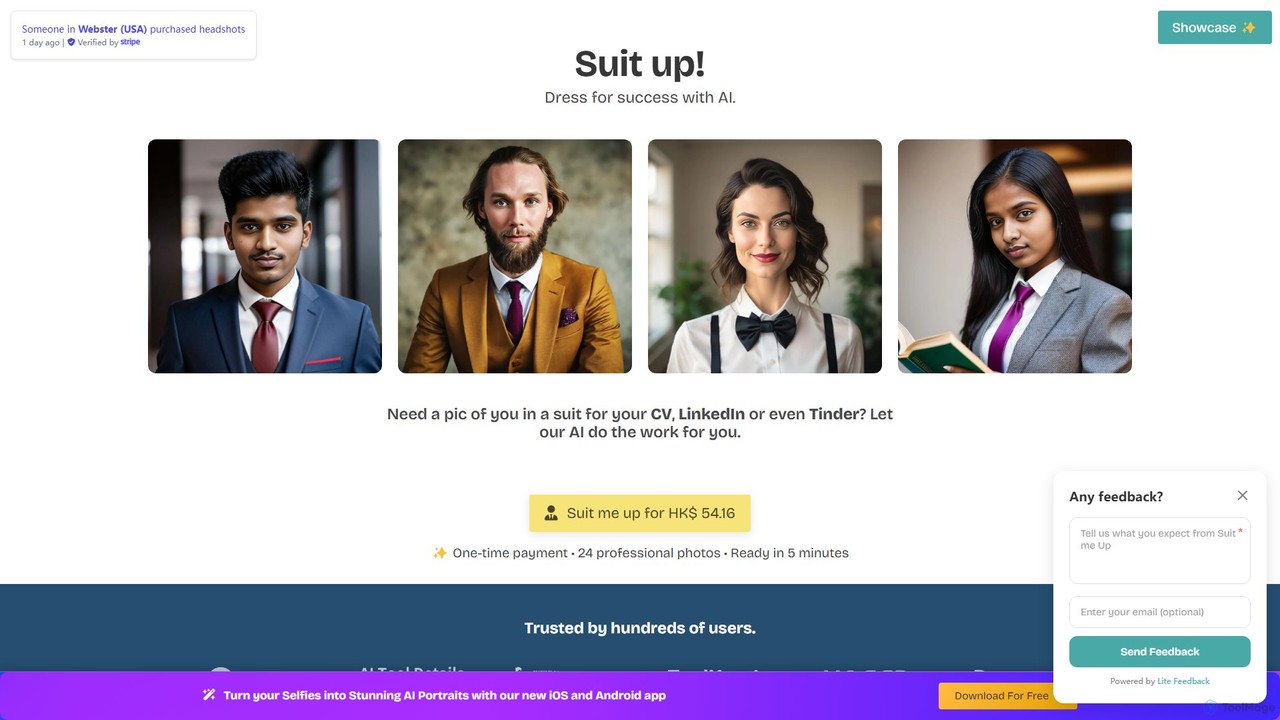
Suit Me Up is an AI-powered tool that transforms your casual photos into professional headshots. Simply upload your everyday pictures, and the AI will generate 24 high-quality photos of you in various suit styles within minutes. It's a fast, affordable, and convenient alternative to traditional photoshoots, perfect for enhancing your LinkedIn profile, CV, or any professional platform.

Image Generator
Visits 7.2KFavorites 118Likes 95

About Headshot Generator

An AI Headshot Generator is a specialized tool that creates professional-quality portraits from casual photos using artificial intelligence. These tools leverage advanced generative models to analyze facial features and then produce new, highly realistic images with improved lighting, backgrounds, and attire. This enables individuals and teams to obtain polished, consistent headshots for corporate profiles, LinkedIn, and marketing materials without the expense and time of a professional photoshoot. The process is fast, cost-effective, and offers a wide variety of styles to match specific branding needs.

Core Features

  • Style Customization: Generate headshots in various styles, such as corporate, casual, creative, or formal, to fit different professional contexts.
  • Background Replacement: Automatically replace distracting backgrounds with professional settings like an office, a studio backdrop, or a solid color.
  • Attire & Appearance Adjustment: Digitally change clothing from a t-shirt to a suit or blouse, and subtly enhance lighting and facial features for a polished look.
  • Team Consistency: Create a uniform look and feel for all team members' headshots, ensuring brand consistency across company websites and materials.
  • High-Resolution Output: Deliver high-quality, print-ready images suitable for both digital and physical media.

Applicable Scenarios

These tools are widely used by corporate HR and marketing departments to create uniform employee profiles for 'About Us' pages and internal directories. Job seekers and freelancers use them to enhance their LinkedIn profiles and personal branding. Additionally, startups and small businesses leverage them to produce professional marketing materials and pitch decks on a limited budget.

Selection Criteria

When choosing a Headshot Generator, evaluate the realism and quality of the output images to avoid an artificial look. Consider the range of customization options for styles, clothing, and backgrounds. Review the pricing model—whether it's subscription-based, credit-based, or a one-time fee. Finally, verify the platform's data privacy policy to understand how your uploaded photos are handled and stored.

Headshot Generator use cases

1

Unifying Corporate Team Headshots

A marketing manager at a mid-sized tech company is tasked with updating the 'About Us' page on the company website. The existing photos are inconsistent in style, quality, and background. Instead of coordinating a company-wide photoshoot, the manager uses an AI Headshot Generator. Each employee uploads a few clear selfies, and the tool generates a set of professional headshots for each person with a consistent background and corporate attire. This process saves significant time and budget while ensuring a professional and uniform brand image across all corporate platforms.

2

Enhancing a Professional LinkedIn Profile

A job seeker wants to create a strong first impression on LinkedIn and other professional networking sites. Lacking a high-quality photo, they use an AI Headshot Generator. They upload a well-lit smartphone photo taken against a plain wall. The AI tool transforms it into a variety of professional headshots, allowing them to choose one with a subtle office background and a business suit. This instantly elevates their profile's professionalism, making it more appealing to recruiters and potential employers without the cost of a professional photographer.

3

Creating Marketing Materials for Startups

A founder of a new startup needs professional headshots for a pitch deck, press kit, and the company website. With a tight budget and schedule, hiring a photographer is not feasible. The founder uses an AI Headshot Generator to create multiple high-quality images. They can generate different looks—a formal one for investor relations and a more approachable, creative one for social media. This provides a versatile set of assets for all marketing needs, projecting a polished and credible image for the new venture from day one.

4

Generating Headshots for Event Speakers

An event organizer is compiling a speakers' page for an upcoming conference website. The headshots submitted by speakers vary greatly in quality and style. To create a professional and cohesive look, the organizer provides speakers with access to a recommended AI Headshot Generator. This allows each speaker to quickly generate a high-quality portrait that aligns with the event's branding guidelines. The result is a visually appealing and uniform speaker lineup, enhancing the overall professionalism of the event's promotional materials.

5

Personal Branding for Consultants and Freelancers

A freelance consultant relies on a strong personal brand to attract clients. They need a variety of headshots for their website, social media profiles, proposals, and online course materials. Using an AI Headshot Generator, they can create a portfolio of images with different outfits and backgrounds from a single set of uploaded photos. This allows them to tailor their image to different audiences—a formal look for corporate clients and a more relaxed, creative style for workshop promotions. This cost-effective solution provides them with a full suite of branding assets.

6

Refreshing Online Dating Profiles

An individual looking to improve their online dating profile wants a set of high-quality, attractive photos that showcase their personality. Professional photoshoots can be expensive and feel staged. They use an AI Headshot Generator to create a variety of looks from their existing casual photos. The tool allows them to generate images with different lighting, styles, and even subtle expression changes. This provides them with a diverse gallery of flattering and authentic-looking photos to use across multiple dating apps, increasing their chances of making a positive first impression.

Headshot Generator FAQ

What is an AI Headshot Generator?

An AI Headshot Generator is a software tool that uses artificial intelligence, specifically generative models, to create professional-looking portraits from user-uploaded photos. Instead of simply editing an image, it generates entirely new headshots by changing elements like clothing, background, lighting, and pose. The primary benefit is producing high-quality, studio-level photos quickly and affordably, without needing a physical photoshoot.

How does an AI Headshot Generator differ from a photo editor?

The key difference lies in generation versus modification. A photo editor (like Photoshop or a mobile app) modifies an existing photo by adjusting colors, removing blemishes, or changing the background. The core image remains the same. An AI Headshot Generator, a sub-type of image generator, creates a completely new image. It uses the input photos as a reference to understand your facial structure but generates a new portrait with different clothing, lighting, and backgrounds that were not in the original picture.

Are AI-generated headshots realistic enough for professional use?

Yes, modern AI headshot generators can produce highly realistic and professional-quality images that are often indistinguishable from those taken by a human photographer. The quality depends on the specific tool and the quality of the input photos. For best results, users should upload multiple, high-resolution photos with varied lighting and angles. These tools are now commonly used for LinkedIn profiles, corporate websites, and marketing materials, indicating their wide acceptance in professional contexts.

What kind of photos should I upload for the best results?

To get the best results from an AI Headshot Generator, you should provide a variety of clear, high-resolution photos. Follow these guidelines:

  • Variety of Angles: Include photos from the front, side, and three-quarter views.
  • Different Expressions: Upload pictures with different facial expressions (smiling, neutral, etc.).
  • Good Lighting: Use photos with clear, even lighting that shows your facial features distinctly. Avoid harsh shadows or backlighting.
  • Unobstructed Face: Ensure your face is not covered by sunglasses, hats, or other people.
Providing a diverse set of high-quality inputs helps the AI build a more accurate model of your face, leading to better and more varied outputs.

How should I choose the right AI Headshot Generator?

When selecting an AI Headshot Generator, consider the following factors:

  • Quality and Realism: Look at sample outputs on their website. Do the images look natural and professional, or artificial?
  • Style Variety: Does the tool offer a wide range of styles, backgrounds, and clothing options to match your needs?
  • Pricing Model: Compare costs. Some offer subscriptions, while others use a credit system or one-time purchase. Choose one that fits your usage frequency.
  • Data Privacy: Read their privacy policy to understand how your uploaded photos are used and stored. Ensure they have clear policies on data deletion.
  • Ease of Use: The platform should have a simple, intuitive interface for uploading photos and generating results.