ToolMage
Sign in

Best 1 Backend AI tools for Infrastructure

Popular Backend AI tools in Infrastructure include Grafbase, helping you work more efficiently.

Grafbase
Freemium

Grafbase

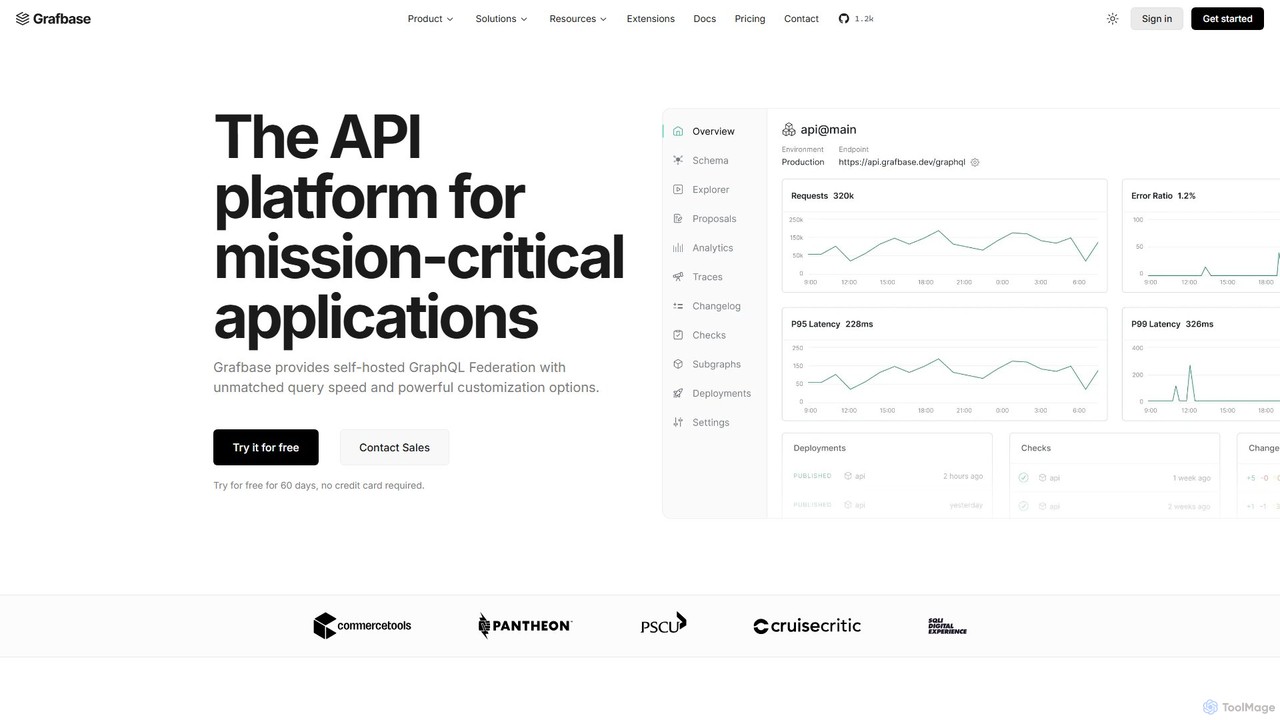
Grafbase is an enterprise-grade API platform for scaling GraphQL Federation. It provides a high-performance, self-hosted gateway built with Rust, offering unmatched speed and security. A key feature is its native support for the Model Context Protocol (MCP), enabling AI agents to query your APIs using natural language, making it a future-proof solution for building AI-powered applications.

Model Integration
Visits 7.1KFavorites 102Likes 101

About Backend

AI Backend tools are platforms designed to build, deploy, and scale the server-side infrastructure for artificial intelligence applications. These tools provide pre-built components and managed environments, abstracting away the complexities of model hosting, API creation, and resource scaling. They enable developers to quickly turn trained models into production-ready services that can be integrated into any application. This significantly accelerates the development lifecycle and reduces the need for specialized DevOps expertise.

Core Features

  • Model Deployment: Upload and host various machine learning models (e.g., LLMs, computer vision) as scalable endpoints.
  • Automatic API Generation: Instantly create secure REST or GraphQL APIs for your models, making them accessible to front-end applications.
  • Scalable Inference: Automatically manage and scale computational resources to handle fluctuating API request loads efficiently.
  • Vector Database Integration: Natively connect with or include vector databases to build powerful Retrieval-Augmented Generation (RAG) applications.
  • Environment Management: Provide pre-configured, optimized environments for running AI models, handling dependencies and hardware requirements.

Use Cases

These tools are primarily used by developers and organizations building AI-native products or integrating AI features into existing software. Common scenarios include creating backend services for chatbots, powering recommendation engines, deploying computer vision APIs for image analysis, and building the foundation for complex generative AI SaaS platforms.

How to Choose

When selecting an AI Backend tool, consider the supported model frameworks (e.g., PyTorch, TensorFlow), the scalability model (serverless vs. dedicated instances), ease of integration with your existing data sources and vector databases, and the level of control offered (low-code vs. code-first). Also, evaluate the pricing structure based on compute usage, API calls, and included features.

Featured tool rankings

Backend use cases

1

Deploying a Custom Chatbot API

A startup developer needs to launch a web application featuring a specialized customer service chatbot. Instead of building server infrastructure from scratch, they use an AI Backend tool. They upload their fine-tuned language model, and the platform automatically wraps it in a secure, scalable REST API endpoint. This allows their front-end application to start making calls to the chatbot immediately, reducing the time-to-market from weeks to just a few hours and eliminating the need for a dedicated DevOps engineer.

2

Building a RAG-based Q&A System

A legal tech company wants to create a tool that answers questions based on a large corpus of legal documents. Their data science team uses an AI Backend platform that has native vector database integration. They process and store their documents in the vector database, then deploy a large language model on the same platform. The backend tool manages the entire Retrieval-Augmented Generation (RAG) pipeline, retrieving relevant document chunks and feeding them to the LLM to generate accurate, context-aware answers through a single API call.

3

Scaling an Image Recognition Service

An e-commerce platform uses an AI model to automatically tag new product images. During holiday seasons, image uploads spike from thousands to millions per day. They use a serverless AI Backend tool to host their computer vision model. The platform automatically provisions and scales the required GPU resources in real-time to handle the surge in traffic, ensuring fast processing times without any manual intervention. After the peak, it scales back down, so the company only pays for the compute resources they actually use, optimizing costs significantly.

4

Prototyping an AI-Powered SaaS MVP

A solo founder has an idea for a SaaS tool that generates personalized workout plans. To validate the idea quickly, they use a low-code AI Backend platform. This allows them to deploy a generative model for workout creation, set up user authentication, and manage API keys all within a single interface. By leveraging pre-built components, they can build a functional Minimum Viable Product (MVP) and launch it to early users in a matter of days, focusing their limited resources on user feedback and product features rather than backend infrastructure.

5

Integrating Generative AI into an Existing App

An established project management software company decides to add an 'AI Assistant' feature to help users draft project plans. Their existing infrastructure is not optimized for hosting LLMs. They use a managed AI Backend service to handle all interactions with a third-party model like GPT-4. The backend service manages API key security, formats prompts, and processes the responses before sending them back to their application. This approach allows them to integrate a powerful AI feature securely and reliably without having to re-architect their core product.

6

Creating a Multi-Model Content Generation Service

A marketing agency builds an internal tool to streamline content creation. They need different models for generating blog post outlines, social media captions, and email subject lines. Using a code-first AI Backend platform, their developers deploy three separate, specialized models. The platform allows them to manage these models as independent microservices, each with its own API endpoint. This modular approach simplifies updates and maintenance, as they can improve one model (e.g., the social media caption generator) without affecting the others, ensuring a robust and flexible backend system.

Backend FAQ

What are AI Backend tools?

AI Backend tools are specialized platforms that simplify the process of building, deploying, and managing the server-side components of AI applications. They act as a bridge between a trained machine learning model and a user-facing application. Key functions include hosting models, automatically generating APIs for inference, handling scalability to manage user traffic, and integrating with essential services like vector databases. Essentially, they handle the complex infrastructure so developers can focus on building AI features.

How to choose the right AI Backend tool?

Choosing the right tool depends on your specific needs. Consider the following factors:

  • Development Style: Do you prefer a low-code/no-code interface for speed, or a code-first platform for maximum flexibility and control?
  • Scalability Needs: Will your application have predictable traffic (suitable for dedicated instances) or fluctuating, spiky traffic (better for serverless models)?
  • Model Support: Ensure the platform supports the specific types and sizes of models you plan to deploy (e.g., PyTorch, TensorFlow, specific LLMs).
  • Integrations: Check for built-in support for essential services you need, such as vector databases (e.g., Pinecone, Weaviate) or data storage solutions.
  • Cost: Evaluate the pricing model. Is it based on compute time, number of API calls, or a flat monthly fee? Choose one that aligns with your expected usage.
What's the difference between an AI Backend tool and a traditional web framework like Django or Ruby on Rails?

The primary difference is specialization. Traditional web frameworks are general-purpose tools for building a wide range of web applications, focusing on features like database ORMs, templating engines, and routing. AI Backend tools are specifically optimized for the machine learning workflow. They excel at tasks like deploying models with complex dependencies, providing GPU-accelerated inference, auto-scaling compute resources based on API load, and integrating with AI-specific technologies like vector databases. While you could build an AI backend with a traditional framework, it would require significantly more manual setup and infrastructure management.

Do I need DevOps experience to use AI Backend tools?

Not necessarily. One of the main benefits of AI Backend tools is that they abstract away much of the DevOps complexity. Low-code and serverless platforms are designed for users with minimal to no DevOps experience, allowing them to deploy models with just a few clicks. Code-first platforms offer more control and may benefit from some DevOps knowledge for advanced configurations, but they still handle the core infrastructure management, server provisioning, and scaling automatically. This allows teams to be productive without a dedicated DevOps specialist for their AI services.

How do AI Backend tools relate to MLOps platforms?

AI Backend tools are a key component within the broader MLOps (Machine Learning Operations) ecosystem. MLOps covers the entire lifecycle of a machine learning model, including data preparation, model training, versioning, monitoring, and deployment. AI Backend tools specialize in the final stages of this lifecycle: deployment, serving, and scaling. While some comprehensive MLOps platforms include backend serving capabilities, many specialized AI Backend tools focus solely on making the deployment and inference process as efficient and simple as possible, often integrating with other MLOps tools for training and monitoring.