ToolMage
Sign in

Best 2 Development AI tools for No Code

Popular Development AI tools in No Code include No-Code Scraper and The Solopreneur Toolkit, helping you work more efficiently.

The Solopreneur Toolkit
Freemium

The Solopreneur Toolkit

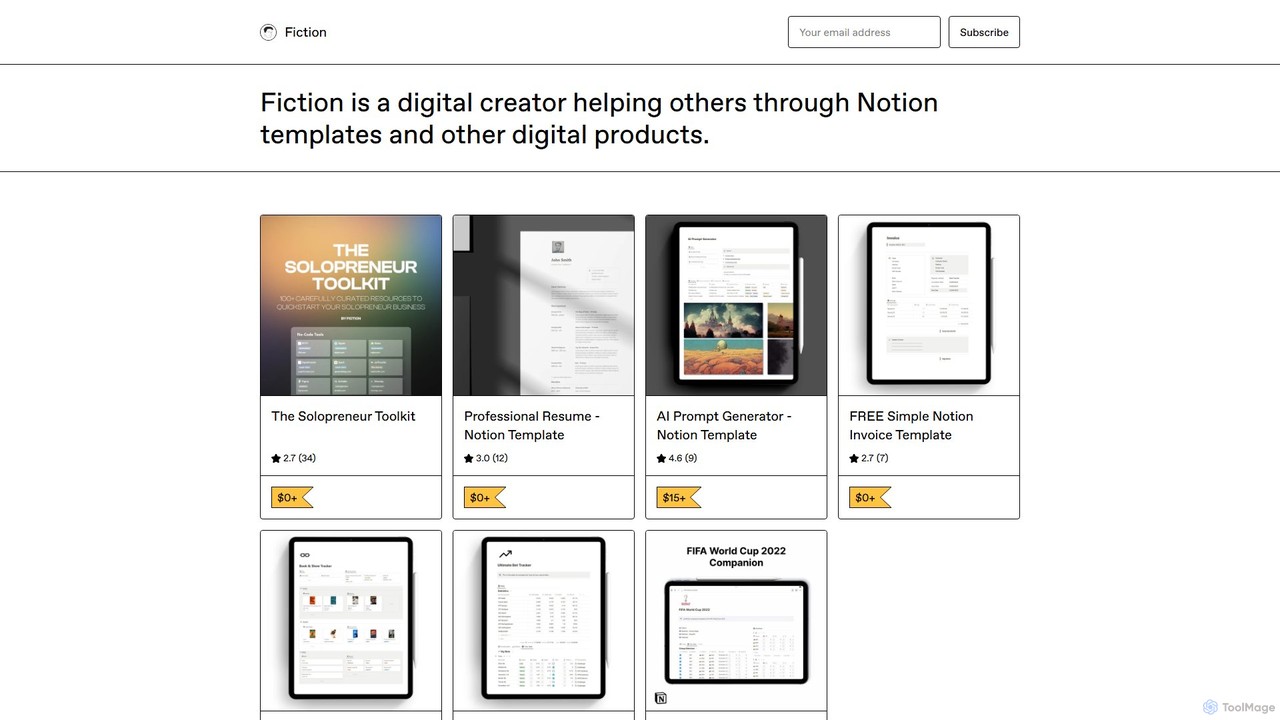
A comprehensive, free Notion template by Fiction, curating over 100 battle-tested tools and resources for solopreneurs. It covers no-code, visual design (including AI tools), productivity, social media, and hiring to help you build and scale your business efficiently.

Startup Tools
Visits 3.6KFavorites 108Likes 120
No-Code Scraper
Freemium

No-Code Scraper

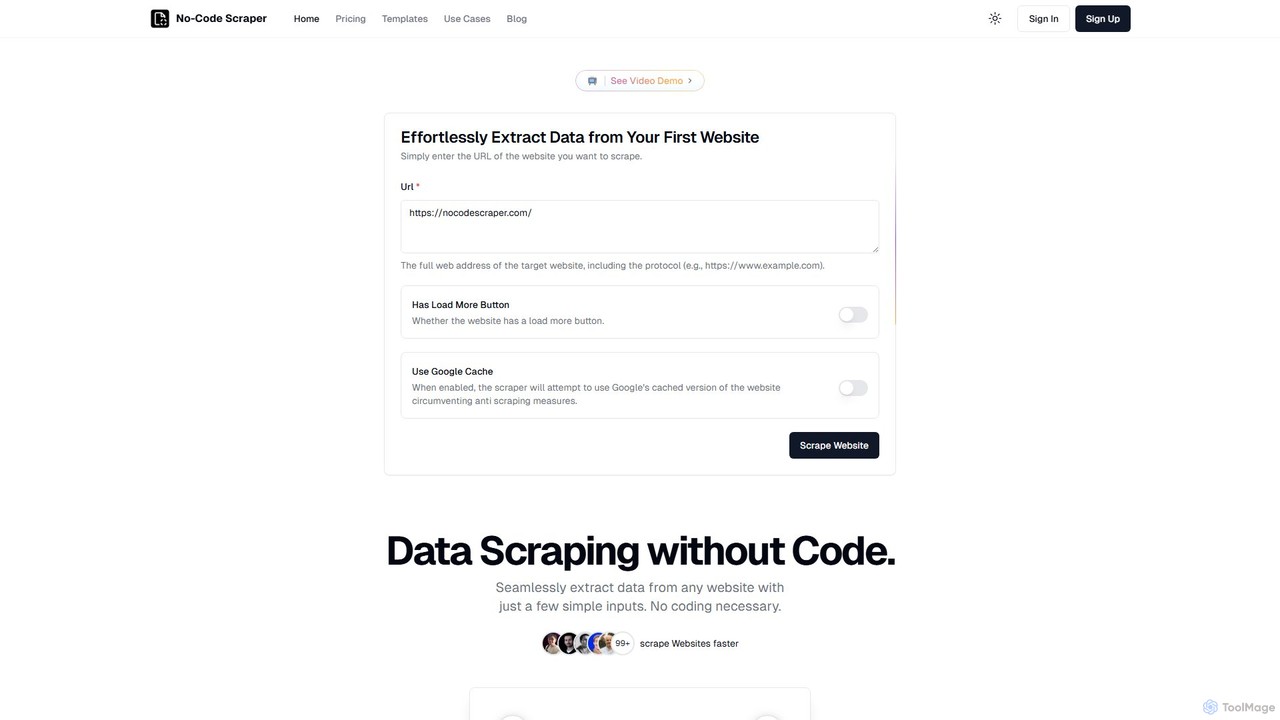
No-Code Scraper is an AI-powered platform that enables users to extract data from any website without writing a single line of code. It uses large language models to automate data extraction, cleaning, and structuring, making web scraping accessible, reliable, and efficient for everyone.

Web Scraping
Visits 6.7KFavorites 125Likes 123

About Development

No-Code Development tools are a category of platforms that empower users to build sophisticated applications, websites, and automated workflows without writing a single line of traditional code. These tools leverage visual interfaces, drag-and-drop components, and pre-built logic blocks, allowing individuals and teams to rapidly prototype, deploy, and iterate on digital solutions. They democratize software creation, making 'development' accessible to business users, designers, and entrepreneurs, significantly accelerating innovation and reducing reliance on specialized programming skills.

Core Features

  • Visual Logic Builders: Design complex conditional logic and automated workflows using intuitive visual interfaces.
  • Database & Data Modeling: Structure and manage application data with visual database builders, eliminating the need for SQL.
  • API Integration: Connect seamlessly with external services and third-party APIs to extend application functionality without custom code.
  • Custom UI/UX Components: Build unique and branded user interfaces using flexible design elements and customizable templates.
  • Deployment & Hosting: Publish and host applications directly from the platform with simplified deployment processes.

Applicable Scenarios

No-Code Development tools are ideal for businesses and individuals looking to quickly build and deploy custom digital solutions. They are widely used by startups for rapid prototyping, by small to medium-sized enterprises for internal tool creation, and by marketing teams for building interactive campaigns or customer portals.

How to Choose

When selecting a No-Code Development platform, consider its scalability for future growth, the breadth of its integration ecosystem, and the level of customization it offers for both logic and design. Evaluate the platform's learning curve, community support, and pricing model to ensure it aligns with your team's technical capabilities and budget.

Featured tool rankings

Development use cases

1

Building a Custom CRM System

Sales teams or small businesses can leverage No-Code Development tools to create a tailored Customer Relationship Management (CRM) system. Instead of relying on generic, expensive software, they can design custom fields, automate lead nurturing sequences, and integrate with communication tools, ensuring the CRM perfectly fits their unique sales process and customer interaction needs, leading to improved lead conversion and client satisfaction.

2

Automating Onboarding Workflows for HR

HR departments can utilize No-Code Development tools to automate complex employee onboarding processes. This involves creating multi-step workflows for document signing, IT setup requests, training module assignments, and welcome email sequences. By digitizing and automating these tasks, HR teams can significantly reduce manual effort, ensure compliance, and provide a smoother, more engaging experience for new hires, improving efficiency and reducing human error.

3

Creating a Customer Self-Service Portal

Businesses can develop a custom customer self-service portal using No-Code Development tools, allowing clients to manage their accounts, track orders, access FAQs, or submit support tickets independently. This reduces the burden on customer service teams, provides 24/7 support availability, and enhances customer satisfaction by offering a personalized and efficient way for users to find information and resolve issues without direct intervention.

4

Developing a Project Management Dashboard

Teams can build highly customized project management dashboards that visualize tasks, deadlines, resource allocation, and progress in a way that perfectly aligns with their specific methodologies (e.g., Agile, Kanban). No-Code Development tools allow for flexible data integration from various sources and the creation of interactive charts and reports, providing real-time insights and improving decision-making without the need for complex coding or expensive off-the-shelf solutions.

5

Launching an E-commerce Marketplace

Entrepreneurs can use No-Code Development platforms to build and launch a multi-vendor e-commerce marketplace with custom features like vendor dashboards, commission structures, and unique product listing pages. This empowers them to enter the online retail space quickly, test market demand, and scale their business without the significant upfront investment and technical expertise typically required for custom-coded marketplace solutions, accelerating time-to-market.

6

Rapid Prototyping for Startups

Startups and innovators can leverage No-Code Development tools for rapid prototyping, quickly transforming ideas into functional web or mobile applications. This allows them to validate product concepts with real users, gather early feedback, and iterate on designs without committing extensive development resources. The ability to build and test MVPs (Minimum Viable Products) in days or weeks significantly reduces time-to-market and minimizes financial risk, proving viability before full-scale investment.

Development FAQ

What are No-Code Development tools?

No-Code Development tools are platforms that enable users to build software applications and automated workflows without writing any traditional programming code. They achieve this through visual interfaces, drag-and-drop components, and pre-built logic blocks. These tools empower non-technical users, such as business analysts, designers, and entrepreneurs, to create functional digital solutions quickly, democratizing software creation and accelerating innovation across various industries.

How do No-Code Development tools differ from traditional coding?

The primary difference lies in the approach to building software. Traditional coding involves writing text-based instructions in programming languages, requiring specialized technical skills and often more time. No-Code Development, conversely, uses visual interfaces, pre-built components, and drag-and-drop functionality, allowing users to assemble applications graphically. This significantly lowers the technical barrier, speeds up development cycles, and enables non-developers to create and manage their own solutions, though it may offer less granular control than custom code.

What kind of applications can be built with No-Code Development tools?

No-Code Development tools are versatile and can be used to build a wide range of applications. This includes internal business tools like CRM systems, project management dashboards, and HR onboarding portals. They are also effective for creating customer-facing solutions such as e-commerce marketplaces, customer self-service portals, booking systems, and community platforms. Furthermore, they excel at automating complex business processes and integrating various software services, making them suitable for many digital transformation initiatives.

Are No-Code Development tools suitable for complex projects?

Yes, many No-Code Development tools are designed to handle complex projects, especially those involving intricate business logic, extensive data management, and integrations with multiple external services. While they might not replace highly specialized, performance-critical, or extremely unique custom-coded applications, they are increasingly capable of building robust, scalable, and secure enterprise-grade solutions. The key is selecting a platform with strong backend capabilities, flexible logic builders, and a rich integration ecosystem to support the project's complexity.

What are the key considerations when choosing a No-Code Development platform?

When selecting a No-Code Development platform, several factors are crucial. First, assess its functionality and features to ensure it meets your specific application requirements, including database capabilities, logic builders, and UI customization. Second, consider its integration ecosystem and API capabilities for connecting with existing tools. Third, evaluate its scalability and performance to support future growth and user load. Fourth, look at the ease of use and learning curve for your team. Finally, compare pricing models and the level of community support or documentation available to ensure long-term viability and assistance.