ToolMage
Sign in

Best 1 Builders AI tools for No Code

Popular Builders AI tools in No Code include chat2csv, helping you work more efficiently.

chat2csv
Freemium

chat2csv

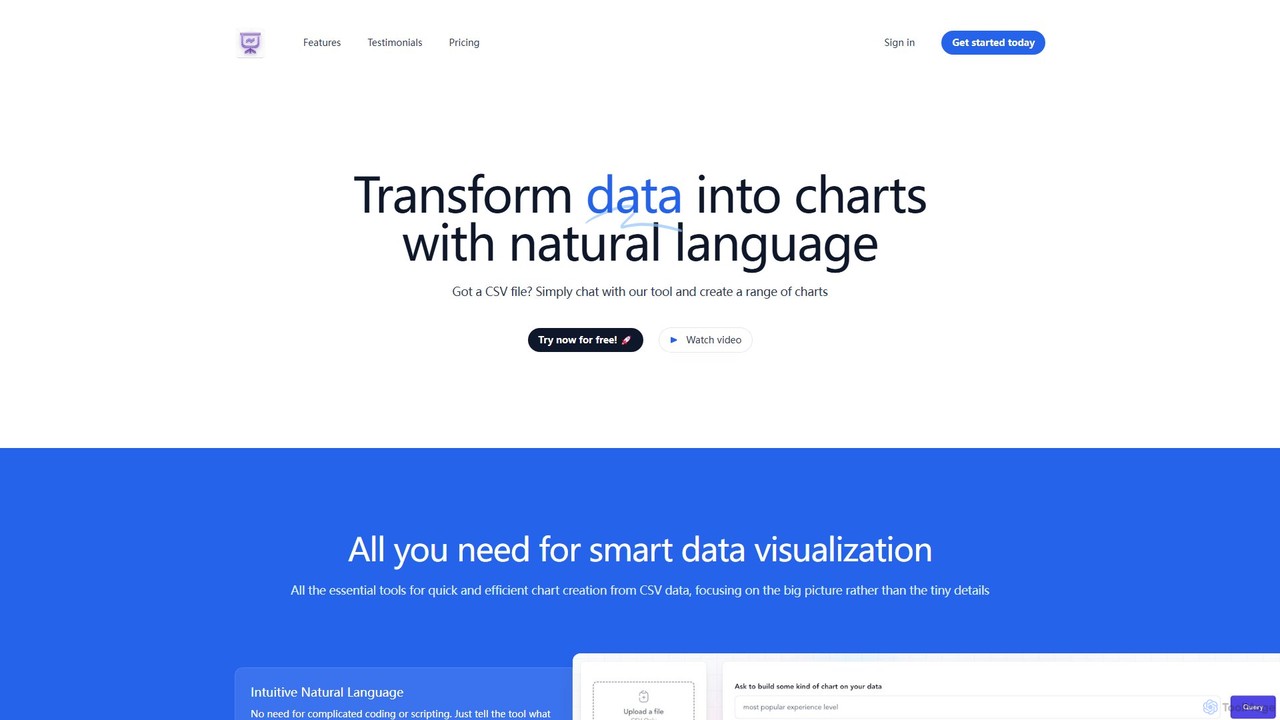
chat2csv is an AI-powered data visualization tool that transforms CSV files into various charts using simple, natural language commands. No coding is required. Just upload your data, chat with the AI, and instantly generate bar charts, pie charts, line graphs, and more. It's designed for quick, intuitive analysis while prioritizing user data privacy.

Business Intelligence
Visits 4.4KFavorites 98Likes 102

About Builders

AI Builders are a core component of the no-code ecosystem, providing platforms to construct fully functional applications, websites, and complex workflows using visual interfaces. These tools translate drag-and-drop actions and logical configurations into functional code on the backend, abstracting away the complexity of programming. This empowers entrepreneurs, designers, and business professionals to build and launch digital products without writing a single line of code. Many modern builders also integrate AI to assist with design, content generation, or process optimization, accelerating development even further.

Core Features

  • Visual Drag-and-Drop Editor: Intuitively assemble user interfaces and application components by dragging elements onto a canvas.
  • Pre-built Components & Templates: Start projects quickly with a library of ready-to-use UI elements, pages, and entire application templates.
  • Workflow and Logic Automation: Define complex business logic and user interactions through visual flowcharts or rule-based systems.
  • Integrated Database Management: Visually create and manage data structures to store and retrieve application information without SQL.
  • One-Click Deployment: Publish applications to the web or app stores with a single click, handling hosting and server configuration automatically.

Use Cases

AI Builders are widely used by startups to create Minimum Viable Products (MVPs), by businesses to develop internal tools like dashboards or approval systems, and by marketing teams to launch interactive campaigns. They are also ideal for entrepreneurs building e-commerce platforms, client portals, or membership-based community sites.

How to Choose

When selecting a builder, first consider the type of product you want to build (e.g., web app, mobile app, internal tool). Evaluate the platform's scalability to ensure it can handle future user growth. Check its integration capabilities with other essential services like payment gateways or CRMs. Finally, assess the learning curve and the quality of community and customer support available.

Featured tool rankings

Builders use cases

1

Build a Minimum Viable Product (MVP)

A startup founder needs to validate a new business idea quickly without hiring a large development team. Using a no-code builder, they design and construct a functional web application that includes user registration, a core feature workflow, and a payment integration. This allows them to launch the MVP in a matter of weeks, not months, to gather crucial user feedback and demonstrate traction to potential investors, significantly reducing initial costs and time-to-market.

2

Develop a Custom Internal Tool

An operations manager in a mid-sized company needs to streamline a manual approval process that relies on emails and spreadsheets. Using a no-code builder, they create a custom internal application where employees can submit requests, managers receive notifications to approve or deny, and all actions are logged in a central database. The new tool provides a clear dashboard for tracking request statuses, reducing processing time by 60% and eliminating errors from manual data entry.

3

Launch a Niche E-commerce Platform

A small business owner wants to sell handmade goods online but lacks the budget for a custom-coded e-commerce site. They use a no-code builder with integrated e-commerce features to create a visually appealing online store. They can easily add products, manage inventory, set up different shipping options, and connect a payment gateway like Stripe or PayPal. The platform allows them to be operational and selling products within a week, providing a professional storefront without technical overhead.

4

Create an AI-Powered Customer Support Chatbot

A customer support lead wants to reduce response times and handle common queries automatically. Using a chatbot builder, they design conversational flows for frequently asked questions. They integrate the chatbot with their knowledge base and use AI features to understand user intent and provide relevant answers. The chatbot is deployed on the company's website, successfully automating 50% of incoming support tickets and allowing human agents to focus on more complex, high-value customer interactions.

5

Build a Secure Client Portal

A freelance designer needs a professional way to manage projects with multiple clients, replacing scattered email threads and file-sharing links. They use a no-code builder to create a secure portal where each client has a unique login. Inside the portal, clients can view project timelines, access shared files, provide feedback directly on designs, and view their invoice history. This centralizes communication, improves the client experience, and makes the freelancer's workflow significantly more organized and efficient.

6

Create a Membership Community Website

An online course creator wants to build a private community for their students to interact and access exclusive content. Using a no-code builder with membership capabilities, they set up a site with tiered access levels (e.g., free, premium). Members can create profiles, participate in discussion forums, and access a library of gated content. The builder handles user authentication and payment subscriptions, allowing the creator to foster a vibrant community and generate recurring revenue without complex custom development.

Builders FAQ

What are No-Code Builders?

No-Code Builders are software development platforms that allow users to create applications, websites, and workflows through a graphical user interface instead of traditional programming. They use visual modeling, drag-and-drop components, and pre-built templates to assemble functional digital products. These tools are a key part of the broader no-code movement, empowering non-technical individuals to build and launch their own software solutions quickly and affordably.

How do No-Code Builders differ from website builders like Wix?

While website builders like Wix are a type of no-code tool, the 'Builders' category often refers to more powerful platforms capable of creating complex web *applications*, not just websites. Key differences include:

  • Data & Logic: Application builders allow for complex databases, user authentication, and custom business logic (e.g., 'if this, then that' workflows).
  • Functionality: They can build interactive tools, marketplaces, social networks, and internal dashboards, which are beyond the scope of most standard website builders.
  • Scalability: Many are designed to scale with a growing user base and data volume.
In short, website builders are for creating online presences, while application builders are for creating interactive software products.

Who should use No-Code Builders?

No-Code Builders are suitable for a wide range of users, particularly those without a technical background. This includes:

  • Entrepreneurs: To quickly build and test MVPs (Minimum Viable Products) for their startup ideas.
  • Small Business Owners: To create custom tools, websites, or client portals without high development costs.
  • Product Managers & Designers: To create functional prototypes and iterate on product features independently.
  • Marketing & Operations Teams: To build internal tools, automate workflows, and launch campaign-specific landing pages.
Essentially, anyone with an idea for a digital product or a process to improve can benefit from using a no-code builder.

What are the main limitations of No-Code Builders?

While powerful, no-code builders have some limitations compared to traditional coding. The most common ones are:

  • Platform Lock-in: It can be difficult or impossible to export your application's code and host it elsewhere, tying you to the builder's platform and pricing.
  • Performance & Scalability: For extremely high-traffic applications (millions of users), a custom-coded solution might offer better performance and control.
  • Customization Limits: While flexible, you are ultimately limited to the components and functionalities offered by the platform. Highly unique or specialized features may not be possible.
  • Code Access: You typically cannot access or modify the underlying source code, which can be a constraint for advanced debugging or optimization.

How do I choose the right No-Code Builder for my project?

Choosing the right builder depends on your specific needs. Consider these key factors:

  • Project Type: What are you building? A web app, a native mobile app, an internal tool, or a website? Different builders specialize in different areas.
  • Complexity: Does your project require a complex database, user accounts, API integrations, or conditional logic? Ensure the builder supports the level of complexity you need.
  • Scalability: Think about your future needs. Choose a platform that can grow with your user base and data requirements.
  • Learning Curve: Some builders are very intuitive, while others are more powerful but have a steeper learning curve. Evaluate how much time you can invest in learning the tool.
  • Pricing: Compare pricing models. Some charge per user, per app, or based on database usage. Find one that aligns with your budget and business model.