ToolMage
Sign in

Best 1 Platform Builder AI tools for No Code

Popular Platform Builder AI tools in No Code include IceburgCRM, helping you work more efficiently.

IceburgCRM
Freemium

IceburgCRM

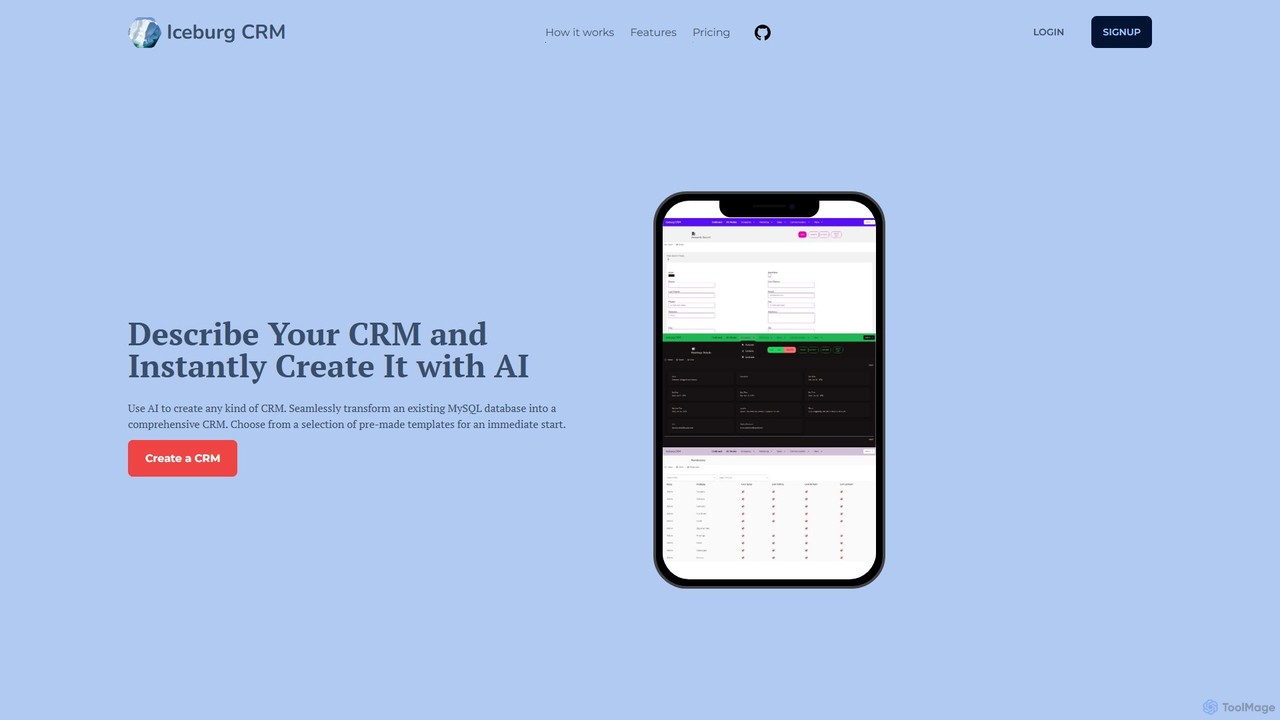
IceburgCRM is an AI-powered platform that allows you to instantly create custom CRM systems. Generate a CRM by describing your needs in plain text, choosing from pre-made templates, or seamlessly converting an existing MySQL database. It's designed for rapid development, customization, and efficient data management for any niche.

Sales
Visits 6.3KFavorites 138Likes 123

About Platform Builder

Platform Builder tools are a specialized category within the No Code ecosystem, enabling users to design, develop, and deploy complex digital platforms without writing any code. These powerful tools leverage visual development environments, pre-built modules, and intuitive drag-and-drop interfaces to construct everything from custom marketplaces and social networks to internal operational dashboards and SaaS applications. They empower entrepreneurs, small businesses, and even large enterprises to rapidly innovate and bring sophisticated digital products to market, significantly reducing development time and costs.

Core Features

  • Visual Development Interface: Offers a drag-and-drop canvas for designing user interfaces and workflows without coding.
  • Database & Logic Builder: Provides tools to define data structures, relationships, and implement backend business logic visually.
  • User Management & Authentication: Includes built-in features for user registration, login, roles, and permissions management.
  • API Integration Capabilities: Allows seamless connection with external services, payment gateways, and third-party APIs to extend platform functionality.
  • Customizable Templates: Offers a variety of pre-designed templates for different platform types, accelerating the initial setup process.

Use Cases

Platform Builders are ideal for creating bespoke digital experiences that require complex interactions and data management. They are widely adopted by startups looking to validate new business models, small to medium-sized businesses aiming to digitize internal operations, and entrepreneurs launching niche online communities or marketplaces. These tools facilitate rapid prototyping and iterative development, allowing creators to quickly adapt their platforms based on user feedback and market demands.

How to Choose

When selecting a Platform Builder, consider the complexity of your desired platform and its scalability requirements. Evaluate the tool's database capabilities, the flexibility of its logic builder, and its integration ecosystem for connecting with essential third-party services. Assess the pricing model, the availability of community support, and the learning curve associated with its visual interface to ensure it aligns with your team's technical proficiency and budget.

Platform Builder use cases

1

Building a Niche Online Marketplace

An entrepreneur wants to launch a specialized marketplace for handmade crafts. Using a Platform Builder, they can visually design seller and buyer dashboards, implement product listing and payment processing workflows, and manage user accounts without hiring a development team, quickly bringing their unique e-commerce vision to life.

2

Creating an Internal Project Management Tool

A growing agency needs a custom project management system tailored to its unique workflows, integrating client communication and task tracking. A Platform Builder allows them to build a bespoke internal tool with custom data fields, automated notifications, and role-based access, significantly improving operational efficiency.

3

Developing a Community Forum or Social Network

A content creator aims to foster a dedicated online community around their brand. With a Platform Builder, they can design a custom forum or social network with user profiles, content posting, commenting, and moderation features, providing an exclusive space for their audience to interact and engage.

4

Launching a Subscription-Based SaaS Application

A startup wants to offer a unique service as a SaaS product, such as a specialized analytics dashboard. A Platform Builder enables them to construct the user-facing application, manage user subscriptions, integrate payment gateways, and define backend data processing logic, accelerating their time to market.

5

Digitizing Customer Relationship Management (CRM)

A small business seeks to replace fragmented spreadsheets with a centralized CRM system to track leads, manage customer interactions, and automate follow-ups. A Platform Builder allows them to build a custom CRM that perfectly fits their sales process, improving customer service and sales efficiency.

6

Creating an Event Management and Ticketing Platform

An event organizer needs a comprehensive platform for managing event registrations, selling tickets, and communicating with attendees. A Platform Builder provides the tools to design event pages, handle secure payment processing, send automated confirmations, and manage attendee lists, streamlining the entire event lifecycle.

Platform Builder FAQ

What are Platform Builder tools?

Platform Builder tools are a subset of No Code development platforms specifically designed to create complex, interactive digital platforms like marketplaces, social networks, internal tools, or SaaS applications without writing any code. They provide visual interfaces for designing UIs, defining database structures, and implementing business logic, empowering users to build sophisticated web and mobile applications rapidly.

How do Platform Builders differ from general No Code website builders?

While both are No Code, general website builders (like Wix or Squarespace) focus on static or semi-dynamic informational websites. Platform Builders, however, are engineered for dynamic, data-driven applications requiring user accounts, custom databases, complex workflows, and integrations with external services. They offer deeper backend logic capabilities and more robust user management features, making them suitable for building interactive platforms rather than just brochure sites.

Who can benefit most from using a Platform Builder?

Entrepreneurs, small to medium-sized businesses, product managers, and even non-technical founders can benefit significantly. They are ideal for those who need to rapidly prototype and launch custom digital products, validate business ideas, or digitize internal operations without the high cost and time investment of traditional software development. They democratize platform creation, allowing innovators to focus on their core business logic.

What are the key considerations for scalability with a Platform Builder?

Scalability considerations include the tool's ability to handle increasing user traffic, data volume, and complex transactions. Look for features like robust database management, efficient server infrastructure (often cloud-based), and options for performance optimization. It's crucial to understand the platform's limitations regarding custom code extensions and advanced integrations if your platform's needs grow beyond its native capabilities.

Can Platform Builders integrate with existing systems?

Yes, most advanced Platform Builders offer extensive integration capabilities. They typically support connections via REST APIs, webhooks, or pre-built connectors for popular services like payment gateways (Stripe, PayPal), CRM systems (Salesforce), marketing automation tools, and cloud storage. This allows users to extend their platform's functionality and ensure seamless data flow with their existing digital ecosystem.