ToolMage
Sign in

Best 1 Image Analysis AI tools for Photo & Video

Popular Image Analysis AI tools in Photo & Video include Vybecam, helping you work more efficiently.

Vybecam
Freemium

Vybecam

Vybecam is an AI-powered iOS app that discovers music matching the vibe of your photos. Simply capture a moment, and its AI analyzes the image's context, emotions, and activities to suggest a perfectly suited soundtrack, offering a unique, visual way to find new music.

Entertainment
Visits 5.5KFavorites 123Likes 134

About Image Analysis

Image Analysis tools are a class of AI applications designed to automatically extract meaningful information and data from visual content. These tools leverage advanced computer vision and deep learning algorithms to identify objects, recognize patterns, segment regions, and interpret the context within an image. Their primary value lies in automating complex visual inspection and data extraction tasks, providing quantitative insights that are difficult for humans to obtain at scale. This capability transforms raw pixels into structured, actionable data for various industries.

Core Features

  • Object Detection: Identifies and locates specific items within an image, often drawing bounding boxes around them.
  • Image Segmentation: Divides an image into distinct regions or pixel groups, isolating objects from the background or each other.
  • Feature Extraction: Quantifies specific visual characteristics such as color distribution, texture patterns, or shapes.
  • Optical Character Recognition (OCR): Converts text found within images, such as in documents or on signs, into machine-readable text.
  • Facial Analysis: Detects human faces and can analyze attributes like emotions, age, or identity.

Applicable Scenarios

Image Analysis is critical in sectors requiring precise visual interpretation. In healthcare, it assists radiologists in detecting anomalies in medical scans like X-rays and MRIs. In manufacturing, it powers automated quality control systems to spot product defects on assembly lines. It is also used in agriculture for monitoring crop health from drone imagery and in retail for analyzing shelf inventory.

Selection Criteria

When choosing an Image Analysis tool, first assess the specific analysis type you need (e.g., OCR, object detection). Consider the required accuracy and performance, especially for real-time applications. Evaluate its integration capabilities, typically through APIs, to fit into your existing workflows. Finally, review the pricing model, which may be based on the number of images processed or features used.

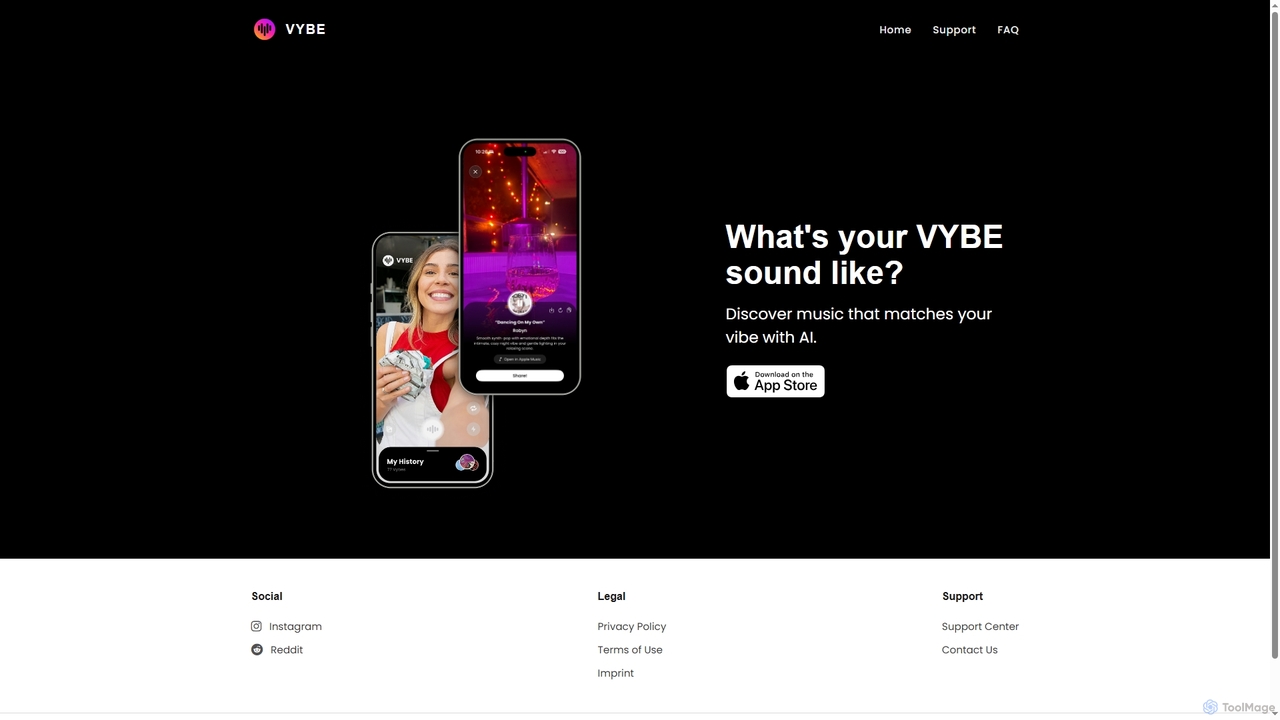
Image Analysis use cases

1

Automated Quality Control in Manufacturing

A quality control manager in a manufacturing plant uses an AI image analysis system integrated with assembly line cameras. As products move along the conveyor belt, the system captures high-resolution images in real-time. The AI analyzes each image to detect microscopic defects such as cracks, scratches, or color inconsistencies that are invisible to the human eye. If a defect is identified, the system automatically flags the item and diverts it for manual inspection, preventing faulty products from reaching customers. This process significantly increases inspection accuracy and throughput compared to manual methods.

2

Medical Imaging Assistance for Radiologists

A radiologist uses an AI-powered image analysis tool to review hundreds of MRI scans for potential tumors. The AI pre-processes each scan, using image segmentation to isolate specific organs and object detection to highlight suspicious anomalies or lesions. It provides a probability score for malignancy and overlays a heat map on the areas of concern. This allows the radiologist to prioritize the most critical cases and focus their expert attention on pre-identified regions, reducing diagnostic time and improving the accuracy of early detection. The tool acts as a second pair of eyes, augmenting the specialist's expertise.

3

Retail Shelf Inventory Analysis

A retail operations manager uses a mobile app powered by image analysis to monitor store shelves. Employees take pictures of aisles, and the AI tool analyzes these images to identify each product, count its quantity, and detect empty spaces or misplaced items. The system compares the real-time shelf data against the store's inventory database and planogram. It then generates an automated report highlighting out-of-stock products, compliance issues, and replenishment needs. This replaces manual counting, saving hours of labor and ensuring shelves are consistently stocked to maximize sales.

4

Automated Insurance Claim Assessment

An insurance adjuster receives photos of a damaged vehicle from a claimant. Instead of manually inspecting each photo, they upload them to an AI image analysis platform. The AI uses object detection to identify the car's make and model and then segments the different parts (e.g., bumper, fender, headlight). It analyzes the segmented areas to identify and classify the type of damage, such as dents, scratches, or cracks. The system then cross-references a parts database to estimate repair costs, generating a preliminary assessment report in minutes. This accelerates the claims process, reduces fraud, and ensures consistency in assessments.

5

Crop Health Monitoring in Agriculture

An agronomist uses a service that analyzes satellite or drone imagery of large farm fields. The image analysis software processes multispectral images to assess crop health. By analyzing variations in color and infrared light reflection (like NDVI), the AI can identify areas suffering from water stress, nutrient deficiencies, or pest infestations long before they are visible to the naked eye. The system generates a detailed map of the field, color-coding problem areas. This allows the farmer to apply water, fertilizer, or pesticides precisely where needed, optimizing resource use, reducing costs, and increasing crop yield.

6

Document Data Extraction with OCR

An accounts payable clerk needs to process hundreds of invoices daily. They use an image analysis tool with Optical Character Recognition (OCR) capabilities. The clerk scans or uploads images of invoices to the system. The AI automatically identifies key fields like invoice number, date, vendor name, line items, and total amount, regardless of the invoice's layout. It extracts this information and converts it into structured data (e.g., JSON or CSV), which is then automatically populated into the company's accounting software. This eliminates manual data entry, reduces errors, and significantly speeds up the payment cycle.

Image Analysis FAQ

What is AI Image Analysis?

AI Image Analysis is the process of using artificial intelligence, particularly computer vision and machine learning algorithms, to automatically interpret and extract meaningful information from digital images. Unlike simple image recognition which might just label an image ('cat'), image analysis provides deeper, structured data. This includes identifying and locating multiple objects, measuring their attributes, understanding spatial relationships, and classifying scenes. It essentially teaches a computer to 'see' and 'understand' visual content like a human, but at a massive scale and speed.

How to choose the right Image Analysis tool?

Choosing the right tool depends on your specific needs. Consider these factors:

  • Task Specificity: Do you need object detection, OCR, facial recognition, or another specific function? Select a tool that excels at your primary task.
  • Accuracy Requirements: For critical applications like medical diagnosis or quality control, prioritize tools with documented high accuracy rates and performance benchmarks.
  • Scalability and Speed: Evaluate how many images you need to process and how quickly. Some tools are optimized for real-time analysis, while others are better for large batch processing.
  • Integration: Check for robust API documentation and SDKs if you need to integrate the analysis capabilities into your own software or workflow.
  • Customization: Determine if you need to train the model on your own custom data (e.g., specific product defects). Some platforms offer easier custom model training than others.
What's the difference between Image Analysis and Image Recognition?

Image Recognition is a subset of Image Analysis. Image Recognition focuses on identifying and labeling a primary subject in an image (e.g., 'This is a photo of a dog'). Its goal is classification. Image Analysis is a broader process that goes further. It not only recognizes the dog but also provides more context and data, such as locating the dog with coordinates (object detection), identifying its breed, estimating its size, or even determining its action (e.g., 'running'). In short, recognition answers 'what is it?', while analysis answers 'what is it, where is it, and what are its attributes?'.

What are the main functions of Image Analysis tools?

Image Analysis tools offer a range of functions to extract data from visuals. Key functions include:

  • Object Detection and Tracking: Finding and following specific objects across a single image or a sequence of video frames.
  • Image Segmentation: Partitioning an image into meaningful segments, such as separating a person from their background (semantic segmentation) or identifying every individual object (instance segmentation).
  • Optical Character Recognition (OCR): Reading and extracting text from images of documents, license plates, or street signs.
  • Facial Recognition and Analysis: Identifying individuals from their facial features and analyzing attributes like emotion, age, and gender.
  • Feature Matching: Comparing two images to find corresponding points, used in tasks like image stitching or 3D reconstruction.
Which industries benefit most from Image Analysis?

Image analysis provides significant value across many sectors by automating visual tasks. Key industries include:

  • Healthcare: For analyzing medical scans (X-rays, CTs, MRIs) to detect diseases like cancer, fractures, or other abnormalities, assisting in faster and more accurate diagnoses.
  • Manufacturing: In automated quality control to inspect products for defects on assembly lines, ensuring higher product quality and reducing waste.
  • Retail and E-commerce: For inventory management through shelf analysis, visual search for products, and analyzing customer behavior in stores.
  • Automotive: As a core technology for autonomous vehicles, enabling them to perceive and understand their surroundings, including other vehicles, pedestrians, and traffic signs.
  • Agriculture: For precision farming, where drone and satellite imagery is analyzed to monitor crop health, detect diseases, and optimize irrigation and fertilization.