ToolMage
Sign in

Best 1 Mobile Photography AI tools for Photo & Video

Popular Mobile Photography AI tools in Photo & Video include Reeflex, helping you work more efficiently.

Reeflex
Paid

Reeflex

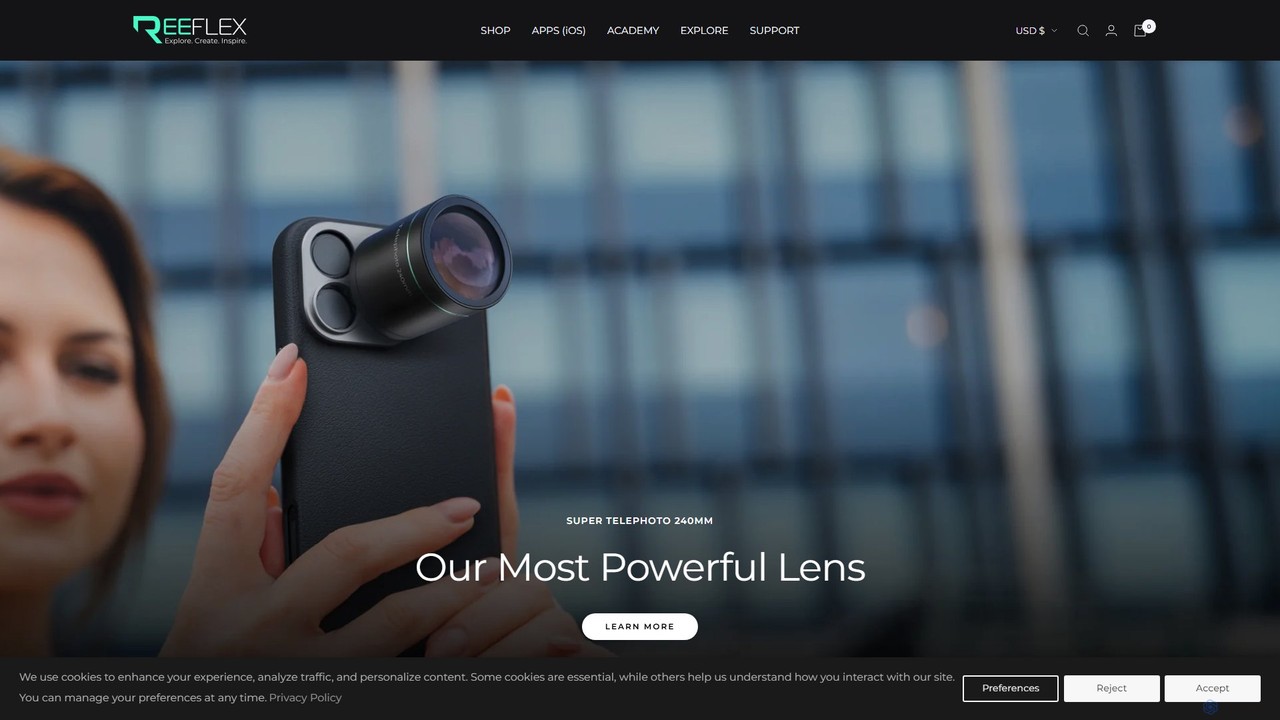
Reeflex offers a complete ecosystem for mobile content creators, featuring professional-grade G-Series lenses and a suite of AI-powered camera apps. Transform your iPhone or Samsung into a professional photography and videography powerhouse for capturing stunning RAW images, long exposures, and cinematic videos.

Hardware
Visits 69.8KFavorites 100Likes 90

About Mobile Photography

Mobile Photography AI tools are a category of advanced applications designed to enhance and transform photos taken with smartphones and tablets. Leveraging artificial intelligence, these tools apply sophisticated algorithms to automate complex editing tasks, improve image quality, and unlock creative possibilities directly on mobile devices. They empower users, from casual photographers to content creators, to achieve professional-looking results with unparalleled ease and speed, making high-quality photo editing accessible anywhere, anytime.

Core Features

  • AI Image Enhancement: Automatically corrects exposure, color balance, sharpness, and reduces noise for optimal image quality.
  • Object & Background Removal: Precisely identifies and removes unwanted elements or replaces photo backgrounds with AI accuracy.
  • Artistic Filters & Style Transfer: Applies unique artistic styles, filters, and effects to transform photos into paintings, sketches, or other creative forms.
  • Portrait Refinement: Enhances facial features, smooths skin, brightens eyes, and adjusts bokeh effects in portrait shots.
  • Smart Cropping & Composition: AI suggests optimal framing and composition to improve the visual impact of photos.

Applicable Scenarios

These tools are invaluable for social media content creators needing quick, high-quality edits for daily posts, travel enthusiasts who want to perfect their vacation snapshots on the go, and small business owners looking to produce professional product images without expensive equipment or software. They streamline workflows and elevate visual content across various personal and professional applications.

How to Choose

When selecting a Mobile Photography AI tool, consider its specific AI capabilities (e.g., advanced noise reduction, specific object removal accuracy), the intuitiveness of its mobile interface, and its processing speed on your device. Evaluate the pricing model—whether it's a one-time purchase, subscription-based, or offers robust free features—and check for compatibility with your device's operating system and other photo management apps.

Mobile Photography use cases

1

Enhancing Travel Photos on the Go

Travelers use AI mobile photography tools to instantly correct lighting, remove distracting elements like crowds, and sharpen landscapes directly on their smartphone. This allows them to share stunning, professionally enhanced vacation memories with friends and family without needing a laptop or complex desktop software, saving significant time and effort while abroad.

2

Creating Professional Product Shots for E-commerce

Small business owners and online sellers leverage AI to transform smartphone-taken product photos into high-quality e-commerce visuals. Tools can automatically remove backgrounds, adjust lighting to highlight product features, and even add realistic shadows, making products look more appealing and professional on online marketplaces and websites.

3

Improving Social Media Content Quality

Social media influencers and content creators utilize AI apps to quickly elevate their daily posts. From automatically enhancing selfies and food photos to applying trending filters and subtle retouching, these tools ensure their content stands out with a polished, consistent look across platforms like Instagram, TikTok, and Facebook, boosting engagement.

4

Restoring Old or Blurry Smartphone Photos

Users can breathe new life into their older, less-than-perfect smartphone photos. AI tools can sharpen blurry images, significantly reduce digital noise from low-light shots, and even intelligently upscale lower-resolution pictures, preserving cherished memories that might otherwise be lost to poor quality.

5

Artistic Photo Transformation for Creative Projects

Hobbyists and digital artists employ AI style transfer features to convert ordinary mobile photos into unique artistic creations. By applying styles inspired by famous paintings or abstract art, they can generate visually striking images for personal projects, digital art portfolios, or unique social media posts, exploring new creative dimensions.

6

Quick Portrait Retouching for Personal Use

Individuals use AI mobile photography tools for rapid and subtle portrait enhancements. These tools can smooth skin, brighten eyes, whiten teeth, and adjust facial symmetry with natural-looking results, perfect for profile pictures, dating app photos, or simply looking your best in everyday snapshots without extensive manual editing.

Mobile Photography FAQ

What are Mobile Photography AI tools?

Mobile Photography AI tools are specialized applications that use artificial intelligence to enhance, edit, and create artistic effects for photos taken with smartphones and tablets. Unlike traditional photo editors, they automate complex tasks like object removal, image enhancement, and style application through intelligent algorithms, making advanced photo editing accessible and efficient on mobile devices.

How do AI tools enhance mobile photography?

AI tools enhance mobile photography by automating and optimizing various aspects of image processing. They can automatically correct exposure, color, and sharpness, reduce noise, remove unwanted objects or backgrounds, and apply sophisticated filters. This results in higher quality images, more creative possibilities, and significantly faster editing workflows compared to manual adjustments.

What's the difference between general photo editing apps and AI mobile photography tools?

While general photo editing apps offer manual controls for adjustments like brightness, contrast, and cropping, AI mobile photography tools go a step further by leveraging artificial intelligence to perform intelligent, often one-tap, enhancements. AI tools can understand image content to automate tasks like smart object selection, scene recognition, and generative effects, which traditional editors require manual, time-consuming input for.

Can AI mobile photography tools replace professional cameras?

AI mobile photography tools significantly bridge the gap between smartphone cameras and professional equipment by enhancing image quality and offering advanced editing. However, they cannot fully replace professional cameras, which offer superior sensor size, optical zoom, manual controls, and lens versatility. AI tools excel at optimizing what a smartphone camera captures, but the foundational image quality from a professional camera remains distinct.

What features should I look for in a mobile photography AI app?

When choosing a mobile photography AI app, prioritize features like robust AI image enhancement (for automatic quality improvements), precise object/background removal, a wide range of artistic filters or style transfer options, and effective portrait retouching capabilities. Also, consider ease of use, processing speed, compatibility with your device, and the app's pricing model to ensure it meets your specific needs and budget.