ToolMage
Sign in

Best 1 Photo Enhancement AI tools for Photo & Video

Popular Photo Enhancement AI tools in Photo & Video include NeuralPix, helping you work more efficiently.

NeuralPix
Free

NeuralPix

NeuralPix is a completely free, all-in-one AI photo editor and enhancer app. It packs powerful features like Magic Eraser, AI Bokeh, Photo Enhancer, Unblur, Colorization, and Upscaling into a single, user-friendly interface. Perfect for both casual users and professionals to effortlessly improve photos, restore old memories, and create stunning images without subscriptions or ads.

Image Editing
Visits 6.3KFavorites 143Likes 154

About Photo Enhancement

Photo Enhancement tools are a class of AI-powered software designed to automatically improve the quality, clarity, and resolution of existing digital images. These tools leverage deep learning models, trained on millions of image pairs, to perform complex adjustments like upscaling, noise reduction, and color correction with a single click. Their primary value lies in rescuing low-quality photos, restoring old memories, and streamlining professional image workflows, offering results that often surpass traditional manual editing in speed and consistency.

Core Features

  • AI Upscaling & Resolution Increase: Intelligently enlarges images up to 4x or more while adding realistic detail, avoiding the pixelation of traditional resizing.
  • Noise & Artifact Reduction: Automatically removes digital noise from low-light photos and compression artifacts from JPEGs.
  • Intelligent Color & Light Correction: Balances exposure, contrast, and color saturation for a more vibrant and natural look.
  • Sharpening & Deblurring: Corrects focus issues and motion blur, making images crisp and clear.
  • Old Photo Restoration: Repairs scratches, creases, and fading in scanned vintage photos, and can even colorize black-and-white images.

Use Cases

These tools are widely used by photographers to salvage high-ISO shots, e-commerce businesses to enhance product photos for listings, and graphic designers to upscale low-resolution assets for print. They are also popular among individuals for restoring old family photographs and improving everyday snapshots taken on mobile devices.

How to Choose

When selecting a Photo Enhancement tool, consider your primary need—whether it's upscaling, restoration, or general correction. Evaluate its batch processing capabilities for handling large volumes of images. Also, check for integrations with existing software like Adobe Lightroom, and compare pricing models, such as per-image credits versus monthly subscriptions, to find the best fit for your workflow and budget.

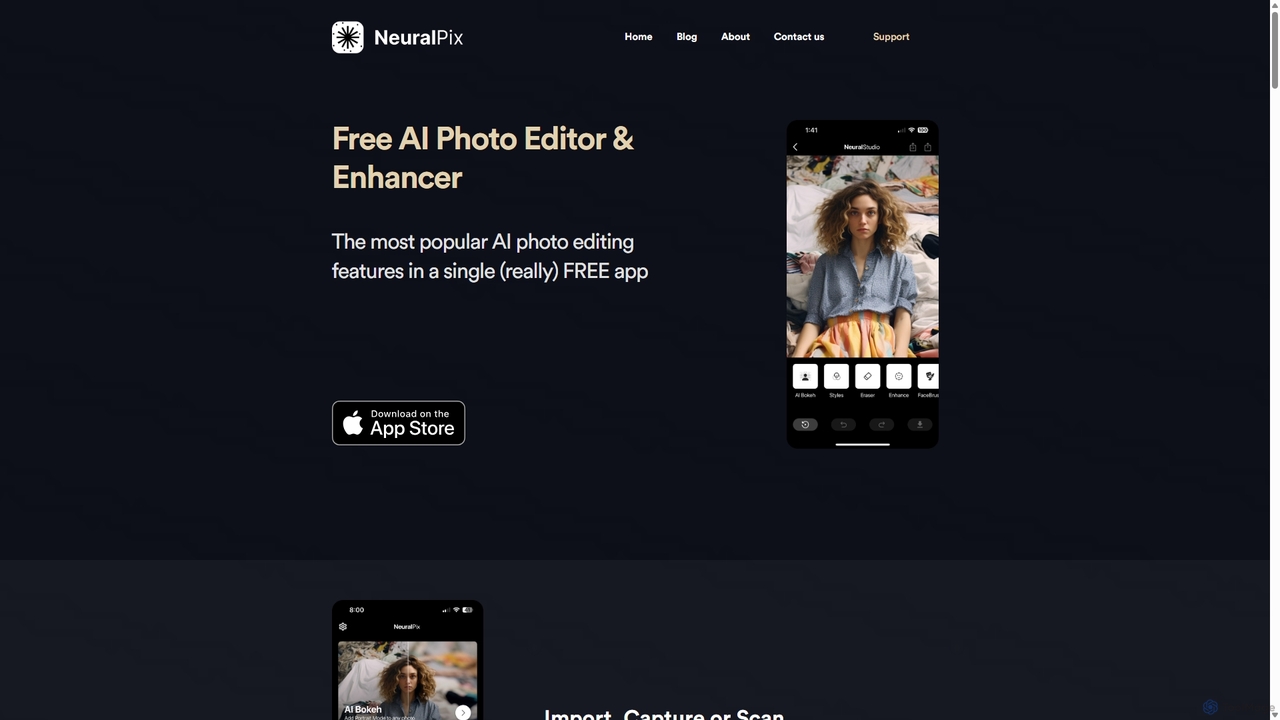
Photo Enhancement use cases

1

Restoring Old Family Photographs

An individual digitizing their family archive uploads scanned photos that are faded, scratched, or in black and white. Using a photo enhancement tool, they can apply one-click restoration features. The AI automatically repairs cracks and removes dust spots, colorizes the monochrome images with realistic tones, and sharpens faded faces. This process brings cherished memories back to life with vibrant detail, preserving family history for future generations without requiring any advanced photo editing skills.

2

Enhancing E-commerce Product Images

An e-commerce manager needs to process hundreds of new product photos taken under inconsistent lighting. Instead of manually adjusting each one, they use an AI enhancement tool's batch processing feature. The tool automatically corrects the color balance, brightens underexposed images, and sharpens details across the entire set. This ensures a professional, uniform look for all product listings on the website, which can increase customer trust and improve conversion rates, all while saving hours of manual work.

3

Upscaling Low-Resolution Graphics for Print

A graphic designer receives a client's logo as a small, low-resolution JPEG file for a large banner design. Manually recreating the logo would be time-consuming. Instead, the designer uses an AI upscaler. The tool analyzes the logo's shapes and lines, then intelligently reconstructs it at a much higher resolution, creating a clean, sharp vector-like image. The output is a print-ready file that can be scaled to any size without losing quality, saving the designer significant time and effort.

4

Improving Real Estate Photography

A real estate agent takes photos of a property on an overcast day, resulting in dark and unappealing interior shots. Using an AI photo enhancer, they can quickly improve the entire photo set. The AI automatically brightens shadows, enhances colors to make rooms look more inviting, and sharpens architectural details. This process transforms mediocre photos into professional-quality images that attract more potential buyers online, helping to sell the property faster without the cost of a professional reshoot.

5

Denoising Night-time or High-ISO Photos

A photographer captures a stunning cityscape at night, but the image is filled with distracting digital noise due to the high ISO setting required. Instead of discarding the shot, they use an AI denoiser. The tool's algorithm intelligently distinguishes between fine details and unwanted grain, effectively removing the noise while preserving the sharpness of buildings and lights. The result is a clean, crisp, and usable photograph, salvaging a shot that would have been unusable with traditional noise reduction methods that often soften the image.

6

Clarifying Blurry Security Footage

A security professional needs to identify a license plate or a face from a blurry, low-resolution CCTV recording. Using an AI enhancement tool specifically designed for forensics or security, they can process the video frame. The AI sharpens the image, reduces motion blur, and upscales the resolution. This clarification can reveal critical details that were previously illegible, providing actionable intelligence for an investigation that would be impossible to obtain from the original footage alone.

Photo Enhancement FAQ

What are AI Photo Enhancement tools?

AI Photo Enhancement tools are software applications that use artificial intelligence, specifically deep learning models, to automatically improve the quality of digital images. Unlike manual editors, they perform complex adjustments like increasing resolution, removing noise, correcting colors, and sharpening details with minimal user input, often in a single click. They are designed to quickly rescue flawed photos or streamline professional editing workflows by automating common improvement tasks.

How to choose the right Photo Enhancement tool?

To choose the right tool, consider these factors:

  • Primary Function: Identify your main goal. Do you need to upscale low-resolution images, restore old photos, or perform general color and light correction? Some tools specialize in one area.
  • Batch Processing: If you need to enhance many photos at once, look for a tool with robust batch processing capabilities to save time.
  • Ease of Use: Evaluate the user interface. Some are simple web-based tools for quick fixes, while others are advanced plugins for professional software like Photoshop or Lightroom.
  • Pricing Model: Compare costs. Options often include free trials, pay-per-image credits, or monthly/annual subscriptions. Choose one that aligns with your usage frequency and budget.
What's the difference between AI Photo Enhancement and traditional photo editing?

The key difference lies in automation versus manual control. AI Photo Enhancement tools automate the improvement process. They analyze an image and apply complex, pre-trained adjustments with one click, aiming for a technically better result (e.g., less noise, higher resolution). Traditional photo editing software (like Adobe Photoshop) provides a toolbox of manual controls (layers, brushes, masks) that give the user complete creative freedom to make specific, artistic adjustments. Enhancement is for speed and correction; editing is for control and creativity.

Can AI truly increase image resolution without losing quality?

Yes, AI upscaling tools can significantly increase image resolution with impressive results. Unlike traditional methods that simply stretch pixels (causing blurriness), AI models use a process called super-resolution. They have been trained on millions of high and low-resolution image pairs to learn how to realistically fill in missing details. The AI analyzes the content of your image and generates new, plausible pixels that match the context, resulting in a larger, sharper image that often looks like it was originally captured at a higher resolution.

Who can benefit from using Photo Enhancement tools?

A wide range of users can benefit from these tools. This includes:

  • Photographers: To rescue noisy or slightly out-of-focus shots and save time on basic edits.
  • E-commerce Owners: To quickly improve and standardize hundreds of product photos for a professional online store.
  • Graphic Designers: To upscale low-resolution client assets for use in larger formats like posters or banners.
  • Social Media Managers: To ensure all visual content is crisp, vibrant, and meets brand quality standards.
  • Individuals: To restore old, damaged family photos or simply improve the quality of their everyday smartphone pictures.