
ToolMage
Sign in

Best 1 Portrait Editing AI tools for Photography

Popular Portrait Editing AI tools in Photography include HeadshotAI, helping you work more efficiently.

HeadshotAI
Paid

HeadshotAI

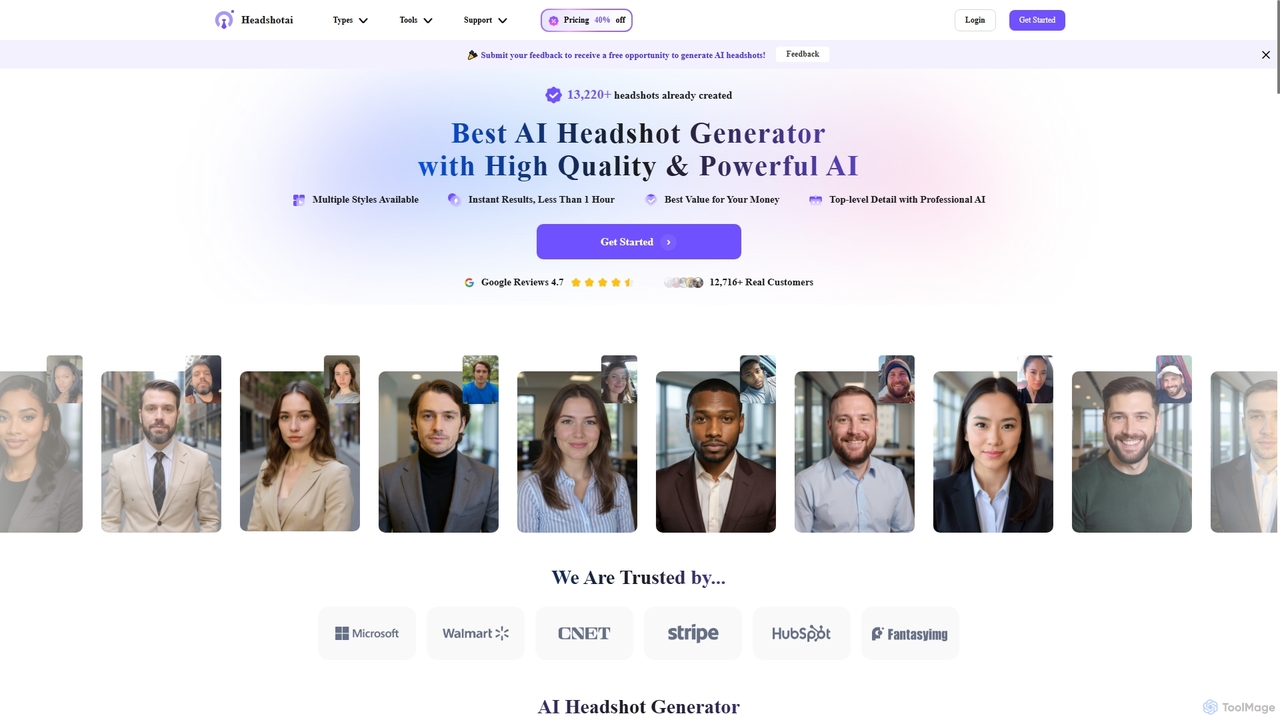
HeadshotAI is an advanced online AI headshot generator that transforms your selfies into high-quality, professional portraits in minutes. It offers diverse styles for LinkedIn, corporate profiles, and personal use, along with themed options like Halloween and Christmas photos. Experience fast, affordable, and secure AI-powered image creation without the need for traditional photoshoots.

Professional Networking
Visits 6.4KFavorites 133Likes 141

About Portrait Editing

AI Portrait Editing tools are a specialized subset of AI photography tools designed to enhance and refine human portraits. These tools leverage advanced artificial intelligence, including computer vision and deep learning, to automate and simplify complex retouching tasks. They enable users to achieve professional-grade results quickly, from subtle skin smoothing to comprehensive facial feature adjustments, making high-quality portrait enhancement accessible to a wider audience.

Core Features

  • Automated Skin Retouching: Intelligently smooths skin, removes blemishes, and evens tone while preserving natural texture.
  • Facial Feature Enhancement: Allows precise adjustments to eyes, nose, mouth, and face shape for subtle or dramatic improvements.
  • Background Replacement & Blur: Seamlessly changes or blurs portrait backgrounds, creating professional studio effects or artistic depth.
  • Lighting & Color Correction: Automatically optimizes exposure, white balance, and color grading to flatter the subject.
  • Style Transfer & Filters: Applies artistic styles or specific photographic filters to portraits for creative expression.

Applicable Scenarios

Professional photographers use these tools for efficient post-production workflows, handling large volumes of images from events like weddings or fashion shoots. Social media influencers and content creators utilize them to perfect profile pictures and visual content, ensuring a consistent and polished online presence. Casual users can also enhance personal photos for sharing, achieving better results without extensive manual editing skills.

How to Choose

When selecting an AI portrait editing tool, consider the accuracy and naturalness of its retouching algorithms, especially for skin and facial features. Evaluate the range of specific portrait-focused features, such as background manipulation or lighting adjustments. Assess its ease of use and integration with existing workflows, along with the output resolution and file format support. Finally, compare pricing models and the availability of batch processing capabilities for efficiency.

Portrait Editing use cases

1

Professional Wedding Photo Retouching

A wedding photographer needs to deliver hundreds of perfectly retouched portraits. AI tools can batch process images, automatically smoothing skin, correcting lighting, and ensuring consistent color tones across the entire album, drastically reducing manual editing time and maintaining high quality.

2

Social Media Profile Picture Enhancement

An influencer wants to create a striking and consistent profile picture across all platforms. They use AI portrait editing to subtly enhance facial features, remove minor imperfections, and apply a signature filter, ensuring a polished and professional look that aligns with their brand.

3

E-commerce Model Photo Consistency

An online fashion retailer requires model photos to have uniform skin tones, lighting, and background for product listings. AI tools can automatically standardize these elements across hundreds of product shots, ensuring brand consistency and reducing the need for expensive studio reshoots.

4

Artistic Portrait Stylization

A digital artist or hobbyist wants to transform a standard portrait into a unique piece of art. They use AI tools to apply various artistic styles, such as oil painting or watercolor effects, or to create surreal compositions by seamlessly blending the subject with imaginative backgrounds.

5

Old Family Photo Restoration (Portraits)

An individual wants to restore damaged or faded old family portraits. AI portrait editing tools can intelligently repair scratches, reduce noise, enhance sharpness, and colorize black-and-white images, bringing cherished memories back to life with improved clarity and vibrancy.

6

Virtual Try-On & Beauty App Integration

Beauty brands or virtual try-on apps integrate AI portrait editing APIs to provide real-time skin smoothing, makeup application, and hair color changes for users. This allows customers to visualize products on themselves before purchase, enhancing the shopping experience and driving engagement.

Portrait Editing FAQ

What are AI Portrait Editing tools?

AI Portrait Editing tools are software applications that use artificial intelligence to automatically enhance and refine human portraits. They leverage machine learning algorithms to analyze facial features, skin texture, and lighting, then apply intelligent adjustments like blemish removal, skin smoothing, facial reshaping, and background manipulation, significantly simplifying the portrait retouching process.

How do AI Portrait Editing tools differ from general AI photo editors?

While general AI photo editors offer broad image manipulation capabilities, AI Portrait Editing tools are specifically optimized for human subjects. They possess specialized algorithms for detecting and enhancing facial features, skin, and hair with greater precision and naturalness. This focus allows them to achieve superior results in areas like subtle skin retouching, facial expression adjustment, and targeted lighting for portraits, which general editors might handle less effectively.

What specific tasks can AI Portrait Editing tools perform?

AI Portrait Editing tools can perform a wide range of tasks, including: automated skin smoothing and blemish removal, teeth whitening, eye enhancement (brightening, color adjustment), facial reshaping (slimming, jawline definition), hair color and style changes, background replacement or blurring, lighting correction, and applying artistic filters. Many also offer batch processing for efficiency.

Who benefits most from using AI Portrait Editing tools?

Professional photographers benefit from drastically reduced post-production time, allowing them to handle more clients and projects. Social media influencers and content creators can maintain a consistent, high-quality visual brand. E-commerce businesses use them for uniform product model photos. Casual users can easily improve personal photos without needing advanced editing skills, making professional-looking portraits accessible to everyone.

How accurate and natural are the results from AI Portrait Editing tools?

Modern AI Portrait Editing tools have become remarkably accurate and can produce highly natural results. Advanced algorithms are designed to preserve genuine skin texture, avoid an "over-processed" look, and make subtle enhancements rather than drastic alterations. However, the quality can vary between tools, and users often have control over the intensity of adjustments to ensure the final image meets their desired level of realism.