
ToolMage
Sign in

Best 2 Product Photography AI tools for Photography

Popular Product Photography AI tools in Photography include Snapitect and Pixelshot, helping you work more efficiently.

Snapitect
Freemium

Snapitect

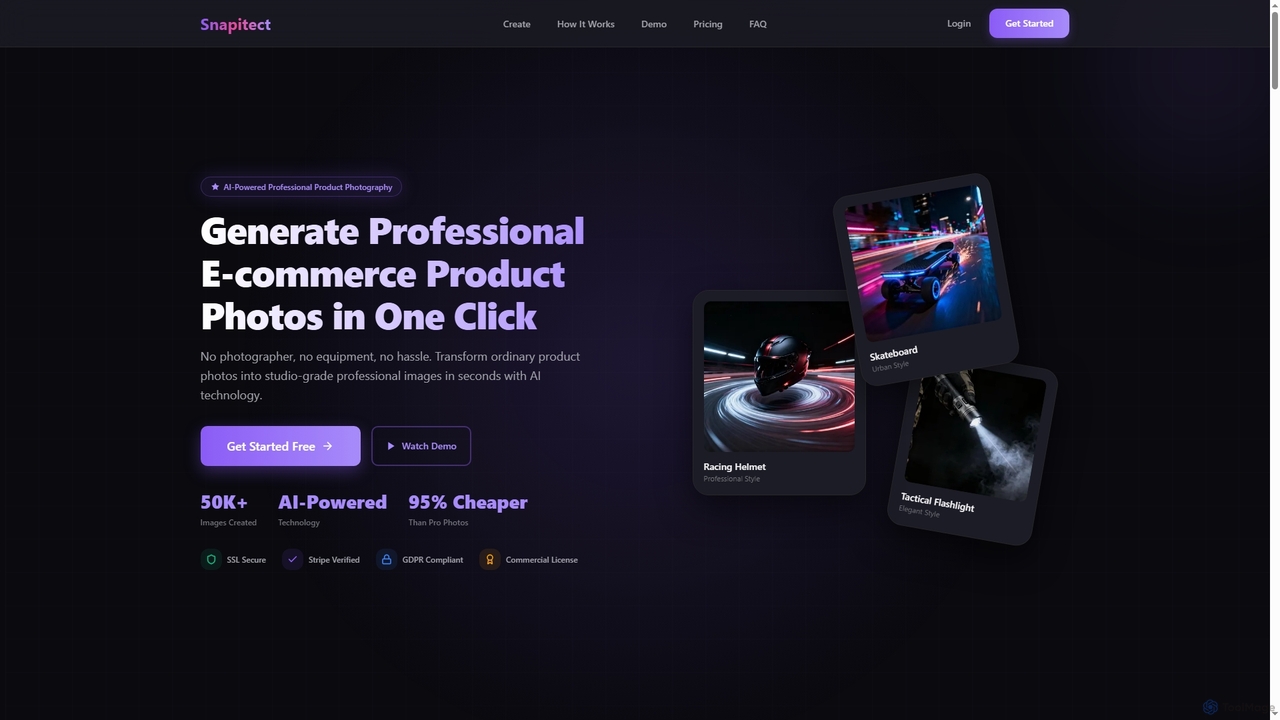
Snapitect is an AI-powered product photography tool that transforms ordinary product photos into professional, studio-grade images in seconds. It automates background removal and generates multiple unique scenes, making it ideal for e-commerce sellers to create high-quality visuals quickly and affordably.

Image Generation
Visits 6.5KFavorites 155Likes 149
Pixelshot
Freemium

Pixelshot

Pixelshot is an AI product photography tool that transforms ordinary product images into professional, studio-quality visuals in seconds. It offers 100+ templates, custom prompt generation, and plain language editing to create stunning photos for e-commerce, marketing, and social media without requiring photography skills.

Visual Content
Visits 6.5KFavorites 145Likes 138

About Product Photography

AI Product Photography tools are specialized applications that use generative AI to create and enhance commercial product images. These tools leverage computer vision and diffusion models to automate tasks like background removal, virtual scene creation, and realistic shadow generation. They empower e-commerce businesses and marketers to produce high-quality, studio-level visuals at scale, significantly reducing the time and cost associated with traditional photoshoots. This technology enables the rapid creation of diverse and consistent marketing assets from a single product photo.

Core Features

  • AI Background Generation: Instantly removes existing backgrounds and replaces them with solid colors, gradients, or contextually relevant AI-generated scenes.
  • Virtual Staging: Places product images into realistic lifestyle environments, such as placing furniture in a living room or cosmetics on a vanity.
  • Realistic Shadow & Reflection: Automatically adds natural-looking shadows and reflections to make products appear grounded and authentic in their new setting.
  • Template-Based Creation: Utilizes pre-designed templates optimized for various platforms like Amazon, Shopify, and social media to ensure visual consistency.
  • Image Enhancement & Upscaling: Improves the quality of source images by adjusting lighting, enhancing colors, and increasing resolution for a professional finish.

Applicable Scenarios

These tools are essential for e-commerce store owners on platforms like Shopify or Amazon who need to create thousands of clean, consistent product listings. Digital marketing agencies use them to quickly generate a wide variety of ad creatives for A/B testing. Social media managers also rely on them to produce engaging lifestyle shots for platforms like Instagram and Pinterest without physical props or locations.

Selection Criteria

When choosing an AI Product Photography tool, evaluate the quality and realism of the AI-generated outputs, especially for backgrounds and shadows. Consider the breadth of available templates and virtual scenes. Assess the user interface for ease of use, particularly for batch processing capabilities. Finally, compare pricing models—whether per-image credits or a monthly subscription—to find one that aligns with your production volume.

Product Photography use cases

1

Standardize E-commerce Product Listings

An online store owner preparing to launch a new collection of 100 handcrafted leather bags needs consistent, high-quality images for their Shopify site. Instead of a costly photoshoot, they take simple photos with a smartphone. Using an AI Product Photography tool, they upload all 100 images and apply a batch process. The tool automatically removes the cluttered workshop background, replaces it with a clean, light-gray backdrop, and adds a subtle, realistic shadow beneath each bag. The entire process takes under an hour, ensuring all product listings have a uniform, professional appearance that enhances customer trust and improves conversion rates.

2

Create Lifestyle Shots for Social Media Marketing

A direct-to-consumer furniture brand wants to promote a new armchair on Instagram and Pinterest. They need appealing lifestyle images but lack the budget for location shoots. A marketing manager uploads a single, high-resolution photo of the armchair with a transparent background to an AI tool. They then use text prompts like "modern minimalist living room with a large window and plants" or "cozy reading nook with a bookshelf" to generate dozens of unique scenes. The AI places the armchair realistically in each environment, complete with accurate lighting and shadows. This allows them to create a month's worth of diverse social media content in a single afternoon.

3

Generate On-Model Imagery for Apparel

A startup fashion brand has a new line of graphic t-shirts but cannot afford to hire multiple models to showcase diversity. They take flat-lay photos of each t-shirt design. Using an AI tool specializing in apparel, they upload these images. The platform allows them to select from a wide range of AI-generated models of different ethnicities, body types, and genders. The AI then realistically drapes the t-shirt design onto the selected models, creating professional-looking on-model photos. This approach not only saves significant costs but also enables the brand to represent a diverse customer base in their marketing materials, improving inclusivity and appeal.

4

Create Thematic Ad Creatives for Campaigns

A cosmetics company is launching a new rose-scented perfume for Valentine's Day. The marketing team needs a variety of ad images with a romantic, floral theme. They upload a clean shot of the perfume bottle to an AI product photography platform. Using prompts like "on a bed of pink rose petals with soft morning light" or "next to a love letter on a vintage wooden desk," they generate over 50 unique, on-theme images in minutes. This allows them to A/B test different visual concepts across social media and display ads to see which one resonates most with their audience, all without sourcing props or hiring a photographer.

5

Enhance Food Photography for Menus and Delivery Apps

A local restaurant wants to update its online menu and listings on delivery apps like Uber Eats. Their existing photos, taken in the kitchen, have poor lighting and unappealing backgrounds. A manager uses an AI tool to upload these photos. The AI automatically enhances the colors to make the food look more vibrant and appetizing. It then replaces the stainless-steel kitchen background with options like a rustic wooden table, a clean marble countertop, or a blurred restaurant ambiance. The result is a set of professional, mouth-watering food photos that can significantly increase online orders, achieved without the expense of a professional food photographer.

6

Generate Product Variations for A/B Testing

A company selling reusable water bottles wants to test which color variant is most popular before committing to a large manufacturing run. They have a single photo of their bottle in a neutral silver color. A product manager uses an AI tool to generate realistic images of the bottle in ten different colors, such as matte black, ocean blue, and mint green. The AI accurately reapplies textures and logos to each color variant. The company then uses these images in targeted social media ads to gauge audience engagement and click-through rates for each color, providing valuable data to inform their production decisions without creating physical prototypes.

Product Photography FAQ

What is AI Product Photography?

AI Product Photography refers to a category of software tools that use artificial intelligence, particularly generative AI, to create, edit, and enhance images of products for commercial purposes. Instead of relying solely on traditional photoshoots, these tools can take a simple image of a product and automatically place it in thousands of different scenes, change backgrounds, add realistic shadows, and even generate images of the product on AI models. The primary goal is to drastically reduce the cost, time, and complexity of producing high-quality, diverse product visuals for e-commerce, marketing, and social media.

How to choose the right AI Product Photography tool?

Choosing the right tool depends on your specific needs. Consider these factors:

  • Image Quality: Evaluate the realism of the generated images. Do the shadows look natural? Are the backgrounds high-resolution and believable? Look for examples in their gallery.
  • Feature Set: Do you need simple background removal, or more advanced features like virtual staging, on-model generation for apparel, or 360-degree views? Match the tool's capabilities to your requirements.
  • Ease of Use: Look for a tool with an intuitive interface, especially if you need to process images in bulk. A good batch-processing feature can save hours of work.
  • Pricing Model: Compare subscription plans versus pay-per-image credits. If you have a high and consistent volume of products, a subscription might be more cost-effective. For occasional use, credits may be better.
What's the difference between AI Product Photography tools and general AI Photo Editors?

The main difference is specialization and workflow. General AI Photo Editors (like Adobe Photoshop with Generative Fill or Luminar Neo) are powerful, all-purpose tools for creative tasks on any type of photo, including portraits, landscapes, and art. They offer a wide range of manual controls and creative filters.

AI Product Photography tools are highly specialized for commercial workflows. They are designed for speed and consistency at scale. Their features are purpose-built for e-commerce needs, such as creating uniform white backgrounds for hundreds of products, generating lifestyle scenes from templates, and ensuring consistent branding across an entire product catalog. They prioritize automation and batch processing over granular creative control.

Can AI completely replace professional product photographers?

AI is more of a powerful collaborator than a complete replacement. For high-volume, standardized e-commerce imagery (like catalog shots on a white background), AI tools can automate the process efficiently and cost-effectively, often exceeding the speed of a human photographer. However, for high-concept, brand-defining 'hero' images, complex creative compositions, or shoots requiring specific artistic direction and problem-solving on set, the expertise, creativity, and critical eye of a professional photographer remain invaluable. Many professionals are now integrating AI tools into their workflow to handle repetitive tasks, allowing them to focus more on the creative aspects of their work.

Who can benefit from using AI Product Photography tools?

A wide range of users can benefit from these tools. Key groups include:

  • E-commerce Store Owners: Small to medium-sized businesses on platforms like Shopify, Amazon, or Etsy can create professional product listings without a large budget.
  • Marketing Agencies: Agencies can rapidly generate diverse ad creatives for multiple clients and A/B test different visual approaches to optimize campaign performance.
  • Social Media Managers: They can create a constant stream of fresh, engaging lifestyle content for platforms like Instagram and Pinterest to grow their audience.
  • Product Designers & Managers: They can visualize products in different colors, materials, or settings before creating physical prototypes, saving time and resources in the development phase.