ToolMage
Sign in

Best 4 Ai Assistant for Writing

Popular Ai Assistant in Writing include Yack, EnhanceGPT, PromptMagic, and ResumeEzy, helping you work more efficiently.

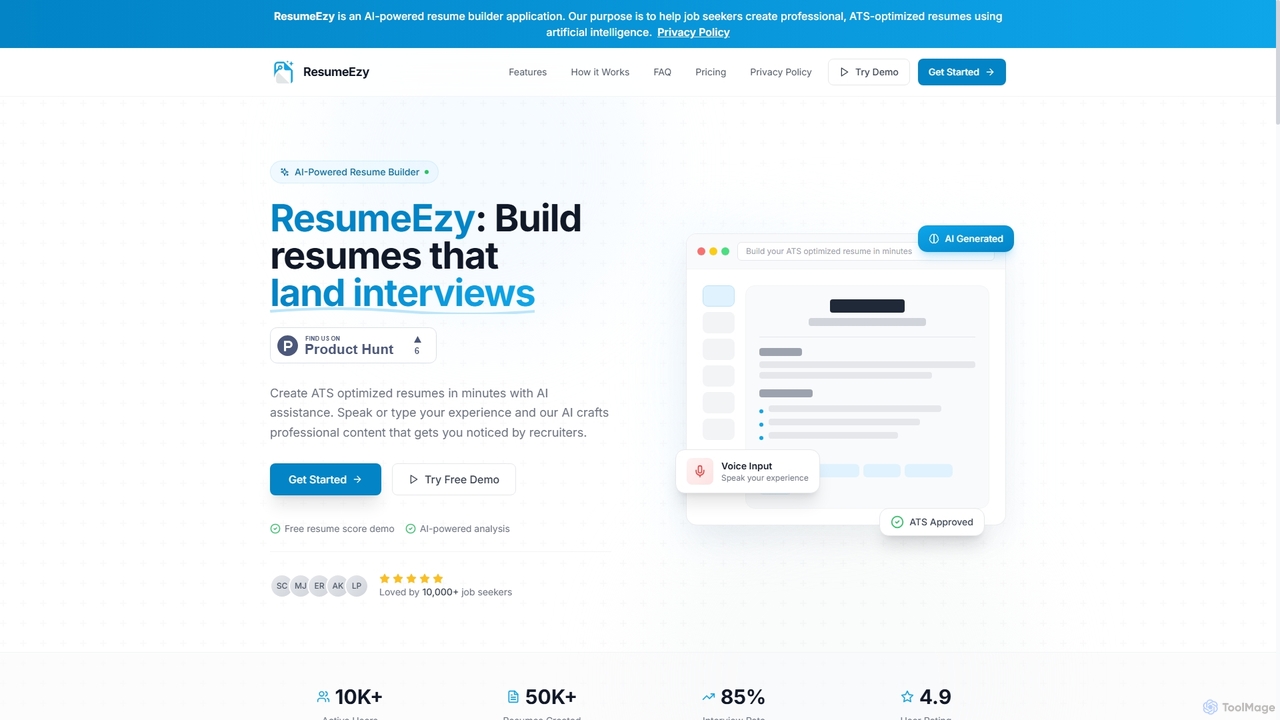
ResumeEzy
Freemium

ResumeEzy

ResumeEzy is an AI-powered resume builder designed to help job seekers create professional, ATS-optimized resumes quickly. It leverages artificial intelligence for content generation, skill suggestions, and career guidance, ensuring your application stands out to recruiters and passes applicant tracking systems.

Job Search
Visits 5.2KFavorites 48Likes 41
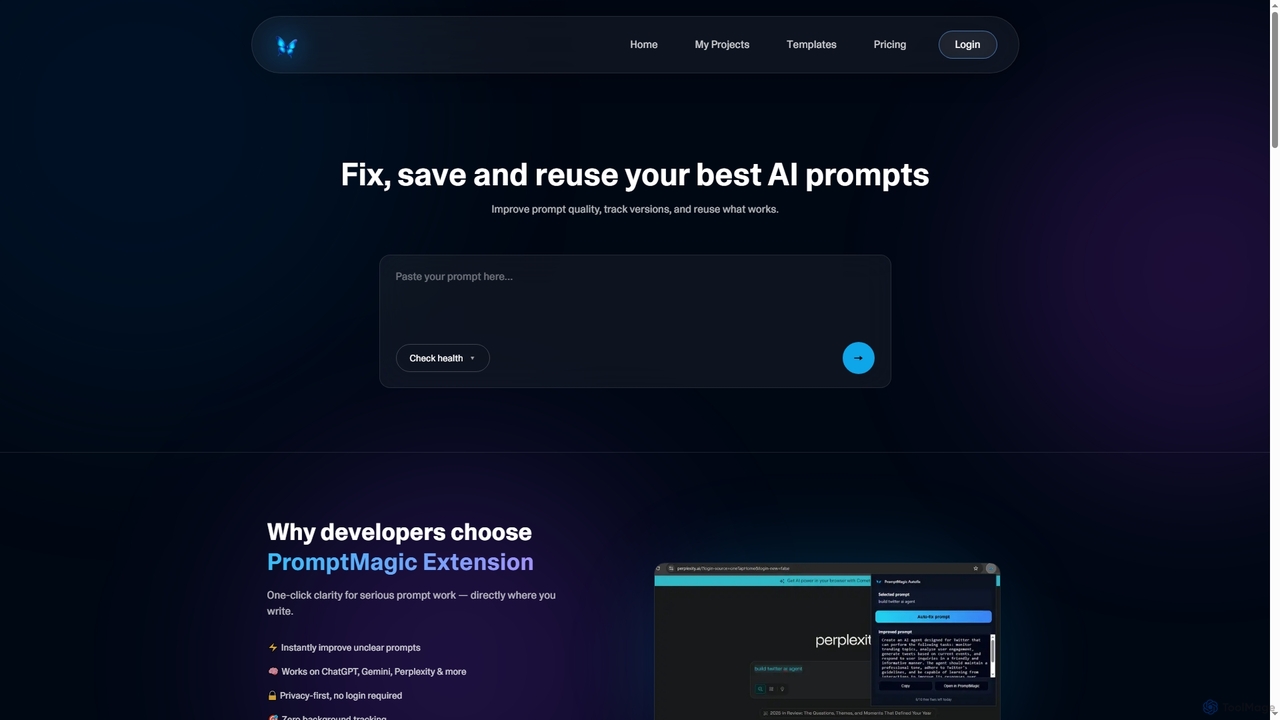
PromptMagic
Freemium

PromptMagic

PromptMagic is an AI tool and Chrome extension designed to help users write, optimize, save, and reuse high-quality AI prompts. It enhances clarity, tracks versions, and makes prompt engineering accessible across various AI models like ChatGPT, Gemini, and Claude.

Ai Development
Visits 5.3KFavorites 27Likes 29
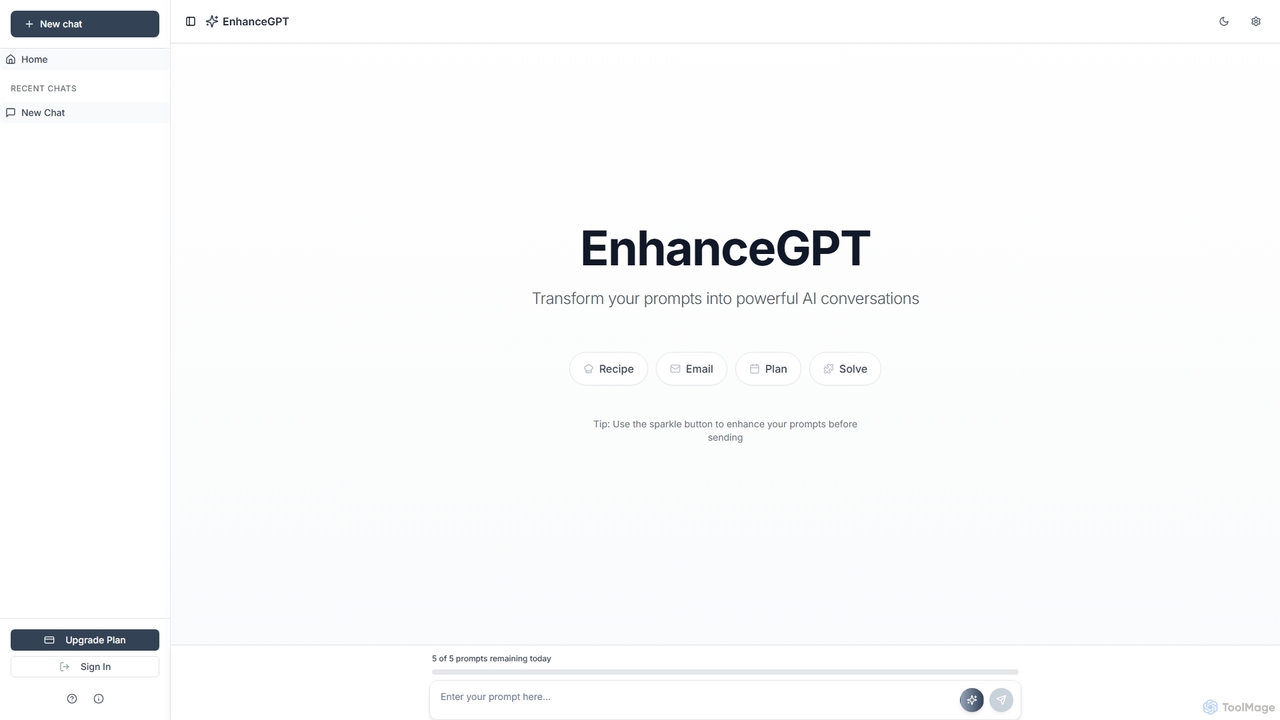
EnhanceGPT
Freemium

EnhanceGPT

EnhanceGPT is an innovative AI tool designed to transform ordinary prompts into powerful, effective AI conversations. It simplifies prompt engineering, helping users generate high-quality outputs for various tasks like creating recipes, drafting emails, planning projects, and solving problems with an intuitive sparkle button for instant enhancement.

Text Generation
Visits 5.9KFavorites 140Likes 136
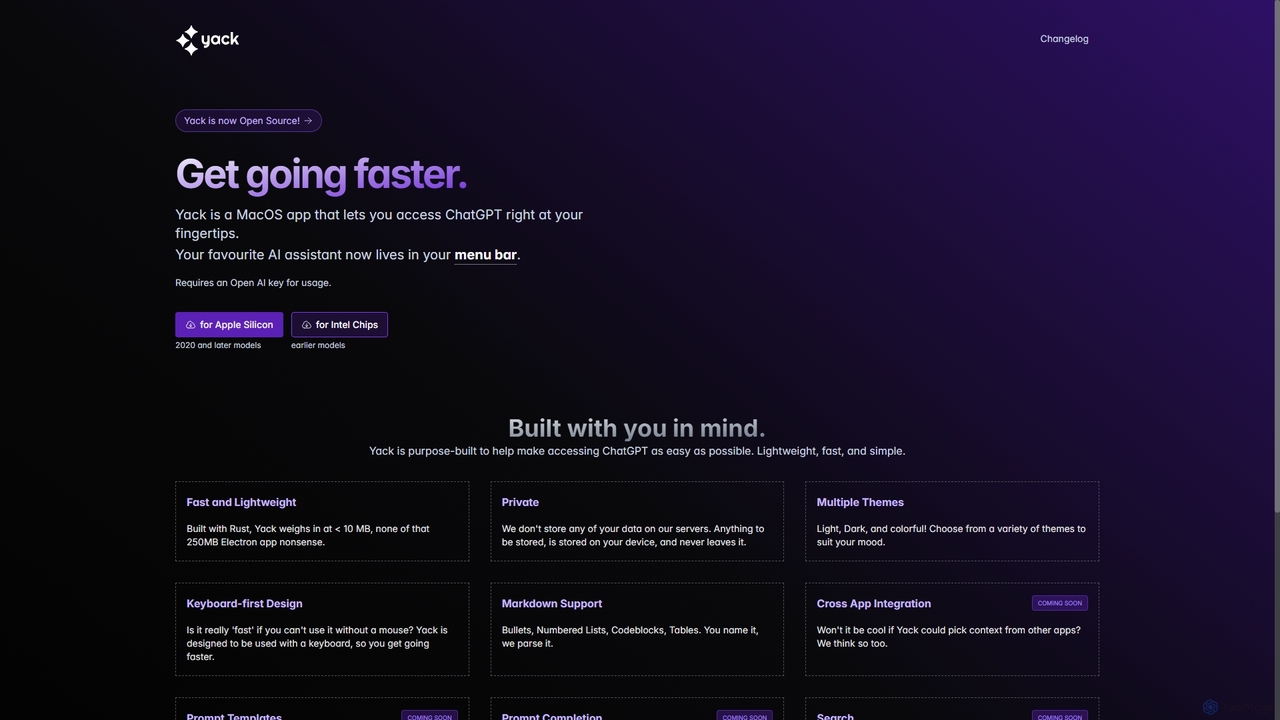
Yack
Free

Yack

Yack is a lightweight, fast, and private open-source native macOS application that provides instant access to ChatGPT directly from your menu bar. Built with Rust, it's designed for efficiency with a keyboard-first approach, ensuring you can interact with AI without disrupting your workflow.

Api Client
Visits 7.5KFavorites 132Likes 135

About Ai Assistant

AI Assistants for writing are tools that integrate directly into your workflow to act as a co-pilot for text creation and refinement. They leverage large language models to understand context, suggesting everything from single words to entire paragraphs in real-time. This helps users overcome writer's block, improve clarity, and significantly accelerate the drafting process. Unlike standalone generators, these assistants work alongside you, offering interactive support within your existing editor or platform.

Core Features

  • Contextual Autocompletion: Suggests relevant words, phrases, or code snippets based on the preceding text.
  • Text Rewriting & Rephrasing: Offers alternative wording to enhance clarity, adjust tone, or simplify complex sentences.
  • Idea Expansion: Takes a brief idea or sentence and elaborates on it, helping to build out paragraphs.
  • In-line Commands: Allows users to issue instructions directly in the text (e.g., 'summarize this') for instant actions.

Applicable Scenarios

These tools are invaluable for professionals who write frequently. For instance, developers use them in IDEs to speed up coding and documentation, while marketers use them in platforms like Notion or Google Docs to draft articles and social media posts more efficiently. They are also widely adopted by students and academics for structuring essays and refining research papers.

Selection Criteria

When choosing an AI Assistant, consider its integration capabilities—does it work with your preferred software? Evaluate the quality and relevance of its suggestions for your specific writing style. Also, examine the range of features offered, from basic completion to advanced commands, and review the privacy policy to understand how your data is handled.

Ai Assistant use cases

1

Accelerating Blog Post Drafting

A content marketer needs to produce a high-quality blog post on a tight deadline. They start by typing a headline into their editor. The AI Assistant suggests several outline structures. After choosing one, the marketer writes the first sentence of a section, and the assistant autocompletes the paragraph, maintaining the intended tone. They use an in-line command to rephrase a complex sentence for better readability, cutting the total drafting time by over 50%.

2

Refining Technical Documentation

A software developer is writing documentation for a new API. Using an AI Assistant integrated into their code editor, they can generate code examples automatically based on the function descriptions. When explaining a complex algorithm, they highlight the technical jargon and ask the assistant to 'explain this simply'. The tool rephrases the section into clear, accessible language for a non-expert audience, ensuring the documentation is both accurate and easy to understand.

3

Composing Professional Emails

A project manager needs to send a concise update to stakeholders. They jot down a few bullet points in their email client, which has an integrated AI Assistant. They then use a command to 'turn these points into a professional email'. The assistant drafts a well-structured email with a formal tone, clear subject line, and a call to action. The manager makes minor edits and sends it, saving valuable time and ensuring professional communication.

4

Brainstorming Creative Story Ideas

A fiction writer is experiencing writer's block while starting a new short story. They open their writing app and type a simple premise: 'A detective who can talk to ghosts.' They ask the integrated AI Assistant to 'generate five potential plot twists'. The assistant provides a list of creative ideas, including one where the ghosts can lie. This sparks a new direction for the story, helping the writer move past the creative hurdle and begin outlining the narrative.

5

Summarizing Research for Academic Writing

A university student is writing a literature review and needs to process dozens of academic papers. Instead of reading each one in full, they use an AI Assistant to summarize the abstract and conclusion of each paper. The assistant provides a concise, bullet-point summary directly in their research notes. This allows the student to quickly assess the relevance of each source, identify key themes, and synthesize information much faster, streamlining the entire research phase of their project.

6

Translating and Adapting Content for Global Audiences

A marketing team is localizing a campaign for a new region. Using an AI Assistant with translation capabilities, they can quickly get a first-pass translation of their ad copy and landing page text. More importantly, they can then use commands like 'make this sound more casual' or 'adapt this for a Japanese audience' to refine the tone and cultural nuances. This combination of translation and stylistic adaptation helps the team create resonant content for different markets efficiently.

Ai Assistant FAQ

What is a Writing AI Assistant?

A Writing AI Assistant is a tool that integrates into your writing environment (like a text editor or browser) to provide real-time, context-aware support. Unlike tools that generate full articles from a prompt, an assistant acts as a collaborative partner. It helps by autocompleting sentences, rephrasing text for clarity or tone, expanding on ideas, and even answering questions without you having to leave your document. Its primary goal is to augment and accelerate your natural writing process, not replace it.

How is a Writing AI Assistant different from an AI Writer?

The main difference lies in the workflow. An AI Writer typically takes a prompt and generates a complete piece of content (like a blog post or essay) in one go. It's focused on outputting a finished product. An AI Assistant, on the other hand, works interactively within your writing process. It's a co-pilot that suggests, refines, and expands text as you type. Think of an AI Writer as a contractor you hire to build a house, while an AI Assistant is the advanced power tool you use to build it yourself, faster and better.

How do I choose the right AI Assistant for writing?

To choose the right AI Assistant, consider these factors:

  • Integration: Does it work where you write? Look for plugins for your favorite text editors, IDEs, or web platforms like Google Docs.
  • Core Features: Assess your needs. Do you primarily need autocompletion for coding, or do you need creative tools like rephrasing and idea expansion for marketing copy?
  • Quality of Suggestions: Use a free trial if available. The relevance and quality of the AI's suggestions are critical. A good assistant understands context and matches your tone.
  • User Interface: It should be unobtrusive and easy to use, enhancing your workflow rather than interrupting it.
  • Privacy: Check how the tool handles your data. Some process data locally, while others send it to the cloud.
Can AI Assistants help with coding?

Yes, absolutely. AI Assistants are extremely popular in the software development world. Tools like GitHub Copilot and Tabnine integrate directly into code editors (IDEs) like VS Code. They provide intelligent code autocompletion, suggest entire functions based on comments, help debug by explaining code blocks, and can even translate code from one programming language to another. For developers, these assistants act as a pair programmer, significantly speeding up development and reducing errors.

Who can benefit from using a Writing AI Assistant?

A wide range of individuals and professionals can benefit from a Writing AI Assistant. This includes:

  • Content Creators & Marketers: To draft blog posts, social media updates, and ad copy faster.
  • Software Developers: To write code, documentation, and comments more efficiently.
  • Students & Academics: To structure essays, summarize research, and refine their writing.
  • Business Professionals: To compose clear emails, reports, and presentations.
  • Creative Writers: To overcome writer's block and brainstorm new ideas.

Essentially, anyone who writes regularly as part of their work or study can find value in using an AI assistant to improve both speed and quality.