ToolMage
Sign in

Best 2 Asset Management AI tools for 3D

Popular Asset Management AI tools in 3D include PrometheanAI and Secur3D, helping you work more efficiently.

Secur3D

Secur3D

Secur3D is an AI-powered platform for automated 3D asset analysis and moderation. Its flagship product, AssetSafe, protects UGC marketplaces and creator ecosystems by detecting stolen content, IP infringement, explicit material, and brand violations in real-time, ensuring a safe and trustworthy environment.

Asset Management
Visits 5.3KFavorites 131Likes 135
PrometheanAI
Paid

PrometheanAI

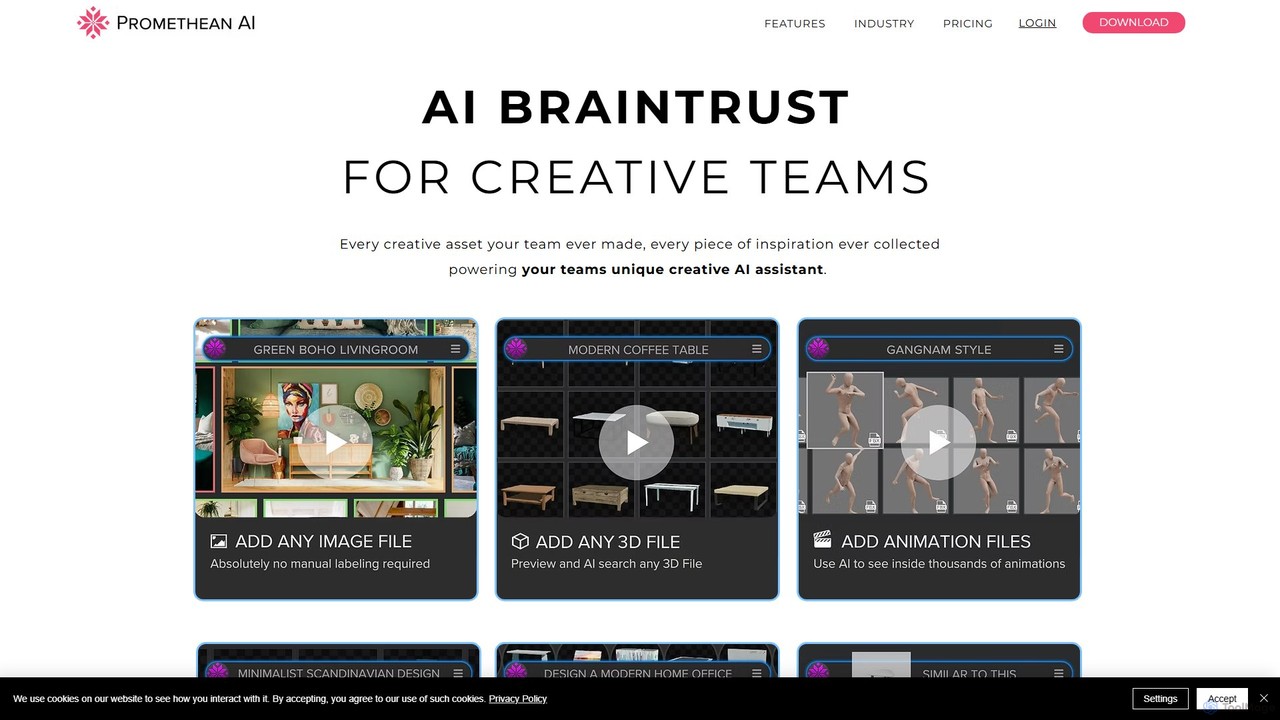
PrometheanAI is an enterprise-level AI assistant for creative teams, designed to accelerate digital art production and world-building. It integrates into existing workflows and editors, using a team's own assets to automate mundane tasks and enhance creativity without requiring cloud uploads.

Asset Management
Visits 16.6KFavorites 119Likes 126

About Asset Management

3D Asset Management tools are AI-powered platforms designed to organize, track, and manage digital 3D assets throughout their lifecycle. These specialized systems leverage AI to streamline the handling of complex 3D models, textures, animations, and related files, ensuring efficient storage, retrieval, and collaboration. They are crucial for optimizing workflows in industries heavily reliant on 3D content, such as game development, architectural visualization, and product design.

Core Features

  • Intelligent Tagging & Categorization: Automatically tags and categorizes 3D assets using AI, enhancing searchability and organization.
  • Advanced Version Control: Tracks every iteration of a 3D asset, allowing for easy rollback, comparison, and conflict resolution.
  • Collaborative Workflows: Facilitates seamless sharing, review, and feedback loops among teams working on 3D projects.
  • Integrated 3D Preview: Offers in-platform visualization of various 3D file formats without needing external software.
  • Pipeline Integration: Connects with popular 3D modeling, rendering, and game development software for a unified workflow.

Applicable Scenarios

These tools are indispensable for large-scale 3D content production. Game development studios use them to manage vast libraries of character models, environments, and animations. Architectural firms leverage them for collaborative design and visualization projects, ensuring all team members access the latest building models and material libraries. Product design teams utilize them to track design iterations and manage complex assemblies.

How to Choose

When selecting a 3D asset management tool, consider its scalability to handle your asset volume and team size. Evaluate its integration capabilities with your existing 3D software and project management tools. Assess the robustness of its version control and collaboration features, as well as its security protocols for sensitive intellectual property. Finally, check for intuitive 3D preview and metadata management functionalities.

Asset Management use cases

1

Game Development Studio Asset Library Management

Game development teams use 3D asset management tools to centralize and organize thousands of character models, environmental assets, textures, and animations. Artists and developers can quickly search, preview, and integrate assets, ensuring version consistency across the entire project and significantly reducing production bottlenecks.

2

Architectural Visualization Project Collaboration

Architectural firms and visualization studios leverage these platforms to manage large 3D building models, material libraries, and scene files. This enables seamless collaboration among architects, interior designers, and clients, allowing for efficient review cycles, version tracking, and consistent asset usage across multiple renderings and presentations.

3

Product Design Iteration & Version Control

Industrial design and engineering teams utilize 3D asset management to track numerous iterations of product prototypes and components. The tools provide detailed version histories, allowing designers to compare changes, revert to previous designs, and ensure all team members are working with the most up-to-date 3D models, accelerating the design process.

4

Marketing & Advertising 3D Content Distribution

Marketing departments and agencies employ these tools to store, organize, and distribute high-quality 3D renders, animated product visuals, and interactive 3D models for campaigns. This ensures brand consistency, quick access for various channels (web, print, AR/VR), and efficient delivery of compelling visual content to target audiences.

5

Virtual Production Scene Asset Organization

Film and television studios engaged in virtual production use 3D asset management to handle extensive libraries of virtual sets, props, digital doubles, and visual effects elements. This facilitates rapid asset retrieval, consistent application across different shots and sequences, and efficient collaboration between art departments, VFX artists, and directors.

6

Educational Institution 3D Model Repository

Universities and design schools establish centralized repositories using 3D asset management tools to curate and provide access to a vast collection of 3D models for students and researchers. This supports learning in fields like engineering, animation, and cultural heritage, enabling students to easily find, utilize, and manage assets for their academic projects.

Asset Management FAQ

What is 3D Asset Management?

3D Asset Management refers to specialized systems designed to organize, store, track, and retrieve digital 3D assets such as models, textures, animations, and materials. Unlike general file storage, these tools offer features tailored for complex 3D data, including intelligent tagging, version control, and integrated 3D previews, crucial for efficient production workflows in industries like gaming and film.

Why is 3D Asset Management important for 3D creators?

For 3D creators, effective 3D asset management is vital for streamlining workflows, enhancing collaboration, and maintaining consistency across projects. It helps prevent data loss, reduces time spent searching for assets, ensures everyone uses the correct versions, and protects intellectual property. This leads to increased productivity, fewer errors, and faster project delivery in complex 3D pipelines.

How does 3D Asset Management differ from general cloud storage?

While general cloud storage offers file hosting, 3D asset management provides specialized functionalities for 3D content. Key differences include integrated 3D model viewers, automatic metadata extraction and tagging for 3D files, robust version control specifically designed for large and interdependent 3D assets, and direct integration with 3D authoring software, which generic storage lacks.

What features should I look for in a 3D Asset Management tool?

When evaluating 3D asset management tools, prioritize robust version control, comprehensive metadata management with intelligent tagging, and high-fidelity 3D preview capabilities for various formats. Look for seamless integration with your existing 3D software (e.g., Blender, Maya, Unity, Unreal Engine), strong collaboration features, scalable storage, and secure access controls to protect your valuable assets.

Can 3D Asset Management tools integrate with existing 3D software?

Yes, most professional 3D asset management tools are designed with integration in mind. They often provide plugins or connectors for popular 3D modeling, animation, rendering, and game development software like Autodesk Maya, 3ds Max, Blender, Cinema 4D, Unity, and Unreal Engine. This allows artists and designers to access, check in, and check out assets directly from their preferred creative applications, ensuring a smooth workflow.