
Drawings Alive
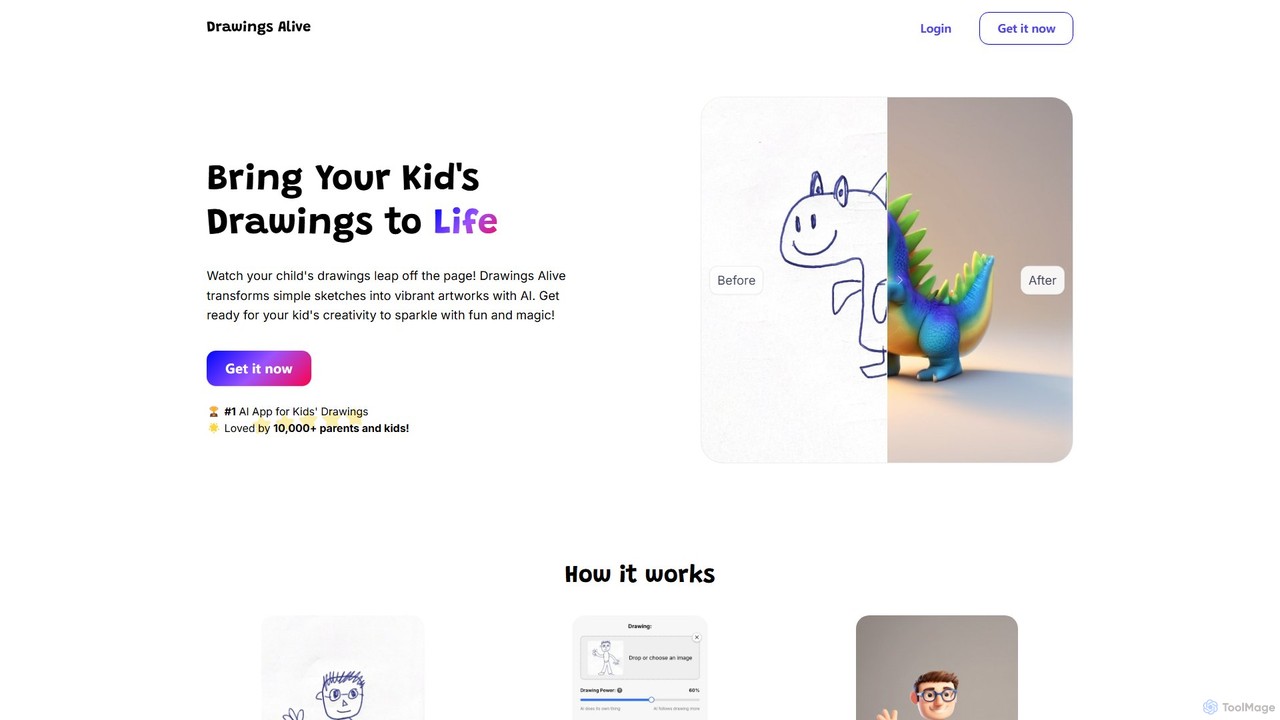
Drawings Alive is an AI-powered platform that magically transforms children's drawings into vibrant artworks, animated videos, and interactive …
Drawings Alive is an AI-powered platform that magically transforms children's drawings into vibrant artworks, animated videos, and interactive 3D models. Simply upload a sketch, add a short description, and watch as the AI brings your child's creativity to life in seconds. It's a fun and engaging tool for families to explore imagination and create unique digital keepsakes.
About Augmented Reality
Augmented Reality (AR) tools are a class of software that overlays computer-generated information, such as 3D models and interactive graphics, onto a user's view of the real world. These tools utilize device cameras and sensors to map the physical environment, allowing digital content to be anchored to and interact with real-world surfaces. The primary value of AR lies in its ability to enrich reality by providing contextual data and interactive visualizations without detaching the user from their surroundings. As a key application within the 3D field, AR brings digital models to life in a tangible context.
Core Features
- Real-World Tracking (SLAM): Accurately maps physical spaces to place and anchor digital objects without specific markers.
- 3D Object Rendering: Displays high-fidelity 3D models with realistic lighting and shadows in a real environment.
- Interactive Overlays: Enables users to manipulate, resize, and engage with virtual objects through touch or gestures.
- Image & Object Recognition: Triggers AR experiences when the camera recognizes specific 2D images, objects, or locations.
Use Cases
AR tools are widely adopted in retail for virtual try-on and product visualization, in manufacturing for guided assembly and remote assistance, in education for interactive learning models, and in marketing for creating engaging brand campaigns that bridge the digital and physical worlds.
How to Choose
When selecting an AR tool, consider its platform compatibility (iOS, Android, WebAR), the quality and stability of its tracking technology, its support for various 3D file formats, and whether it offers a no-code creation platform or requires a software development kit (SDK) for custom implementation.
Augmented RealityUse Cases
Virtual Furniture Placement for E-commerce
An interior designer or homeowner shopping for furniture online uses an AR tool to visualize products in their own space. By accessing the retailer's website or app on their smartphone, they can select a sofa or table. The tool activates the phone's camera, allowing them to scan the floor and place a true-to-scale 3D model of the furniture in their living room. They can walk around it, check dimensions, and test different colors, significantly increasing purchase confidence and reducing the likelihood of returns.
Interactive Training for Industrial Maintenance
A junior technician in a factory uses AR-enabled smart glasses or a tablet to perform a complex maintenance task. The AR application overlays step-by-step instructions, animated 3D arrows, and safety warnings directly onto the machinery in their field of view. If they encounter an issue, they can initiate a video call with a senior expert who can see what the technician sees and draw annotations in real-time onto their display. This reduces errors, speeds up training, and minimizes equipment downtime.
Engaging Marketing Campaigns with AR Filters
A marketing team for a consumer brand creates a custom AR filter for social media platforms like Instagram or Snapchat. When users activate the filter, it might place a virtual 3D model of the brand's mascot in their room or apply a branded cosmetic effect to their face. This encourages user-generated content as people share photos and videos using the filter. The campaign's success is measured by impressions, shares, and overall brand engagement, creating a memorable and interactive advertising experience.
Interactive Educational Content in Museums
A museum curator uses an AR platform to enhance an exhibit. Visitors can download the museum's app and point their device at an ancient artifact. The AR tool overlays information, such as a 3D reconstruction of how the artifact looked originally, animations showing its use, or text translations of ancient scripts. This transforms a static display into an interactive learning experience, making history and science more accessible and engaging for visitors of all ages, especially students on field trips.
AR Wayfinding in Large Venues
A visitor at a large airport or shopping mall uses a dedicated mobile app for navigation. After setting their destination, such as a departure gate or a specific store, the app uses the phone's camera to display a live view of the surroundings. An AR tool then overlays directional arrows and pathway guides onto the screen, guiding the user turn-by-turn in real time. This provides a more intuitive and less stressful navigation experience than traditional 2D maps, helping people find their way efficiently in complex indoor environments.
Architectural Visualization on a Construction Site
An architect or construction manager on-site uses a tablet with an AR application to visualize a building's design. By pointing the tablet at the existing foundation, the app overlays a full-scale 3D model of the proposed structure. This allows stakeholders to walk through the virtual building in its real-world location, check for clashes between structural and MEP (mechanical, electrical, plumbing) systems, and make informed decisions before construction proceeds. It helps bridge the gap between 2D blueprints and the final physical structure.