ToolMage
Sign in

Best 3 Code Generation AI tools for Ai Assistant

Popular Code Generation AI tools in Ai Assistant include Command Center, WP Snippets AI, and Layrr, helping you work more efficiently.

Free

Layrr

Layrr is a free and open-source visual editor that allows developers and designers to create and edit real code directly. It combines the intuitive drag-and-drop interface of design tools like Figma with the flexibility and ownership of traditional coding, supporting any tech stack and leveraging AI for design-to-code conversion and natural language interface generation.

Code Generation
Visits 3.5KFavorites 114Likes 107
Freemium

WP Snippets AI

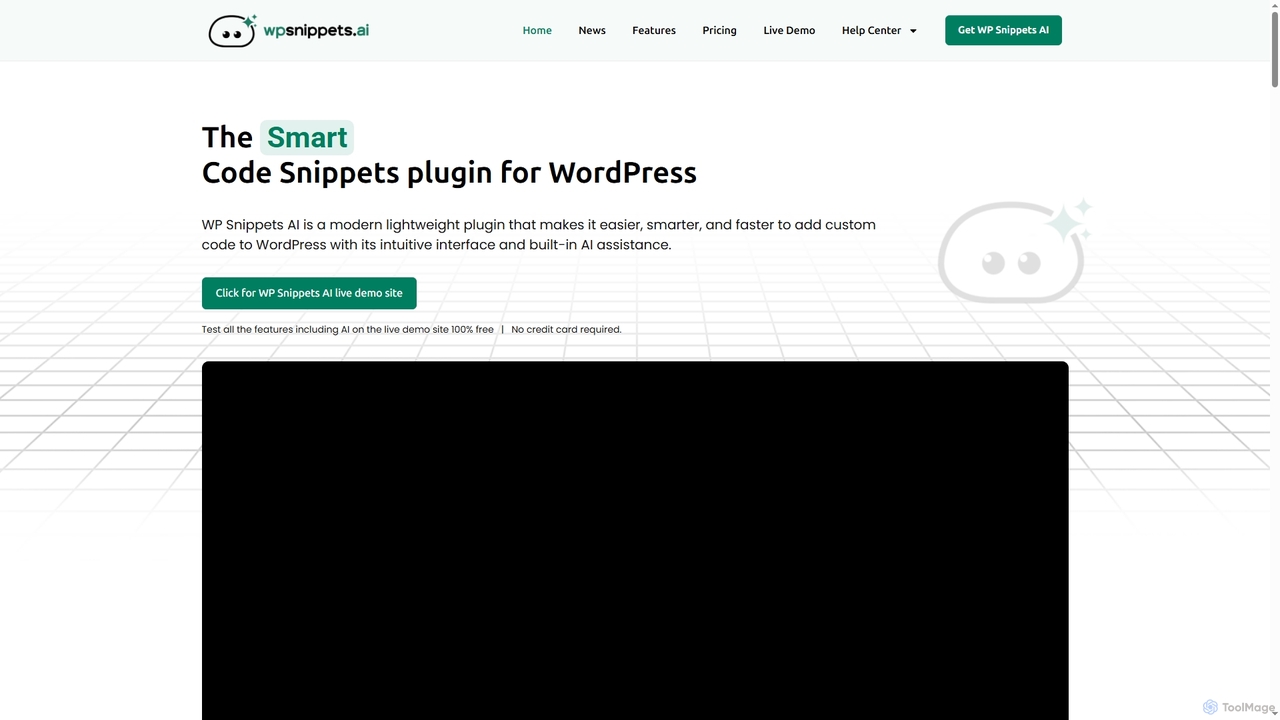
WP Snippets AI is a fast, modern, and lightweight WordPress plugin designed to simplify custom code management. It features an intuitive interface and built-in AI assistance for generating, analyzing, and improving code snippets in HTML, CSS, JavaScript, and PHP, enhancing workflow for developers and site administrators.

Code Generation
Visits 4.9KFavorites 107Likes 99

Command Center

Command Center is a "Post-IDE" designed for AI agents, enabling developers to maintain high code quality, understand AI-generated changes, and efficiently refactor code. It provides real-time diff viewing, one-click extension installation, and tools to make any codebase agent-native, ensuring AI contributions are clean and comprehensible.

Code Generation
Visits 6.9KFavorites 101Likes 105

About Code Generation

AI Code Generation tools are specialized AI assistants that translate natural language descriptions, comments, or existing code snippets into functional source code. They leverage large language models (LLMs) trained on vast repositories of public code to understand context, syntax, and programming patterns. This enables developers to accelerate workflows, reduce boilerplate code, and tackle complex programming challenges more efficiently. These tools act as intelligent pair programmers, offering suggestions, completing functions, and even generating entire code blocks from simple prompts.

Core Features

  • Natural Language to Code: Converts plain text descriptions (e.g., "create a Python function to fetch user data from an API") into ready-to-use code.
  • Intelligent Code Completion: Provides context-aware, multi-line code suggestions that go far beyond traditional autocomplete.
  • Code Refactoring & Optimization: Analyzes existing code and suggests improvements for performance, readability, and adherence to best practices.
  • Automated Test Generation: Creates unit tests and test cases for functions and methods, improving code quality and coverage.
  • Code Explanation & Documentation: Generates comments or provides clear explanations for complex code snippets, aiding in learning and code reviews.

Use Cases

These tools are widely used by software developers, data scientists, and students across the entire software development lifecycle. They are particularly effective for rapid prototyping, automating the creation of repetitive code structures like API endpoints or data models, and assisting developers in learning new programming languages or frameworks by providing instant examples and translations.

How to Choose

When selecting an AI Code Generation tool, consider its language and framework support to ensure it matches your tech stack. Evaluate the quality of its IDE integration (e.g., for VS Code, JetBrains) for a seamless workflow. Assess its context awareness—how well it understands your entire project's codebase. Finally, review its security and privacy policies, especially regarding how your proprietary code is handled.


Featured tool rankings

Code Generation use cases

1

Accelerate Backend API Development

A backend developer is tasked with creating a new REST API endpoint for user profile management. Instead of writing the boilerplate code for request handling, validation, and database interaction from scratch, they use an AI code generation tool. By writing a simple comment like // Create a POST endpoint /users to add a new user with name, email, and password, the tool generates a complete, functional code block in their chosen framework (e.g., Express.js or Django). The developer then reviews, refines, and integrates the code, reducing development time for this task by over 60% and ensuring adherence to framework conventions.

2

Automate Unit Test Generation

A software engineer has just finished writing a complex function for calculating shipping costs based on weight, distance, and user subscription level. To ensure its reliability, they need to write comprehensive unit tests covering various edge cases. Using an AI code assistant integrated into their IDE, they highlight the function and prompt the tool to "generate unit tests for this function." The AI analyzes the function's logic and parameters, then produces a suite of tests covering normal inputs, zero values, negative values, and different subscription types. This automates a tedious process, improves test coverage, and allows the engineer to focus on developing new features.

3

Refactor and Document Legacy Code

A maintenance team inherits a legacy system with poorly documented and inefficient code. A developer is assigned to improve a critical, yet confusing, function. They paste the code into an AI tool and ask it to "refactor this code for readability and performance." The AI rewrites the function using modern syntax, clearer variable names, and more efficient algorithms. The developer then asks the tool to "add detailed comments explaining this code." The AI generates line-by-line documentation, making the code understandable for future maintenance. This process significantly reduces the technical debt and the time required to onboard new developers to the project.

4

Generate Complex SQL or NoSQL Queries

A data analyst needs to extract specific insights from a large customer database for a marketing report. Crafting the complex SQL query with multiple joins, aggregations, and filtering conditions is time-consuming. Instead, they type a natural language request into an AI code generator: "Show me the total spending of customers from California who signed up in the last 6 months, grouped by city." The tool instantly translates this into an optimized SQL query. This allows the analyst to focus on data interpretation rather than query syntax, enabling faster and more complex data exploration without needing to be an SQL expert.

5

Learning a New Programming Language

A developer proficient in Python needs to start working on a project written in Go. To quickly get up to speed, they use an AI code generation tool as a learning companion. When they know how to write a piece of logic in Python, they ask the tool, "How do I write this Python code in Go?" and provide the snippet. The tool not only provides the direct Go translation but can also explain the syntactic differences and idiomatic Go conventions, such as error handling. This interactive, context-specific learning method is far more efficient than reading generic tutorials, accelerating their onboarding process onto the new project.

6

Debug and Explain Code Snippets

A junior developer encounters a cryptic error message from a block of code they didn't write. They are unsure of the code's purpose or why it's failing. They copy the snippet and the error message into an AI code assistant and ask, "What does this code do, and why am I getting this error?" The AI first explains the code's logic in plain English, then identifies the likely cause of the error (e.g., a null pointer exception or an incorrect data type). It often provides a corrected version of the code. This not only solves the immediate problem but also serves as a valuable, personalized learning experience, helping the developer understand the root cause.

Code Generation FAQ

What are AI Code Generation tools?

AI Code Generation tools are a type of AI assistant specifically designed to help with software development tasks. They use large language models (LLMs) to understand natural language prompts and programming context, allowing them to write, complete, refactor, and explain code. Unlike simple autocompletion, they can generate entire functions, classes, or test suites from a brief description. Their primary goal is to increase developer productivity by automating repetitive coding tasks and providing intelligent assistance for complex problems.

How to choose the right AI Code Generation tool?

Choosing the right tool depends on your specific needs. Consider these key factors:

  • Language & Framework Support: Ensure the tool excels in the programming languages and frameworks you use daily (e.g., Python/Django, JavaScript/React).
  • IDE Integration: A seamless integration with your preferred Integrated Development Environment (IDE), like VS Code or JetBrains, is crucial for a smooth workflow.
  • Context Awareness: The best tools can analyze your entire project or multiple open files to provide highly relevant and accurate suggestions, not just based on the current file.
  • Security & Privacy: Verify how the tool handles your code. For proprietary or sensitive projects, look for options that offer local processing or have strong data privacy policies.
What's the difference between AI code generation and traditional IDE autocomplete?

The primary difference lies in intelligence and scope. Traditional IDE autocomplete is largely syntax-aware; it suggests variable names, keywords, and function signatures based on static analysis of your code. It typically completes one word or a short phrase at a time. In contrast, AI code generation is context-aware and intent-aware. It understands the developer's goal from comments or surrounding code and can generate entire multi-line functions, algorithms, or even test cases. It's the difference between a dictionary suggesting the next word and a co-author suggesting the next paragraph.

Is the code generated by AI secure and reliable?

The code generated by AI should be treated as a first draft from a very fast, knowledgeable, but fallible assistant. While often correct and efficient, it is not guaranteed to be 100% secure or bug-free. The quality depends on the training data and the complexity of the request. It is crucial for developers to always review, understand, and test the generated code before implementing it in a production environment. AI tools can sometimes introduce subtle bugs or security vulnerabilities, so human oversight and a robust testing process remain essential for ensuring code quality and security.

Can AI Code Generation tools replace developers?

No, these tools are designed to augment, not replace, human developers. They excel at handling well-defined, repetitive, or boilerplate tasks, freeing up developers to focus on more creative and complex aspects of software engineering, such as system architecture, user experience design, and strategic problem-solving. While they are powerful assistants, they lack true understanding, creativity, and the ability to grasp high-level business requirements. The future of software development is likely a collaborative one, where developers leverage AI as a powerful pair programmer to build better software faster.