Llama
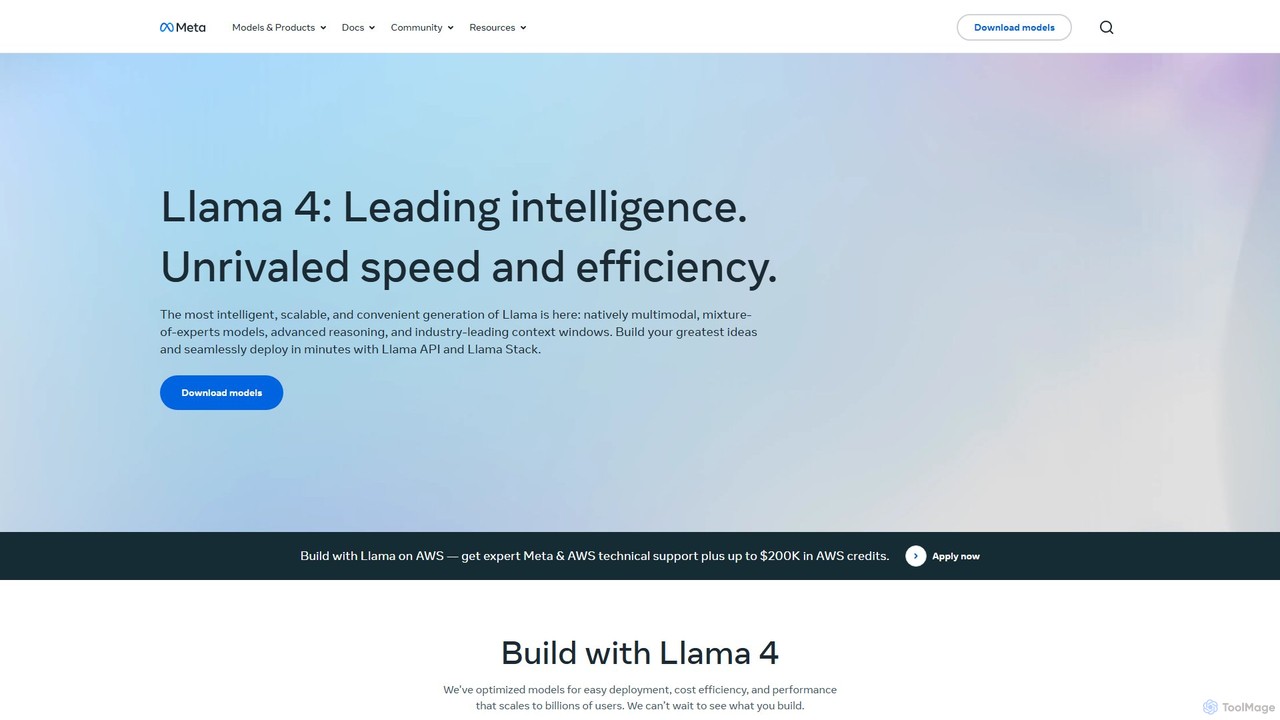
Llama is a family of open-source large language models (LLMs) from Meta. The latest generation, Llama 4, features …
Llama is a family of open-source large language models (LLMs) from Meta. The latest generation, Llama 4, features industry-leading performance with native multimodality, a mixture-of-experts architecture for efficiency, and vast context windows. It's designed for developers and businesses to build and deploy advanced, scalable, and responsible AI applications through downloadable models and a streamlined API.
About Chatbot Builder
Chatbot Builders are specialized AI-powered platforms designed to create, deploy, and manage conversational AI agents without extensive coding. These tools leverage natural language processing (NLP) and machine learning to enable users to design interactive dialogue flows, integrate with various channels, and automate customer interactions. They empower businesses and individuals to build intelligent virtual assistants for diverse applications, from customer support to lead generation, significantly enhancing user engagement and operational efficiency.
Core Features
- Visual Flow Editor: Drag-and-drop interface for designing conversational paths and decision trees.
- NLP & Intent Recognition: Automatically understands user queries, identifies intentions, and extracts key information.
- Multi-channel Deployment: Publish chatbots across websites, messaging apps (e.g., WhatsApp, Messenger), and social media platforms.
- Integration Capabilities: Connect with CRM, helpdesk, e-commerce, and other business systems for data exchange.
- Analytics & Performance Tracking: Monitor chatbot interactions, user satisfaction, and identify areas for improvement.
Applicable Scenarios
Chatbot Builders are invaluable for organizations seeking to scale their communication and automate routine tasks. Customer service departments use them to handle frequently asked questions, provide instant support, and qualify leads 24/7. Marketing teams deploy chatbots on websites to engage visitors, collect information, and guide them through sales funnels. HR departments can utilize them for employee onboarding, answering policy questions and managing internal queries, freeing up human agents for more complex issues.
How to Choose
When selecting a Chatbot Builder, consider its ease of use, especially if you prefer a no-code or low-code solution. Evaluate the platform's NLP capabilities and its ability to accurately understand diverse user inputs. Integration with your existing business systems (CRM, helpdesk) is crucial for seamless data flow. Assess the scalability to handle increasing user volumes and the availability of analytics tools for performance monitoring. Finally, compare pricing models and support options to ensure it aligns with your budget and technical needs.

Chatbot BuilderUse Cases
Automating Customer Support FAQs
A small e-commerce business owner can use a Chatbot Builder to create a virtual assistant for their website. This bot automatically answers common customer questions about shipping, returns, and product details 24/7. By designing a comprehensive FAQ flow, the owner reduces the volume of repetitive inquiries to their support team, allowing human agents to focus on complex issues and improving overall customer satisfaction with instant responses.
Generating Sales Leads via Website Chat
A marketing manager for a SaaS company deploys a chatbot on their landing pages using a Chatbot Builder. The bot engages website visitors, asks qualifying questions about their needs and budget, and collects contact information. Based on the responses, it can then schedule a demo or direct the lead to the appropriate sales representative, significantly increasing lead capture rates and streamlining the sales funnel.
Onboarding New Employees with an HR Bot
An HR department utilizes a Chatbot Builder to develop an internal HR bot for new employee onboarding. The bot provides instant answers to questions about company policies, benefits, IT setup, and training schedules. New hires can interact with the bot at their own pace, reducing the burden on HR staff for repetitive queries and ensuring a smoother, more efficient onboarding experience.
Providing Personalized Product Recommendations
An online fashion retailer uses a Chatbot Builder to create an interactive shopping assistant. When a customer visits the site, the bot asks about their style preferences, size, and occasion. Based on these inputs, it then recommends specific clothing items or outfits from the catalog, enhancing the personalized shopping experience and potentially increasing conversion rates by guiding customers to relevant products.
Collecting User Feedback and Surveys
A product manager wants to gather feedback on a new feature. They use a Chatbot Builder to design a conversational survey that can be embedded on their app or website. The bot guides users through a series of questions, making the feedback process more engaging and less intrusive than traditional forms. This method often leads to higher completion rates and more qualitative insights for product improvement.
Automating Booking and Appointment Scheduling
A local service provider, such as a salon or clinic, implements a chatbot built with a Chatbot Builder on their website or messaging app. The bot handles appointment inquiries, checks availability in real-time by integrating with a calendar system, and allows customers to book or reschedule appointments directly through the chat interface. This automates a significant administrative task, reduces no-shows, and provides convenience for clients.