
ToolMage
Sign in

Best 1 Utilities AI tools for Ai Chatbots

Popular Utilities AI tools in Ai Chatbots include ChatGPT Finder, helping you work more efficiently.

ChatGPT Finder
Free

ChatGPT Finder

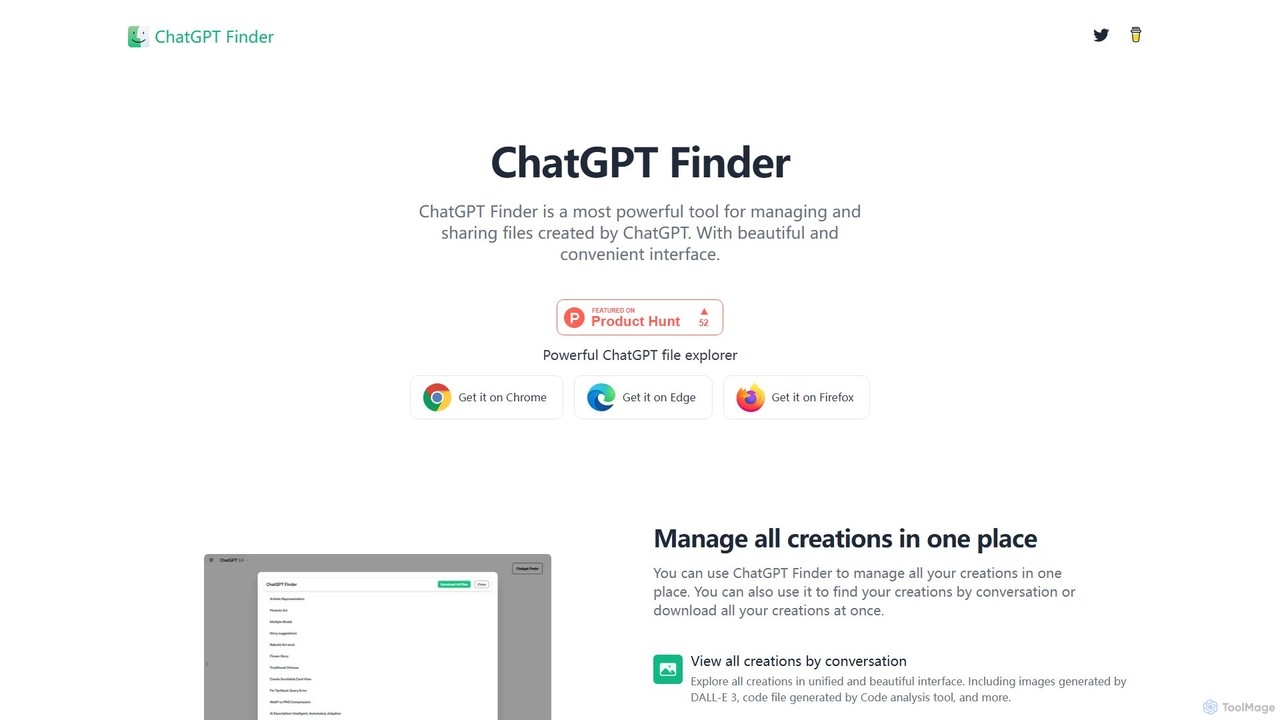
ChatGPT Finder is a powerful browser extension for Chrome, Edge, and Firefox that allows you to efficiently manage, organize, and download all your creations from ChatGPT. It provides a unified interface to explore files, DALL-E 3 images, and prompts by conversation, enabling batch downloads and easy sharing directly within the ChatGPT environment.

Utilities
Visits 4.6KFavorites 136Likes 132

About Utilities

AI Chatbot Utilities are specialized conversational agents designed to perform specific tasks and automate workflows, acting as functional assistants rather than general conversationalists. These tools leverage natural language processing (NLP) to understand user commands and integrate with other applications or data sources to execute actions. Their primary value lies in streamlining routine processes, retrieving information on demand, and enhancing personal or team productivity. Unlike general-purpose chatbots, utility bots are purpose-built for efficiency and integration within specific digital environments.

Core Features

  • Task Automation: Executes multi-step processes such as scheduling meetings, booking travel, or filing reports based on simple commands.
  • Data Retrieval & Querying: Connects to databases, CRMs, or knowledge bases to fetch specific information in real-time.
  • System Integration: Offers robust API connections to interact with third-party software like calendars, project management tools, and communication platforms.
  • Personalized Workflows: Allows users to create and customize automated sequences of actions tailored to their specific needs.

Use Cases

AI Chatbot Utilities are widely used within corporate environments for internal support, such as IT helpdesks or HR inquiries. They also serve as powerful personal productivity tools for individuals, automating daily tasks. Developers and data analysts frequently use them to query systems, generate code snippets, or create quick reports without leaving their primary workspace.

How to Choose

When selecting an AI Chatbot Utility, first evaluate its integration capabilities with your existing software stack. Consider the complexity of tasks it can automate and whether it supports custom workflow creation. Assess the security protocols for handling sensitive data, especially for business use. Finally, review the user interface and the ease of setup to ensure it aligns with your team's technical skill level.

Utilities use cases

1

Automated Meeting Scheduling

A project manager needs to coordinate a meeting with team members across different time zones. Instead of manually checking calendars and sending emails, they use an AI chatbot utility. The manager simply types, 'Schedule a 30-minute project sync with the design and dev teams next week.' The bot accesses everyone's calendars via API, finds common availability, sends out a meeting invitation with a video conference link, and confirms once all parties have accepted. This reduces scheduling time from minutes or hours to a few seconds.

2

Internal IT Helpdesk Automation

An employee has forgotten their password for a company system. Instead of creating a support ticket and waiting for an IT technician, they interact with an internal chatbot utility. The employee states their problem, and the bot guides them through a secure identity verification process (e.g., via two-factor authentication). Once verified, the bot automatically triggers a password reset link to be sent to the employee's registered email. This resolves common, high-volume IT issues instantly, freeing up IT staff for more complex problems.

3

On-Demand Data Query and Reporting

A sales manager needs the latest performance figures before a meeting. Instead of logging into a complex BI tool or asking a data analyst, they use a chatbot utility integrated with the company's CRM. They ask, 'What were the total sales for the West region last quarter?' The bot queries the database, retrieves the data, and presents it in a simple, readable format, perhaps even as a chart. This provides immediate access to critical business data, enabling faster, data-informed decision-making without technical barriers.

4

Personal Travel Planning Assistant

An individual is planning a vacation. They use a chatbot utility that integrates with flight and hotel booking platforms. They can state their preferences in natural language, such as 'Find me a round-trip flight to Tokyo from NYC for two adults in early May, preferably non-stop.' The bot then scours multiple sources, presents the best options with prices, and allows the user to filter results or book directly through the chat interface. This consolidates the research and booking process into a single, conversational experience.

5

Code Generation and Debugging Assistant

A software developer is working on a new feature and needs a specific function. Instead of searching through documentation or online forums, they use a developer-focused chatbot utility. They can ask, 'Write a Python function to parse a JSON file and return a list of values for the key "name".' The bot generates the code snippet instantly. Similarly, if they encounter an error, they can paste the error message, and the bot can provide potential causes and solutions, significantly speeding up the development and debugging cycle.

6

Content Summarization and Information Extraction

A market researcher needs to quickly understand the key points from a long industry report. They use a chatbot utility to process the document. By providing a link to the report or uploading the file, they can ask the bot to 'Summarize this report in five bullet points' or 'Extract all mentions of company names and their associated sentiment.' The bot performs the analysis in seconds, delivering a concise summary and structured data that would have taken a human hours to compile, enabling faster research and analysis.

Utilities FAQ

What are AI Chatbot Utilities?

AI Chatbot Utilities are specialized AI chatbots designed to perform specific, functional tasks rather than hold open-ended conversations. They act as digital assistants that integrate with your apps and data to automate workflows, retrieve information, or control systems. Key features include task automation, data querying, and deep integration with third-party software. They are primarily used to increase personal productivity and streamline internal business processes.

How do AI Chatbot Utilities differ from customer service chatbots?

The primary difference lies in their purpose and audience. Customer service chatbots are outward-facing, designed to interact with customers to answer questions, resolve issues, or guide them through a sales funnel. AI Chatbot Utilities, on the other hand, are often inward-facing or for personal use. Their focus is on executing tasks and integrating with backend systems to improve efficiency for an individual or a team, rather than managing customer relationships.

How to choose the right AI Chatbot Utility?

When selecting an AI Chatbot Utility, consider these factors:

  • Integration Capability: Does it connect seamlessly with the essential tools you use daily (e.g., Google Calendar, Slack, Jira, Salesforce)?
  • Task Complexity: Can it handle simple commands, or does it support complex, multi-step workflows and conditional logic?
  • Customization: How easily can you create or modify automated tasks to fit your specific needs?
  • Security and Privacy: What measures are in place to protect your data, especially when connecting to sensitive company systems?
  • User Interface: Is it intuitive to set up and use, or does it require significant technical expertise?
What are the key features of a good AI Chatbot Utility?

A high-quality AI Chatbot Utility typically offers a combination of features focused on action and integration. Look for robust API connectivity to a wide range of services, a user-friendly interface for creating custom workflows (often with a no-code or low-code approach), and strong natural language understanding to interpret complex user requests accurately. Additionally, reliable performance, strong data security, and the ability to handle multi-step, conditional tasks are hallmarks of a powerful utility bot.

Who can benefit from using AI Chatbot Utilities?

A wide range of users can benefit. For professionals and teams, these tools streamline administrative tasks (scheduling, reporting) and automate workflows, freeing up time for strategic work. For developers, they act as coding assistants, speeding up development cycles. For individuals, they serve as powerful personal assistants for managing daily life, from planning travel to controlling smart home devices. Essentially, anyone looking to automate repetitive digital tasks and interact with software more efficiently can find value in an AI Chatbot Utility.