Ai Development Best in category 1 results Multimodal Ai AI Tool

Popular AI tools in the Multimodal Ai field of Ai Development include Gabber, etc., helping you quickly improve efficiency.

Gabber

Gabber

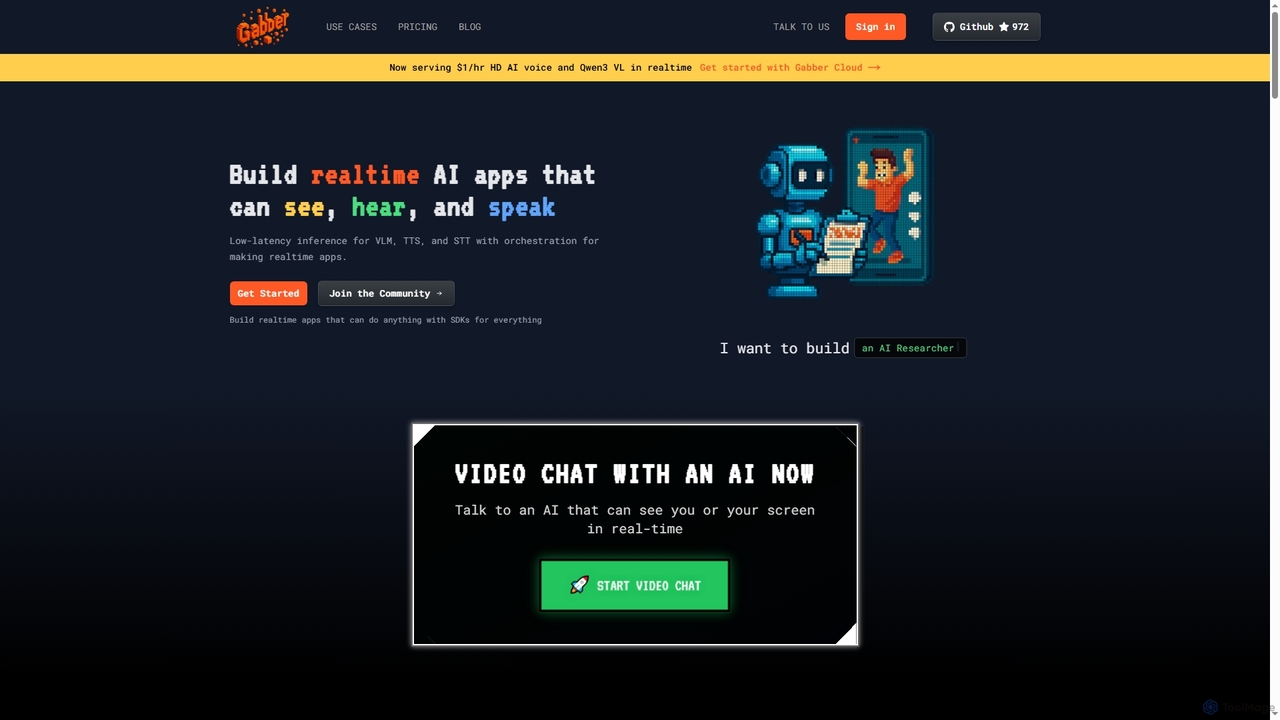
Gabber is a powerful platform for building real-time, multimodal AI applications that can see, hear, and speak. It …

4.8K

About Multimodal Ai

Multimodal AI tools are a class of systems designed to understand, process, and generate information across multiple data types, such as text, images, audio, and video. These tools operate by integrating and interpreting data from different modalities, enabling them to gain a more comprehensive and human-like understanding of context. This capability allows for sophisticated applications, from generating detailed descriptions from a picture to creating videos from a simple text prompt. Unlike single-modal systems, Multimodal AI excels at complex cross-modal tasks, bridging the gap between different forms of information.

Core Features

  • Cross-Modal Generation: Create content in one modality from another, such as generating images from text or music from a description.
  • Multi-Modal Understanding: Analyze and interpret combined inputs simultaneously, like understanding the sentiment of a video based on both visuals and spoken words.
  • Data Fusion: Combine information from various sources to make more accurate predictions or analyses, such as enriching text data with relevant images.
  • Modality Translation: Convert information from one format to another, including image captioning (image-to-text) or text-to-speech synthesis.

Use Cases

Multimodal AI is widely used by content creators, marketers, data analysts, and developers. For instance, marketers use it to generate complete social media campaigns with images and video from a single brief. In research and development, it's used to build advanced virtual assistants that can see, hear, and speak, or to create accessibility tools that describe the world to visually impaired users.

How to Choose

When selecting a Multimodal AI tool, first consider the specific modalities it supports (e.g., text, image, audio) and ensure they match your needs. Evaluate its primary function—whether it excels at generation, analysis, or translation. For developers, the availability and documentation of an API are crucial for integration. Finally, assess the quality and accuracy of its output to ensure it meets your standards for the intended application.

Multimodal AiUse Cases

1

Interactive E-commerce Product Exploration

An e-commerce platform developer aims to enhance the online shopping experience. They integrate a Multimodal AI that allows users to ask complex questions using both text and images. For example, a customer uploads a photo of their living room and asks, 'Find me a coffee table like this one, but in a darker wood.' The AI understands the visual style from the image and the specific modification from the text. This results in highly relevant product recommendations that match both visual and textual criteria, significantly increasing user engagement and conversion rates.

2

Interactive Content Creation for Marketing

A marketing manager needs to launch a social media campaign featuring unique images, short videos, and corresponding ad copy. Instead of using separate tools for each task, they use a multimodal AI platform. By inputting a single detailed text prompt describing the campaign's theme, target audience, and key message, the tool generates a cohesive set of assets. This includes several image variations, a short animated video with a synthesized voiceover, and multiple options for ad copy. This integrated approach ensures brand consistency and reduces production time from days to hours.

3

Automated Video Content Summarization

A media asset manager needs to make a large video library searchable. Using a Multimodal AI tool, they process video files automatically. The AI simultaneously analyzes visual scenes to identify objects and actions, transcribes the spoken audio into text, and reads any on-screen text. It then generates a concise text summary, a full transcript, and a set of descriptive tags (e.g., 'beach,' 'interview,' 'product demo'). This process transforms unstructured video data into structured, searchable information, saving hundreds of hours of manual logging and making content retrieval instantaneous.

4

Enhanced Data Analysis for Market Research

A data analyst is tasked with understanding public sentiment about a new product. The available data includes text reviews, customer-submitted photos, and video testimonials. Using a multimodal AI tool, the analyst processes all these data types in a single workflow. The AI transcribes the videos, analyzes sentiment from the text (both original reviews and transcriptions), and identifies key objects or product usage contexts in the images. The final output is a unified dashboard that correlates positive sentiment with specific visual contexts, providing much deeper insights than analyzing each data type in isolation.

5

Generating Dynamic Presentations from Text

A business professional needs to create a compelling presentation from a text outline under a tight deadline. They use a Multimodal AI tool that accepts the text document as input. The AI interprets the content's structure, identifies key points, and automatically generates a series of slides. It selects relevant stock images to match the topics, creates charts from data mentioned in the text, and can even produce a synthetic voiceover for narration. This results in a complete, visually consistent presentation draft in minutes, allowing the user to focus on refining the message rather than on slide design and formatting.

6

Developing Advanced Accessibility Features

A software developer is building an application to assist visually impaired users. They integrate a multimodal AI API into the app. When the user points their phone's camera at an object or scene, the AI performs real-time analysis. It combines image recognition with natural language generation to produce a rich, descriptive audio output. For example, instead of just saying 'a person and a dog,' it might say, 'A young person is smiling while petting a golden retriever in a sunny park.' This provides a much more meaningful and context-aware experience for the user, turning the visual world into descriptive audio.

7

Enhanced Accessibility for Visually Impaired Users

An assistive technology developer is creating an application to describe the world to visually impaired users. The app uses a Multimodal AI that processes a smartphone's live camera feed and microphone input. The AI analyzes the visual data to identify objects, text, and obstacles, while also listening for important environmental sounds. It then synthesizes this information into a clear, spoken description, such as, 'You are approaching a crosswalk. A cyclist is passing on your right.' This provides users with real-time, contextual awareness, significantly enhancing their safety and independence in navigating their surroundings.

8

Intelligent Video Content Summarization

A media analyst needs to review hours of user interview recordings to identify key themes. Manually watching and transcribing is time-consuming. They upload the video files to a multimodal AI platform. The tool processes the footage by simultaneously transcribing the audio dialogue and analyzing the visual elements, such as the interviewee's facial expressions and any on-screen activity. It then generates a structured summary that includes a full transcript, a list of key topics discussed with timestamps, and an analysis of speaker sentiment. This allows the analyst to quickly navigate to the most relevant moments in the videos, saving over 80% of review time.

9

Creative Storyboarding from a Written Script

A film director needs to quickly visualize a screenplay before production. They input a scene from the script, including character actions, dialogue, and setting descriptions, into a Multimodal AI tool. The AI interprets the textual information and generates a sequence of storyboard images that visually represent the scene. It captures the mood, character poses, and camera angles described in the text. This process rapidly accelerates pre-production by providing a solid visual foundation for discussion and iteration, eliminating the need for manual illustration for initial concepts.

10

Creating Educational Materials from Multiple Sources

An instructional designer is developing an online course about renewable energy. They have a collection of resources: text articles, technical diagrams, and audio lectures. Using a multimodal AI tool, they streamline content creation. They input a technical diagram of a wind turbine, and the AI generates a clear, concise text explanation of how it works. They upload an audio lecture, and the tool produces not only a transcript but also a set of multiple-choice quiz questions based on the key concepts mentioned. This automates the conversion of raw information into structured, engaging learning materials.

11

Intelligent Medical Diagnosis Assistance

A radiologist uses a Multimodal AI system to assist in analyzing medical scans alongside patient records. The AI processes both a medical image, such as an MRI, and the patient's text-based electronic health record (EHR). It correlates findings in the image (e.g., a potential lesion) with symptoms and data described in the text (e.g., patient history, lab results). By synthesizing information from these multiple sources, the system highlights potential areas of concern and suggests possible diagnoses, acting as a powerful 'second opinion' to help clinicians spot subtle abnormalities and accelerate the diagnostic process.

12

Prototyping for Robotics and Autonomous Systems

A robotics engineer is training a robot to interact with objects in a workshop. The goal is for the robot to respond to spoken commands related to what it sees. They use a multimodal AI model that processes simultaneous inputs from the robot's camera (vision) and microphone (audio). The engineer can give commands like, 'Hand me the blue screwdriver on the left.' The AI model fuses the visual data (identifying all screwdrivers and their colors/positions) with the audio command (parsing the user's intent). This allows the robot to correctly identify and grasp the specified object, dramatically accelerating the development of intuitive human-robot interaction.

Multimodal AiFrequently Asked Questions