
ToolMage
Sign in

Best 1 Workflow Automation AI tools for Ai Development

Popular Workflow Automation AI tools in Ai Development include Amarsia, helping you work more efficiently.

Amarsia
Freemium

Amarsia

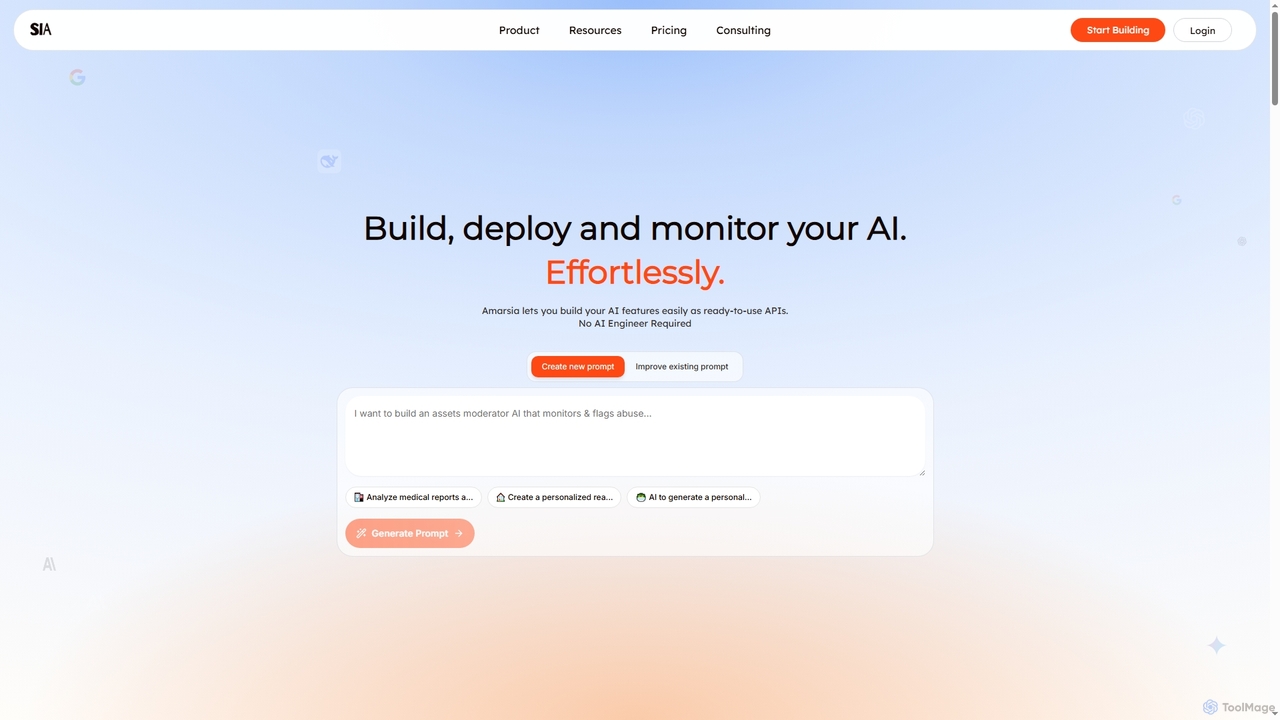
Amarsia is an intuitive platform designed to help teams effortlessly build, deploy, and monitor custom AI features as ready-to-use APIs. It eliminates the need for extensive coding or AI engineering expertise, enabling rapid development of intelligent workflows, knowledge bases, and multimodal AI solutions with built-in version control and performance monitoring.

Workflow Automation
Visits 4.6KFavorites 164Likes 154

About Workflow Automation

Workflow Automation tools are platforms that use AI to connect different applications and automate multi-step processes with minimal coding. These tools operate on a system of triggers and actions, allowing users to build complex sequences that transfer data and execute tasks across various software services. They empower users to design, execute, and manage automated workflows, significantly reducing manual intervention and the potential for human error. As a key part of the AI Development ecosystem, they democratize the creation of automated solutions, making it accessible even to non-developers.

Core Features

  • Visual Workflow Builder: A drag-and-drop interface for designing and visualizing multi-step automation sequences.
  • App Connectors & Integrations: A vast library of pre-built connections to popular SaaS applications, databases, and APIs.
  • Triggers and Actions: The fundamental building blocks where a 'trigger' (e.g., new email) initiates one or more 'actions' (e.g., create a CRM record).
  • Conditional Logic: The ability to add 'if/then' branches and filters to create dynamic, intelligent workflows that adapt to different data.
  • AI Model Integration: Capabilities to incorporate AI models for tasks like sentiment analysis, data classification, or text generation within a workflow.

Use Cases

Workflow Automation is widely adopted across various departments. Marketing teams use it to automate lead nurturing campaigns and social media posting. Sales departments automate CRM data entry and follow-up sequences. In DevOps, these tools are used to streamline CI/CD pipelines and incident reporting. Operations and HR teams automate employee onboarding, invoice processing, and report generation.

How to Choose

When selecting a Workflow Automation tool, first evaluate its library of integrations to ensure it supports the apps you use. Consider the complexity of the logic you need; some tools are better for simple linear sequences, while others support complex branching and data manipulation. Assess the user interface—whether you need a purely no-code solution or a low-code platform with more customization options. Finally, analyze the pricing model, which is often based on the number of tasks executed or active workflows.

Workflow Automation use cases

1

Automate Marketing Lead Nurturing

A marketing manager needs to ensure every new lead from a website form is engaged promptly. Using a workflow automation tool, they connect their web form (e.g., Typeform), CRM (e.g., HubSpot), and email marketing service (e.g., Mailchimp). The workflow is triggered when a new form is submitted. It automatically creates a new contact in HubSpot, adds a 'new lead' tag, waits for 24 hours, and then sends a personalized welcome email via Mailchimp. This process ensures consistent and timely follow-up without any manual effort, improving lead conversion rates.

2

Streamline Customer Support Ticket Triage

A customer support lead wants to prioritize incoming tickets effectively. They set up a workflow that connects their help desk software (e.g., Zendesk) with an AI sentiment analysis tool and a team communication app (e.g., Slack). When a new ticket is created in Zendesk, the workflow sends the ticket's text to the AI for sentiment analysis. If the sentiment is 'Negative' or 'Urgent', the workflow automatically escalates the ticket to a senior support agent and posts an alert in a dedicated Slack channel. This ensures critical issues are addressed immediately, improving customer satisfaction.

3

Automate DevOps Incident Reporting

A DevOps engineer needs to ensure system alerts are tracked and communicated instantly. They create a workflow connecting a monitoring service (e.g., Datadog), a project management tool (e.g., Jira), and a team chat app (e.g., Slack). When Datadog detects a critical server error (trigger), the automation instantly creates a high-priority bug ticket in Jira with all the alert details. Simultaneously, it posts a summary of the incident to the devops-alerts channel in Slack, tagging the on-call engineer. This automation reduces response time from minutes to seconds, minimizing downtime.

4

Sync E-commerce Orders with Shipping and Comms

An e-commerce store owner using Shopify wants to streamline their order fulfillment process. They build a workflow that triggers every time a new order is placed. The workflow automatically sends the order details to their shipping software (e.g., ShipStation) to create a shipping label. Once the label is created, the workflow updates the order status in Shopify to 'Fulfilled' and sends a confirmation email with tracking information to the customer. It also posts a 'New Order' notification in a private Slack channel for the fulfillment team. This automates the entire post-purchase process, reducing manual data entry and keeping customers informed.

5

Generate Monthly Financial Reports Automatically

An accountant for a small business needs to create a sales report on the first day of every month. They set up a scheduled workflow that runs automatically on this day. The workflow first connects to the company's database (e.g., PostgreSQL) to run a query that pulls the previous month's sales data. Then, it formats this data and populates a pre-designed template in Google Sheets. Finally, the workflow exports the sheet as a PDF and emails it as an attachment to the management team. This automation saves hours of manual data collection and report formatting each month, ensuring timely and accurate reporting.

6

Curate and Schedule Social Media Content

A content creator wants to maintain an active presence on Twitter by sharing relevant industry news. They create a workflow connecting an RSS feed of their favorite news sites, an AI summarization tool, and their Twitter account. The workflow checks the RSS feed for new articles every hour. When a new article is found, it's sent to the AI tool to generate a concise summary and suggest relevant hashtags. The creator then receives a notification to approve the generated tweet, which is then automatically scheduled for posting. This system transforms content curation from a daily chore into a simple approval process.

Workflow Automation FAQ

What is AI Workflow Automation?

AI Workflow Automation refers to using platforms to connect different software applications and automate multi-step tasks without needing to write extensive code. These tools act as a bridge between your apps (like your CRM, email, and project management software), allowing them to communicate and exchange data based on rules you define. The 'AI' component enhances these workflows with intelligent capabilities, such as classifying text, analyzing sentiment, or making predictions, enabling more sophisticated and dynamic automation than simple rule-based systems.

How do I choose the right Workflow Automation tool?

Choosing the right tool depends on your specific needs. Consider these factors:

  • Integrations: Does the tool connect with all the essential apps you use daily? Check its app directory for your CRM, marketing tools, databases, etc.
  • Complexity: Evaluate the complexity of workflows you need to build. For simple, linear tasks, a basic tool may suffice. For processes with multiple steps and conditional logic, you'll need a more powerful platform.
  • User-Friendliness: Assess the interface. Is it a true no-code, drag-and-drop builder suitable for non-technical users, or is it a low-code platform that offers more power but requires some technical knowledge?
  • Pricing: Understand the pricing model. Is it based on the number of tasks run per month, the number of active workflows, or the number of users? Choose a plan that aligns with your expected usage.
What's the difference between Workflow Automation and RPA (Robotic Process Automation)?

The key difference lies in how they interact with systems. Workflow Automation tools primarily work through APIs (Application Programming Interfaces). They connect to the backend of applications to exchange data directly, which is stable and efficient. In contrast, RPA bots mimic human actions on the user interface (UI). They 'watch' a screen and are programmed to click buttons, copy-paste text, and fill out forms just like a person would. Workflow Automation is ideal for modern, cloud-based applications with available APIs, while RPA is often used to automate tasks on older, legacy systems that lack APIs.

What are the key features of AI Workflow Automation platforms?

Most AI Workflow Automation platforms share a common set of core features designed for building and managing automations. These typically include:

  • Visual Workflow Editor: A user-friendly, often drag-and-drop, interface to map out the steps of your automation.
  • App Connectors: A large library of pre-built integrations that allow the platform to communicate with hundreds or thousands of other web services.
  • Triggers: Events that start a workflow, such as receiving a new email, a new entry in a database, or a scheduled time.
  • Actions: The tasks that the workflow performs, like sending a message, creating a file, or updating a record.
  • AI Integration: The ability to call upon AI models within a workflow to perform tasks like data classification, text summarization, or sentiment analysis.
Who can benefit from using Workflow Automation tools?

A wide range of professionals and businesses can benefit from workflow automation. Marketers can automate social media scheduling and lead nurturing. Sales teams can automate CRM updates and follow-up emails. Operations managers can streamline processes like invoice processing and data entry. Developers and IT teams can automate incident reporting and system monitoring alerts. Even small business owners and solopreneurs can use these tools to handle repetitive administrative tasks, freeing up valuable time to focus on growing their business. Essentially, anyone who performs repetitive, rule-based tasks involving multiple applications can find significant value in these platforms.