ToolMage
Sign in

Best 4 E Signature AI tools for Business

Popular E Signature AI tools in Business include GoPDF, ai_signaturegenerator, WayOfThat, and Ctrly, helping you work more efficiently.

WayOfThat
Freemium

WayOfThat

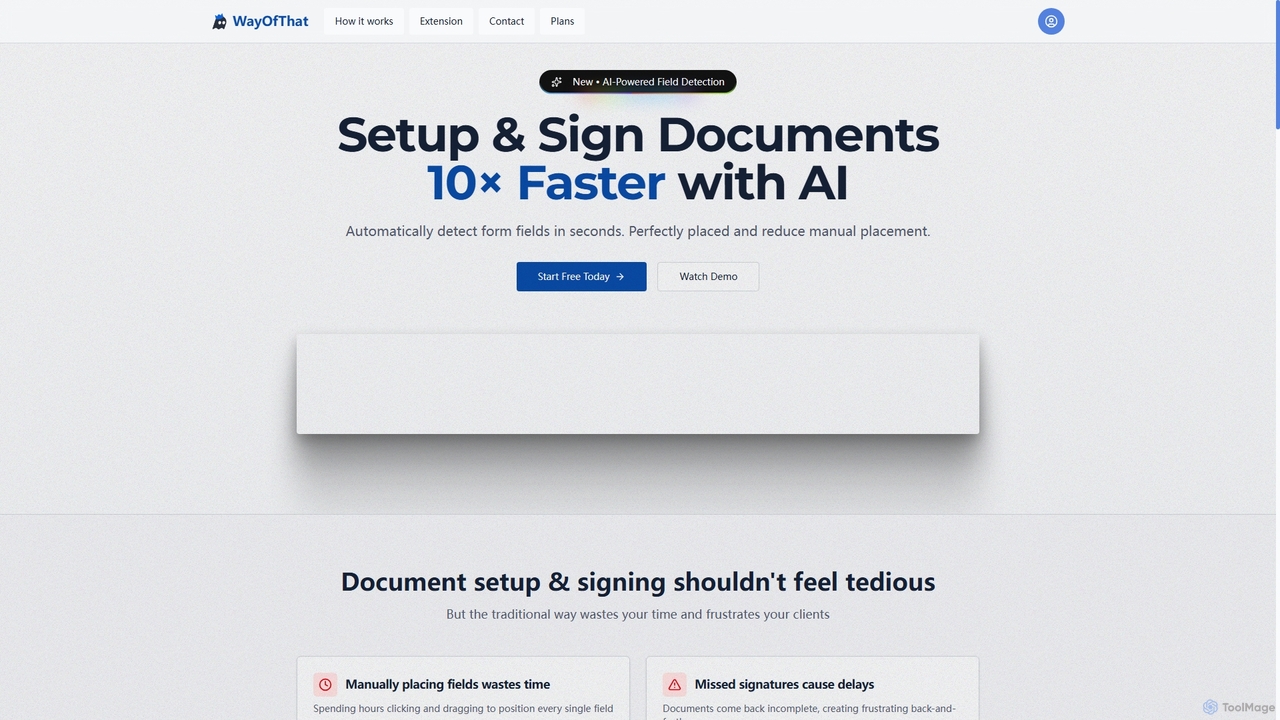
WayOfThat is an AI-powered document setup and e-signature platform designed to automate the detection and placement of form fields. It helps users sign documents up to 10 times faster, eliminating tedious manual work and improving workflow efficiency for various business and legal documents.

Workflow Automation
Visits 5.6KFavorites 79Likes 77
Ctrly

Ctrly

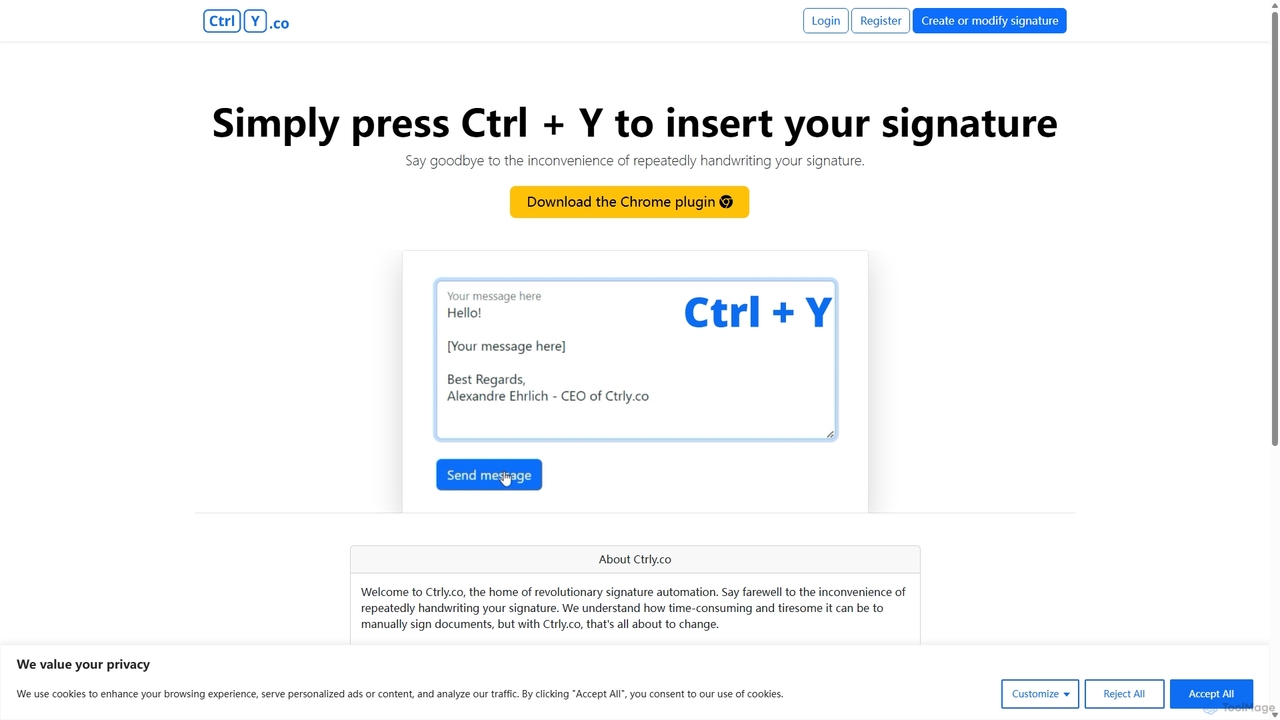
Ctrly is a revolutionary Chrome extension that automates your signature process. Simply press Ctrl + Y to instantly insert your pre-saved digital signature into any web-based document, email, or form. It eliminates the need for printing, signing, and scanning, saving you valuable time and boosting productivity. Ideal for professionals, entrepreneurs, and anyone who frequently signs digital documents, Ctrly streamlines your workflow with unparalleled ease and efficiency.

E Signature
Visits 5.6KFavorites 86Likes 93
GoPDF
Freemium

GoPDF

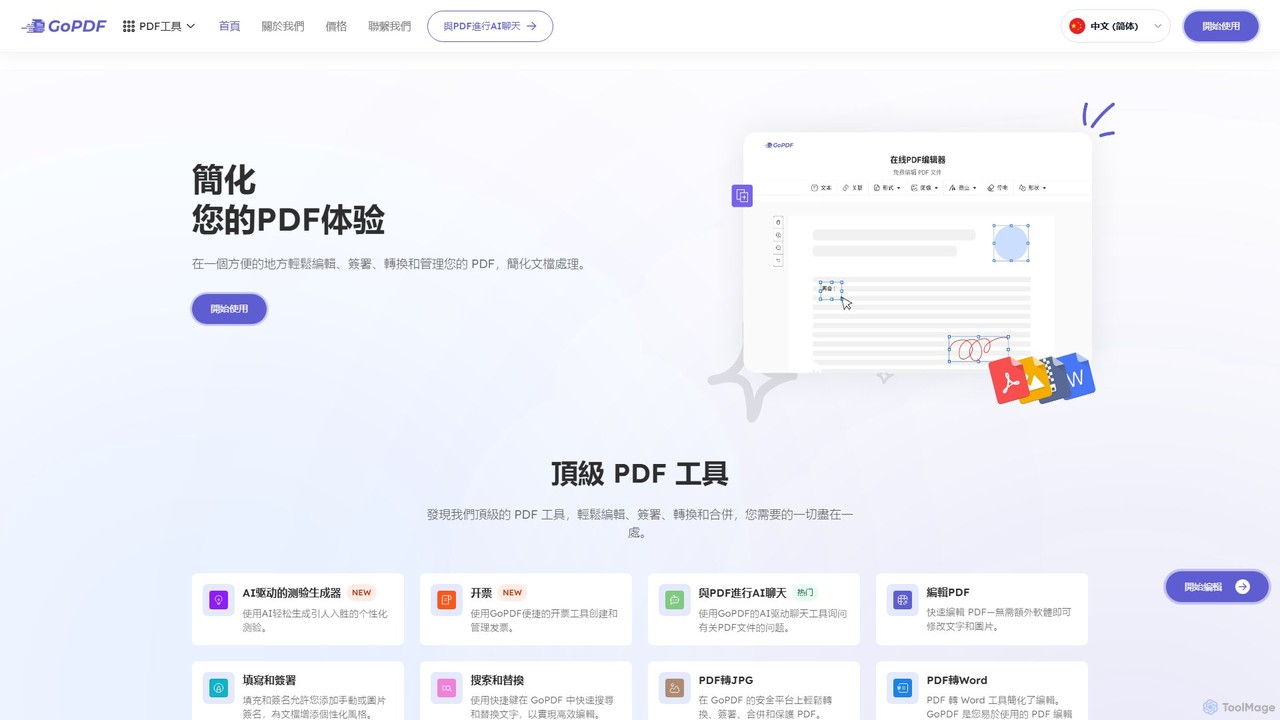
GoPDF is an AI-powered, all-in-one online PDF solution. It allows users to easily edit, convert, sign, merge, compress, and interact with PDF documents through an intuitive web interface and mobile app. AI features enable users to chat with their documents for quick summaries and answers.

Chat With Document
Visits 82.7KFavorites 104Likes 103
ai_signaturegenerator
Free

ai_signaturegenerator

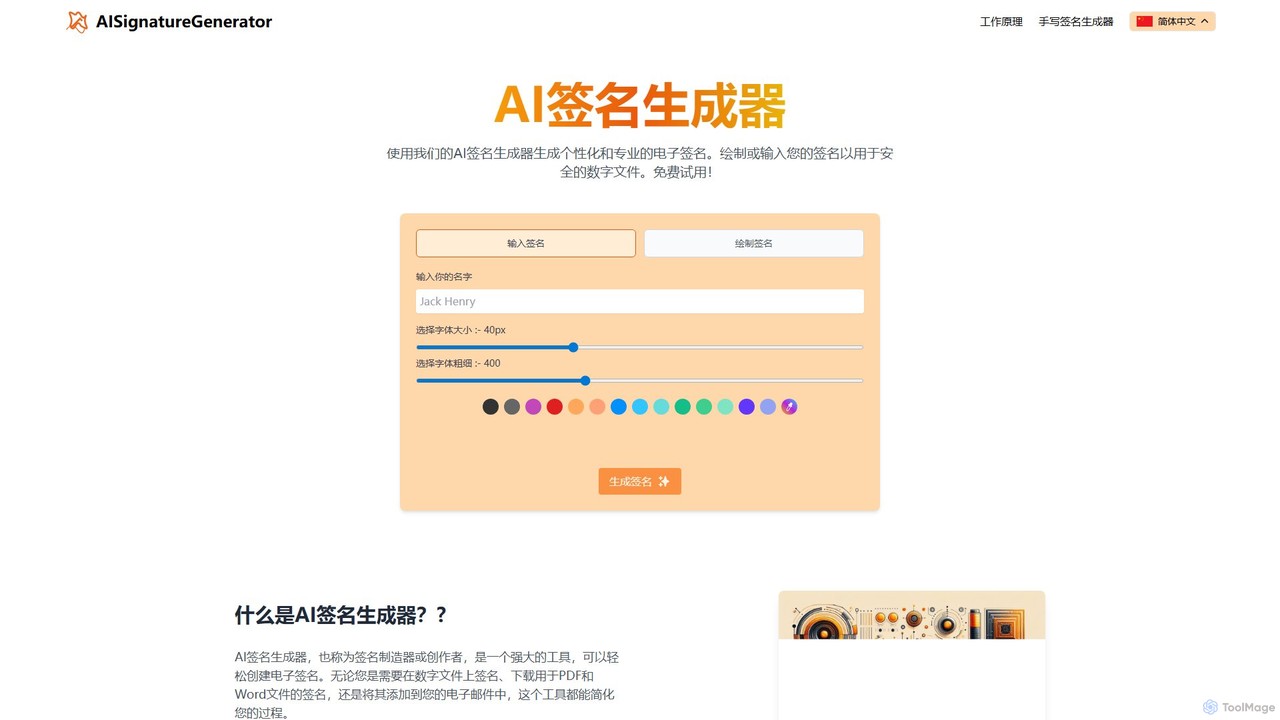
A free, AI-powered tool for creating unique and professional electronic signatures. Easily generate a signature by typing your name or drawing it directly. Ideal for signing digital documents like PDFs and Word files, and for personalizing your email signature.

E Signature
Visits 6.2KFavorites 112Likes 110

About E Signature

E Signature tools are software platforms designed to create, send, manage, and store legally binding electronic signatures on digital documents. These tools utilize cryptographic technology to ensure the authenticity, integrity, and non-repudiation of signed agreements. They streamline business workflows by replacing slow, paper-based processes, enabling users to sign documents from anywhere, on any device. This significantly accelerates contract cycles, improves operational efficiency, and enhances security within the broader Business category.

Core Features

  • Legally Binding Signatures: Ensures compliance with global regulations such as the ESIGN Act in the US, UETA, and eIDAS in the EU.
  • Comprehensive Audit Trails: Automatically generates a detailed log of all document activity, including who viewed, signed, and when, providing a verifiable record.
  • Workflow Automation: Allows users to create reusable templates, define signing orders (sequential or parallel), and send automated reminders to signatories.
  • Advanced Security & Authentication: Employs data encryption, access control, and multi-factor authentication (MFA) to protect sensitive documents.
  • Seamless Integrations: Connects with popular business systems like CRM (Salesforce), cloud storage (Google Drive, Dropbox), and ERPs.

Applicable Scenarios

E Signature tools are widely used across various industries. In sales, they accelerate the closing of deals by enabling rapid signing of contracts and proposals. Human resources departments use them for onboarding new employees, managing offer letters, and NDAs. Legal and compliance teams rely on them for executing client agreements and internal approvals with a secure, auditable trail.

Selection Criteria

When choosing an E Signature tool, consider the level of legal compliance and certifications required for your industry. Evaluate the platform's security features, including encryption standards and authentication options. Assess its integration capabilities with your existing software stack to ensure a smooth workflow. Finally, compare pricing models, which may be based on the number of users or the volume of documents (envelopes) sent.

E Signature use cases

1

Accelerating Sales Contract Closures

A sales manager needs to get a multi-party sales agreement signed by clients in different time zones. Instead of emailing PDFs and waiting for print-sign-scan cycles, they use an E Signature platform. They upload the contract, tag signature fields for each party, and define a signing order. The platform automatically routes the document to each signatory in sequence, sending reminders for pending actions. The entire process is completed in hours instead of days, reducing the sales cycle time and providing a secure, legally-admissible audit trail for the agreement.

2

Streamlining HR Employee Onboarding

An HR department is onboarding a new cohort of remote employees. They need to collect signatures on offer letters, NDAs, tax forms, and policy acknowledgments. Using an E Signature tool, the HR manager creates a template package for all required documents. With a single action, they send this package to all new hires. Each employee receives a secure link to review and sign the documents on their computer or mobile device. The platform tracks completion rates in real-time, and once signed, automatically stores the executed documents in the company's cloud storage, ensuring compliance and simplifying record-keeping.

3

Managing Legal and Compliance Documents

A corporate legal team needs to circulate a new internal policy for acknowledgment by all department heads. Ensuring proof of receipt and signature is critical for compliance. They use an E Signature platform to distribute the policy document. The platform allows them to track who has opened, viewed, and signed the document. This creates an undeniable, time-stamped audit trail for each signature. This process not only ensures 100% compliance but also eliminates the administrative burden of manually tracking paper documents, freeing up the legal team to focus on more strategic tasks.

4

Executing Real Estate Transactions

A real estate agent is managing a property sale involving a buyer, seller, and their respective lawyers, all located in different cities. The purchase agreement, disclosures, and addendums require multiple signatures in a specific order. By using an E Signature tool, the agent can set up a sequential signing workflow. The document is automatically sent from one party to the next upon completion. This prevents errors, ensures the correct signing order, and drastically reduces the closing time. All parties can sign from their devices, and the final executed contract is securely stored and accessible to everyone involved.

5

Securing Financial Service Agreements

A financial advisor needs to finalize investment agreements with a new client. Due to the sensitive nature of financial documents, security and identity verification are paramount. The advisor uses an E Signature platform that offers multi-factor authentication (MFA), requiring the client to verify their identity via SMS code before accessing the documents. The platform encrypts the documents both in transit and at rest. After signing, a tamper-evident seal is applied to the document, ensuring its integrity. This provides a highly secure and compliant method for handling sensitive financial agreements, building trust with the client.

6

Automating Procurement and Vendor Contracts

A procurement manager regularly handles contracts with new suppliers and renewals with existing ones. This involves multiple internal approvals before sending to the vendor. They configure an automated workflow in their E Signature tool. When a new contract is ready, it's first routed internally to the legal and finance departments for approval signatures. Once approved, it is automatically sent to the external vendor for their signature. This automation eliminates manual handoffs, reduces the risk of delays, and provides complete visibility into the contract status at all times, streamlining the entire procurement lifecycle.

E Signature FAQ

What are E Signature tools?

E Signature tools are software applications that allow users to sign digital documents electronically, creating a legally binding agreement. Unlike simply inserting an image of a signature, these tools capture signing intent and back it with a secure process. Key features include creating a unique digital seal on the document, generating a comprehensive audit trail that logs every action, and ensuring compliance with global regulations like the US ESIGN Act and EU's eIDAS. They are essential for businesses looking to digitize and accelerate agreement workflows.

How to choose the right E Signature tool?

Choosing the right tool depends on your specific business needs. Consider these factors:

  • Legal Compliance: Ensure the tool complies with the legal standards in your regions of operation (e.g., ESIGN, UETA, eIDAS).
  • Security: Look for robust security features like end-to-end encryption, multi-factor authentication (MFA), and detailed audit trails.
  • Integrations: Check if it integrates with your existing software, such as CRM, document management systems, or cloud storage, to create a seamless workflow.
  • User Experience: The platform should be intuitive and easy to use for both your team and the external signatories to ensure high adoption rates.
  • Scalability & Pricing: Evaluate the pricing model (per user, per envelope) and ensure it can scale with your business growth.
What's the difference between an electronic signature and a digital signature?

The terms are often used interchangeably, but they have distinct meanings. An electronic signature is a broad, legally-defined term referring to any electronic process that signifies acceptance of an agreement. This could be a typed name, a scanned image, or a click on an 'I Agree' button. A digital signature is a specific, technology-based type of electronic signature. It uses cryptographic methods (like Public Key Infrastructure, PKI) to embed a unique 'fingerprint' into a document. This provides a higher level of security, verifying the signer's identity and ensuring the document hasn't been altered after signing. Most robust E Signature platforms use digital signature technology to power their electronic signatures.

Are E Signatures legally binding?

Yes, electronic signatures are legally binding in most countries around the world, provided they meet specific criteria. In the United States, the Electronic Signatures in Global and National Commerce (ESIGN) Act of 2000 grants electronic signatures the same legal status as handwritten ones. Similarly, the eIDAS regulation governs their use in the European Union. To be considered legally valid, the E Signature platform must typically demonstrate the signer's intent to sign, associate the signature with the record, and maintain a secure, auditable record of the entire transaction. Reputable E Signature tools are designed to meet and exceed these legal requirements.

Who can benefit from using E Signature software?

A wide range of professionals and industries can benefit from E Signature software. Key users include:

  • Sales Teams: To close deals faster by getting contracts and proposals signed quickly.
  • Human Resources: For streamlining onboarding, managing employment contracts, and policy acknowledgments.
  • Legal Departments: To execute agreements securely and maintain a clear, compliant audit trail.
  • Procurement & Finance: For managing vendor contracts, purchase orders, and financial approvals.
  • Real Estate: To handle purchase agreements, lease contracts, and disclosure forms efficiently.

Essentially, any business or individual that relies on signed agreements can improve efficiency, reduce costs, and enhance security by adopting an E Signature solution.