ToolMage
Sign in

Best 1 Telegram Bots for Chatbots

Popular Telegram Bots in Chatbots include AirFryBot, helping you work more efficiently.

AirFryBot
Free

AirFryBot

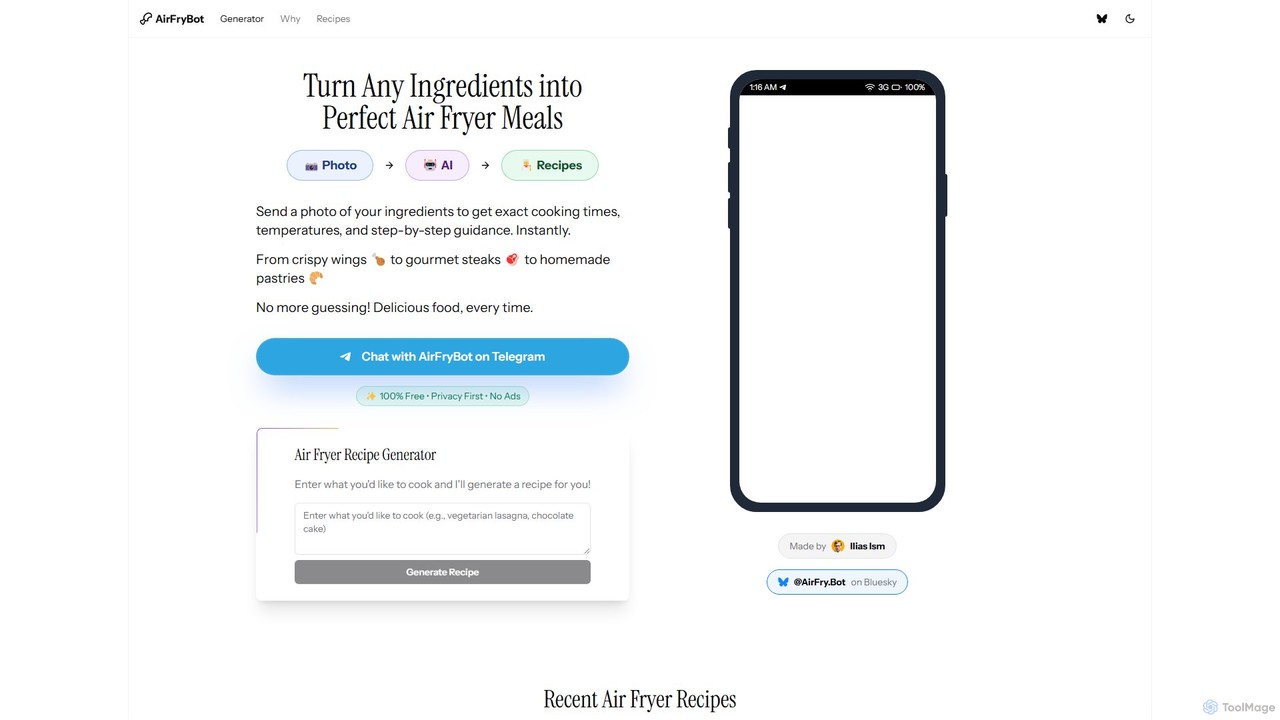
AirFryBot is a free AI-powered cooking assistant for air fryer enthusiasts. Simply send a photo of your ingredients or type what you want to cook via Telegram, and instantly receive precise cooking times, temperatures, and step-by-step recipes. It eliminates guesswork, helping you create perfect, delicious meals from crispy wings to pastries every time.

Telegram Bots
Visits 3.2KFavorites 78Likes 100

About Telegram Bots

Telegram Bots are specialized automated programs designed to operate within the Telegram messaging application. They utilize the official Telegram Bot API to interact with users, manage groups, and automate tasks directly within chats and channels. These bots can perform a wide range of functions, from content publishing and community moderation to integrating external services and providing real-time notifications. Unlike general-purpose chatbots, Telegram Bots are deeply integrated into the platform's ecosystem, supporting unique features like custom keyboards, inline modes, and interactive mini-apps.

Core Features

  • Community Management: Automatically moderate chats, welcome new members, and filter spam to maintain healthy group discussions.
  • Task Automation: Schedule posts, send reminders, and execute predefined commands to streamline repetitive workflows.
  • Service Integration: Connect with external applications and APIs to deliver notifications, fetch data, or process information.
  • Interactive Content Delivery: Provide users with information, news, or services through interactive menus and inline queries.
  • Custom Alerts: Send real-time notifications from monitoring systems, e-commerce platforms, or CI/CD pipelines directly to a user or channel.

Use Cases

Telegram Bots are widely used by community managers for moderating large groups, by developers for receiving system alerts, and by content creators for automating channel posts. Businesses also use them for simple customer support, broadcasting updates, or creating engaging information hubs for their audience.

How to Choose

When selecting a Telegram Bot, consider its specific functionality—does it meet your moderation, automation, or integration needs? Evaluate its reliability and user reviews for stability. Check its security policies, especially the permissions it requires. Finally, assess its ease of configuration and the level of customization it offers to fit your specific requirements.

Featured tool rankings

Telegram Bots use cases

1

Automated Channel Content Publishing

For content creators or news channel administrators, managing a consistent posting schedule can be time-consuming. A Telegram bot can automate this entire process. By connecting the bot to an RSS feed, a blog, or a social media account, it can monitor for new content. When a new article or post is detected, the bot automatically formats the message, includes a link and relevant media, and publishes it to the designated Telegram channel. This ensures timely content delivery, keeps the channel active without manual intervention, and frees up the administrator to focus on content strategy.

2

Proactive Group Community Moderation

Community managers of large or active Telegram groups face challenges with spam, inappropriate content, and rule violations. A moderation bot acts as a 24/7 assistant. It can be configured to automatically delete messages containing blacklisted words or links, issue warnings to users, and even ban repeat offenders. For new members, it can present a CAPTCHA or a rules agreement button to prevent raids by spam bots. This proactive moderation maintains a positive and safe environment for members, significantly reduces the manual workload on human moderators, and ensures consistent enforcement of community guidelines.

3

Real-time System Monitoring Alerts

For DevOps engineers and system administrators, immediate notification of system failures is critical. Instead of relying on email, which can be slow or overlooked, a Telegram bot offers instant, push-based alerts. By integrating monitoring tools like Grafana, Zabbix, or custom scripts with the Telegram Bot API, any critical event—such as a server going down, high CPU usage, or a failed build—can trigger an immediate notification. This message can be sent to a dedicated team channel, ensuring the right people are alerted instantly on their mobile devices, enabling faster response times and minimizing downtime.

4

Creating an Interactive Information Bot

Businesses or event organizers can create a Telegram bot to serve as an automated information desk. Users can interact with the bot using simple commands (e.g., `/faq`, `/schedule`, `/contact`) to get instant answers to common questions. The bot can be programmed with a knowledge base about products, services, or event details. By using interactive keyboards and inline buttons, the bot can guide users through information trees in a user-friendly way. This provides 24/7 customer support for basic inquiries, reduces the burden on human staff, and offers a convenient, self-service information channel for the audience.

5

Cryptocurrency Price Tracking and Alerts

For cryptocurrency traders and enthusiasts, staying updated on market movements is crucial. Many specialized Telegram bots connect to cryptocurrency exchange APIs to provide real-time data. A user can add a bot to their chat list, set up a portfolio of coins they are interested in, and configure custom alerts. For example, they can request a notification when Bitcoin's price crosses a certain threshold or when a specific altcoin's volume increases by a set percentage. The bot delivers these alerts instantly, allowing traders to react quickly to market opportunities without needing to constantly monitor charts on a separate platform.

6

Personal Task and Reminder Automation

Individual users can leverage Telegram bots as personal productivity assistants integrated directly into their messaging workflow. Instead of switching to a separate to-do list or calendar app, a user can interact with a bot to manage daily tasks. By sending a simple message like `/remind me to call the client at 3 PM` or `/todo add 'Buy groceries'`, the bot processes the natural language request and sets a reminder or adds an item to a list. At the specified time, the bot sends a message back as a notification. This streamlines personal organization by keeping task management within the communication app used most frequently.

Telegram Bots FAQ

What is a Telegram Bot?

A Telegram Bot is an automated program that runs inside the Telegram messaging app. Unlike a human user, it is operated by software and uses Telegram's Bot API to perform actions. These bots can be designed to do almost anything, such as sending news updates, moderating group chats, integrating with other services like weather or translation tools, or even processing payments. They are essentially third-party applications that you can interact with directly within your chats.

How are Telegram Bots different from website chatbots?

The primary difference lies in their environment and integration. Website chatbots are embedded on a specific webpage and are typically focused on customer service or sales. Telegram Bots operate within the entire Telegram ecosystem. This allows them to:

  • Send Proactive Notifications: They can send messages at any time, not just in response to a user's query on a site.
  • Manage Communities: They can moderate groups and channels, a function website chatbots don't have.
  • Integrate Deeply with the UI: They use native Telegram features like custom keyboards, inline commands, and mini-apps for a richer user experience.
  • Be Discoverable: Users can find and add bots directly within the app, making them more accessible than a bot hidden on a website.
Are Telegram Bots safe to use?

Generally, bots that use the official Telegram API are secure within the platform's framework. However, safety depends on the bot's developer and the permissions you grant it. Be cautious with bots that:

  • Ask for personal or sensitive information like passwords or phone numbers.
  • Request to be an administrator in your group. Only grant admin rights to bots you trust completely, as they can potentially manage users and delete messages.
  • Come from unknown or untrustworthy developers.

Always interact with bots from reputable sources and be mindful of the data you share with them. Telegram itself does not have access to the content of your interactions with third-party bots.

How do I find and add a Telegram Bot?

Finding and adding a Telegram Bot is straightforward. You can use the search bar within the Telegram app and type the bot's username (which usually ends in 'bot'). Once you find it, you can start a chat with it. For many bots, you'll need to send a `/start` command to begin the interaction and see a list of its available commands. You can also find bots through online directories, recommendations from other users, or by clicking a direct link to the bot (e.g., t.me/botusername).

What are some common use cases for Telegram Bots?

Telegram Bots are incredibly versatile. Some of the most common applications include:

  • Community Moderation: Automatically filtering spam, banning rule-breakers, and welcoming new members in large groups.
  • Content Distribution: Publishing posts from blogs, RSS feeds, or social media accounts directly to a Telegram channel.
  • Notifications and Alerts: Sending real-time alerts from services like GitHub, your home security system, or server monitoring tools.
  • Information Retrieval: Providing quick information like weather forecasts, currency exchange rates, or translations.
  • Personal Productivity: Setting reminders, managing to-do lists, or saving notes directly within a chat.