
ToolMage
Sign in

Best 1 Virtual Workshops AI tools for Collaboration

Popular Virtual Workshops AI tools in Collaboration include Butter, helping you work more efficiently.

Butter
Freemium

Butter

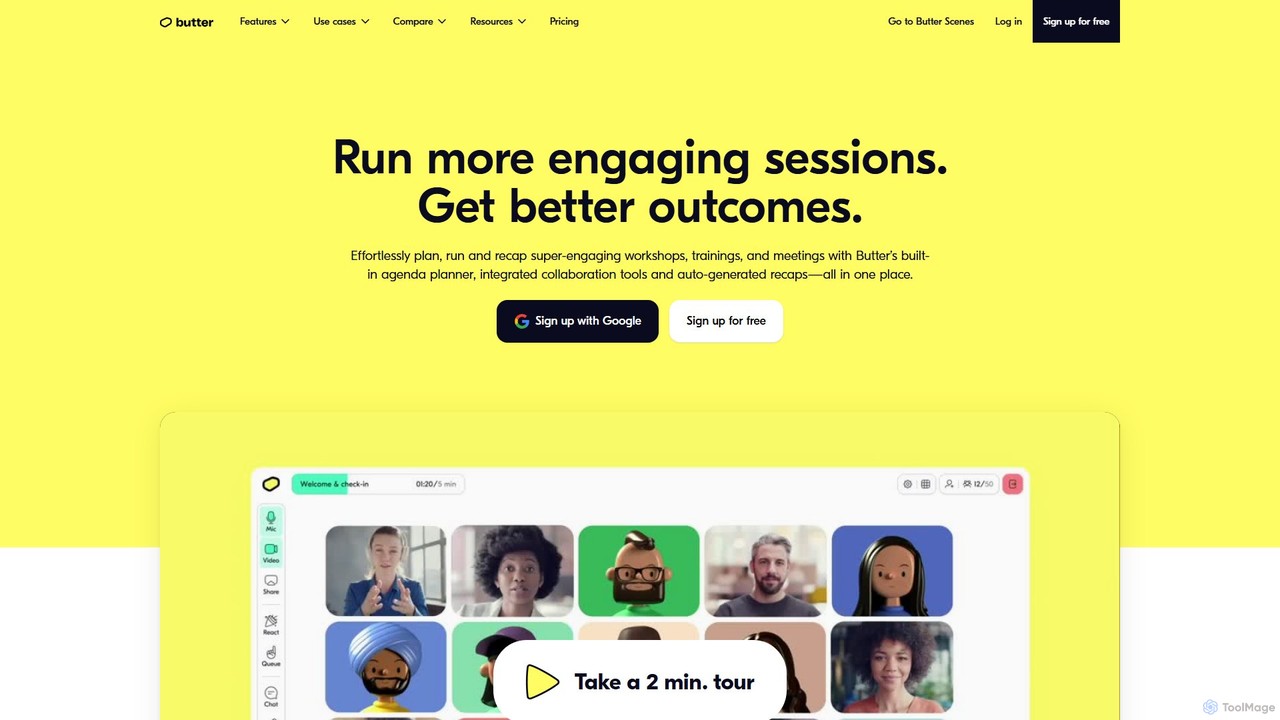
Butter is an AI-powered virtual collaboration platform designed for facilitators to run highly engaging and interactive workshops, training sessions, and meetings. It integrates interactive tools, agendas, and AI-driven recaps into a single window, eliminating tool-juggling and Zoom fatigue.

Team Management
Visits 15.6KFavorites 120Likes 116

About Virtual Workshops

Virtual Workshops are AI-powered platforms designed to facilitate interactive and engaging group sessions remotely. These tools leverage AI to enhance participant interaction, content delivery, and real-time feedback, transforming traditional online meetings into dynamic learning and co-creation environments. They provide structured frameworks for brainstorming, training, and strategic planning, significantly boosting productivity within the broader collaboration landscape.

Core Features

  • AI-Powered Facilitation: Intelligent prompts, agenda management, and participant engagement tracking to guide sessions.
  • Interactive Digital Whiteboards: Collaborative canvases for real-time brainstorming, drawing, sticky notes, and visual organization.
  • Dynamic Breakout Rooms: Seamless creation and management of smaller group discussions with shared resources and activities.
  • Real-time Polling & Q&A: Instant feedback collection, structured question handling, and audience engagement features.
  • Content Co-creation Tools: Shared document editing, presentation building, and collaborative idea generation within the platform.

Applicable Scenarios

Virtual workshop tools are ideal for corporate training and onboarding, delivering engaging remote modules and integrating new hires effectively. They also excel in product design sprints, facilitating rapid ideation, prototyping, and feedback cycles with distributed teams. Furthermore, leadership teams can use them for structured strategic planning sessions and roadmap development.

How to Choose

When selecting a virtual workshop tool, prioritize robust interaction features like advanced whiteboards and flexible breakout rooms. Consider its scalability to support varying group sizes and its integration capabilities with your existing communication and project management platforms. Evaluate the depth of AI features for intelligent facilitation, summarization, and engagement analytics to ensure maximum productivity and insights.

Virtual Workshops use cases

1

Facilitate Dynamic Remote Team Brainstorming

Project managers can leverage virtual workshop tools to conduct highly interactive brainstorming sessions with geographically dispersed teams. By utilizing shared digital whiteboards, real-time sticky notes, and AI-driven idea clustering, teams can collectively generate, organize, and prioritize innovative solutions, overcoming the limitations of traditional video calls and ensuring all voices are heard and captured efficiently.

2

Deliver Engaging Online Employee Training

HR and training departments can use virtual workshop platforms to deliver engaging and effective online training programs. Features like breakout rooms for group exercises, interactive quizzes, and AI-powered feedback mechanisms allow participants to actively learn and practice new skills. This transforms passive webinars into dynamic learning experiences, improving knowledge retention and skill application across the organization.

3

Conduct Agile Product Design Sprints Remotely

Product development teams can utilize virtual workshops to run agile design sprints from anywhere. Facilitators guide participants through ideation, prototyping, and feedback stages using collaborative canvases and structured activities. AI tools can help summarize discussions and identify key insights, accelerating the design process and ensuring alignment among cross-functional teams without the need for physical co-location.

4

Guide Virtual Strategic Planning Sessions

Leadership teams can employ virtual workshop tools to conduct structured strategic planning and goal-setting sessions. These platforms offer templates for SWOT analysis, vision mapping, and objective setting, enabling executives to collaboratively define future directions. AI assistance can help synthesize complex discussions and track progress, ensuring clarity and consensus on strategic initiatives in a remote setting.

5

Support Collaborative Academic Group Projects

Educators and students can use virtual workshops to facilitate collaborative group projects and study sessions. Students can work together on shared documents, brainstorm ideas on digital whiteboards, and present their findings in interactive formats. This fosters teamwork and active learning, providing a structured environment for academic collaboration regardless of physical location, enhancing engagement beyond basic online classrooms.

6

Host Interactive Client Co-creation Workshops

Consulting firms and agencies can host virtual co-creation workshops with clients to develop solutions collaboratively. These tools enable joint problem-solving, feedback collection, and iterative design processes in real-time. By engaging clients directly in a structured virtual environment, firms can build stronger relationships, ensure solutions meet client needs precisely, and accelerate project timelines through shared understanding and immediate input.

Virtual Workshops FAQ

What are Virtual Workshop tools?

Virtual Workshop tools are AI-enhanced platforms designed to host interactive, collaborative, and structured group sessions online. They go beyond basic video conferencing by offering specialized features like digital whiteboards, breakout rooms, real-time polling, and AI-powered facilitation to foster engagement and productivity. These tools are ideal for remote training, brainstorming, strategic planning, and co-creation activities, transforming passive online meetings into dynamic, outcome-driven experiences.

How do I choose the best Virtual Workshop tool for my team?

When selecting a Virtual Workshop tool, consider your team's specific needs for interaction, scalability, and integration. Look for robust collaborative features like advanced whiteboards, flexible breakout room management, and diverse polling options. Evaluate its capacity to support your typical group size and ensure it integrates seamlessly with your existing communication and project management software. Additionally, assess the AI capabilities for features such as intelligent facilitation, summarization, and engagement analytics to maximize productivity and insights.

What are the key features of AI-powered Virtual Workshop platforms?

AI-powered Virtual Workshop platforms offer several key features to enhance remote collaboration. These include AI-driven facilitation for agenda management and prompt generation, interactive digital whiteboards for real-time brainstorming and visual collaboration, and dynamic breakout rooms for focused small-group discussions. They also provide real-time polling and Q&A for instant feedback, content co-creation tools for shared document editing, and post-workshop analytics to summarize discussions and track engagement, making sessions more productive and insightful.

What are the main benefits of using Virtual Workshop tools over traditional video conferencing?

Virtual Workshop tools offer significant advantages over traditional video conferencing by providing a more structured and interactive environment. They foster deeper engagement through dedicated collaborative features like shared whiteboards, breakout rooms, and interactive activities, which are often lacking in basic video calls. AI integration further enhances productivity with intelligent facilitation, automated summaries, and engagement analytics. This leads to more focused discussions, better idea generation, improved decision-making, and a more dynamic learning experience, making remote collaboration truly effective.

How do Virtual Workshops differ from general online meeting platforms?

Virtual Workshops differ from general online meeting platforms primarily in their purpose and feature set. While online meetings focus on basic communication and presentation, virtual workshops are designed for active participation, co-creation, and structured outcomes. Workshop tools offer specialized features like advanced interactive whiteboards, structured activities, dedicated breakout room management, and AI-powered facilitation for specific tasks like brainstorming or training. General meeting platforms typically lack these deeper collaborative functionalities, making workshops more suitable for complex, interactive, and goal-oriented group work within the broader collaboration category.