ToolMage
Sign in

Best 1 Digital Asset Management AI tools for Collaboration

Popular Digital Asset Management AI tools in Collaboration include Fast.io, helping you work more efficiently.

Fast.io
Freemium

Fast.io

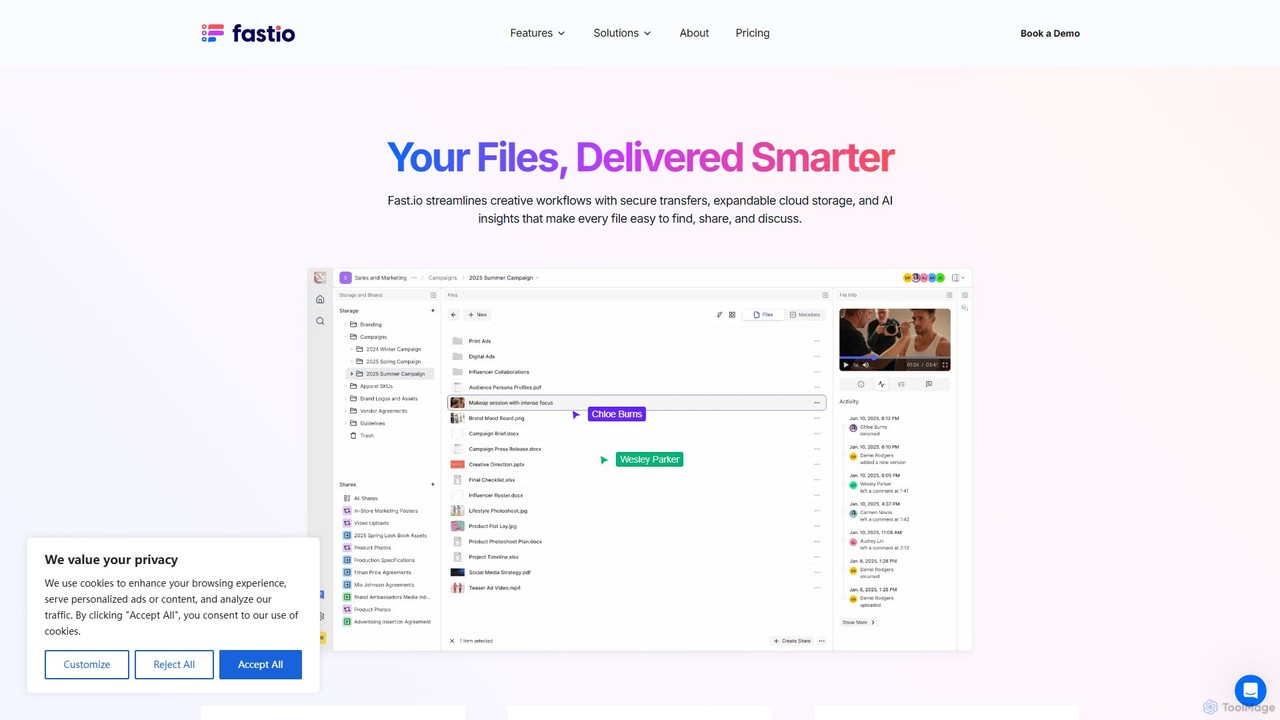
Fast.io is an intelligent file management platform that streamlines creative workflows. It offers secure file transfers, expandable cloud storage, and powerful AI insights to help teams find, share, and collaborate on digital assets effortlessly.

Digital Asset Management
Visits 176.8KFavorites 146Likes 141

About Digital Asset Management

Digital Asset Management (DAM) tools are centralized systems for storing, organizing, sharing, and managing an organization's digital content. Powered by AI, these platforms often automate metadata tagging, enable advanced semantic search, and streamline content workflows, making them a cornerstone of modern collaboration. They ensure teams can quickly find, use, and distribute approved brand assets like images, videos, and documents. This enhances brand consistency, improves creative team productivity, and secures valuable intellectual property.

Core Features

  • AI-Powered Auto-Tagging: Automatically analyzes images and videos to generate descriptive keywords, colors, and object tags, saving hours of manual work.
  • Advanced Semantic Search: Allows users to search for assets using natural language and concepts (e.g., 'happy people at sunset') instead of just filenames.
  • Version Control & History: Tracks all changes to an asset, allowing teams to access previous versions and maintain a clear audit trail.
  • Access Control & Rights Management: Sets granular permissions to control who can view, edit, and download assets, ensuring compliance and security.
  • Content Transformation & Distribution: Automatically converts files to different formats and sizes for various channels (web, social media, print) on the fly.

Use Cases

Digital Asset Management systems are essential for marketing departments, creative agencies, e-commerce businesses, and large enterprises. They are used to manage brand collateral for global campaigns, organize vast libraries of product photography, and streamline the content lifecycle from creation to distribution, ensuring all collaborators work with the most current and approved files.

How to Choose

When selecting a DAM tool, consider its integration capabilities with your existing software stack (e.g., Adobe Creative Cloud, CMS). Evaluate the sophistication of its AI features, such as the accuracy of auto-tagging and search. Assess its scalability to handle your growing asset library, and review its security protocols and compliance certifications to protect your digital property.

Digital Asset Management use cases

1

Centralize Marketing Campaign Assets

A global marketing team uses a DAM system to coordinate a new product launch. All assets—including logos, product photos, promotional videos, and social media graphics—are uploaded to a central, cloud-based library. AI automatically tags assets by product line, campaign theme, and usage rights. Team members across different regions can then search, access, and download the correct, on-brand materials, ensuring global consistency and eliminating version control issues that often arise from using shared drives or email.

2

Streamline E-commerce Product Imagery

An e-commerce company manages tens of thousands of product images in their DAM. When new photos arrive from a shoot, they are uploaded in bulk. The AI automatically detects product SKUs from filenames, tags images with attributes like 'color:red', 'material:cotton', and 'style:casual', and even identifies model demographics. This rich metadata allows the web team to quickly find specific images for product pages, promotions, and A/B testing, reducing manual organization time by over 80% and accelerating time-to-market for new products.

3

Manage Creative Agency Project Workflows

A creative agency uses a DAM as a single source of truth for all client projects. Designers upload initial concepts, which are then routed through an automated approval workflow to account managers and clients. Version control ensures everyone is reviewing the latest iteration, and feedback is captured directly on the assets. Once approved, final files are locked, and a public-facing portal can be generated to deliver the assets securely to the client, providing a professional and efficient collaboration experience from start to finish.

4

Enforce Corporate Brand Consistency

A large enterprise with multiple international offices uses a DAM to maintain brand consistency. A dedicated brand portal within the DAM provides all employees with self-service access to the latest logos, presentation templates, and brand guidelines. Access controls ensure that only the corporate marketing team can upload or modify core brand assets. This prevents the use of outdated logos or unapproved imagery in public-facing materials, protecting the brand's integrity across all global operations.

5

Automate Content Transformation for Social Media

A content creator manages a high volume of video and image content for multiple social platforms. Using a DAM, they upload a single high-resolution master video. The system's automation features then generate multiple versions tailored for different platforms: a 16:9 version for YouTube, a 9:16 vertical cut for TikTok and Reels, and a 1:1 square version for Instagram feeds. This eliminates the need for manual editing and resizing for each platform, dramatically speeding up the content publishing workflow and ensuring optimal presentation on every channel.

6

Archive and Retrieve Historical Media Assets

A media organization with decades of archival footage and photos uses a DAM to preserve and monetize its historical assets. Old prints are digitized and uploaded, where AI transcribes any spoken words in videos and uses facial recognition to tag public figures. Journalists and researchers can then use semantic search to find highly specific content, such as 'footage of a specific politician speaking about environmental policy in the 1990s'. This makes the vast archive easily accessible and discoverable, unlocking its value for new documentaries, reports, and licensing opportunities.

Digital Asset Management FAQ

What is AI-powered Digital Asset Management (DAM)?

AI-powered Digital Asset Management is a system that uses artificial intelligence to automate the organization, tagging, and retrieval of digital files. Unlike traditional DAMs, it employs technologies like computer vision and natural language processing to automatically analyze content. This means it can 'see' objects in photos or 'understand' spoken words in videos, generating rich, accurate metadata without manual input. The primary benefit is a massive reduction in administrative work and a much more powerful, intuitive search capability for all users.

What's the difference between a DAM and cloud storage like Google Drive?

The key difference lies in management versus storage. Cloud storage (like Google Drive or Dropbox) is primarily for storing and sharing files in basic folder structures. A DAM is a comprehensive solution designed for managing the entire lifecycle of a digital asset. Key features of a DAM not found in cloud storage include:

  • Advanced Metadata: AI-powered tagging, custom fields, and rich search capabilities.
  • Version Control: Tracking changes and reverting to previous versions.
  • Approval Workflows: Automating review and approval processes.
  • Rights Management: Controlling asset usage and distribution to prevent misuse.
  • Content Transformation: Automatically resizing or reformatting files for different channels.
In short, cloud storage holds files, while a DAM manages and adds value to them, especially for collaborative teams.

How do I choose the right DAM system for my team?

Choosing the right DAM system involves evaluating your team's specific needs. First, identify your primary use case: are you focused on brand consistency, marketing campaign collaboration, or product image management? Then, consider these factors:

  • Integrations: Does it connect seamlessly with tools you already use, like Adobe Creative Cloud, project management software, or your CMS?
  • AI Capabilities: Assess the accuracy and usefulness of its auto-tagging, search, and other AI features. Request a demo with your own assets.
  • Scalability: Will the system grow with your asset library and user base? Check storage limits and pricing tiers.
  • User Experience: Is the interface intuitive for all potential users, from creatives to marketers to external partners?
Start by shortlisting vendors that specialize in your industry and then conduct trials to see which platform best fits your workflow.

Who benefits most from using a Digital Asset Management tool?

While many roles can benefit, DAM systems provide the most significant value to teams that create, manage, and distribute a high volume of digital content. Key beneficiaries include:

  • Marketing Teams: For managing campaign assets, ensuring brand consistency, and enabling rapid content deployment across channels.
  • Creative Agencies: To streamline collaboration with clients, manage project files and versions, and deliver final assets securely.
  • E-commerce Businesses: To organize thousands of product photos and videos, enrich them with metadata, and quickly push them to online stores.
  • Large Enterprises: For centralizing brand guidelines, controlling access to corporate assets, and maintaining compliance across global operations.
Essentially, any organization where digital assets are a critical component of their collaborative workflow will see a substantial return on investment.

How does a DAM improve team collaboration?

A DAM improves collaboration by creating a single, centralized source of truth for all digital assets, which eliminates confusion and inefficiency. Instead of searching through emails or shared drives, team members can instantly find the latest, approved version of any file. Features like automated workflows route assets for review and approval, while integrations with creative and communication tools keep everyone in sync. By providing controlled, self-service access, a DAM empowers team members to work more autonomously and confidently, reducing bottlenecks and freeing up creative and marketing professionals to focus on high-value tasks.