ToolMage
Sign in

Best 3 Ai Art AI tools for Creative Tools

Popular Ai Art AI tools in Creative Tools include Aisora2, Flixly, and ShotAI, helping you work more efficiently.

Flixly
Freemium

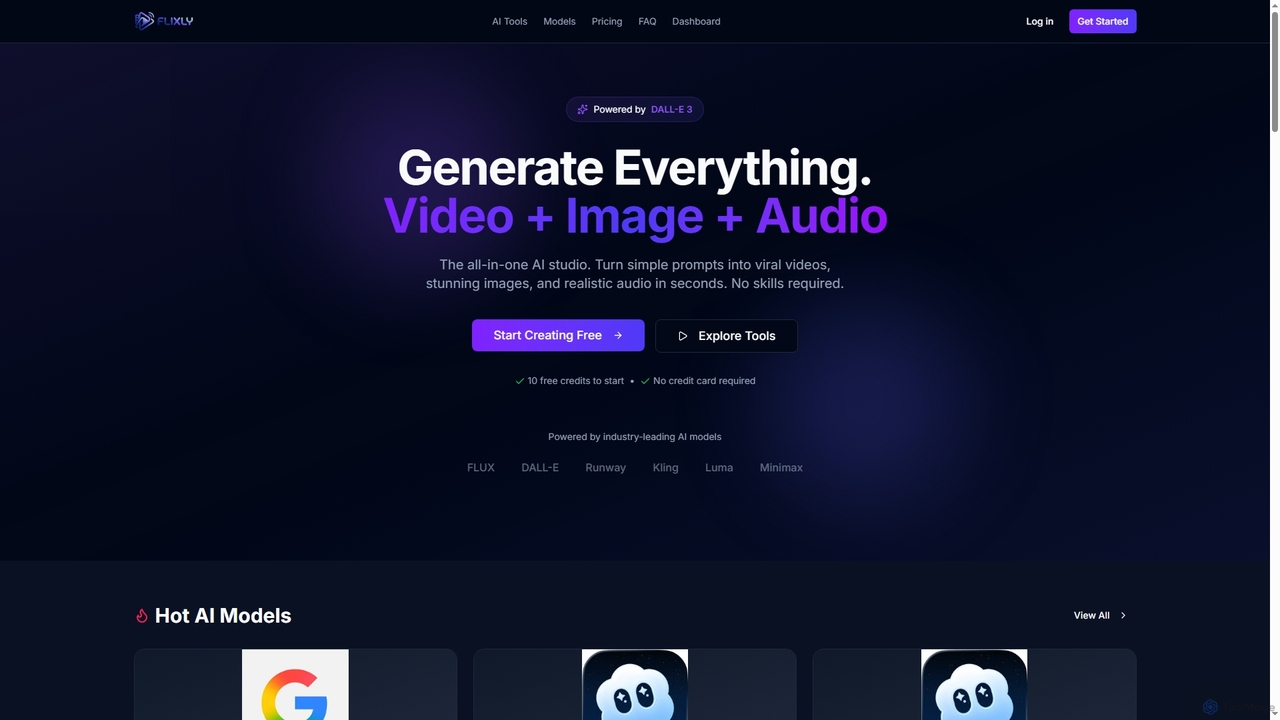
Flixly

Flixly is an all-in-one AI studio that transforms simple text prompts into stunning videos, images, and realistic audio in seconds. Leveraging industry-leading AI models like DALL-E 3 and Sora 2, it offers a comprehensive suite of creative tools for everyone, no technical skills required. Start creating with 10 free credits today.

Ai Art
Visits 6KFavorites 71Likes 72
ShotAI
Paid

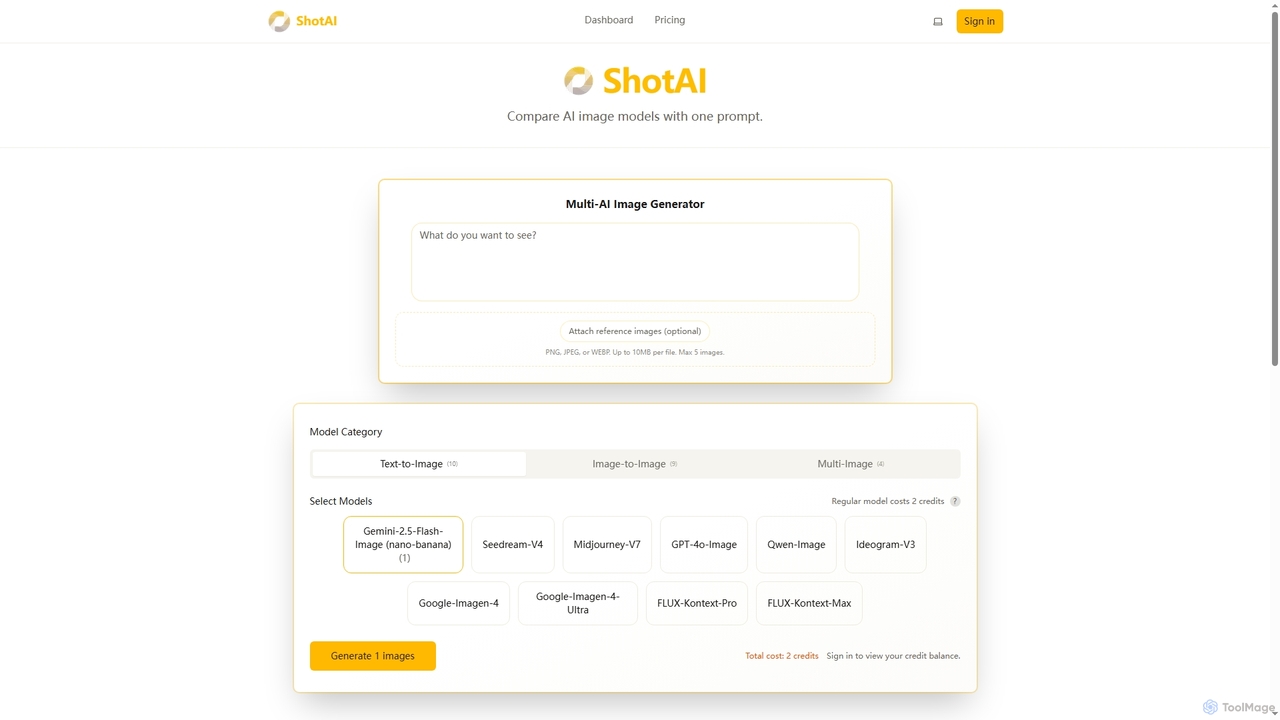
ShotAI

ShotAI is a multi-model AI image generation platform that allows users to compare outputs from various AI models simultaneously with a single prompt. It streamlines the creative process by offering instant side-by-side comparisons and professional tools for creators.

Ai Art
Visits 4.9KFavorites 120Likes 118
Aisora2
Freemium

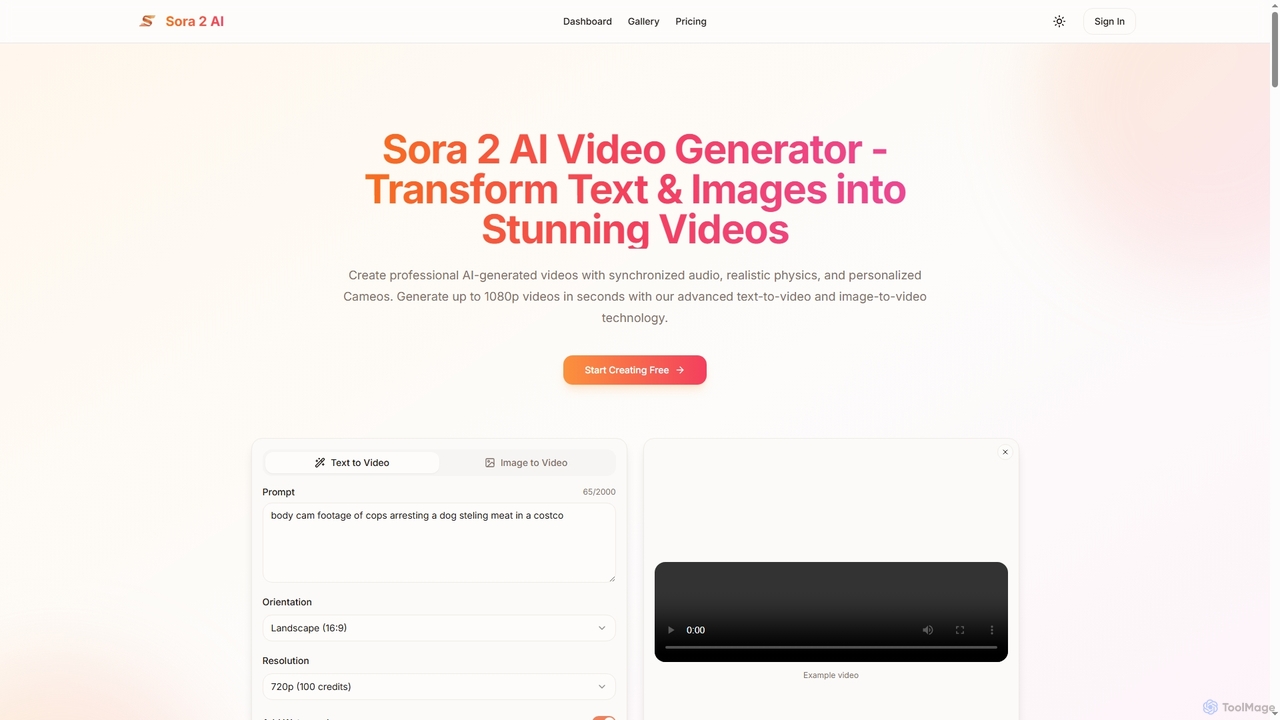
Aisora2

Aisora2 is an advanced AI video generator that transforms text prompts and images into professional-quality videos. It features synchronized audio, realistic physics, and personalized Cameos, enabling creators to produce stunning 1080p videos up to 20 seconds long with ease. Ideal for content creators, marketers, and businesses seeking efficient video production.

Video Editing
Visits 6.9KFavorites 124Likes 130

About Ai Art

AI Art generators are creative tools that use artificial intelligence, particularly generative models, to create novel images and artworks from text descriptions or other inputs. These tools interpret natural language prompts to synthesize visuals, ranging from photorealistic scenes to abstract compositions. They empower artists, designers, and creators to rapidly visualize concepts, explore diverse styles, and produce unique visual content without extensive manual effort. The underlying technology often involves diffusion models or Generative Adversarial Networks (GANs).

Core Features

  • Text-to-Image Generation: Creates images directly from written descriptions (prompts).
  • Image-to-Image Transformation: Modifies an existing image based on a text prompt or another style image.
  • Style Transfer: Applies the artistic style of one image to the content of another.
  • Inpainting & Outpainting: Intelligently fills in missing parts of an image or extends its boundaries.
  • High-Resolution Upscaling: Increases the resolution and detail of generated images using AI.

Use Cases

AI Art tools are widely used by digital artists for concept exploration, graphic designers for creating marketing materials, game developers for asset ideation, and content creators for generating unique blog or social media visuals. They also find applications in architecture for preliminary visualizations and in fashion for pattern design.

How to Choose

When selecting an AI Art tool, consider the quality and diversity of its underlying models, the accuracy of its prompt interpretation, and the level of control offered (e.g., negative prompts, seeds, parameters). Also evaluate the output resolution, available upscaling options, the pricing model (e.g., subscription vs. credit-based), and the user interface's ease of use.

Ai Art use cases

1

Conceptual Art for Game Development

A game designer needs to visualize a new character described as a 'cybernetic druid in a neon-lit forest.' Instead of spending days sketching, they input this prompt into an AI Art generator. Within minutes, the tool produces dozens of high-quality visual concepts with varying styles, poses, and color palettes. This allows the creative team to quickly iterate on ideas, select a direction, and move to detailed modeling, reducing the initial ideation phase from days to hours.

2

Unique Visuals for Marketing Campaigns

A marketing team is launching a campaign for a new organic beverage. They need eye-catching, surreal visuals that blend fruit and nature. Using an AI Art tool, they generate a series of images like 'a strawberry splashing into a crystal-clear river in a photorealistic style.' This process avoids the high costs and logistical challenges of a custom photoshoot, providing a library of unique, on-brand images for social media, ads, and website banners.

3

Illustrations for Authors and Publishers

A self-published author wants a compelling cover for their fantasy novel. They use an AI Art generator with a detailed prompt describing the main character, the setting, and the mood of the story. The tool generates several cover options, which can be further refined with image-to-image techniques. This empowers authors to create professional-quality book covers and interior illustrations at a fraction of the cost of hiring an illustrator.

4

Rapid Architectural Visualization

An architect wants to show a client an early concept for a modern residential home integrated with nature. They upload a basic 3D model or a simple sketch and use an image-to-image prompt like 'modernist villa in a lush forest, sunset lighting, realistic render.' The AI tool transforms the basic input into a compelling, atmospheric visualization, helping clients better understand the design intent long before detailed rendering is done.

5

AI-Powered Fashion and Pattern Design

A fashion designer is exploring ideas for a new textile collection inspired by 'bioluminescent marine life.' They use text prompts to generate an array of intricate, seamless patterns that would be very time-consuming to create manually. The AI can produce endless variations in color and complexity, providing a rich source of inspiration and ready-to-use digital assets for fabric printing and product mockups.

6

Personalized Avatars and Profile Pictures

A user wants a unique avatar for their online profiles. They upload a selfie to an AI Art tool and apply a prompt such as 'turn me into a watercolor painting' or 'reimagine as a vintage comic book character.' The tool uses the original photo as a structural reference while applying the new artistic style, creating a personalized and distinctive profile picture that stands out from standard photos or generic avatars.

Ai Art FAQ

What is AI Art?

AI Art refers to any artwork created with the assistance of artificial intelligence. Specifically, AI Art generators are tools that use complex algorithms, like diffusion models or GANs, to produce novel visual content from user inputs such as text prompts or existing images. They don't just edit photos; they synthesize entirely new visuals based on patterns learned from vast datasets of images and text.

How do I choose the right AI Art generator?

To choose the right AI Art generator, consider these factors:

  • Model Quality & Style: Does the tool excel at the styles you need (e.g., photorealism, anime, abstract)?
  • Control & Customization: Does it offer advanced controls like negative prompts, image weights, seeds, and specific model versions?
  • Ease of Use: Is the interface intuitive for your skill level?
  • Resolution & Upscaling: What is the maximum output resolution, and are there built-in AI upscaling features?
  • Cost: Evaluate the pricing model—is it a monthly subscription, or do you pay per generation (credits)?
What's the difference between AI Art generators and software like Photoshop?

The core difference is creation versus manipulation. AI Art generators create new images from scratch based on prompts. Traditional software like Adobe Photoshop is primarily for editing, manipulating, and compositing existing images or for creating digital art manually with tools like brushes and layers. While Photoshop is now integrating AI features for manipulation (e.g., Generative Fill), its primary function remains manual control, whereas AI Art generators focus on automated synthesis.

What kind of art can I create with AI Art tools?

You can create a vast range of visual content. This includes photorealistic images of people, places, and objects that look like real photographs. You can also generate art in countless styles, such as oil painting, watercolor, anime, cyberpunk, fantasy, and abstract art. These tools are also capable of creating practical assets like logos, icons, patterns, architectural mockups, and character designs for games or stories.

Who are AI Art tools for?

AI Art tools are for a wide audience. Artists and designers use them for inspiration and rapid prototyping. Marketers and social media managers create unique campaign visuals. Game developers and filmmakers generate concept art. Writers and publishers design book covers. Hobbyists and enthusiasts explore creative expression without needing traditional artistic skills. Essentially, anyone who needs to create custom visual content can benefit from these tools.