
ToolMage
Sign in

Best 1 Photo Editing AI tools for Creative Tools

Popular Photo Editing AI tools in Creative Tools include Picture Me, helping you work more efficiently.

Picture Me
Freemium

Picture Me

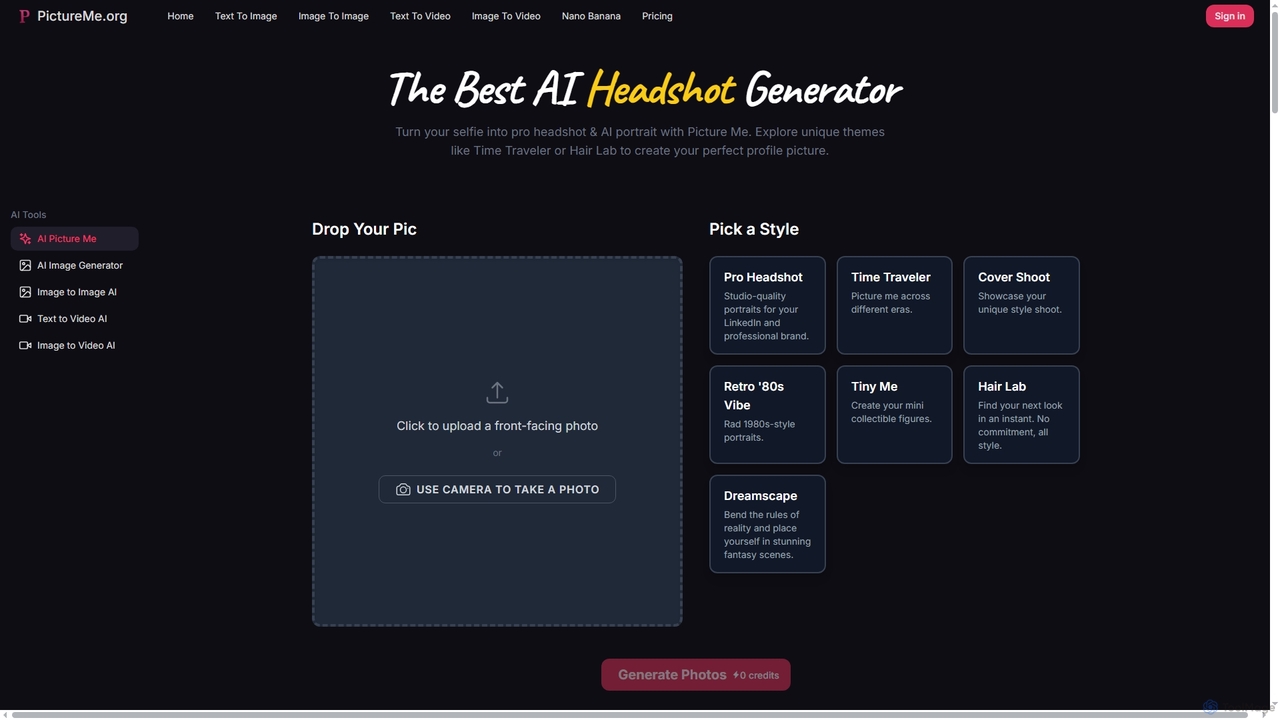
Picture Me is an innovative AI platform that transforms your photos into professional headshots and creative portraits, and generates images and videos from text or existing images. It offers a seamless user experience with diverse styles and advanced AI models.

Photo Editing
Visits 4.7KFavorites 128Likes 132

About Photo Editing

AI Photo Editing tools are applications that use artificial intelligence to automate and significantly enhance the process of modifying digital images. They employ machine learning algorithms for complex tasks like semantic segmentation and generative infilling, which allows for intelligent analysis of photo content. This enables users to perform advanced edits such as one-click background removal, smart object erasing, and automatic quality enhancement with minimal manual effort. These tools make professional-level results accessible to users of all skill levels, streamlining creative workflows.

Core Features

  • Smart Enhancement: Automatically adjusts brightness, contrast, color balance, and sharpness for optimal visual quality.
  • Object Removal: Intelligently erases unwanted people, text, or objects from photos, seamlessly filling in the background.
  • Background Removal & Replacement: Precisely isolates subjects from their background, allowing for transparent backgrounds or replacement with a new image.
  • Generative Fill & Expand: Adds, removes, or extends parts of an image using text prompts or selections, creating new content that matches the original style.
  • AI Portrait Retouching: Automates tasks like skin smoothing, blemish removal, teeth whitening, and facial feature adjustments.

Use Cases

AI Photo Editing tools are widely used by e-commerce businesses to create clean product listings, social media managers to produce engaging visual content, and professional photographers to accelerate their retouching workflow. They are also valuable for real estate agents enhancing property photos and casual users restoring old family pictures.

How to Choose

When selecting an AI Photo Editing tool, consider the specific functions you need—some specialize in single tasks like background removal, while others offer a full suite. Evaluate the user interface for ease of use, check for integration options with software like Photoshop, and compare pricing models, such as subscriptions versus credit-based systems, to find the best fit for your budget and workflow.

Photo Editing use cases

1

E-commerce Product Photo Optimization

E-commerce managers often handle hundreds of product photos that require a consistent, clean look. Using an AI Photo Editor, they can batch-process entire photo sets to instantly remove backgrounds, ensuring every product is displayed on a pure white or uniform background. The AI can also automatically enhance colors and correct lighting inconsistencies across different shots, creating professional and appealing product listings that can improve conversion rates without hours of manual editing in traditional software.

2

Accelerating Portrait Retouching Workflow

Professional photographers can significantly reduce their post-production time using AI-powered retouching features. Instead of manually performing tasks like skin smoothing, blemish removal, or teeth whitening on each photo, an AI tool can analyze faces and apply these adjustments automatically and consistently across a whole photoshoot. This allows photographers to focus on more creative aspects of editing, like color grading, while delivering high-quality, naturally retouched portraits to clients much faster.

3

Creative Content Expansion for Marketing

A marketing designer needs to adapt a single image for various formats, like a website banner, a vertical social media story, and a square post. Using an AI editor's generative expand feature, they can extend the image's background seamlessly in any direction. This avoids awkward cropping and maintains the core subject's integrity. They can also use generative fill to add or replace elements to better suit the campaign's message, creating multiple visual variations from a single asset in minutes.

4

Real Estate Photo Enhancement

Real estate agents need to present properties in the best possible light. An AI photo editor can instantly improve property photos by performing tasks like sky replacement, turning a dull, overcast day into a bright, sunny one. It can also automatically adjust interior lighting, correct lens distortions, and even use object removal to declutter a room by erasing unwanted items. These enhancements create more appealing and professional-looking listings that attract more potential buyers, without the cost of a professional retoucher.

5

Restoring and Colorizing Old Photos

For individuals or archivists, AI photo editors offer powerful tools for digital restoration. Users can upload scanned old, damaged, or faded photographs. The AI can then automatically detect and repair scratches, creases, and spots. Furthermore, its colorization feature can analyze a black-and-white photo and intelligently apply realistic colors, bringing historical moments and family memories back to life. This process, which once required highly specialized skills, is now accessible to anyone with just a few clicks.

6

Removing Distractions from Travel Photos

A content creator or casual traveler often captures photos with unwanted elements, like other tourists, trash cans, or power lines, cluttering a beautiful scene. Using an AI photo editor's object removal tool, they can simply highlight the distracting element, and the AI will erase it, intelligently reconstructing the background behind it. This allows them to create perfect, postcard-worthy shots from their original captures, making their social media feeds or travel blogs look more professional and visually appealing without complex cloning or patching skills.

Photo Editing FAQ

What is an AI Photo Editor?

An AI Photo Editor is a type of software that uses artificial intelligence and machine learning algorithms to simplify, automate, and enhance image editing tasks. Instead of requiring manual adjustments for every parameter, these tools can analyze the content of a photo to perform complex actions with a single click. Key features often include automatic image enhancement, intelligent object and background removal, generative fill, and automated portrait retouching. They make professional-grade editing accessible to users without extensive technical skills.

How do AI Photo Editors differ from traditional software like Photoshop?

The main difference lies in automation and ease of use. Traditional software like Adobe Photoshop provides a comprehensive toolkit that requires manual skill and knowledge to use effectively (e.g., using the Pen Tool for selections). AI Photo Editors automate these complex processes. For example:

  • Selection: AI automatically detects and selects subjects, while Photoshop often requires manual path creation.
  • Retouching: AI can retouch a portrait with one click, whereas in Photoshop it's a multi-step process involving frequency separation and healing brushes.
  • Content Creation: AI editors can generate new image content with features like generative fill, a capability that is newer to traditional editors and is AI-driven.
In essence, AI editors focus on achieving results quickly, while traditional editors offer deeper manual control for professionals.

How to choose the right AI Photo Editing tool?

To choose the right tool, evaluate your specific needs against these factors:

  • Primary Use Case: Do you need a specialized tool for one task (like background removal) or a comprehensive editor for various adjustments?
  • Skill Level: Look for a simple, intuitive interface if you are a beginner. Professionals might prefer tools with more advanced controls or plugin capabilities for existing workflows (e.g., a Photoshop plugin).
  • Output Requirements: Check the maximum resolution, supported file formats (JPG, PNG, RAW), and whether the tool preserves metadata.
  • Pricing Model: Compare subscription plans, one-time purchase options, and pay-per-use credit systems. Consider free trials to test the tool's performance and quality before committing.

What are the main features of AI Photo Editing tools?

Most AI Photo Editors share a set of core features designed to automate common editing tasks. These typically include:

  • One-Click Enhancement: Automatically analyzes and corrects exposure, color, and sharpness.
  • Background Removal: Intelligently isolates the main subject and removes or replaces the background.
  • Object Removal (Inpainting): Erases unwanted elements and fills the space with a context-aware background.
  • AI Portrait Tools: Automates skin smoothing, blemish removal, and adjustments to facial features.
  • Generative AI: Features like 'Generative Fill' or 'Outpainting' that allow users to add, replace, or expand image content using text prompts.
  • Noise Reduction & Sharpening: Cleans up grainy photos and enhances details intelligently.

Who can benefit from using AI Photo Editors?

A wide range of users can benefit from AI Photo Editors. E-commerce store owners can quickly create professional product photos with clean backgrounds. Social media managers and marketers can enhance visuals for campaigns in less time. Professional photographers can speed up their editing workflow, particularly for tasks like culling and basic retouching. Real estate agents can improve property listings by enhancing photos. Lastly, hobbyists and casual users can easily fix imperfections, restore old photos, or get creative without needing to learn complex software.