ToolMage
Sign in

Best 1 Virtual Reality AI tools for Creative Tools

Popular Virtual Reality AI tools in Creative Tools include Marble, helping you work more efficiently.

Marble

Marble

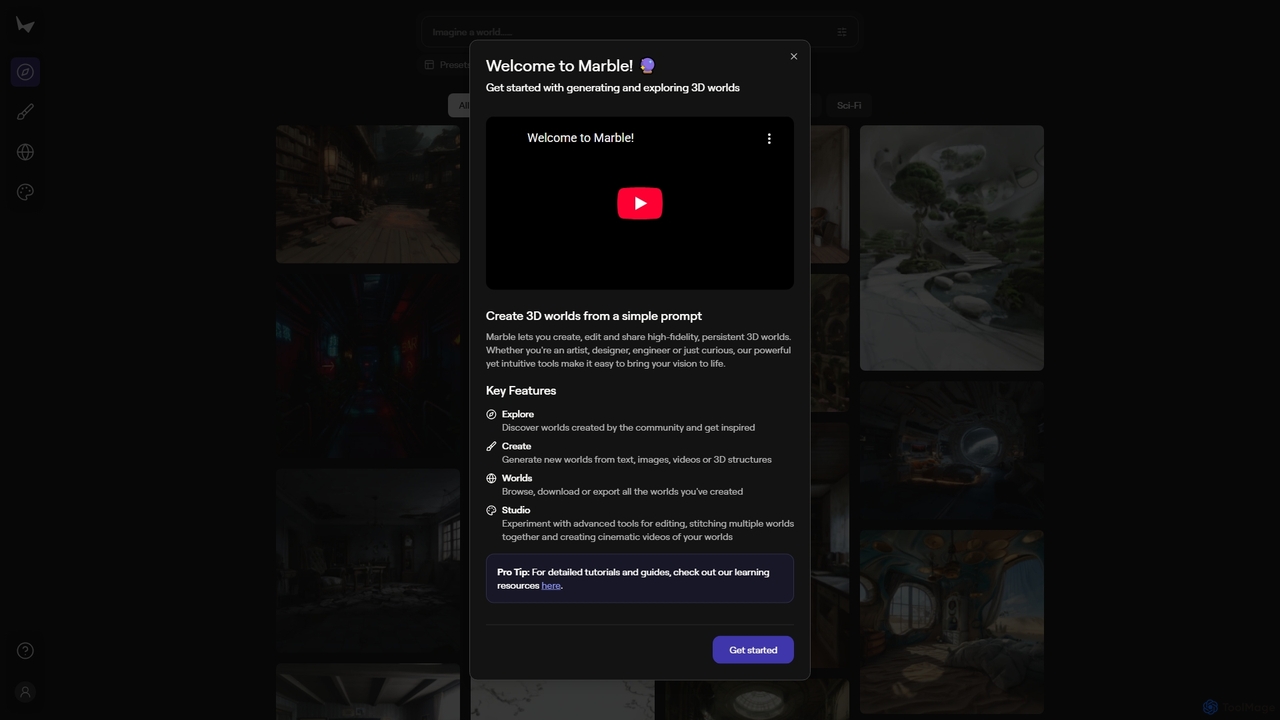
Marble is an innovative AI tool that empowers artists, designers, and enthusiasts to create, edit, and share high-fidelity, persistent 3D worlds from simple prompts. It transforms text, images, videos, or 3D structures into immersive virtual environments, fostering creativity and exploration within a vibrant community.

World Generation
Visits 156.9KFavorites 156Likes 169

About Virtual Reality

Virtual Reality (VR) tools are AI-powered platforms that create immersive, simulated environments, allowing users to experience and interact with digital worlds as if physically present. These tools leverage advanced computer graphics, sensor technology, and artificial intelligence to generate highly interactive and dynamic virtual spaces. Within the broader category of creative tools, VR stands out by offering unparalleled opportunities for realistic training, innovative design, and deeply engaging entertainment experiences. They transform static content into interactive, explorable realities.

Core Features

  • Immersive 3D Environment Generation: Create detailed and realistic virtual worlds, from architectural models to fantastical landscapes.
  • Real-time Interaction and Navigation: Enable users to move, manipulate objects, and interact with elements within the virtual space instantly.
  • AI-driven Avatars and NPCs: Integrate intelligent virtual characters that respond dynamically to user actions and environmental changes.
  • Haptic Feedback Integration: Provide tactile sensations to enhance the sense of presence and realism during interactions.
  • Multi-sensory Simulation: Combine visual, auditory, and sometimes olfactory elements for a comprehensive immersive experience.

Use Cases

Virtual Reality tools are indispensable across various sectors, from professional training to creative design. They are utilized by architects for client walkthroughs, by educators for interactive lessons, and by product designers for virtual prototyping. These tools allow for safe experimentation, detailed visualization, and collaborative engagement in ways traditional methods cannot match.

How to Choose

Selecting the right Virtual Reality tool involves evaluating several key factors. Consider the required level of immersion and realism, the ease of content creation and customization, and compatibility with existing hardware (e.g., VR headsets, tracking systems). Assess the tool's AI capabilities for dynamic content generation or intelligent agent behavior, its collaboration features for multi-user experiences, and the overall cost-effectiveness for your specific project needs.

Virtual Reality use cases

1

Designing Immersive Architectural Walkthroughs

Architects and real estate developers utilize VR tools to create interactive 3D models of proposed buildings and spaces. Clients can virtually walk through properties, explore different layouts, and visualize materials and lighting before construction begins. This enhances client engagement, facilitates early feedback on design elements, and significantly reduces the need for costly physical mock-ups and revisions, providing a realistic sense of scale and environment.

2

Developing Realistic Training Simulations

Companies and educational institutions leverage VR platforms to create safe, controlled environments for high-risk or complex job training. This includes surgical procedures, flight simulations, heavy machinery operation, or emergency response drills. Trainees can practice critical skills repeatedly without real-world consequences, accelerating learning, improving decision-making under pressure, and significantly reducing the costs and risks associated with traditional training methods.

3

Creating Engaging Educational Experiences

Educators and content creators use VR tools to transform traditional learning into immersive, interactive experiences. Students can virtually explore historical sites, journey through the human body, or visit distant planets, making abstract concepts tangible and memorable. This fosters deeper understanding, increases student engagement, and provides access to educational content that would otherwise be inaccessible or too costly to replicate in a physical classroom setting.

4

Prototyping Products in Virtual Spaces

Product designers and engineers leverage VR tools to visualize and test new product prototypes in a virtual setting. This allows for rapid iteration and feedback on design, ergonomics, and functionality without the need for physical manufacturing. Teams can collaborate globally on design reviews, identify flaws early, and accelerate the design cycle, significantly reducing material waste and development costs before committing to production.

5

Crafting Interactive Art and Entertainment

Artists, game developers, and content creators use VR tools to push the boundaries of digital creativity. They can design unique interactive art installations, virtual concerts, immersive storytelling experiences, or next-generation video games. These platforms enable new forms of audience participation and engagement, offering deeply personal and memorable experiences that redefine how we consume and interact with digital entertainment and artistic expression.

6

Facilitating Remote Collaboration and Meetings

Businesses and distributed teams implement VR meeting platforms to conduct virtual conferences, collaborative workshops, and design reviews in shared 3D spaces. Participants can interact with virtual objects, present ideas, and engage in discussions with a heightened sense of presence, regardless of their physical location. This enhances communication, fosters a stronger team connection, and makes remote work more engaging and productive than traditional video conferencing.

Virtual Reality FAQ

What are Virtual Reality (VR) tools?

Virtual Reality (VR) tools are AI-powered software and hardware solutions that create immersive, simulated environments, allowing users to experience and interact with digital worlds as if physically present. They leverage advanced graphics, sensors, and AI to generate realistic visuals, sounds, and sometimes haptic feedback. Common applications include training simulations, architectural visualization, and interactive entertainment, offering a profound sense of presence and engagement.

How do AI-powered VR tools differ from traditional VR?

AI-powered VR tools enhance traditional VR by integrating artificial intelligence to create more dynamic, adaptive, and intelligent virtual experiences. While traditional VR focuses on static or pre-scripted environments, AI-driven VR can generate content dynamically, feature intelligent non-player characters (NPCs) that learn and adapt, and personalize user experiences based on real-time interactions. This results in more realistic simulations, smarter virtual assistants, and richer, more unpredictable gameplay or training scenarios.

What are the key components of a VR system?

A typical VR system comprises several key components working in conjunction to deliver an immersive experience. These include a VR headset (e.g., Oculus, HTC Vive) for visual and auditory immersion, controllers for interacting with the virtual environment, and tracking systems (inside-out or outside-in) to monitor user movement and position. Additionally, powerful computing hardware (PC or standalone device) and specialized VR software are essential for rendering the virtual world and managing interactions.

Who benefits most from using Virtual Reality tools?

A wide range of professionals and industries benefit significantly from Virtual Reality tools. This includes architects and designers for visualization, engineers for prototyping and simulation, educators for immersive learning, and healthcare professionals for surgical training and therapy. Additionally, content creators, game developers, and marketers leverage VR for creating engaging entertainment, interactive experiences, and innovative advertising campaigns, pushing the boundaries of digital interaction and engagement.

How can I choose the best VR tool for my project?

Choosing the best VR tool requires careful consideration of your project's specific needs. Evaluate the required level of immersion and graphical fidelity, ensuring compatibility with your target hardware (e.g., PC VR, standalone headsets). Consider the ease of content creation, available SDKs, and integration capabilities with other software. Assess the tool's AI features for dynamic content or intelligent agents, its multi-user collaboration support, and the overall cost-effectiveness, including licensing and development expenses, to find a solution that aligns with your budget and technical requirements.