ToolMage
Sign in

Best 1 Visual Design AI tools for Creative Tools

Popular Visual Design AI tools in Creative Tools include InteriorWave, helping you work more efficiently.

InteriorWave
Freemium

InteriorWave

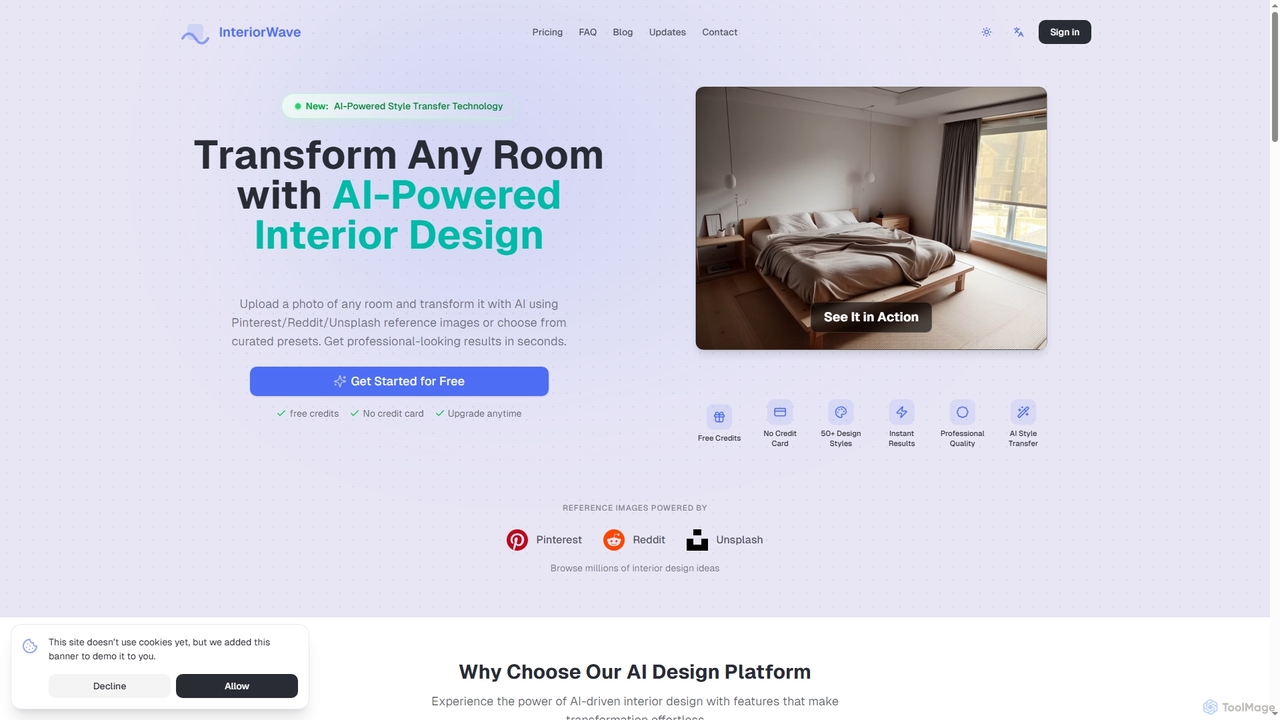
InteriorWave is an AI-powered interior design tool that transforms any room photo into stunning, professionally styled spaces in seconds. Users can apply over 50 design styles or use reference images from Pinterest, Reddit, or Unsplash to visualize their dream interiors effortlessly.

Visual Design
Visits 3.5KFavorites 109Likes 100

About Visual Design

Visual Design AI tools are a category of artificial intelligence applications specifically engineered to assist and automate various aspects of graphic and visual content creation. Leveraging advanced machine learning algorithms, these tools can generate, enhance, and optimize visual assets, from intricate illustrations to complete brand identities. They empower designers, marketers, and content creators to accelerate workflows, explore diverse creative options, and produce high-quality visuals with unprecedented efficiency and innovation.

Core Features

  • AI Image Generation: Create unique images, illustrations, and artwork from text prompts or sketches.
  • Layout and Composition Assistance: Suggest optimal design layouts, typography pairings, and color palettes for various projects.
  • Style Transfer and Enhancement: Apply artistic styles to existing images or automatically improve visual quality, resolution, and details.
  • Background Removal and Object Manipulation: Precisely isolate subjects, remove backgrounds, or seamlessly integrate objects into new scenes.
  • Brand Identity Generation: Develop logos, color schemes, and visual guidelines based on brand descriptions and preferences.

Use Cases

Visual Design AI tools are indispensable across industries, from marketing agencies needing to rapidly produce campaign visuals to individual artists exploring new creative frontiers. They are widely adopted by content creators for generating social media graphics, by e-commerce businesses for product image optimization, and by UI/UX designers for quick prototyping and asset creation. These tools streamline repetitive tasks, allowing professionals to focus on strategic and conceptual design challenges.

How to Choose

When selecting Visual Design AI tools, consider the specific design tasks you aim to automate or enhance, such as image generation, photo editing, or layout design. Evaluate the quality and versatility of the AI's output, its integration capabilities with existing design software, and the ease of use for your team's skill level. Additionally, assess the pricing model, available features like custom style training, and the community support for continuous learning and problem-solving.

Featured tool rankings

Visual Design use cases

1

Generating Unique Marketing Campaign Visuals

Marketing teams often require a high volume of diverse visual content for various campaigns across different platforms. Visual Design AI tools enable marketers to input campaign themes, target audiences, and key messages as text prompts, generating a wide array of unique images, banners, and social media graphics in minutes. This drastically reduces the time and cost associated with traditional graphic design, allowing for rapid A/B testing and content iteration to optimize campaign performance.

2

Automating Product Image Background Removal and Enhancement

E-commerce businesses deal with thousands of product images that need consistent, clean backgrounds and optimal visual quality. AI-powered visual design tools can automatically detect and remove backgrounds from product photos with high precision, often in bulk. Furthermore, they can enhance image resolution, adjust lighting, and apply consistent styling, ensuring a professional and uniform look across all product listings, which significantly improves conversion rates and saves countless hours of manual editing.

3

Rapid Prototyping and Asset Creation for UI/UX Designers

UI/UX designers frequently need to create numerous visual assets and design mockups during the prototyping phase. Visual Design AI tools allow designers to quickly generate icons, illustrations, and even entire UI layouts from simple sketches or textual descriptions. This accelerates the design iteration process, enabling designers to explore more concepts in less time, gather feedback efficiently, and bring products to market faster with visually compelling interfaces.

4

Creating Personalized Social Media Content at Scale

Social media managers and content creators need to produce engaging and personalized visuals daily to maintain audience interest. Visual Design AI tools can generate custom graphics, memes, and short animations tailored to specific trends, holidays, or audience segments based on simple inputs. This capability helps maintain a consistent content flow, increases audience engagement through relevant visuals, and frees up time for strategic content planning rather than repetitive design tasks.

5

Developing Unique Logos and Brand Identity Elements

Startups and small businesses often struggle with creating a professional and distinctive brand identity without a large budget. Visual Design AI tools can assist in generating unique logo concepts, selecting complementary color palettes, and suggesting typography based on brand values and industry. Users can iterate on designs quickly, exploring various styles and elements to establish a strong visual presence that resonates with their target market, all within an accessible and cost-effective framework.

6

Transforming Sketches into Polished Digital Art

Digital artists and illustrators can leverage Visual Design AI to bridge the gap between initial concepts and final polished artwork. By uploading rough sketches or outlines, AI tools can interpret the input and apply various artistic styles, textures, and rendering techniques to transform them into high-quality digital paintings or illustrations. This accelerates the rendering process, helps artists experiment with different aesthetics, and provides a powerful assistant for bringing complex visual ideas to life more efficiently.

Visual Design FAQ

What are Visual Design AI tools?

Visual Design AI tools are software applications that use artificial intelligence, particularly machine learning and deep learning, to automate and enhance tasks related to graphic design and visual content creation. They can generate new images, modify existing ones, assist with layout, and even create entire brand identities. These tools aim to streamline creative workflows, boost efficiency, and open up new possibilities for visual expression across various industries.

How do Visual Design AI tools differ from traditional design software?

Visual Design AI tools primarily differ from traditional design software by leveraging AI to automate and generate content, rather than solely providing manual editing capabilities. Traditional software like Photoshop or Illustrator requires direct user input for every element. In contrast, AI tools can interpret text prompts, analyze existing visuals, and generate new designs or modifications autonomously, significantly accelerating the creative process and offering generative capabilities that manual tools lack.

Who can benefit most from using Visual Design AI tools?

A wide range of professionals can benefit from Visual Design AI tools. This includes graphic designers looking to automate repetitive tasks or explore new styles, marketing professionals needing to generate high volumes of campaign visuals, content creators for social media and blogs, e-commerce businesses for product image optimization, and UI/UX designers for rapid prototyping. Even individuals with limited design experience can use these tools to create professional-looking visuals.

What are the key features to look for when choosing Visual Design AI tools?

When choosing Visual Design AI tools, prioritize features like robust AI image generation from text or sketches, advanced image editing capabilities (e.g., background removal, object manipulation), and intelligent layout or composition suggestions. Also, consider style transfer options, the ability to generate brand assets like logos, and seamless integration with your existing design ecosystem. User-friendliness, output quality, and pricing models are also crucial factors.

Can Visual Design AI tools replace human graphic designers?

No, Visual Design AI tools are designed to augment, not replace, human graphic designers. While AI can automate repetitive tasks and generate creative variations, human designers bring critical elements like conceptual thinking, understanding of complex brand strategies, emotional intelligence, and nuanced artistic direction. AI serves as a powerful assistant, freeing designers to focus on higher-level creative strategy, client communication, and refining AI-generated outputs to meet specific human-centric goals.