ToolMage
Sign in

Best 1 Ai Assistant for Crm

Popular Ai Assistant in Crm include Breeze Copilot, helping you work more efficiently.

Breeze Copilot
Freemium

Breeze Copilot

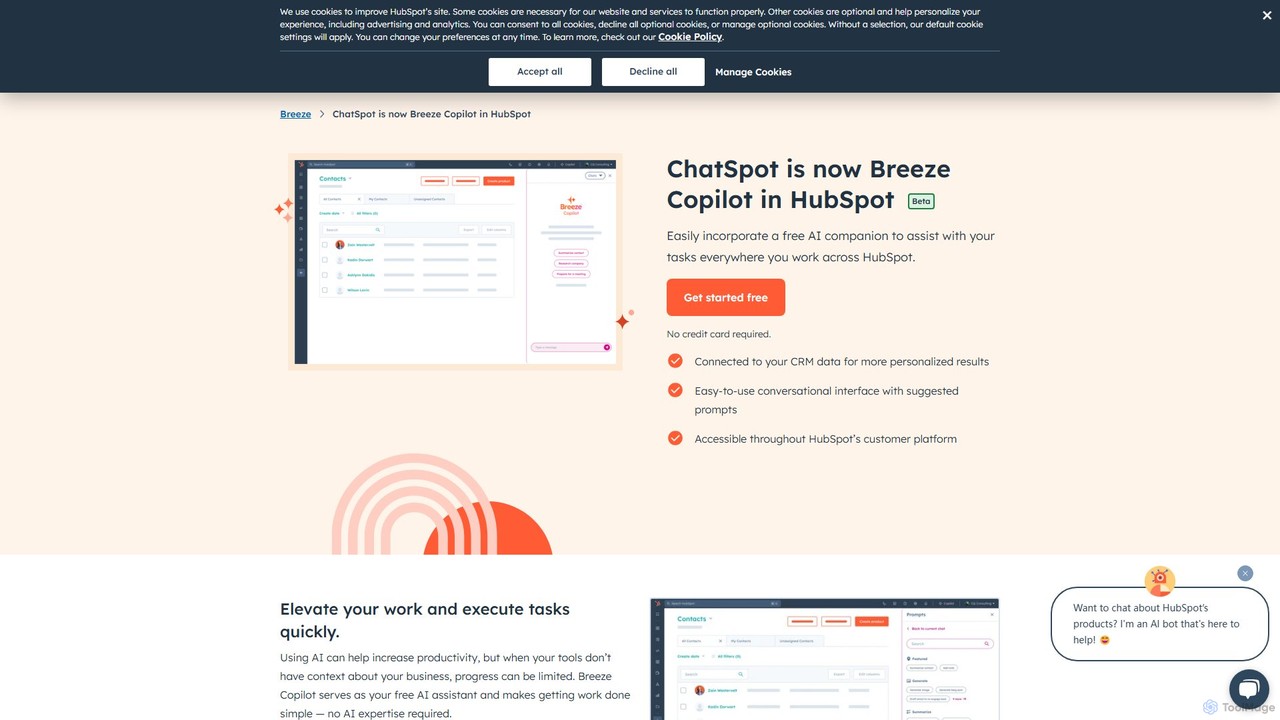
Breeze Copilot is a free AI assistant integrated directly into the HubSpot platform. It leverages your CRM data to provide personalized assistance across sales, marketing, and customer service. Boost productivity by using its conversational interface to research prospects, create content, summarize records, and streamline your daily tasks without needing any AI expertise.

Ai Assistant
Visits 39.2MFavorites 137Likes 125

About Ai Assistant

AI Assistants for CRM are specialized tools designed to automate and enhance customer relationship management workflows. They integrate directly with CRM platforms, using machine learning to analyze data, automate repetitive tasks, and provide intelligent insights for sales and support teams. This empowers professionals to focus on building relationships rather than manual data entry. Unlike general virtual assistants, these tools are fine-tuned for business processes like lead management, sales forecasting, and customer communication analysis.

Core Features

  • Automated Data Entry: Automatically captures and logs interactions like emails, calls, and meetings directly into the CRM, eliminating manual input.
  • Intelligent Lead Scoring: Analyzes lead behavior and demographic data to prioritize prospects who are most likely to convert.
  • Conversation Intelligence: Transcribes, analyzes, and provides insights from sales calls and customer meetings to improve team performance.
  • Predictive Forecasting: Uses historical data and pipeline activity to generate more accurate sales forecasts and identify potential risks.
  • Task Automation: Suggests next steps, drafts follow-up emails, and helps schedule meetings based on conversation context.

Use Cases

These tools are primarily used by sales representatives to reduce administrative burdens, sales managers for accurate forecasting and team coaching, and customer success teams to gain deeper insights into client interactions. They are valuable in industries with long sales cycles and high volumes of customer communication, such as B2B technology, financial services, and real estate.

How to Choose

When selecting an AI Assistant for your CRM, first verify its integration compatibility and depth with your existing CRM platform. Evaluate the specific features you need—whether it's primarily for data automation, sales analytics, or conversation intelligence. Consider the ease of implementation and user adoption, as complex tools can hinder productivity. Finally, assess the pricing model and its scalability as your team grows.

Ai Assistant use cases

1

Automate Sales Data Entry and Activity Logging

For sales representatives who spend hours each week manually logging calls, emails, and meeting notes into the CRM. An AI Assistant automatically captures these activities from their inbox and calendar, syncing them to the correct contact or deal record. This saves significant administrative time, reduces human error, and ensures the CRM is always up-to-date with the latest customer interactions, allowing reps to focus more on selling.

2

Prioritize Leads with Predictive Scoring

Marketing and sales teams often struggle to identify which leads to focus on from a large pool of prospects. An AI Assistant analyzes historical conversion data, engagement levels, and firmographic details to assign a predictive score to each new lead. This allows the team to automatically route the highest-scoring leads to sales for immediate follow-up, while nurturing lower-scoring leads with automated campaigns, improving conversion rates and sales efficiency.

3

Analyze Sales Calls for Coaching Insights

Sales managers need effective ways to coach their teams, but listening to hours of call recordings is inefficient. A CRM AI Assistant with conversation intelligence can automatically transcribe and analyze sales calls. It identifies key moments, such as competitor mentions, customer objections, and successful talk tracks. Managers receive summarized reports and can quickly jump to critical parts of a call to provide targeted, data-driven feedback, accelerating ramp-up time for new hires and improving overall team performance.

4

Generate Accurate, Data-Driven Sales Forecasts

Sales managers often rely on subjective estimates from their reps to build sales forecasts, leading to inaccuracies. An AI Assistant analyzes the entire CRM dataset, including historical win rates, deal progression speed, and engagement levels. It then generates an objective, AI-powered forecast that identifies which deals are on track and which are at risk. This provides leadership with a more reliable view of future revenue and helps managers allocate resources more effectively to close gaps.

5

Draft Context-Aware Follow-Up Emails

After a sales call or meeting, crafting a personalized follow-up email can be time-consuming. An AI Assistant can analyze the meeting transcript or call notes within the CRM and automatically generate a draft follow-up email. This draft includes a summary of key discussion points, action items, and relevant next steps. The sales rep can then quickly review, edit, and send the email, ensuring timely and accurate follow-up while saving valuable time for other sales activities.

6

Enrich Contact Profiles with Up-to-Date Information

CRM data can quickly become outdated, leading to ineffective outreach. An AI Assistant can automatically scan the web and professional networks to find and suggest updates for contact records. This includes new job titles, company changes, or recent news. By keeping contact information accurate and enriched with relevant context, sales and marketing teams can personalize their communication more effectively and identify new opportunities within their existing customer base.

Ai Assistant FAQ

What is a CRM AI Assistant?

A CRM AI Assistant is a software tool that integrates with a Customer Relationship Management (CRM) system to automate tasks and provide intelligent insights. Its primary purpose is to make sales, marketing, and customer service teams more efficient by handling repetitive administrative work. Key functions include automatically logging emails and calls, enriching contact data, scoring leads, and analyzing conversations to help teams focus on high-value activities and relationship building.

How do I choose the right AI Assistant for my CRM?

To choose the right AI Assistant, consider these factors:

  • CRM Integration: Ensure it offers deep, seamless integration with your specific CRM platform (e.g., Salesforce, HubSpot).
  • Core Features: Identify your primary need. Is it automating data entry, providing sales analytics, or analyzing customer calls? Choose a tool that excels in that area.
  • Ease of Use: The tool should be intuitive for your team to adopt without extensive training, fitting naturally into their existing workflow.
  • Scalability and Pricing: Evaluate the pricing model and ensure it can scale with your team's growth and evolving needs.
What's the difference between a CRM AI Assistant and a general AI chatbot?

The main difference lies in their purpose and integration. A CRM AI Assistant is an internal tool for employees, deeply integrated with your CRM data. It focuses on automating sales and service workflows, like data entry and lead scoring. In contrast, a general AI chatbot is typically a customer-facing tool on a website. Its primary role is to answer common customer questions, capture new leads, or route inquiries, and it usually has a more limited connection to backend CRM data.

What key tasks can a CRM AI Assistant automate?

A CRM AI Assistant can automate a wide range of tasks to boost productivity. Common examples include:

  • Activity Logging: Automatically syncing emails, calendar events, and calls to the relevant contact records.
  • Data Enrichment: Finding and adding missing information to contact profiles, such as job titles or company details.
  • Meeting Scheduling: Analyzing email threads to suggest and help book meeting times.
  • Follow-up Reminders: Prompting sales reps to follow up on deals that have gone quiet.
  • Report Generation: Creating summaries of sales activities and pipeline health automatically.
Who benefits most from using a CRM AI Assistant?

While the entire organization benefits from better data, the primary users who see the most direct impact are customer-facing teams. Sales Representatives benefit from reduced administrative work and intelligent guidance on which leads to prioritize. Sales Managers gain access to more accurate forecasting and data-driven coaching tools. Customer Success and Support Teams can use conversation intelligence to better understand customer needs and sentiment, leading to improved service and retention.