ToolMage
Sign in

Best 25 Knowledge Base AI tools for Customer Support

Popular Knowledge Base AI tools in Customer Support include Mintlify, Helpjuice, Stonly, Guidejar, Docsie, HelpCenter.io, Floik, Dubble, Fluency, and Kopyst, helping you work more efficiently.

Kopyst
Freemium

Kopyst

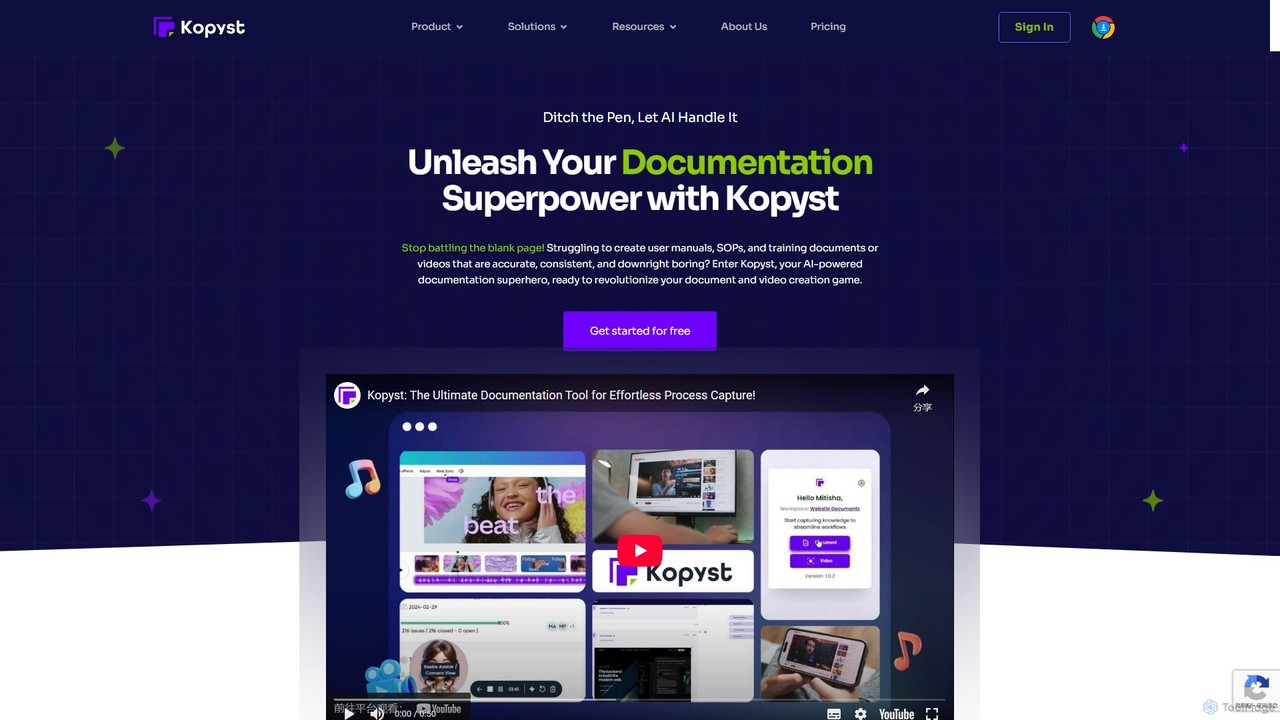
Kopyst is an AI-powered platform that transforms complex workflows into engaging step-by-step videos and documents. By recording your screen interactions, it automatically generates user manuals, SOPs, training materials, and product walkthroughs, saving you hours of manual work and ensuring accuracy.

Knowledge Base
Visits 27.4KFavorites 102Likes 112
About Knowledge Base

AI Knowledge Base tools are platforms for creating, managing, and delivering self-service support content, enhanced by artificial intelligence. These systems use Natural Language Processing (NLP) to understand user queries and provide highly relevant answers, going beyond simple keyword matching. They empower businesses to build comprehensive help centers that reduce support ticket volume, improve customer satisfaction, and provide instant, 24/7 assistance. The AI component also helps identify content gaps and suggests new topics based on user searches.

Core Features

  • AI-Powered Search: Utilizes semantic search to understand the intent behind user queries, delivering more accurate results than traditional keyword searches.
  • Content Generation & Optimization: Suggests new article topics based on support tickets and user search data, and helps optimize existing content for clarity.
  • Analytics and Gap Analysis: Provides detailed reports on what users are searching for, success rates, and identifies topics where no relevant content exists.
  • Chatbot & Helpdesk Integration: Seamlessly connects with chatbots to provide automated answers and integrates with helpdesk software to assist support agents.
  • Content Organization: Offers structured hierarchies, tagging, and version control to manage large volumes of information effectively.

Use Cases

These tools are essential for customer support teams aiming to scale their operations through self-service. They are also widely used by internal teams like HR and IT to create centralized knowledge hubs for employees, covering everything from company policies to technical troubleshooting. Product teams use them to manage public-facing developer documentation and user guides.

How to Choose

When selecting an AI Knowledge Base tool, evaluate the sophistication of its search algorithm—does it truly understand context? Assess its integration capabilities with your existing CRM, helpdesk, and chatbot platforms. Consider the quality of its analytics for identifying content gaps. Finally, examine the user-friendliness of the content editor and the overall ease of managing and updating information.

Featured tool rankings

Knowledge Base use cases

1

Building a Customer Self-Service Portal

A SaaS company's support team uses an AI Knowledge Base to create a public help center. They populate it with setup guides, troubleshooting articles, and feature explanations. When customers have questions, they first visit the portal. The AI-powered search understands natural language queries like "how do I connect my calendar?" and instantly provides the correct article. This deflects over 40% of common support tickets, freeing up agents to handle more complex issues and improving customer satisfaction with 24/7 instant answers.

2

Creating an Internal Employee Knowledge Hub

An HR department implements an internal AI Knowledge Base to centralize company information. It becomes the single source of truth for policies, benefits, onboarding procedures, and IT support guides. When a new employee asks, "what is the process for expense reimbursement?", they can find the answer instantly without needing to ask a colleague. The AI analytics feature shows the HR team which policies are most frequently viewed or searched for, helping them identify areas that may need clearer communication or updates.

3

Powering an Automated Support Chatbot

An e-commerce company integrates its AI Knowledge Base with a customer service chatbot on its website. The knowledge base acts as the chatbot's 'brain'. When a customer asks the chatbot, "What is your return policy?", the chatbot queries the knowledge base via an API, retrieves the relevant article, and presents the information in a conversational format. This allows the chatbot to handle thousands of common queries simultaneously, providing instant, accurate answers and escalating only the most complex cases to human agents.

4

Managing Technical Product Documentation

A software company's product team uses an AI Knowledge Base to host its developer documentation and API guides. The version control feature is critical for keeping documentation aligned with software updates. Developers using the product can use the advanced search to find specific function definitions or code examples quickly. The platform's analytics reveal which parts of the API are most confusing to users (based on failed searches), prompting the documentation team to improve clarity and add more examples for those sections.

5

Identifying Content Gaps with Search Analytics

A support manager regularly reviews the AI Knowledge Base's analytics dashboard. They notice a high volume of searches for "GDPR compliance" but a low click-through rate, indicating the existing content is not helpful. The system also flags this as a 'content gap'. In response, the manager tasks a content writer to create a detailed, step-by-step guide on GDPR compliance within their product. After publishing, they see search success rates for this term jump to over 90%, proactively addressing a customer need and preventing future support tickets.

6

Assisting Support Agents with Quick Information Retrieval

During a live chat with a customer, a support agent encounters a complex technical question. Instead of searching through disparate documents, the agent uses an internal-facing AI Knowledge Base integrated directly into their helpdesk software. They type a query, and the system instantly surfaces the relevant technical specifications and troubleshooting steps. This allows the agent to provide a fast, accurate, and confident answer to the customer, significantly reducing the average handling time per ticket and improving the quality of support.

Knowledge Base FAQ

What is an AI Knowledge Base?

An AI Knowledge Base is a centralized repository for creating, storing, and sharing information, enhanced with artificial intelligence. Unlike traditional static knowledge bases, it uses AI technologies like Natural Language Processing (NLP) to power a semantic search engine. This allows it to understand the intent and context of a user's query, not just keywords, to provide more accurate and relevant answers. It also often includes AI-driven analytics to identify content gaps and suggest improvements.

How does an AI Knowledge Base differ from a traditional wiki or FAQ page?

The primary difference lies in intelligence and dynamism. A traditional wiki or FAQ page is static; users must find information by browsing categories or using exact keyword searches. An AI Knowledge Base is dynamic and intelligent. Its key differentiators are:

  • Semantic Search: Understands user intent, synonyms, and context, rather than just matching keywords.
  • Content Gap Analysis: Actively identifies what users are searching for but cannot find, providing actionable insights.
  • Content Suggestions: Can suggest new articles based on recurring support tickets or user search patterns.
  • Integration: Seamlessly connects with chatbots and helpdesks to provide contextual help, whereas wikis are often standalone.
Who should use an AI Knowledge Base tool?

AI Knowledge Base tools are valuable for a wide range of teams and organizations. Key users include:

  • Customer Support Teams: To build public help centers, reduce ticket volume, and empower customers with 24/7 self-service.
  • IT Departments: To create internal helpdesks for employees to troubleshoot common technical issues.
  • Human Resources (HR): To centralize company policies, onboarding materials, and benefits information for easy employee access.
  • Product & Engineering Teams: To manage and publish technical documentation, API guides, and release notes for users and developers.
What are the key features to look for in an AI Knowledge Base?

When choosing an AI Knowledge Base, prioritize these features:

  • Advanced Search Engine: Look for true semantic search capabilities that understand context, not just keywords.
  • Robust Analytics: The tool should provide clear insights into search trends, failed searches (content gaps), and article effectiveness.
  • Seamless Integrations: Ensure it can easily connect with your existing helpdesk, CRM, and chatbot platforms to create a unified support ecosystem.
  • User-Friendly Content Editor: The interface for creating and managing articles should be intuitive for non-technical users, supporting rich media like images and videos.
  • Version Control & Permissions: Essential for managing updates and controlling who can create, edit, and publish content, especially in larger teams.
How can an AI Knowledge Base improve customer support efficiency?

An AI Knowledge Base improves efficiency in several key ways. First, it enables customer self-service, which directly deflects a significant portion of common and repetitive questions from the support queue. This frees up human agents to focus on more complex, high-value customer issues. Second, it serves as a powerful internal tool for support agents, allowing them to find accurate information instantly during customer interactions, reducing average handle time. Finally, its analytics capabilities help support managers proactively address customer pain points by creating content for known issues before they become support tickets.