Hestus
Hestus is an AI-powered CAD assistant for Autodesk Fusion 360 that accelerates hardware development. It automates mundane sketching …
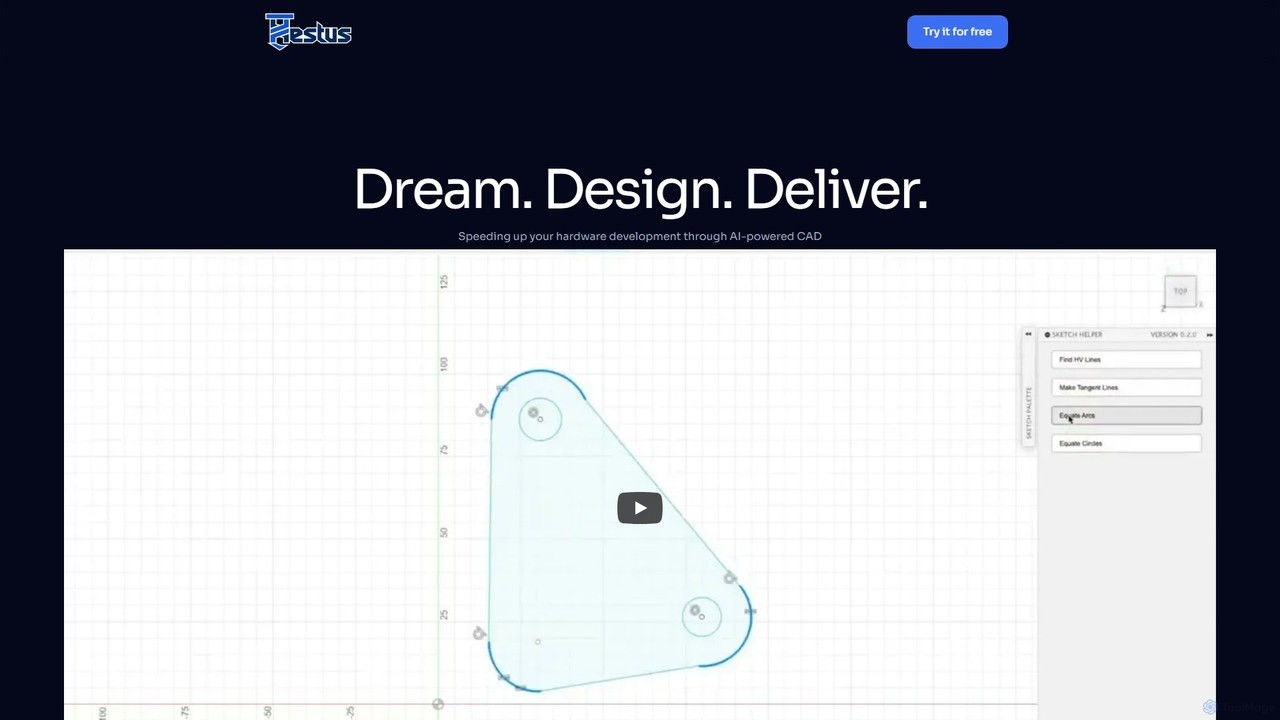
Hestus is an AI-powered CAD assistant for Autodesk Fusion 360 that accelerates hardware development. It automates mundane sketching tasks like adding constraints, generating geometry, and applying dimensions, allowing engineers to focus on creative design and innovation.
DraftAid
DraftAid is an AI-powered tool that automates the creation of 2D manufacturing drawings from 3D CAD models. It …
DraftAid is an AI-powered tool that automates the creation of 2D manufacturing drawings from 3D CAD models. It significantly accelerates the drafting process, boosting productivity by up to 3x. By intelligently adding dimensions, views, and details with a single click, it helps engineers, designers, and CNC programmers reduce manual work, minimize errors, and get products to manufacturing faster.
About Cad
AI CAD tools are a class of design software that uses artificial intelligence to automate and optimize computer-aided design (CAD) workflows. These tools employ generative algorithms and machine learning to analyze design constraints and propose multiple viable solutions. They significantly accelerate the design process, enhance product performance, and enable the creation of complex, highly-optimized geometries that are difficult to achieve with traditional methods. This technology is transforming engineering, architecture, and product design by turning functional requirements directly into manufacturable forms.
Core Features
- Generative Design: Automatically generates numerous design options based on specified constraints like materials, weight, and manufacturing methods.
- Predictive Analysis: Performs real-time simulations for stress, thermal dynamics, and fluid flow as the design is being modified.
- Automated Drafting & Annotation: Converts 3D models into fully dimensioned 2D manufacturing drawings with minimal manual input.
- Topology Optimization: Refines a part's geometry to reduce material usage while maintaining structural integrity and performance requirements.
- Error Prediction & Correction: Identifies potential design flaws or manufacturability issues early in the process, suggesting corrections.
Use Cases
AI CAD tools are primarily used in advanced manufacturing, aerospace, automotive, and architectural engineering (AEC). Mechanical engineers use them to create lightweight yet strong components for vehicles and machinery. Architects leverage them to optimize building layouts for energy efficiency and structural soundness. Product designers also utilize these tools to rapidly iterate on complex consumer product forms.
How to Choose
When selecting an AI CAD tool, consider its specific industry focus (e.g., AEC vs. mechanical). Evaluate its integration capabilities with your existing PLM, PDM, or BIM software. Assess the complexity of its generative algorithms and the level of user control over the results. Finally, consider the learning curve and the availability of training resources, as these advanced tools often require a different design mindset.

CadUse Cases
Generative Design for Mechanical Parts
A mechanical engineer is tasked with designing a lightweight bracket for a new aircraft, needing to minimize weight without compromising strength. Using an AI CAD tool, they input key parameters: material properties (e.g., titanium alloy), load points, spatial constraints, and a weight reduction target of 30%. The AI then generates hundreds of design variations, each optimized for the strength-to-weight ratio. The engineer can then explore these organic, lattice-like structures, run further simulations on the top candidates, and select a final design that meets all performance criteria, a process that would be prohibitively time-consuming with traditional modeling.
Automated Architectural Floor Plan Optimization
An architect is designing a multi-story office building and needs to create an efficient floor plan that maximizes usable space while adhering to building codes and client requirements. Instead of manually drawing dozens of layouts, they use an AI CAD tool. They define constraints such as total area, number of offices, meeting room adjacencies, and locations of structural columns and windows. The AI algorithm generates multiple floor plan options, automatically optimizing for factors like circulation paths, natural light exposure, and spatial efficiency. This allows the architect to present several high-quality, compliant options to the client in a fraction of the time.
Real-Time Predictive Stress Analysis
A product designer is developing a new bicycle frame and wants to ensure its durability under various conditions. With a traditional workflow, they would model the frame, then send it to an analysis expert for simulation, a process that could take days. By using an AI CAD tool with integrated predictive analysis, the designer receives instant feedback. As they adjust the tube diameters or change the frame's geometry, the AI continuously runs simulations in the background, visualizing stress concentrations in real-time with a color-coded heat map. This immediate feedback loop allows for rapid design iteration and optimization, catching potential weak points long before physical prototyping.
Automated Generation of 2D Manufacturing Drawings
A drafting team in a large manufacturing company is responsible for creating detailed 2D drawings from complex 3D assemblies designed by engineers. This manual process is tedious and prone to human error. By implementing an AI CAD tool, they can automate this workflow. Once an engineer finalizes a 3D model, the AI system automatically generates all necessary 2D views (top, front, side, isometric), applies standard dimensions and tolerances based on company rules, and creates a bill of materials (BOM). The drafter's role shifts to reviewing and validating the AI-generated drawings, reducing drawing creation time by over 70% and ensuring consistency across all documentation.
Topology Optimization for Aerospace Components
An aerospace engineer needs to design a satellite mounting bracket that is as light as possible to reduce launch costs, yet strong enough to withstand extreme vibrations. They use an AI CAD tool's topology optimization feature. The engineer defines the 'design space' (the maximum allowable volume for the bracket), specifies the locations of bolts and the forces that will be applied. The AI algorithm then iteratively removes material from non-critical areas, carving out a highly efficient, organic-looking structure. The result is a component that is 40% lighter than a traditionally designed counterpart but meets or exceeds all structural requirements, directly contributing to mission efficiency.
Smart Component Placement in PCB Design
An electronics engineer is designing a complex Printed Circuit Board (PCB) for a new smartphone. Manually placing hundreds of components to optimize signal paths, minimize electromagnetic interference (EMI), and manage heat dissipation is a major challenge. Using an AI-powered CAD tool for electronics (ECAD), the engineer can leverage an auto-router with AI capabilities. The system analyzes the schematic and component constraints, then suggests optimal placement and routing for critical traces. It can run thousands of placement simulations to find a layout that best balances signal integrity, thermal performance, and manufacturability, significantly reducing design cycles and improving board reliability.