ToolMage
Sign in

Best 1 Batch Processing AI tools for Developer Tools

Popular Batch Processing AI tools in Developer Tools include Bsub, helping you work more efficiently.

Paid

Bsub

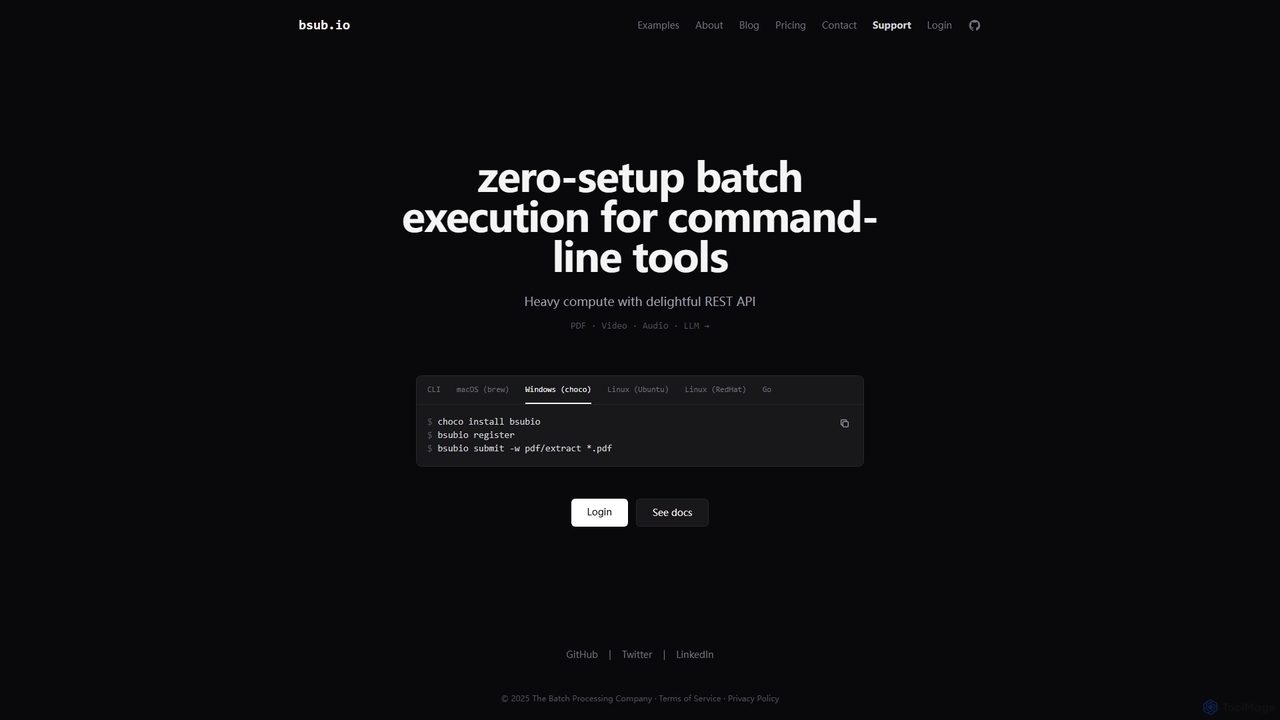
Bsub is a zero-setup batch processing platform designed for developers to execute command-line tools at scale. It simplifies heavy computational tasks like PDF extraction, video transcoding, audio transcription, and large language model (LLM) batch inference through a simple REST API, eliminating infrastructure management and scaling concerns.

Transcription
Visits 5.6KFavorites 97Likes 110

About Batch Processing

Batch Processing tools are a specialized category within developer tools that leverage AI to automate and optimize the execution of repetitive, high-volume tasks without continuous human intervention. These tools are designed to efficiently process large datasets, execute complex workflows, or perform multiple operations in a predefined sequence, significantly enhancing productivity and resource utilization. By integrating AI, they can adapt to varying data structures, learn from past operations, and even predict optimal processing strategies, making them indispensable for modern software development and data engineering.

Core Features

  • Automated Task Scheduling: Automatically initiates and manages sequences of operations based on predefined triggers or schedules.
  • Large-Scale Data Transformation: Efficiently processes, cleans, and transforms vast amounts of data for analytics, migration, or AI model training.
  • Error Handling & Resilience: Incorporates mechanisms to detect, log, and often automatically recover from processing errors, ensuring workflow continuity.
  • Parallel Processing & Scalability: Distributes tasks across multiple computational resources to accelerate execution and handle growing workloads.
  • Integration with CI/CD Pipelines: Seamlessly connects with continuous integration and deployment systems for automated build, test, and deployment tasks.

Use Cases

Developers, data engineers, and DevOps teams frequently utilize AI batch processing for tasks requiring high throughput and minimal manual oversight. This includes automating nightly data backups, running extensive test suites after code commits, or performing large-scale content moderation on user-generated data. These tools are crucial for maintaining operational efficiency and ensuring data consistency across complex systems.

How to Choose

When selecting an AI batch processing tool, consider its scalability to handle future data volumes, integration capabilities with your existing tech stack (e.g., cloud platforms, databases, CI/CD tools), and the flexibility of its workflow definition and scheduling features. Evaluate its error handling robustness, monitoring capabilities, and the level of AI-driven optimization it offers, such as intelligent resource allocation or adaptive processing logic, to ensure it meets specific project requirements and budget constraints.

Featured tool rankings

Batch Processing use cases

1

Automated Code Analysis and Refactoring

Role: Software Developers, DevOps Engineers
Scenario: A large codebase requires regular static analysis, security checks, and refactoring suggestions to maintain quality and identify vulnerabilities. Manually running these tools across thousands of files is time-consuming.
Action: An AI batch processing tool is configured to automatically trigger code analysis tools (e.g., SonarQube, linters) on new commits or nightly builds. AI can prioritize critical issues and suggest refactoring patterns.
Result: Ensures consistent code quality, reduces technical debt, and identifies potential bugs or security flaws early in the development cycle, saving hundreds of hours of manual review.

2

Automating Image Resizing for E-commerce

An e-commerce manager needs to process thousands of product images daily for various platform requirements (thumbnails, high-res, mobile-optimized). Using a batch processing tool, they can define a workflow to automatically resize, compress, and watermark images, saving countless hours of manual work and ensuring consistent visual quality across all listings.

3

Mass Data Migration and Transformation

A data engineer is tasked with migrating petabytes of legacy data from an old database to a new cloud-based data warehouse. Batch processing tools enable them to extract, clean, transform, and load this massive dataset in scheduled, manageable chunks, ensuring data integrity and minimizing downtime during the transition.

4

Large-Scale Data Migration and Transformation

Role: Data Engineers, Database Administrators
Scenario: Migrating petabytes of historical data from an on-premise legacy system to a new cloud-based data warehouse, requiring complex transformations, schema mapping, and data cleaning.
Action: An AI batch processing pipeline is set up to extract data, apply AI-driven data quality checks (e.g., anomaly detection, data type inference), transform it according to new schema rules, and load it into the target system. The AI learns transformation patterns.
Result: Accelerates data migration projects, minimizes manual data cleansing efforts, and ensures data integrity during the transition, reducing project timelines by up to 50%.

5

Batch Processing of AI Model Training Data

Role: Machine Learning Engineers, Data Scientists
Scenario: Preparing vast datasets (images, text, audio) for training new AI models, which involves tasks like resizing, normalization, augmentation, and labeling verification.
Action: An AI batch processing system automates the entire data preparation pipeline. It can intelligently augment data based on model needs, detect inconsistencies in labels, and distribute the processed data to training clusters.
Result: Significantly speeds up the data preparation phase, ensures high-quality training data, and allows ML engineers to focus on model development rather than data wrangling, leading to faster model iteration cycles.

6

Scheduled Financial Report Generation

A financial analyst requires daily, weekly, and monthly reports summarizing transaction data, market trends, and compliance metrics. A batch processing system can be configured to automatically pull data from various sources, perform complex calculations, and generate these reports in specified formats (e.g., PDF, CSV), delivering them to stakeholders on time without manual intervention.

7

Automated Code Compilation and Deployment

Software development teams use batch processing to automate their continuous integration/continuous deployment (CI/CD) pipelines. After code commits, the tool automatically compiles the code, runs unit tests, builds artifacts, and deploys them to staging or production environments, ensuring rapid and consistent software delivery.

8

Automated Deployment and Testing of Microservices

Role: DevOps Engineers, SREs
Scenario: Managing hundreds of microservices, each requiring independent build, test, and deployment cycles across various environments (dev, staging, production).
Action: AI batch processing tools integrate with CI/CD pipelines to orchestrate the parallel building, running of integration tests, and staged deployment of microservices. AI can identify optimal deployment windows and rollback strategies based on performance metrics.
Result: Enables rapid, reliable, and consistent deployment of microservices, reduces human error in complex release processes, and improves system stability by automating rollbacks when issues are detected.

9

Bulk Image/Video Processing for AI Vision Tasks

Role: Computer Vision Engineers, Content Platforms
Scenario: A content platform needs to process millions of user-uploaded images and videos daily for object detection, content moderation, thumbnail generation, and metadata extraction.
Action: An AI batch processing pipeline automatically ingests new media, applies various computer vision models (e.g., for NSFW detection, object recognition), generates optimized thumbnails, and extracts relevant metadata, all in parallel.
Result: Automates labor-intensive media processing, ensures compliance with content policies, and enriches media with searchable metadata, enabling efficient content management and discovery at scale.

10

Large-scale Log File Analysis

A DevOps team needs to analyze terabytes of server logs daily to detect anomalies, monitor system performance, and troubleshoot issues. Batch processing tools can ingest these vast log files, parse them, extract key metrics, and feed them into analytical dashboards, providing critical insights into system health and security without overwhelming manual review.

11

Automated Log Analysis and Anomaly Detection

Role: System Administrators, Security Analysts
Scenario: Monitoring vast streams of logs from servers, applications, and network devices to identify security threats, performance bottlenecks, or operational anomalies.
Action: An AI batch processing system continuously ingests log data, applies machine learning algorithms to detect unusual patterns or deviations from baseline behavior, and generates alerts for critical incidents. It can correlate events across different log sources.
Result: Proactively identifies potential system failures or security breaches, reduces the mean time to detect (MTTD) and mean time to resolve (MTTR) issues, and frees up human analysts from sifting through mountains of log data.

12

Video Encoding and Transcoding for Media Platforms

A media company needs to convert hundreds of video files into various formats and resolutions for different devices and streaming qualities. Batch processing tools allow them to queue these videos, apply specific encoding profiles, and automatically transcode them, ensuring content is optimized for delivery across a wide range of platforms efficiently.

Batch Processing FAQ

What is Batch Processing?

Batch Processing is a method of executing a series of programs or jobs on a computer system without manual intervention, typically on large datasets or multiple files. It's designed for tasks that can run independently and don't require real-time interaction, such as data transformations, report generation, or bulk file operations. Its primary goal is to maximize system throughput and efficiency for repetitive, resource-intensive operations.

What are AI Batch Processing tools?

AI Batch Processing tools are a subset of developer tools that use artificial intelligence to automate and optimize the execution of large volumes of repetitive tasks or data operations. Unlike traditional batch processing, AI-powered tools can learn from data, adapt to changing conditions, and make intelligent decisions during execution, such as optimizing resource allocation or dynamically adjusting workflows. They are designed to handle tasks like data transformation, code analysis, and content processing efficiently and at scale, minimizing manual intervention.

How do Batch Processing tools differ from Real-time Processing?

Batch Processing handles data in large blocks at scheduled intervals, optimizing for throughput and efficiency over immediate response. Real-time Processing, conversely, processes data as it arrives, providing immediate feedback or actions, crucial for interactive applications like online transactions or live analytics. Batch processing is suitable for historical data analysis and background tasks, while real-time is for immediate operational needs.

How do AI Batch Processing tools differ from traditional batch processing?

The key difference lies in the integration of AI. Traditional batch processing follows predefined, static rules and scripts, executing tasks in a fixed sequence. AI Batch Processing, however, incorporates machine learning capabilities, allowing tools to dynamically adapt, learn from patterns, and make intelligent decisions. This enables them to handle more complex, variable data, optimize performance autonomously, predict potential issues, and even self-heal in certain scenarios, offering greater flexibility and efficiency than their rule-based counterparts.

What are the main benefits of using AI for batch processing in development?

Integrating AI into batch processing offers several significant benefits for developers. Firstly, it dramatically increases efficiency by automating complex, repetitive tasks that would otherwise require extensive manual effort. Secondly, AI can optimize resource utilization, leading to cost savings and faster execution times. Thirdly, it enhances accuracy and consistency, reducing human error in data handling and code quality checks. Finally, AI-driven insights can improve decision-making, allowing for more adaptive and resilient development workflows, from data preparation to deployment.

What are the key benefits of using Batch Processing tools?

The main benefits include significant efficiency gains by automating repetitive tasks, reducing human error through standardized workflows, and optimizing resource utilization by scheduling jobs during off-peak hours. They also provide scalability for handling massive data volumes, improved data consistency, and robust error handling mechanisms, making them essential for large-scale data operations.

What types of tasks can AI Batch Processing tools automate for developers?

AI Batch Processing tools can automate a wide array of developer tasks. This includes large-scale data manipulation and cleansing for machine learning models, automated code quality checks and security scanning across entire codebases, and the orchestration of complex CI/CD pipelines for microservices. They are also used for bulk content processing (e.g., image resizing, video encoding), automated log analysis for anomaly detection, and managing large-scale infrastructure provisioning or updates, freeing developers to focus on innovation.

Who benefits most from Batch Processing tools?

Developers, data engineers, system administrators, and business analysts are among the primary beneficiaries. Developers use them for CI/CD pipelines and script execution. Data engineers rely on them for ETL processes and data warehousing. System administrators leverage them for system maintenance and log analysis. Business analysts use them for automated report generation and data aggregation.

How do AI Batch Processing tools integrate with existing developer workflows and platforms?

AI Batch Processing tools are typically designed for seamless integration with common developer workflows and platforms. They often provide APIs, SDKs, and connectors for popular cloud services (AWS, Azure, GCP), version control systems (Git), CI/CD platforms (Jenkins, GitLab CI), and data storage solutions (databases, data lakes). This allows developers to embed batch processing tasks directly into their existing scripts, pipelines, and applications, ensuring a cohesive and automated development environment without significant re-architecture.

What factors should I consider when choosing a Batch Processing solution?

When selecting a batch processing solution, consider its ability to scale with your data volume, its integration capabilities with your existing tech stack (databases, cloud services), and its support for various data formats. Evaluate its error handling and recovery features, monitoring and alerting functionalities, and the flexibility of its scheduling options. Cost-effectiveness and community support are also important considerations.