ToolMage
Sign in

Best 2 Calculation AI tools for Developer Tools

Popular Calculation AI tools in Developer Tools include Wolfram|Alpha and MathSolver, helping you work more efficiently.

Wolfram|Alpha
Freemium

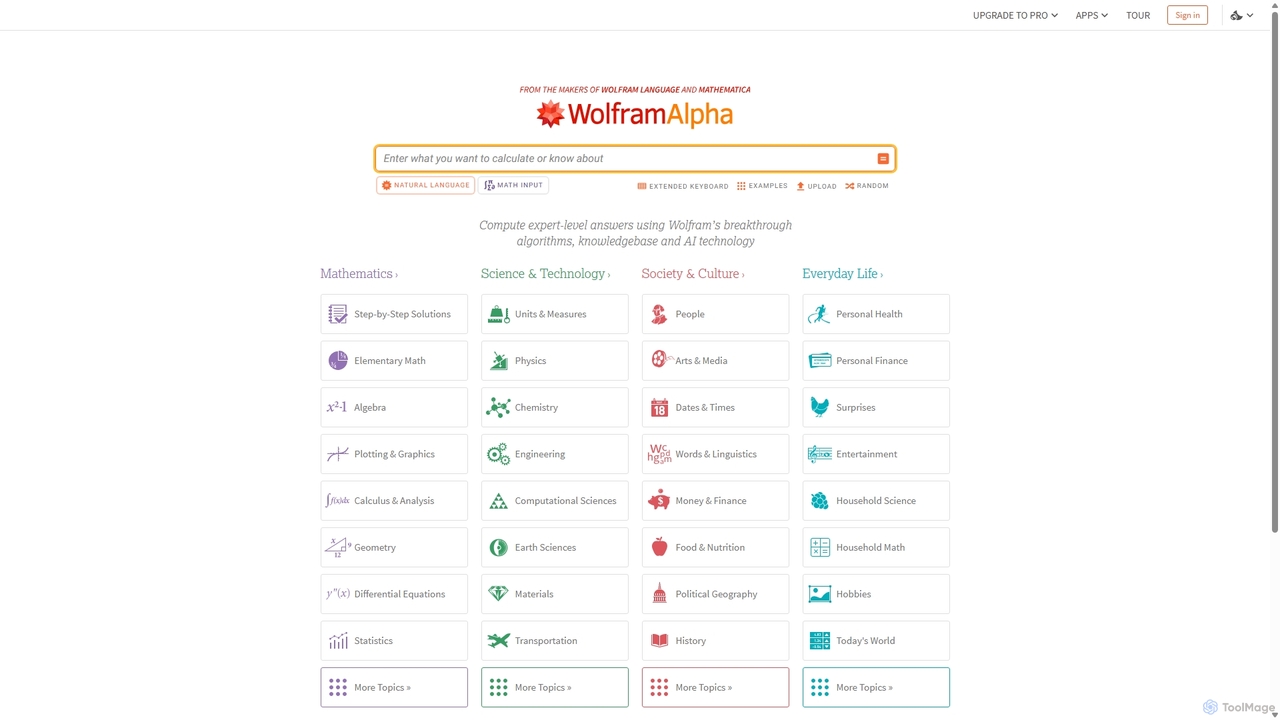
Wolfram|Alpha

Wolfram|Alpha is a unique computational knowledge engine that provides expert-level answers by computing them dynamically from its vast collection of built-in data, algorithms, and AI technology. It excels in mathematics, science, and a wide range of factual queries, offering step-by-step solutions and detailed visualizations for students and professionals alike.

Calculation
Visits 3.2MFavorites 103Likes 112
MathSolver
Freemium

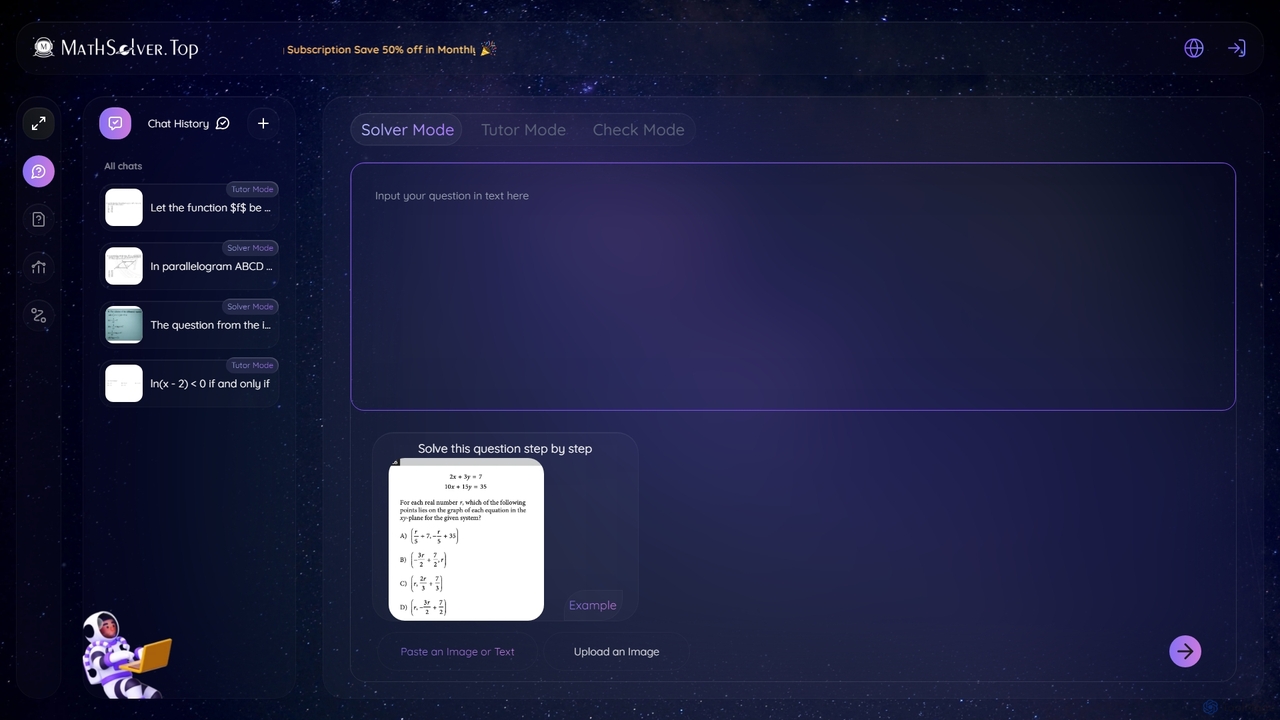
MathSolver

MathSolver is an AI-powered math assistant offering multiple modes to solve problems and learn concepts. Use Solver Mode for step-by-step answers, or Tutor Mode for interactive guidance. It supports text and image inputs for a wide range of math subjects, from algebra to calculus, making it an ideal tool for students and educators.

Calculation
Visits 4.8KFavorites 108Likes 108

About Calculation

AI Calculation tools are a specialized category of developer utilities designed to perform complex mathematical, statistical, and symbolic computations. Leveraging machine learning and advanced algorithms, they interpret natural language queries, solve intricate equations, and process large datasets for analytical tasks. These tools empower developers, researchers, and analysts to accelerate problem-solving in fields from financial modeling to scientific research, often without writing extensive custom code. As a key component of the Developer Tools ecosystem, they bridge the gap between high-level problem statements and low-level computational execution.

Core Features

  • Natural Language Querying: Understands and processes mathematical problems stated in plain English, converting them into executable expressions.
  • Symbolic Mathematics: Performs algebraic manipulations, calculus operations (derivatives, integrals), and solves equations conceptually, not just numerically.
  • Statistical Analysis & Modeling: Executes complex statistical tests, regression analysis, and can suggest or build predictive models from data.
  • API Integration: Provides robust APIs for developers to embed advanced computational capabilities directly into their applications and workflows.
  • Step-by-Step Solutions: Generates detailed, human-readable explanations for how a solution was derived, which is valuable for learning and verification.

Use Cases

These tools are primarily used by software developers, data scientists, engineers, financial analysts, and academic researchers. They are applied in scenarios requiring rapid prototyping of complex algorithms, validating scientific models, performing quantitative financial analysis, or embedding sophisticated calculation logic into software products.

How to Choose

When selecting an AI Calculation tool, consider the specific mathematical domains it covers (e.g., linear algebra, calculus, statistics). Evaluate its API availability and documentation for integration with your existing tech stack. Assess its performance on large-scale computations and the accuracy of its results. Finally, consider the user interface and whether it supports natural language, code-based input, or both.

Featured tool rankings

Calculation use cases

1

Financial Modeling and Risk Analysis

A financial analyst needs to assess the risk of a new investment portfolio. Instead of spending hours writing complex scripts in Python or R, they use an AI Calculation tool. They input queries in natural language, such as 'Calculate the Value at Risk (VaR) for this portfolio with a 99% confidence level using historical simulation.' The tool instantly processes historical market data, performs the calculation, and returns the VaR value along with visualizations, enabling rapid risk assessment and decision-making.

2

Scientific Research and Simulation

A physicist is studying fluid dynamics and needs to solve a set of complex partial differential equations. Manually solving them is impractical, and coding a solver is time-consuming. Using an AI Calculation tool, the researcher inputs the equations in standard mathematical notation. The tool's symbolic engine solves the equations where possible or sets up a numerical simulation, providing results and plots that help the researcher understand the system's behavior, significantly accelerating the research cycle.

3

Embedding Logic in Software Applications

A developer is building a logistics application that needs to calculate the most optimal delivery routes in real-time. Developing this optimization algorithm from scratch is a major undertaking. Instead, the developer integrates an AI Calculation tool's API. The application sends location data and constraints to the API, which then solves the Traveling Salesperson Problem (TSP) variant and returns the optimal route. This allows the developer to incorporate sophisticated functionality quickly and reliably.

4

Data Science Prototyping

A data scientist receives a new dataset and wants to quickly explore relationships within the data. Instead of writing boilerplate code for visualizations and statistical tests, they upload the data to an AI Calculation platform. They can then ask questions like, 'Perform a linear regression of revenue against marketing spend' or 'Show me the distribution of customer age.' The tool generates plots and statistical summaries on the fly, allowing for rapid hypothesis testing and feature engineering before committing to a full model build.

5

Educational Support for STEM Students

A university student struggling with an advanced calculus problem uses an AI Calculation tool as a tutor. They input the problem, such as 'Find the derivative of f(x) = sin(x^2) * e^(3x)'. The tool not only provides the correct answer but also generates a detailed, step-by-step derivation using the product rule and chain rule. This interactive process helps the student understand the methodology, reinforcing their learning in a way that a simple calculator cannot.

6

Engineering Design and Optimization

A mechanical engineer is designing a bridge truss and needs to calculate the forces in each member under various load conditions. This involves solving a large system of linear equations. By using an AI Calculation tool, the engineer can define the geometry and loads, and the tool solves the system of equations instantly. They can then ask follow-up questions like, 'What happens to the force in member A if we increase the load by 15%?' to rapidly iterate on the design and ensure structural integrity.

Calculation FAQ

What are AI Calculation tools?

AI Calculation tools are advanced software applications that use artificial intelligence to solve complex mathematical, statistical, and symbolic problems. Unlike a standard calculator, they can understand natural language, perform symbolic algebra (e.g., solve for 'x'), and handle tasks like calculus, linear algebra, and statistical modeling. They act as a computational engine for developers, researchers, and analysts, bridging the gap between a problem statement and its numerical or symbolic solution.

How do I choose the right AI Calculation tool?

Choosing the right tool depends on your specific needs. Consider the following factors:

  • Domain Specificity: Does the tool specialize in your field, such as finance, engineering, or pure mathematics?
  • Integration (API): Do you need to integrate its capabilities into your own software? If so, check for a well-documented and robust API.
  • Input Method: Do you prefer working with natural language, writing code, or using a graphical interface?
  • Computational Power: Assess its ability to handle the scale and complexity of your problems, from large datasets to intricate symbolic manipulations.
  • Accuracy and Reliability: For critical applications, verify the tool's accuracy against known solutions or standard benchmarks.
What's the difference between an AI Calculation tool and a library like NumPy/SciPy?

The primary difference is the level of abstraction. Libraries like NumPy and SciPy are foundational toolkits for developers that require you to write explicit code in a language like Python to perform calculations. They offer granular control but have a steeper learning curve for non-programmers. An AI Calculation tool often provides a higher-level interface, such as natural language or a GUI, that abstracts away the code. It's designed for rapid problem-solving and accessibility, whereas libraries are for building custom, high-performance computational applications from the ground up.

Can these tools handle symbolic mathematics?

Yes, one of the key features of many advanced AI Calculation tools is their ability to perform symbolic mathematics. This means they can manipulate mathematical expressions containing variables, not just numbers. For example, they can simplify algebraic expressions (like expanding (x+y)^2), solve equations for a variable, and compute derivatives and integrals in their symbolic form (e.g., the derivative of x^2 is 2x). This capability makes them powerful for theoretical work in science, engineering, and mathematics.

Are AI Calculation tools suitable for beginners or only for experts?

Many AI Calculation tools are designed to be accessible to both beginners and experts. For beginners, students, or professionals in non-coding roles, the natural language interface lowers the barrier to entry, allowing them to solve complex problems without programming. For experts, such as developers and data scientists, these tools can act as rapid prototyping utilities or provide powerful APIs that can be integrated into larger, more complex workflows. The best tools offer layers of complexity, making them useful across a wide spectrum of user expertise.