ToolMage
Sign in

Best 1 Cloud Storage AI tools for Developer Tools

Popular Cloud Storage AI tools in Developer Tools include Similarix, helping you work more efficiently.

Paid

Similarix

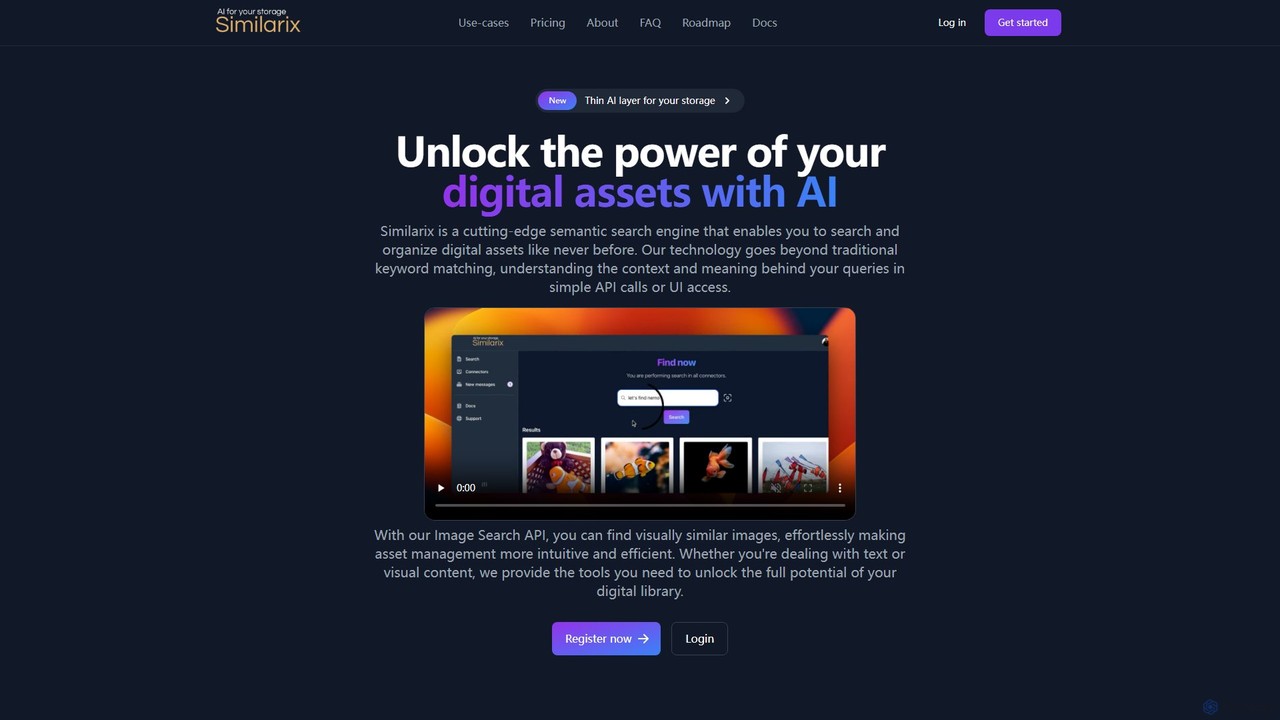
Similarix is an AI-powered semantic search engine that adds a thin intelligence layer to your S3 storage. It enables you to search and organize digital assets by text or image, understanding context beyond keywords. It features deduplication, multilingual support, and a robust API for seamless integration.

Asset Management
Visits 4.1KFavorites 109Likes 109

About Cloud Storage

Cloud Storage is a service that provides scalable and accessible data storage over the internet, eliminating the need for on-premise infrastructure. For developers, it offers a robust foundation for storing application data, user-generated content, backups, and large datasets crucial for AI and machine learning projects. These solutions ensure high availability, durability, and cost-efficiency, seamlessly integrating with various cloud computing services and developer workflows.

Core Features

  • Scalability & Elasticity: Automatically adjusts storage capacity to meet fluctuating data demands without manual intervention.
  • Data Durability & Availability: Ensures data is redundantly stored across multiple locations, providing high reliability and constant access.
  • API & SDK Access: Offers programmatic interfaces for seamless integration with applications, scripts, and developer tools.
  • Security & Compliance: Provides robust encryption, access controls, and compliance certifications to protect sensitive data.
  • Cost-Efficiency: Often employs a pay-as-you-go model, optimizing costs based on actual usage and storage tiers.

Use Cases

Cloud storage is essential for modern application development, supporting everything from web applications to complex data analytics. Developers leverage it for persistent storage of user files, media assets, and application logs. It's also fundamental for building data lakes and repositories for machine learning models, enabling efficient data ingestion, processing, and training.

How to Choose

When selecting a cloud storage solution, consider data access patterns (hot, cold, archive), required performance (IOPS, throughput), security and compliance needs, integration with existing cloud services, and pricing models. Evaluate the ease of use of APIs and SDKs, and the level of support for your specific development stack.

Featured tool rankings

Cloud Storage use cases

1

Storing AI/ML Training Data

Data scientists and machine learning engineers utilize cloud storage to host massive datasets required for training AI models. This allows for scalable data ingestion, versioning, and secure access for distributed training jobs, ensuring data availability for compute instances without local storage constraints.

2

Hosting User-Generated Content (UGC)

Web and mobile application developers use cloud storage to reliably store user uploads like photos, videos, and documents. This offloads storage management from application servers, provides global accessibility, and ensures data durability for dynamic content platforms.

3

Application Backup and Disaster Recovery

DevOps teams implement cloud storage for automated backups of application databases, configurations, and server images. This strategy provides a cost-effective and highly available solution for disaster recovery, minimizing downtime and data loss in critical scenarios.

4

Building Data Lakes for Analytics

Data engineers establish cloud-based data lakes using object storage to consolidate raw, unstructured, and semi-structured data from various sources. This forms a central repository for big data analytics, business intelligence, and future AI/ML initiatives, enabling flexible schema-on-read approaches.

5

Archiving Regulatory & Compliance Data

Enterprise developers and IT managers leverage low-cost, long-term cloud archival storage for data that needs to be retained for regulatory compliance (e.g., financial records, medical data). This ensures data integrity and availability for audits while significantly reducing on-premise storage costs.

6

Delivering Static Website Assets

Front-end developers host static website files, images, CSS, and JavaScript directly on cloud object storage, often integrated with Content Delivery Networks (CDNs). This provides high performance, global distribution, and cost-effective serving of static content, improving website load times and user experience.

Cloud Storage FAQ

What is Cloud Storage for developers?

Cloud Storage for developers refers to internet-based data storage services that provide scalable, durable, and accessible repositories for application data, backups, and large datasets. It allows developers to store and retrieve data programmatically via APIs, integrating seamlessly into their applications and development workflows without managing physical hardware.

How does Cloud Storage differ from traditional on-premise storage?

Cloud Storage offers significant advantages over traditional on-premise storage, including virtually unlimited scalability, pay-as-you-go pricing, and high durability managed by the provider. On-premise storage requires upfront hardware investment, manual scaling, and in-house maintenance, making cloud storage more flexible, cost-efficient, and resilient for modern development needs.

What types of Cloud Storage are most relevant to developers?

Developers primarily use three types: Object Storage (e.g., S3, Azure Blob) for unstructured data like media files, backups, and data lakes; Block Storage (e.g., EBS, Azure Disk) for high-performance, low-latency storage attached to virtual machines; and File Storage (e.g., EFS, Azure Files) for shared file systems accessible by multiple instances.

What are the key security considerations for Cloud Storage?

Key security considerations include data encryption (at rest and in transit), robust access control mechanisms (IAM policies, bucket policies), network security (private endpoints, firewalls), and compliance certifications (GDPR, HIPAA). Developers must configure these settings correctly to protect sensitive data and ensure regulatory adherence.

Can Cloud Storage be used for AI and Machine Learning projects?

Absolutely. Cloud Storage is fundamental for AI/ML projects, serving as the primary repository for vast training datasets, model artifacts, and inference results. Its scalability, high availability, and seamless integration with cloud-based compute and machine learning platforms make it ideal for data-intensive AI workflows.