Stenography
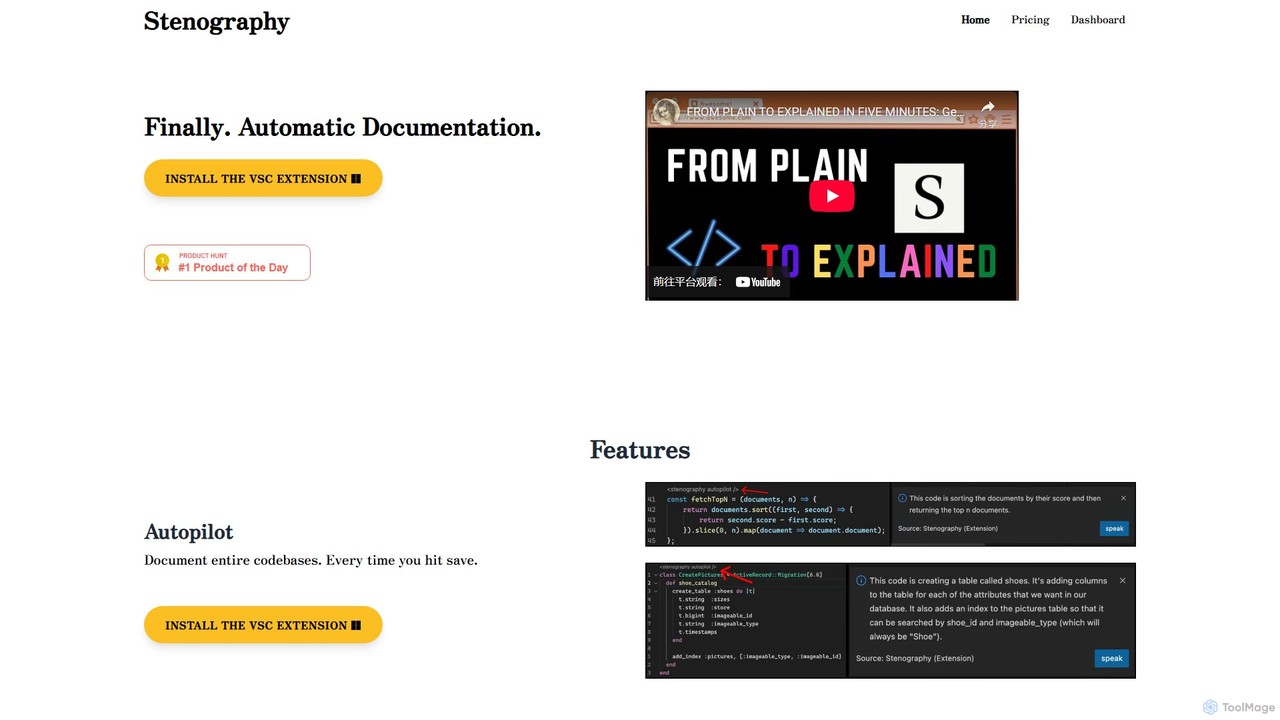
Stenography is an AI-powered tool that automates code documentation for developers. It integrates directly into your workflow via …
Stenography is an AI-powered tool that automates code documentation for developers. It integrates directly into your workflow via VS Code and Chrome extensions, automatically generating clear, plain-English explanations for your code every time you save. With features like integrated Stack Overflow suggestions and a privacy-first architecture, it streamlines the documentation process, enhances code clarity, and boosts productivity.
About Ide & Editor
AI IDEs & Editors are development environments enhanced with artificial intelligence to accelerate the coding process. These tools integrate large language models directly into the editor, providing contextual code suggestions, generation, and analysis that go far beyond traditional autocompletion. They help developers write code faster, reduce errors, and understand complex codebases more efficiently. This integration transforms the editor from a passive tool into an active coding partner.
Core Features
- AI Code Completion: Suggests entire lines or blocks of code based on the current context, not just syntax.
- Natural Language to Code: Generates functional code snippets, functions, or classes from a plain text description.
- Automated Code Review & Refactoring: Identifies bugs, vulnerabilities, and style issues, then suggests or applies improvements.
- AI-Powered Debugging: Analyzes errors and stack traces to suggest potential causes and fixes.
- Automated Test Generation: Creates unit tests for existing functions to improve code coverage and reliability.
Use Cases
These tools are widely used by software developers, data scientists, and students. In enterprise settings, they accelerate feature development and help maintain large, legacy codebases. For individual developers and open-source contributors, they reduce repetitive coding tasks and facilitate learning new languages or frameworks.
How to Choose
When selecting an AI IDE or Editor, consider its language support, the quality of its suggestions, and its integration with your existing workflow (e.g., VS Code, JetBrains). Also evaluate its privacy policy regarding your code, its performance impact on your system, and whether its pricing model (subscription vs. local models) aligns with your needs.

Ide & EditorUse Cases
Accelerate Prototyping with Code Generation
A startup developer needs to build a functional prototype for a new web application quickly. Instead of writing boilerplate code for the server, database connection, and API endpoints manually, they use an AI editor. By writing comments like "create a REST API endpoint for user signup with email and password", the AI generates the complete, functional Node.js code. This process reduces initial development time from days to hours, allowing for faster iteration and feedback cycles.
Automate Unit Test Creation
A quality assurance engineer is tasked with increasing test coverage for a critical payment processing module. Manually writing tests for every edge case is time-consuming. Using an AI-powered IDE, the engineer highlights a complex function and prompts the AI to generate unit tests. The tool produces a comprehensive test suite in Python's `unittest` framework, including tests for valid inputs, invalid inputs, and boundary conditions, increasing coverage from 60% to over 95% in a fraction of the time.
Refactor Legacy Code with AI Suggestions
A senior engineer is tasked with modernizing a ten-year-old Java application. The codebase is difficult to read and contains inefficient patterns. They use an AI editor's refactoring feature. The AI scans the code and identifies a large, monolithic method. It suggests breaking it down into smaller, single-responsibility functions, converting traditional for-loops to more readable streams, and replacing outdated library calls. The engineer reviews and applies these suggestions, significantly improving code maintainability and performance without introducing new bugs.
Learn a New Programming Language Faster
A data analyst proficient in Python needs to learn R for a new project. They use an AI editor that can explain code and translate between languages. When they encounter an unfamiliar R syntax, they can highlight it and ask the AI to "explain this code in plain English" or "show me the Python equivalent." This interactive learning process, combined with AI-powered code completion for R, allows them to become productive in the new language in weeks instead of months, directly applying their existing programming logic.
AI-Assisted Debugging for Complex Issues
A mobile app developer encounters a sporadic crash that is difficult to reproduce. The stack trace points to a complex asynchronous operation. Instead of spending hours manually tracing the logic, they paste the error log and relevant code snippets into their AI IDE. The AI analyzes the context, cross-references common issues with that framework, and suggests that a race condition is the likely cause. It even provides a corrected code snippet using proper synchronization mechanisms, solving a bug that could have taken days to diagnose.
Generate Documentation Automatically
A software team is preparing for a new release and needs to update the documentation for their public API. Manually writing docstrings for hundreds of functions is tedious and prone to error. A developer uses a feature in their AI editor to automate this. By selecting a function, the AI analyzes its parameters, return types, and logic to generate a clear, well-formatted docstring (like JSDoc or Python's reST format). This ensures consistency across the documentation and frees up developer time to focus on more critical tasks.